Fashion & Apparel
AI Product Photography for Fashion & Apparel Shopify Stores
Fashion is the most visual category in ecommerce. Your product photos aren't just showing what you sell. They're showing how it feels to wear it, where it fits, and who it's for. AI product photography now lets Shopify fashion brands create that context without the studio, the model agency, and the 2-week turnaround.
By LinkedIn: Brian Chen • 10 min read• Published July 16, 2026

Quick Answer
AI product photography tools like Prodofoto let fashion and apparel Shopify stores generate professional lifestyle photos from a single white-background image. You get styled, contextual shots in under 2 minutes instead of booking a $1,000+ photoshoot. The results look like real editorial photography and convert significantly better than plain product cutouts.
Why Fashion Photography Is Different
Fashion products need context more than any other category. A dress on a white background is a shape. A dress on a person walking through a sunlit street is a story. Shoppers buying fashion are buying identity, not just fabric.
This is why fashion ecommerce has the highest photography standards of any vertical. Brands like ASOS use 8-12 images per product. Zara shows every garment in motion. Even small DTC brands on Shopify need lifestyle imagery to compete.
The problem: creating that imagery at scale has traditionally been expensive, slow, and logistically painful. Every new SKU means another shoot. Every season means updating your entire catalog. Most small fashion brands on Shopify settle for 1-3 basic images per product because that's all they can afford.
That gap between what shoppers expect and what brands can deliver is where conversions die. And it's exactly where AI product photography changes the equation.
The Real Cost of Fashion Photoshoots
Let's talk numbers. A standard fashion product photoshoot includes a photographer, model, hair and makeup, studio rental, styling, and post-production. For a small Shopify brand, that looks like:
| Line Item | Cost Range |
|---|---|
| Photographer (half day) | $300-$800 |
| Model | $200-$600 |
| Studio rental | $150-$400 |
| Styling & props | $100-$300 |
| Post-production | $50-$200 |
| Total per shoot | $800-$2,300 |
And that's per session, not per product. If you're shooting 10 products, you might get through them in one session. 50 products? That's a week of shoots and $5,000-$10,000 before you've sold a single item.
For seasonal fashion brands that refresh inventory quarterly, this cost repeats 4 times a year. For dropshippers adding new products weekly, it's not even feasible.

AI-generated lifestyle photo from a single product image using Prodofoto
How AI Product Photography Works for Fashion
AI product photography takes a fundamentally different approach. Instead of staging a physical shoot, you upload a single white-background product image and the AI generates multiple lifestyle variants.
Here's the workflow with Prodofoto:
- Upload your product photo (white background, any angle)
- Select "lifestyle" mode for contextual settings
- Get 4 professional lifestyle variants in under 2 minutes
- Download and add to your Shopify product listing
The AI understands fashion products. It places garments in appropriate contexts: a summer dress in a sunny outdoor setting, a leather jacket in an urban environment, activewear in a gym or trail. The lighting, shadows, and surroundings look natural because the model is trained on millions of professional fashion photographs.
This isn't about replacing photography entirely. It's about making professional-quality lifestyle imagery accessible to brands that couldn't afford it before. And for larger brands, it's about generating variations at a speed that traditional shoots can't match.

Same product, different lifestyle context, generated in seconds
Building a High-Converting Fashion Product Gallery
For fashion products on Shopify, your product gallery is your fitting room. It needs to answer every question a shopper has before they click "Add to Cart." Here's the gallery framework that works:
Image 1: Clean Product Shot
White or neutral background. Shows the full garment clearly. This is your "what it is" shot.
Images 2-4: Lifestyle Shots
Show the product in context. Different environments, angles, and lighting. This is your "how it feels" sequence. AI-generated lifestyle photos work perfectly here.
Image 5: Detail Close-Up
Fabric texture, stitching, zipper, buttons. This builds trust and reduces returns by setting accurate expectations.
Images 6-8: Scale & Styling
Flat lay with accessories, size reference, or multiple colorways. Helps shoppers visualize the complete look.
For more on optimal gallery ordering, check out our guide to Shopify product gallery sequencing. And if you're wondering about exact counts, see how many product photos you need on Shopify.
The Conversion Impact of Better Fashion Photos
Fashion has one of the highest return rates in ecommerce: 30-40% of online fashion purchases get returned. The top reason? "Product looked different than expected." Better photos fix this from both directions: they increase conversion by showing what the product really looks like, and they decrease returns by setting accurate expectations.
The data supports this. Products with lifestyle imagery consistently outperform white-background-only listings:
- •Lifestyle photos drive 30-40% higher conversion rates than white-background-only galleries
- •Products with 6+ images see 2-3x the conversion of products with 1-2 images
- •Contextual product imagery reduces return rates by helping shoppers understand fit, scale, and styling
- •Mobile shoppers (70%+ of fashion traffic) rely almost entirely on images since they skim, not read
For a deeper look at how photo quality drives sales, see our product photo quality and conversion data and lifestyle vs white background comparison.

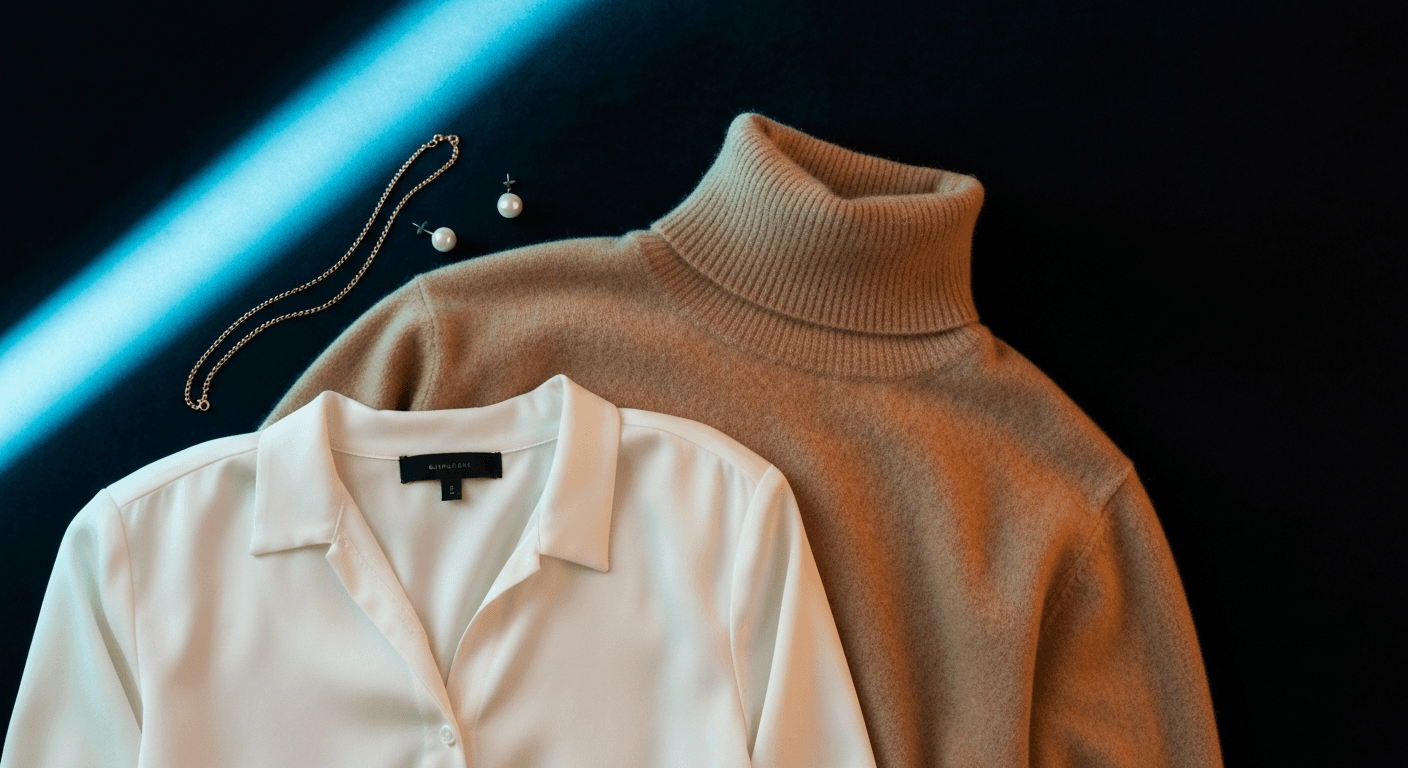
Professional lifestyle imagery, generated from a single product photo
Get Started with AI Fashion Photography
If you're running a fashion or apparel brand on Shopify, here's how to start improving your product imagery today:
- Audit your current listings.How many images per product? Are they all white-background? Identify the products with the highest traffic but lowest conversion. They're your photo problem.
- Start with your bestsellers. Take your top 10 products and generate lifestyle variants with Prodofoto. Upload the white-background image, get 4 lifestyle shots in 2 minutes.
- Build complete galleries. Aim for 6-8 images per product. Mix your original product shots with AI-generated lifestyle photos.
- Optimize for mobile. 70%+ of fashion traffic is mobile. Make sure your images are high-res (2048px+) and look great in portrait orientation. See our mobile photo optimization guide.
- Measure the impact. Track conversion rate before and after updating your galleries. Most stores see results within the first week.
For more on AI photography workflows, read our complete guide to AI product photography for Shopify.
Frequently Asked Questions
What kind of product photos work best for fashion Shopify stores?
A mix of flat lays, on-model shots, and lifestyle images. Lifestyle photos showing the garment in context (street, cafe, studio) convert 30-40% better than white-background-only listings. Aim for 6-8 images per product with variety.
Can AI generate realistic lifestyle photos for clothing?
Yes. AI tools like Prodofoto take a single white-background product image and generate multiple lifestyle variants in under 2 minutes. The output shows the garment in realistic settings with natural lighting and context.
Do I still need a photographer for my fashion brand?
For hero campaign shots or lookbook content, a photographer adds value. But for day-to-day product listings, AI-generated lifestyle photos deliver professional results at a fraction of the cost and turnaround time.
How many product images should a fashion Shopify listing have?
6-8 minimum. Include a clean cutout, 2-3 lifestyle shots, a detail/texture close-up, a scale reference, and at least one on-model or styled flat lay. Listings with 6+ images see significantly higher conversion rates.
What image size should I use for Shopify fashion products?
Shopify recommends 2048x2048 pixels for square images. Fashion products benefit from portrait orientation (3:4 or 2:3 ratio) to show full garment length. Always upload at high resolution to enable pinch-to-zoom on mobile.
How do AI product photos compare to traditional fashion photography costs?
A traditional fashion photoshoot costs $500-$2,000+ per product (model, photographer, styling, studio). AI lifestyle photo generation costs a few dollars per product and delivers results in minutes instead of weeks.