Jewelry & Accessories
AI Product Photography for Jewelry & Accessories on Shopify
Jewelry converts at 1.19% — the lowest rate of any retail category. The problem is almost always photography. Reflective metal, tiny scale, and the cost of professional shoots ($45-$150 per image) leave most Shopify jewelry stores with a white-background shot and nothing else. AI generates the full set of images you actually need, for under $1 per product.
By LinkedIn: Brian Chen • 8 min read • Published June 25, 2026

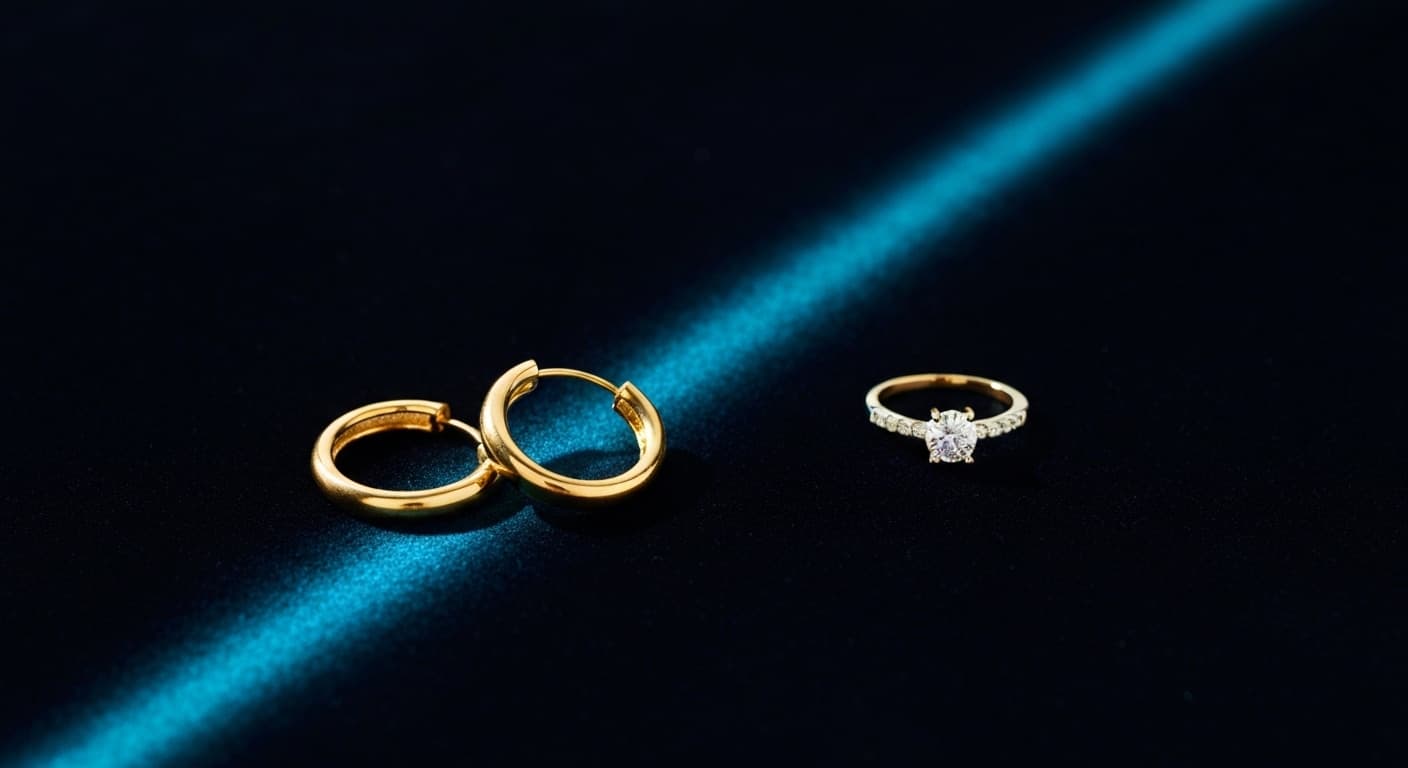
Quick Answer
Jewelry product photography is the hardest category in ecommerce because metal reflects studio lights, pieces are tiny, and professional shoots run $45-$150 per image. AI product photography solves all three problems at once. Upload one clean product photo, choose a shoot mode, and get up to 9 lifestyle images in 60 seconds for under $1. Brands using AI lifestyle photos for jewelry report an average 34% conversion lift over white-background-only listings.
Why Jewelry Photography Is the Hardest in Ecommerce
Most product categories need good lighting and a clean background. Jewelry needs all of that plus a macro lens, custom reflector setups to prevent metal flare, a steady hand, and an hour of retouching per image. The average conversion rate for jewelry ecommerce is 1.19% — the lowest of any tracked retail category (Branvas, 2026). That number is partly a category reality, but it is heavily driven by bad photography.
87% of jewelry shoppers say product photo quality is their primary purchase factor — ahead of price and reviews (Rewarx, 2026). So the gap between a mediocre listing and a well-shot one is enormous. And the cost of closing that gap the traditional way is steep.
| Problem | Traditional Photography | AI Photography |
|---|---|---|
| Metal reflections | Custom diffusion lighting, multiple takes | No studio lights — AI generates scene lighting |
| Scale & size | Macro lens, staging props, size reference objects | AI generates context automatically |
| On-model shots | $200-500/day for a model + photographer | AI On-Model mode, included |
| Cost per image | $45-$150 for jewelry (2-3× standard products) | ~$1 per product for up to 9 images |
| Turnaround | Days to weeks | 60 seconds per batch |
The 5 Image Types Every Jewelry Listing Needs
A single white-background shot is the bare minimum. Shoppers shopping for jewelry need to visualize scale, see how the piece looks worn, and trust the quality of the materials. That requires at least 5 distinct image types.
Clean background shot
Required for Google Shopping, Amazon, and as your primary Shopify listing image. White or very light neutral. This is the image that appears in search results and is non-negotiable for marketplace compliance.
Lifestyle scene
Shows the piece in context — on a marble tray, against a velvet surface, with complementary props. This is where buying decisions actually happen. Brands switching from white-only to lifestyle-first galleries report 34% average conversion lifts (Rewarx, 2026).
On-model shot
Earrings and necklaces are nearly impossible to sell without showing them worn. The on-model image answers the most common shopper question: how does this look on an actual person? Traditionally this requires a full model day at $200-500.
Detail close-up
Gem facets, hallmarks, clasp quality, engraving. These images build trust by proving the product quality matches the price. For fine jewelry, a sharp detail shot is what separates a $200 purchase from a $20 hesitation.
Scale reference
Jewelry is tiny. A ring that looks bold in isolation looks delicate once you see it next to a hand. Scale images — showing the piece being held, worn, or placed next to a common object — cut return rates. Fine jewelry retailers who added scale images saw return rates drop from 22.4% to 11.7% (Richpanel, 2026).
How AI Handles Jewelry's Biggest Challenges
Every problem that makes jewelry photography expensive to do traditionally is something AI handles differently — not better in every way, but differently enough to matter for most Shopify merchants.
No reflection problems
Traditional jewelry photography fights light reflections from metal surfaces constantly. AI doesn't photograph anything. It generates a new scene where lighting is part of the model's output — so there are no studio strobes to bounce off your ring, no diffusion panels to position, and no retouching needed to remove glare.
Scale context built in
The AI scene-planning model decides what environment fits your product. For small pieces like rings and earrings, it generates contextual elements — a hand holding the ring, a velvet display tray, marble styling surfaces — that give the viewer an immediate sense of scale without a separate macro setup.
On-model without the model
Prodofoto's On-Model mode generates human figures wearing your accessories. Earrings appear on ear, necklaces draped on a neckline, bracelets on a wrist. You get every angle a model day would produce — without scheduling, casting, or the $200-500 day rate.
Full gallery for $1
Professional jewelry photography runs $45-150 per image and takes weeks to schedule and deliver. Prodofoto generates up to 9 images per run for ~$1 per product. For a 50-piece jewelry catalog, that is the difference between a $4,500 photography budget and a $50 one.
AI is not perfect for every scenario. Fine text engraving and hallmarks can blur in early-generation passes — use Prodofoto's AI editing to sharpen specific areas after the initial generation. Complex multi-piece sets with more than 4 items in one scene can also be unpredictable. But for standard jewelry listings — a ring, a pair of earrings, a necklace — AI generates publication-ready images the first time, almost every time.
Accessories Before & After
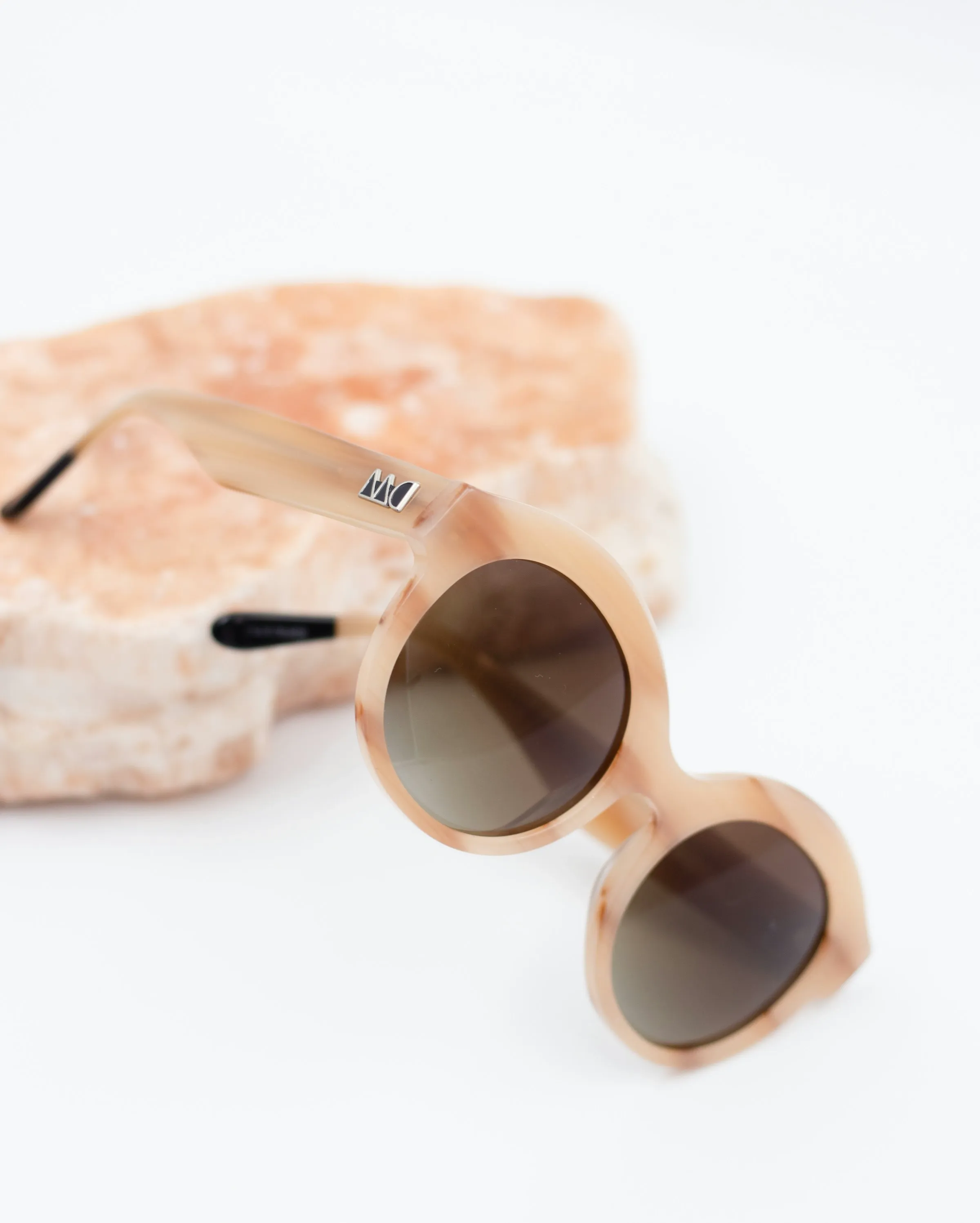
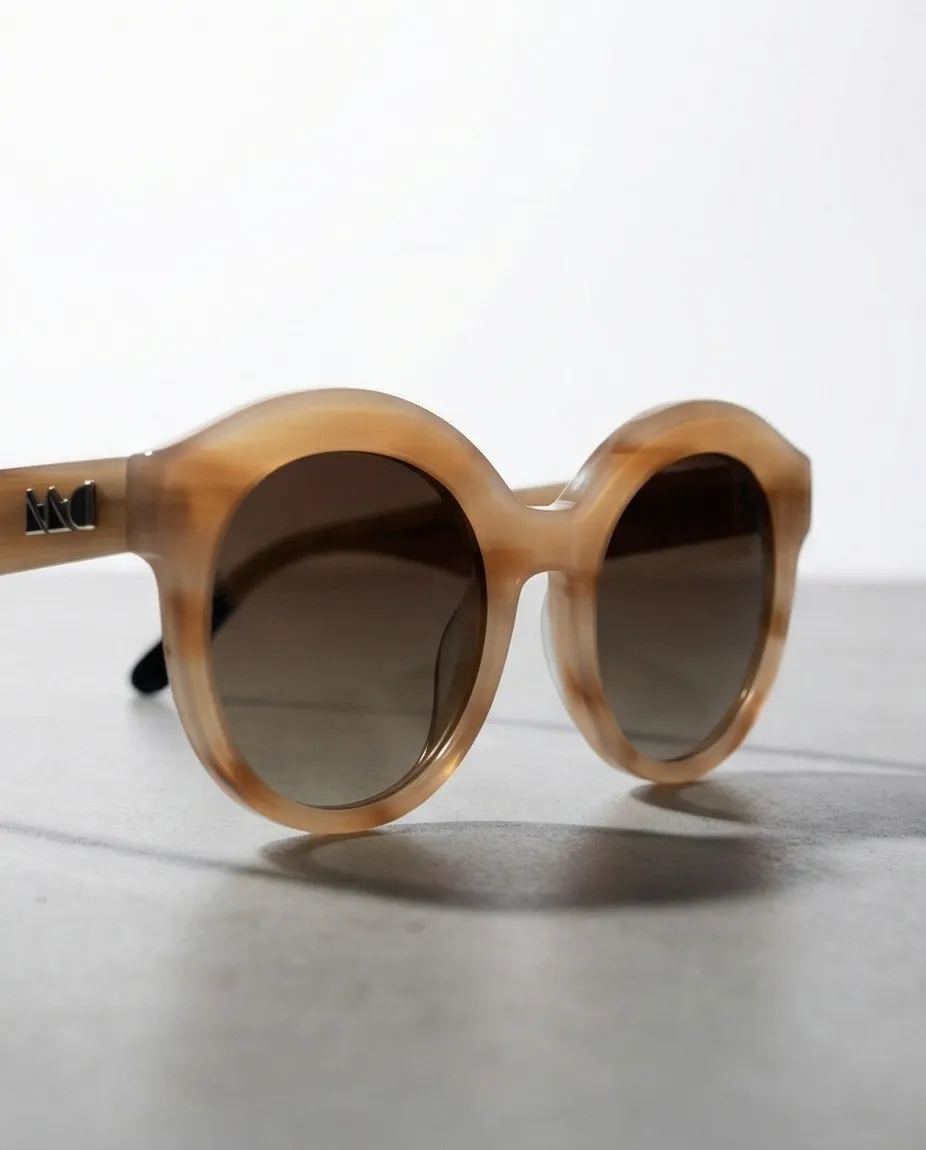
The same process that works for jewelry works across all accessories. Here is a product-only source image for sunglasses alongside the AI-generated lifestyle variant — same product, entirely new scene, new lighting, new context.
How to Use Prodofoto for Jewelry & Accessories
Prodofoto pulls your product catalog directly from Shopify — no uploading, no file management. The workflow for jewelry and accessories takes about 3 minutes from opening the app to having new photos live on your listing.
- 1
Pick a product from your Shopify catalog
Prodofoto reads your store directly. Select the ring, earrings, necklace, or accessory you want to shoot. Its existing product images become the source material — no exporting needed.
- 2
Choose your shoot mode
For jewelry, use On-Model to show pieces worn on a figure, Lifestyle for contextual flat-lay scenes, or Product-Only for a clean catalog shot on an elegant surface. Each mode drives a different generation brief.
- 3
Generate — 60 seconds
The AI scene-planning model decides the environment, lighting direction, and context elements. The image generation model renders up to 9 photos in about 60 seconds. You get a full shoot's worth of variety in one batch.
- 4
Edit if anything is off
If a background element looks wrong, or the metal tone shifted slightly, type the change in plain English. AI editing runs in about 30 seconds and saves every version in history so you never lose a good base.
- 5
Publish directly to your listing
One click sends the photos to your Shopify product page. No file downloads, no re-uploading to admin. The full workflow — select, generate, publish — takes under 5 minutes.
Related Reading
- The Complete Guide to AI Product Photography for Shopify — pillar guide covering every mode, use case, and best practice
- How Much Does Product Photography Actually Cost in 2026? — full cost breakdown including per-image pricing and hidden fees
- AI vs Traditional Product Photography: The Full Comparison — cost, speed, and quality comparison with data tables
- How to Use Prodofoto for Shopify Product Photography — step-by-step tutorial for the full Prodofoto workflow
- Best AI Product Photography Tools for Shopify in 2026 — comparison of Prodofoto, Photoroom, Lensia, and others
Turn One Jewelry Photo Into a Full Gallery
Upload one clean product shot. Choose Lifestyle, On-Model, or Product-Only. Get up to 9 AI-generated images in 60 seconds and publish directly to your Shopify listing. The first 10 credits are free — no prompting, no credit card.
Frequently Asked Questions
Can AI handle reflective jewelry like gold and silver rings?
Yes. AI product photography sidesteps the reflection problem entirely because it generates a new scene rather than photographing the physical piece under studio lights. There are no hot spots from strobes, no unwanted reflections of the photographer's hands — the AI places your product into a digitally constructed environment where lighting is applied by the model, not by real bulbs bouncing off real metal.
How do I photograph jewelry to show accurate gemstone color and sparkle?
For traditional photography, this requires careful diffusion lighting and a macro lens. With AI, you upload a clean shot of the piece and the generation model adds realistic sparkle and facet rendering based on the gem type the model infers from the image. The results are optimized for ecommerce — clear, appealing, and color-accurate — without any specialized equipment.
Do I need a professional camera to photograph jewelry for Shopify?
Not with AI. You need one decent source photo — sharp, well-lit, the full piece visible. A smartphone works. The AI generates an entirely new scene around your piece, so the output quality depends on the generation model, not your camera gear. The source image is just the reference Prodofoto uses to preserve the shape, color, and texture of your product.
What background works best for jewelry product photos?
For your primary listing image on Shopify, a white or light neutral background is standard — it performs well across marketplaces including Google Shopping. For secondary images, dark velvet, marble, and lifestyle context consistently outperform white backgrounds in click-through rates. AI lets you generate both types from the same source photo, so you can lead with the required white shot and follow with lifestyle images that convert.
How many photos do I need for a jewelry listing on Shopify?
Aim for 5-7 images: one clean white background shot, one lifestyle scene, one on-model shot (for earrings or necklaces), one detail close-up showing gem or hallmark quality, one scale reference, and one variant shot if you offer multiple metals or stones. That full set covers every question a shopper has before buying. Prodofoto generates up to 9 images per shoot, so you can cover the whole gallery in one session.
Can AI product photography generate on-model photos of earrings and necklaces?
Yes. Prodofoto's On-Model mode places apparel and accessories on AI-generated human figures. For earrings, the model renders them worn on a person. For necklaces, similarly. This is the highest-converting image type for jewelry — shoppers want to see scale and how the piece looks when worn — and it normally requires hiring a model and photographer for a full day.
Why does jewelry have the lowest ecommerce conversion rate?
The average jewelry ecommerce conversion rate is 1.19%, the lowest of any retail category. The core problem is sensory gap: shoppers can't touch the piece, assess its weight, or see it in light. Better photography narrows that gap. Brands using AI-generated lifestyle scenes report an average 34% conversion lift over white-background-only listings. On-model shots and detail images further reduce return rates, which average 9% for well-photographed jewelry versus 22%+ for poorly visualized pieces.
References
- Jewelry & Accessories E-commerce Statistics & Benchmarks 2026 — WisePIM
- Jewelry Ecommerce Benchmarks: Conversion Rates and AOV (2026) — Branvas
- AI Jewelry Photography Tools 2026 — Rewarx
- Ecommerce Return Rates in 2026: Benchmarks by Category — Richpanel
- Jewelry Photography Pricing 2026: How Much It Costs — Welpix
- The State of Jewelry Ecommerce in 2026 — The Jeweler's Blog (Picup Media)
- How to Photograph Jewelry for Ecommerce — Shopify Blog