Stationery & Planners
AI Product Photography for Stationery, Planners & Notebooks on Shopify
Stationery and planner sellers face a photography problem that hits hardest in September: how do you show texture, layout, and in-use context for paper products without a full studio flat-lay setup? AI product photography generates the styled desk scenes, texture close-ups, and gifting shots your listings need — in 60 seconds, for under $1 per product.
By LinkedIn: Brian Chen • 9 min read • Published September 14, 2026

Quick Answer
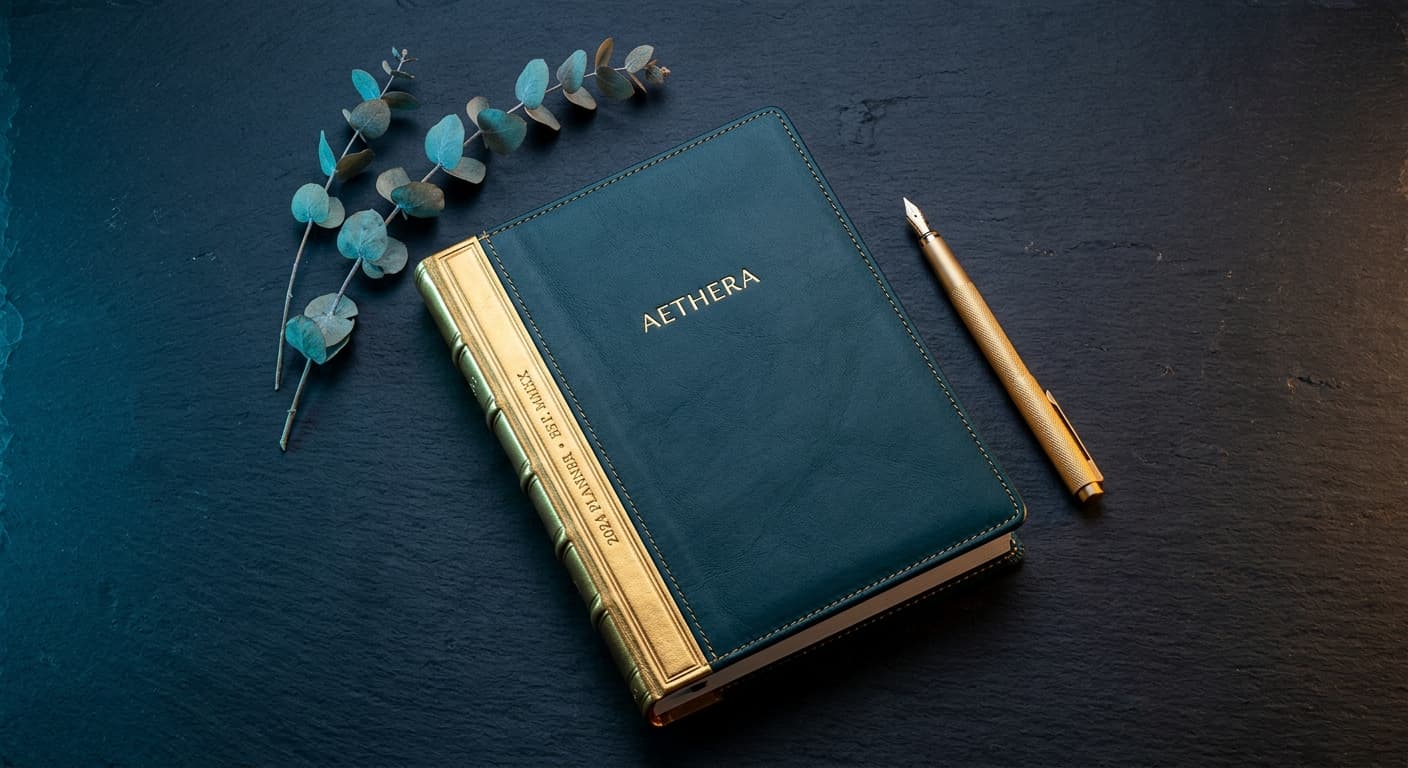
AI product photography for stationery, planners, and notebooks on Shopify works by generating styled flat-lay scenes, texture close-ups, desk context shots, and gifting arrangements from a single product photo — no studio, no props sourcing, no flat-lay setup required. Prodofoto produces up to 9 professional images per stationery product in 60 seconds for under $1, compared to $300–$800 per professional flat-lay session. It preserves cover texture detail (leatherette grain, foil stamping, cloth binding) while generating contextual lifestyle scenes that show buyers exactly how the product fits into their daily planning ritual.
Why stationery and planner photography is uniquely difficult
Paper products have specific photography challenges that don't affect most other Shopify categories. Flat-lay composition for stationery requires precise overhead alignment — even a slight angle distorts the geometry of notebooks, planners, and desk sets. Cover texture matters enormously: buyers purchasing a leatherette or cloth-bound planner are paying for the tactile quality of the cover, which a smartphone flat-lay almost always under-represents.
Color accuracy is another stationery-specific problem. Pastel covers, foil lettering, and gradient designs look completely different under fluorescent office light than in daylight — and buyers who receive a product that doesn't match the listing photo are far more likely to leave a negative review or return it. Then there's context: stationery buyers want to see the product in their life — on a morning desk with coffee, in a study setup with highlighters, wrapped in a gift box with ribbon. Getting those shots traditionally means sourcing props, setting up a styled desk, and shooting from multiple angles.
| Challenge | Traditional shoot | AI photography |
|---|---|---|
| Flat-lay alignment | Overhead rig, precise leveling required | AI generates correct overhead geometry |
| Cover texture accuracy | Controlled studio lighting per material | AI renders texture from input photo |
| Color accuracy | Calibration required, varies by light | Faithfully preserves input photo colors |
| In-use desk context | Props sourcing, styled desk setup, photographer | AI generates scene in 60 seconds, under $1 |
| Gifting / seasonal scenes | New props, new shoot per season | Generate any gifting scene any time |
| Interior spread shots | Product must be open, layout staged | Upload open spread photo, AI styles scene |
5 essential image types for stationery Shopify listings
Stationery buyers make decisions based on how a product makes them feel — organized, creative, intentional. These five image types answer every buying question while building the emotional connection that converts a browser into a buyer.
Clean catalog hero shot
White or light background, product centered and sharp. Required for marketplace compliance (Amazon, Etsy) and for Google Shopping product listings. The reference shot every buyer checks before purchasing.
Cover texture close-up
The detail shot that sells the quality. Leatherette grain, cloth weave, matte laminate, foil lettering, embossed patterns — buyers paying a premium for a quality planner need to see why it's worth it.
Styled desk lifestyle scene
The planner open on a morning desk with coffee, a pen, maybe a small plant or washi tape roll. This is the image that creates desire — it sells the lifestyle, not just the product.
Interior layout showcase
Open to a featured spread showing weekly layout, habit tracker, or notes section. Buyers comparing planners decide based on the interior — without this shot, you're losing conversions to competitors who show it.
Gifting / packaging flat lay
Stationery is a top gift category in September-December. A styled flat lay showing the planner alongside a pen, ribbon, or gift box signals gift-worthiness and justifies a premium price point.
AI photography by stationery product type
Different stationery categories have different must-have shots. Here's what works best for each type.
Planners & dated journals
- ✓Cover flat lay with pen and coffee mug
- ✓Open weekly spread in styled desk scene
- ✓Infographic callout of key planning features
- ✓Gifting packaging arrangement
Notebooks & dot journals
- ✓Cover texture close-up (grain, fabric, matte)
- ✓Open spread showing ruling or dot grid
- ✓Stack of notebooks in coordinated colors
- ✓In-use scene: pen writing on open page
Pens, pencils & writing sets
- ✓Flat lay on coordinated stationery background
- ✓Close-up of nib or tip detail
- ✓Writing-in-use scene (pen on open notebook)
- ✓Gift set arrangement with packaging
Washi tape & accessories
- ✓Rolls arranged in color-coordinated flat lay
- ✓Close-up of tape pattern unrolled on white
- ✓In-use on planner or journal spread
- ✓Gift set with matching stationery items
Journaling & self-care kits
- ✓Full kit flat lay with all components
- ✓Lifestyle scene: journal open on morning table
- ✓Close-up of specialty paper or cover material
- ✓Gifting arrangement with tissue and ribbon
| Product type | Must-have shot | Prodofoto mode |
|---|---|---|
| Planners & dated journals | Open weekly spread in desk scene | Lifestyle |
| Notebooks & dot journals | Cover texture close-up | Product-Only |
| Pens & writing sets | In-use writing scene | Lifestyle |
| Washi tape & accessories | Color-coordinated flat lay | Lifestyle |
| Journaling kits | Full kit arrangement with all components | Lifestyle |
| All categories | Clean hero shot | Product-Only |
| Planners with features | Feature callout with layout specs | Infographic |
Before & after: plain product photo to professional listing
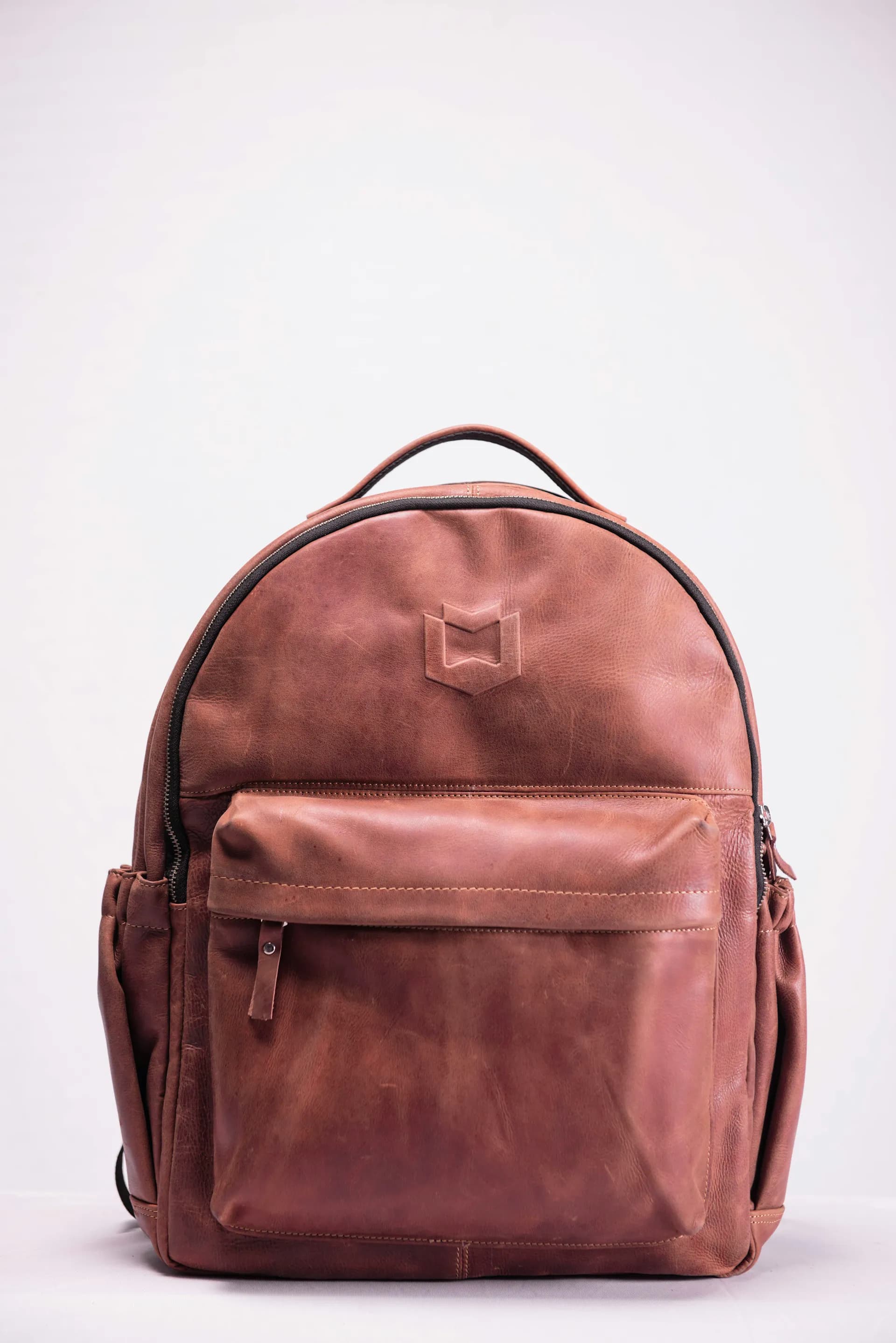
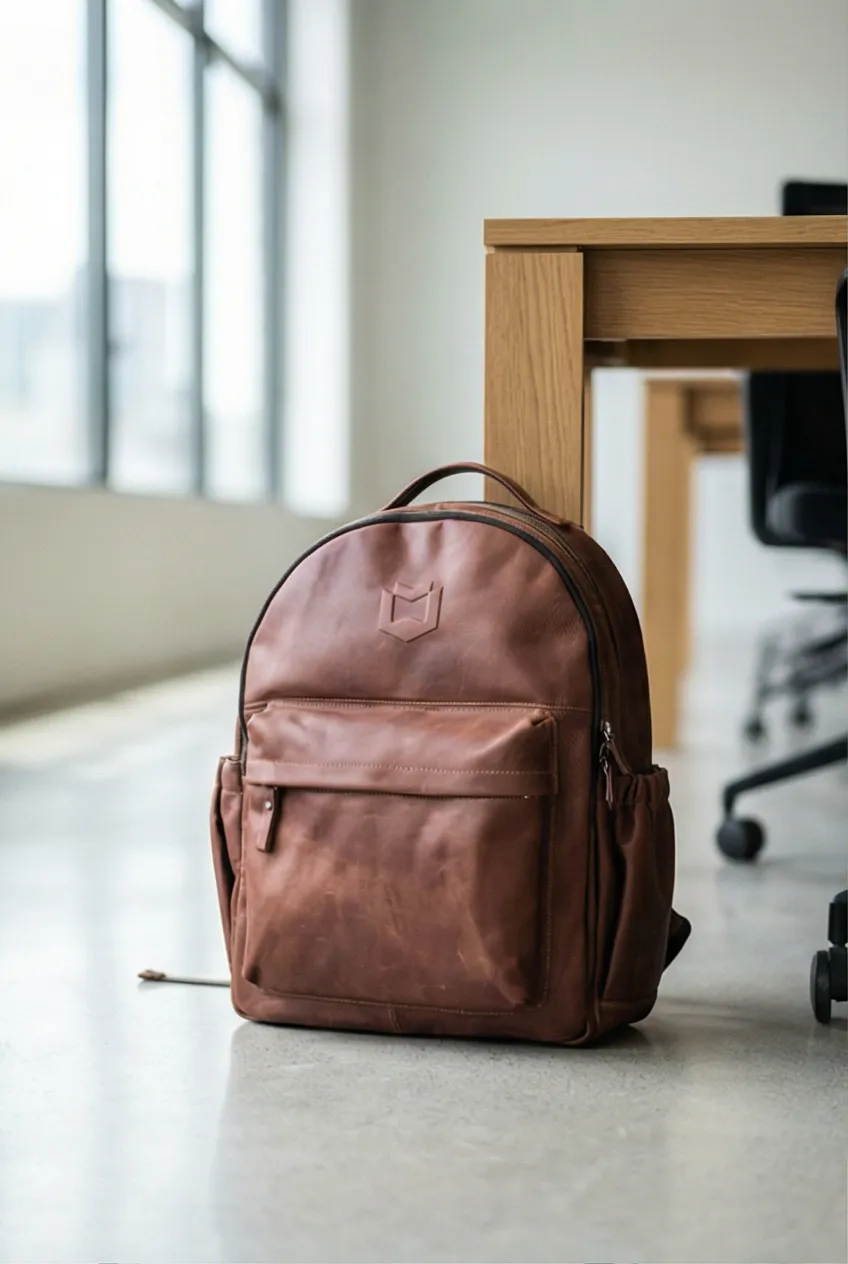
This is the transformation stationery sellers get with AI photography. A simple product photo taken on a neutral background becomes a series of styled lifestyle shots that compete with brands spending thousands on studio flat-lay sessions. The same principle applies to planners, notebooks, and every stationery product in your catalog.
Cost comparison: traditional vs AI product photography for stationery sellers
Traditional flat-lay photography for stationery requires a photographer, an overhead rig or mirror setup, and a prop collection — all before you get a single usable image. September launches on a traditional budget often mean choosing between photographing your full catalog and photographing it well. AI removes that constraint entirely.
| Catalog size | Traditional cost | AI cost (Prodofoto) | Saving |
|---|---|---|---|
| 10 products | $300–$800 | Under $10 | 97%+ |
| 20 products | $800–$2,000 | Under $20 | 98%+ |
| 50 products | $2,000–$6,000 | Under $50 | 99%+ |
| Full seasonal refresh | $500–$1,500 | Under $15 | 99%+ |
Traditional cost estimate based on $50–$150/hr photographer rate (2–4 hrs per session) plus $100–$400 in props and overhead rig setup for flat-lay stationery shoots. AI cost based on Prodofoto's Starter plan at under $1 per product generation.
How stationery sellers use Prodofoto: 5-step workflow
You don't need an overhead photography rig, a prop collection, or a professional flat-lay setup. Here is the exact workflow stationery sellers use to go from a single smartphone photo to a complete professional listing gallery.
- 1
Photograph your product on a clean, light background
For cover shots: lay the planner or notebook on a white surface with even natural light. For interior shots: open to a featured spread and photograph flat — this becomes a separate product image you can run AI shoots on. Good light, sharp focus, product filling the frame.
- 2
Add the product to your Shopify catalog
Upload your photo as the product image in Shopify. Prodofoto reads directly from your Shopify catalog — no separate file uploading into another tool required.
- 3
Open Prodofoto and select your stationery product
In the Prodofoto app, select the product from your catalog. Choose the shoot mode: Lifestyle for styled desk scenes and flat lays, Product-Only for clean catalog shots, or Infographic for planners where you want to call out features like weekly layouts, habit trackers, and dated page counts.
- 4
Generate up to 9 photos in 60 seconds
Prodofoto creates up to 9 professional images from your one input photo. For stationery, Lifestyle mode generates the highest-converting results — morning desk scenes, styled flat lays with pens and greenery, and gifting arrangements that make your product feel aspirational.
- 5
Publish directly to your Shopify listing
Pick your favorites and publish directly to your Shopify product page with one click. No downloading, no resizing, no manual reuploading. Your listing goes live with professional imagery in time for the September planning season.
Frequently asked questions
Can AI product photography show the texture of paper covers and notebook bindings?
Yes. AI renders surface texture — leatherette grain, cloth weave, matte paper, foil stamping — directly into generated scenes from your input photo. The key is starting with a clear, close-up photo that shows the texture detail you want preserved. Prodofoto's Lifestyle mode then places that textured cover into a styled scene with realistic light interaction across the surface.
What photography modes work best for planners and stationery on Shopify?
Lifestyle mode generates the highest-converting shots for planners — styled desk scenes, morning coffee setups, flat-lay arrangements with pens and greenery. Product-Only mode handles clean catalog shots and marketplace listings. Infographic mode works well for planners with complex internal layouts, letting you call out features like weekly spreads, habit trackers, and pocket folders with text overlays. Most stationery sellers use all three.
How do I show the inside pages of a planner or notebook in AI-generated photos?
For interior shots, take a separate input photo showing the open planner spread — lay it flat under natural light to show the layout and ruling. Upload that as a separate product image and run a Product-Only or Lifestyle shoot from it. Prodofoto treats each uploaded image as the product, so you can generate interior spread shots and cover shots as separate sets and combine them in your Shopify gallery.
Do stationery and planner photos need to show the product in use?
Yes, strongly. Conversion research shows that stationery buyers respond most to in-use context — a planner open to a filled weekly spread, a pen writing on a notepad, a journal on a morning coffee desk. These images answer the question 'what does it feel like to use this?' which is the primary purchase driver for stationery. AI Lifestyle mode generates these scenes without needing a hand model or styled desk shoot.
Can AI photography work for washi tape and small stationery accessories?
Yes. Small items like washi tape rolls, paper clips, sticky notes, and pen sets photograph well in flat-lay arrangements. AI Lifestyle mode generates styled flat lays with complementary stationery items in the scene. For washi tape specifically, a close-up showing the pattern detail is essential — take the input photo with the tape partially unrolled on a white surface so the pattern registers clearly.
How much does traditional stationery photography cost versus AI?
A professional stationery flat-lay shoot costs $300–$800 per session for a product photographer plus $100–$400 in props, yielding 10–20 usable images. That is $20–$60 per image. Prodofoto generates up to 9 professional images per product in 60 seconds for under $1. For a 20-product stationery catalog, the difference is $4,000–$24,000 (traditional) versus under $20 (AI).
Is the September stationery season still worth investing in photography for?
September through October is the peak stationery buying window — back-to-school demand plus Q4 planning and gifting season. New listings with professional photos launched in August-September capture early organic traffic and convert at higher rates during peak demand. With AI photography taking 60 seconds per product, there is no reason to enter the peak season with smartphone photos when professional images cost under $1 each.
References
- Baymard Institute — Product Image Guidelines for Ecommerce
- Shopify — Product Photography Guide
- GrabOn — Ecommerce Image Statistics: How Photos Affect Online Shopping
- Squareshot — Product Photography Pricing Guide 2026
- Rewarx — Ecommerce Product Return Statistics
- Nielsen Norman Group — E-Commerce UX: Product Page Design
- Statista — Global Stationery Market Revenue 2024–2029
Related guides
- The Complete Guide to AI Product Photography for Shopify
- How Much Does Product Photography Actually Cost in 2026?
- AI Product Photography vs Traditional Photography: The Full Comparison
- Best AI Product Photography Tools for Shopify in 2026
- How to Use Prodofoto for Shopify Product Photography (Step-by-Step)
- AI Product Photography for Handmade & Artisan Products on Shopify
Start photographing your stationery products with AI
Upload one photo per product. Get up to 9 professional styled shots in 60 seconds. Publish directly to your Shopify store before the September planning season peaks. Free to install.
Add Prodofoto to Shopify — Free