AI Product Photography
Prodofoto vs Claid.ai: Which AI Product Photography Tool Is Right for Your Shopify Store?
Both Prodofoto and Claid.ai use AI to generate product photos. But they were built for very different buyers. One is a Shopify app any merchant can install in 60 seconds. The other is an enterprise API platform that requires a developer to set up. Here is what each one actually does, where it falls short, and which fits your store.
By LinkedIn: Brian Chen • 9 min read• Published July 1, 2026


Quick Answer
Prodofoto is a native Shopify app that generates full AI lifestyle, on-model, and product-only photos inside your Shopify admin and publishes them directly to your product listings. No developer needed. Claid.ai is an enterprise-grade API platform with strong background removal, upscaling, and AI scene generation tools — but no native Shopify app and no catalog sync. It requires developer integration or manual export workflows. For Shopify merchants without a developer, Prodofoto is the faster, simpler, and often cheaper path to professional product photos.
What Each Tool Actually Does
The single most important thing to understand before comparing features or pricing: Prodofoto and Claid.ai are not the same type of product. They are not interchangeable.
Prodofoto is a Shopify app. You find it in the Shopify App Store, install it in a few clicks, and use it entirely within Shopify admin. Claid.ai is an enterprise API platform. You access it through its web interface or via REST API calls from a server your developers control.
Prodofoto
A native Shopify app that generates full AI lifestyle scenes. Pick a product from your catalog, choose a shoot mode, and get up to 9 photos in about 60 seconds. Publish directly to your product listing without leaving Shopify admin. No prompting required. No exporting files. No developer.
Five shoot modes: Product-Only, On-Model, Lifestyle, Infographic, and Copycat. AI editing lets you refine results in plain English with full version history. Billed through Shopify billing.
Claid.ai
An enterprise-grade API platform for automated image processing. Core tools include background removal, image upscaling, color correction, and AI Photoshoot (scene generation). AI Fashion Models generates on-model apparel shots.
No native Shopify app. To integrate with Shopify, you either export images manually or build a custom API pipeline. Best suited for enterprise brands and agencies with developer resources managing 500+ SKUs across multiple platforms.
The short version: Prodofoto is built for the Shopify merchant who wants results in 60 seconds. Claid.ai is built for the enterprise engineering team that needs programmatic image processing at scale.
Feature Comparison
The table below compares both tools on the features Shopify merchants care most about.
| Feature | Prodofoto | Claid.ai |
|---|---|---|
| Native Shopify App | Yes — Shopify App Store | No — web app + API only |
| Direct catalog access | Yes — pulls from your products | No — upload via API or web |
| 1-click publish to listing | Yes — all plans | No — manual export required |
| Developer required | No | Yes for Shopify integration |
| AI lifestyle scene generation | Yes — Lifestyle mode | Yes — AI Photoshoot |
| On-model photos | Yes — On-Model mode | Yes — AI Fashion Models |
| Product-only catalog shots | Yes — Product-Only mode | Yes — clean background removal |
| Background removal | Not the primary feature | Core strength |
| Image upscaling | 2048×2048 px (Pro+) | Yes — dedicated upscaling tool |
| AI image editing | Yes — plain English, version history | Limited post-generation editing |
| Photos per generation | Up to 9 (~60 seconds) | Varies by API configuration |
| Multi-product scenes | Yes (Pro/Business plans) | Limited |
| Batch processing | Per-product workflow | Strong — core API capability |
| Prompting required | No (optional on Pro+) | Yes for scene configuration |
| Billing | Shopify billing — no new card | Separate billing system |
| Setup time | Under 5 minutes | Days to weeks (API integration) |
Prodofoto: Strengths and Limitations
Prodofoto was built for one specific job: helping Shopify merchants create professional product photos without hiring photographers, booking shoots, or learning software. That focus shows in every design decision.
The workflow is entirely inside Shopify admin. You pick a product from your catalog, choose a shoot mode, and get photos back in about 60 seconds. No uploading files. No switching between apps. No manual export. One click to publish the results back to your product listing. For a merchant managing 50 or 500 products on Shopify, that simplicity compounds.
The five shoot modes cover most product photography scenarios. Product-Only generates clean catalog shots on elegant surfaces. On-Model places your product on an AI-generated human — no models to hire, no fitting sessions, no coordination overhead. Lifestyle creates a full real-world scene around the product with matched lighting. Infographic adds callout annotations directly on the photo for feature highlights. Copycat (Pro/Business) replicates the visual style of a reference image you provide.
AI editing is worth mentioning separately. After generating a batch, you type a plain-English instruction — "remove the shadow on the left," "make the background more neutral," "add warm lighting" — and get a revised version in seconds. Every edit creates a new version you can compare or restore. This removes the need to re-generate from scratch when one detail is off.
The main limitation: Prodofoto is a Shopify-only tool. If you sell on Amazon, Etsy, or other platforms and want a unified image processing workflow across all of them, Prodofoto handles only the Shopify side. And it does not do batch background removal — if you need to strip backgrounds from 500 product images at once, a dedicated tool like Claid is faster for that specific task.
Pricing
Free (10 credits), $9.99/mo Starter, $29.99/mo Pro, $79.99/mo Business
Best for
Shopify merchants who want lifestyle and on-model shots without leaving Shopify admin or hiring a developer
Limitations
Shopify-only; no batch background removal; not suitable for multi-platform or API-driven workflows
Claid.ai: Strengths and Limitations
Claid.ai is a serious enterprise platform. Over 10,000 businesses and marketplaces use it; the system has processed more than 200 million images. That scale tells you what Claid is optimized for: high-volume, programmatic image processing where consistency and automation matter more than individual merchant simplicity.
Background removal is genuinely one of Claid's strengths. The engine handles fine details — hair, transparent packaging, reflective surfaces — with high accuracy. If you photograph products yourself and need to clean up hundreds of images to a consistent white-background standard, Claid's API can run that batch without you touching each file.
AI Photoshoot takes a product image and generates a campaign around it: catalog shots, lifestyle scenes, seasonal concepts. The AI Fashion Models tool places clothing on AI-generated human figures — useful for apparel brands managing large catalogs across Amazon, Shopify, and wholesale portals simultaneously. Claid also handles upscaling, color correction, and image enhancement — the technical side of image quality.
The friction point is integration. Claid does not have a native Shopify app. To use it with Shopify, you either (a) export images from Claid and upload them to Shopify manually, or (b) build a custom API integration so Claid output flows directly into your product listings. Option (a) is manageable for small volumes. Option (b) requires developer time — realistically days to weeks of engineering work, plus ongoing maintenance.
For Shopify merchants without a developer on the team, that gap is significant. The AI Photoshoot feature also lives behind the Professional plan ($39/month minimum with API credits), which adds up faster than a credit-based Shopify app for typical merchant usage volumes.
Pricing
Essentials $9/mo (enhancements only), Professional $39/mo (AI Photoshoot + API), Enterprise custom
Best for
Enterprise brands and agencies with developer resources processing 500+ SKUs across multiple platforms
Limitations
No native Shopify app; API integration required; AI Photoshoot locked to Professional plan; steep setup curve for non-technical users
What the Output Looks Like
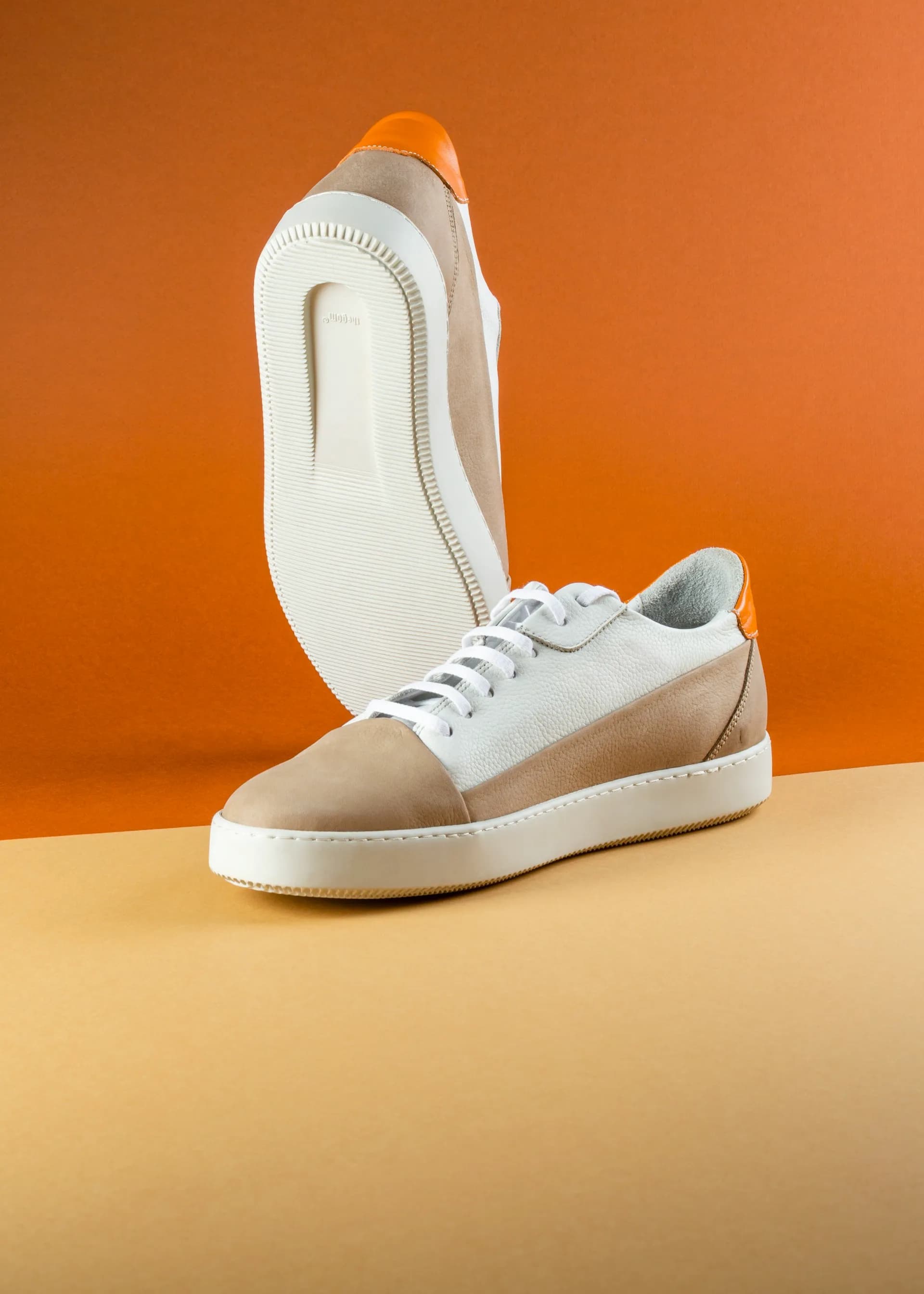
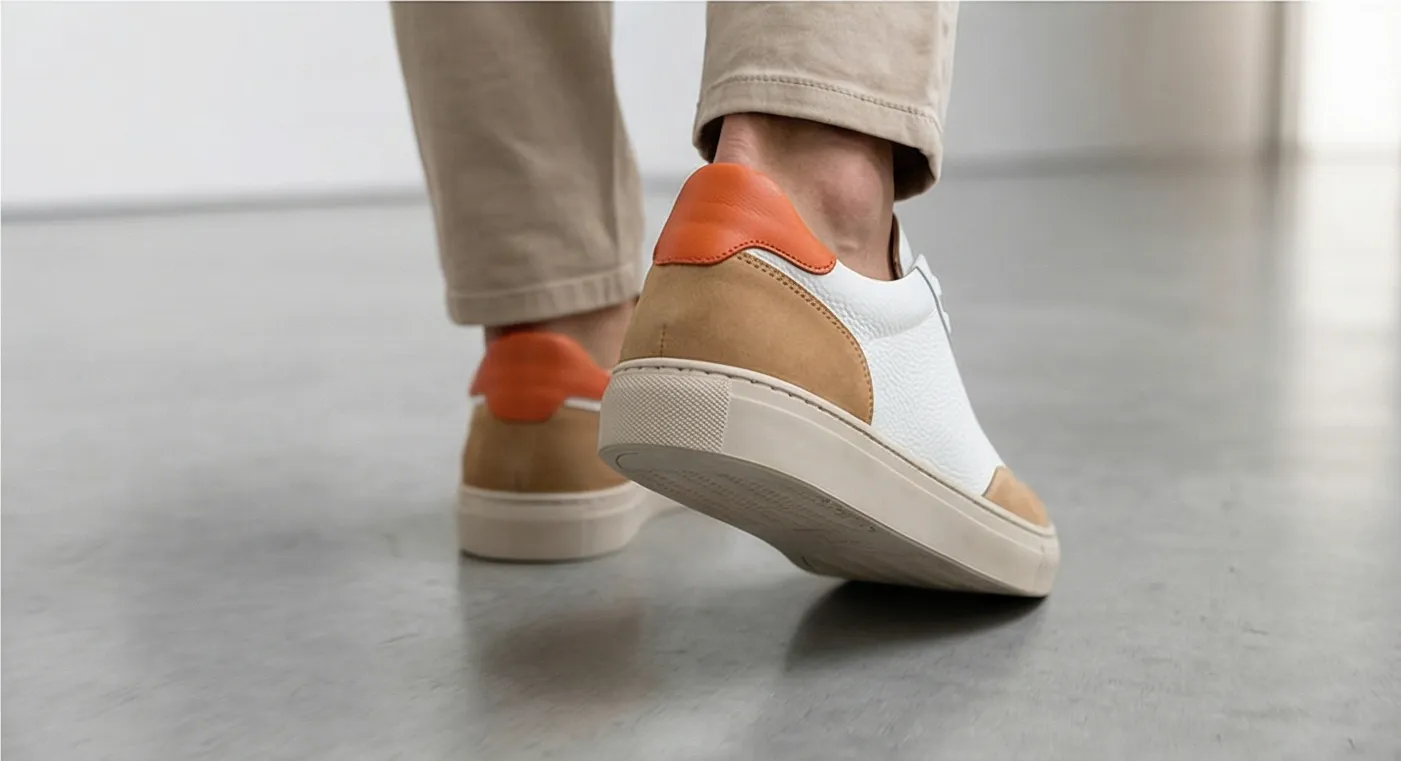
Words only go so far. Below is an example of what Prodofoto generates: a clean product input transformed into a full lifestyle scene in one click, with no manual editing needed before publishing to Shopify.
Pricing Comparison
Both tools have entry-level plans, but what you get at each price point differs significantly — especially for Shopify publishing and AI scene generation.
| Plan | Price | AI scene generation | Shopify publish |
|---|---|---|---|
| Prodofoto Free | $0 | Yes | Yes |
| Prodofoto Starter | $9.99/mo | Yes — 50 credits/mo, up to 4 photos/gen | Yes |
| Prodofoto Pro | $29.99/mo | Yes — 200 credits/mo, 9 photos/gen, 2048×2048 px | Yes |
| Claid Essentials | $9/mo | No — enhancements only | No — manual export required |
| Claid Professional | $39/mo | Yes — AI Photoshoot + 200 API credits | No — requires custom API integration |
| Claid Enterprise | Custom | Yes — full API | Requires custom integration |
For Shopify-native AI photo generation: Prodofoto starts at $0 with all plans including Shopify publishing. To access Claid's AI Photoshoot and eventually connect it to Shopify, you need the Professional plan ($39/month) plus developer time for API integration.
Which Tool Fits Your Store
The answer comes down to two questions: How technical is your team? And is Shopify your primary sales channel?
Choose Prodofoto if:
- ✓Shopify is your main or only sales channel
- ✓You want photos ready in minutes, not weeks of setup
- ✓You do not have a developer on your team
- ✓You need lifestyle scenes, on-model shots, or product-only catalog photos
- ✓You want everything billed through Shopify (no new card)
- ✓Your catalog is under 10,000 SKUs
Choose Claid.ai if:
- ✓You sell across Amazon, Shopify, Etsy, and wholesale simultaneously
- ✓You have a developer (or agency) who can handle API integration
- ✓High-volume batch background removal is your top priority
- ✓You manage 1,000+ SKUs and need programmatic automation
- ✓You need image upscaling or technical enhancement at scale
- ✓Your team has budget for enterprise tooling ($39+/mo plus dev costs)
The honest summary
Most Shopify merchants comparing these two tools will find Prodofoto is the right answer. Not because Claid.ai is a bad tool — it is genuinely powerful — but because Claid is not designed for the use case most Shopify merchants have. Claid is built for enterprise teams. Prodofoto is built for the store owner who needs great photos this afternoon, not after a developer sprint.
More Comparisons
Evaluating other tools? See how Prodofoto stacks up elsewhere.
Turn One Product Photo Into a Full Conversion Gallery
Prodofoto installs from the Shopify App Store in under 5 minutes. Pick a product, choose a shoot mode, and get up to 9 AI photos in about 60 seconds — published directly to your Shopify listing. No developer, no exports, no waiting.
Frequently Asked Questions
Is Prodofoto better than Claid.ai for Shopify?
For Shopify merchants who want a zero-code, end-to-end workflow, Prodofoto is the stronger choice. It installs directly from the Shopify App Store, pulls products from your catalog, and publishes finished photos back to your listing — no developer, no API, no exporting files. Claid.ai requires API integration and technical setup, making it better suited to enterprise teams with developer resources.
Does Claid.ai have a Shopify app?
No. As of mid-2026, Claid.ai does not have a native app in the Shopify App Store. You access Claid through its web interface or API. Connecting it to Shopify requires custom API integration by a developer. Prodofoto is installed directly from the Shopify App Store and works inside your Shopify admin.
What does Claid.ai actually do for product photography?
Claid.ai is an enterprise AI image processing platform. Its core tools are background removal, image upscaling, color correction, and AI scene generation (AI Photoshoot). It also has an AI Fashion Models feature for placing apparel on virtual models. Claid is strongest for high-volume catalog operations at 500+ SKUs, particularly for teams with developer resources to use its API.
Is Claid.ai cheaper than Prodofoto?
Claid's Essentials plan starts at $9/month, but this covers basic image enhancements. To access AI Photoshoot (lifestyle scene generation), you need Claid's Professional plan at $39/month. Prodofoto Starter is $9.99/month with direct Shopify publishing and lifestyle scene generation included. For Shopify merchants who need lifestyle photos, Prodofoto costs less and requires no developer setup.
Can Claid.ai generate on-model product photos?
Yes. Claid.ai has an AI Fashion Models feature that places clothing on AI-generated human figures. Prodofoto also has an On-Model shoot mode. The key difference is how you access it: Prodofoto's On-Model mode runs inside Shopify admin and publishes directly to your listing; Claid's Fashion Models tool is accessed through its web interface or API and requires exporting photos to Shopify manually.
What is the main difference between Prodofoto and Claid.ai?
Prodofoto is a Shopify-native app designed for merchants who want to generate professional product photos without writing code or leaving Shopify. Claid.ai is an enterprise API platform designed for developers and large brands who need programmatic image processing at scale. Prodofoto's strength is ease and Shopify integration. Claid's strength is enterprise-scale batch automation and API flexibility.
Can I use both Prodofoto and Claid.ai together?
Yes. Some larger merchants use Prodofoto for lifestyle and on-model photography (the primary images shoppers see in Shopify listings) and Claid.ai for batch background removal or image enhancement across multiple platforms. The workflows are complementary — Prodofoto handles Shopify-specific generation, Claid handles bulk technical processing.
References
- Claid.ai — Official pricing and feature overview
- Claid.ai — AI Photoshoot and Fashion Models documentation
- Prodofoto on Shopify App Store — Feature and plan overview
- Nightjar — 10 Best AI Product Photography Tools in 2026 (independent comparison)
- Rewarx — Best AI Product Photography Tools Ranked for Ecommerce 2026
- Baymard Institute — Product image quality impact on conversion rates
- Digital Applied — AI Product Photography Tools 2026 Guide