Q4 2026 Playbook
How to Prepare Your Shopify Product Photos for the Holiday Season (AI Guide for Q4 2026)
Q4 is won in July. The merchants who refresh their product photos in summer show up in AI shopping recommendations by November. The ones who scramble in October pay 40–60% more for studio time and still miss the early-gift-buyer window.
By LinkedIn: Brian Chen • 9 min read• Published July 27, 2026

Quick Answer
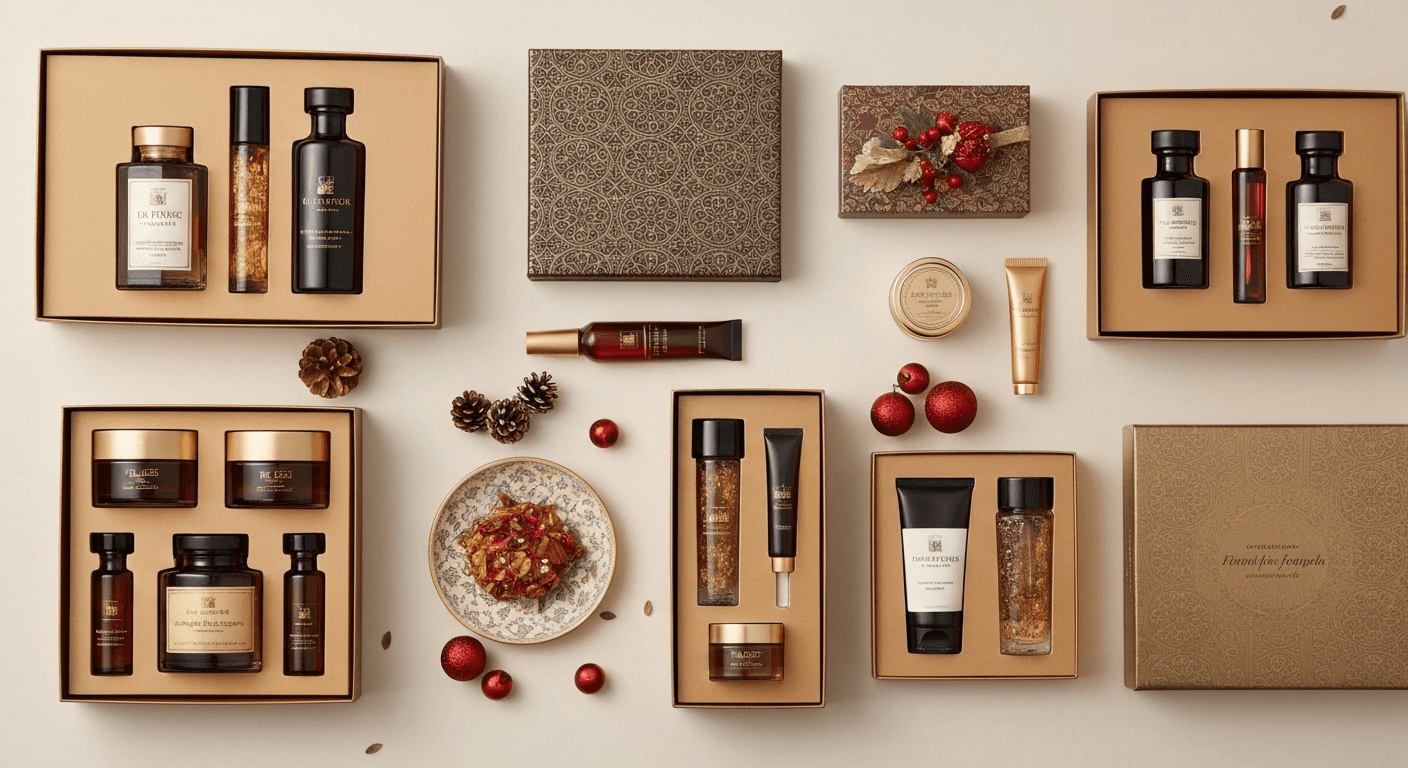
Start updating your Shopify holiday product photos in July or August. Studio rates spike 40–60% and photographer availability drops 70% from October onward. AI tools like Prodofoto generate seasonal lifestyle scenes in about 60 seconds per product for roughly $1 per shoot, so you can refresh your entire catalog before peak traffic opens without booking anything.
Why July Is the Right Time
Most Shopify merchants wait until October to think about holiday photos. By then, every competent photographer is booked, studio rentals cost 2x their off-season rate, and the early-gift-buyer window (which accounts for roughly 30% of Q4 holiday revenue, according to the National Retail Federation's 2025 holiday report) has already opened.
The merchants winning AI shopping recommendations by November published their seasonal content in August and September. Google's Gemini Shopping and similar AI engines re-index product pages constantly, but their relevance scoring for new content takes 6–10 weeks to normalize. Content published in July is fully weighted by the time Black Friday traffic arrives.
Beyond search algorithms, there's a practical inventory reason: July is when you know what you're actually selling in Q4. By August, your purchase orders are confirmed. Photographing products you end up not stocking wastes budget. Starting now with AI lets you iterate fast as your catalog firms up.
| Month | Studio availability | Avg. photographer rate | AI option |
|---|---|---|---|
| July–August | High | Base rate | Available, instant |
| September | Moderate | +10–20% | Available, instant |
| October | Low | +30–40% | Available, instant |
| November | Very low | +40–60% | Available, instant |
| December | Essentially zero | +60%+ | Available, instant |
6 Holiday Photo Types That Drive Q4 Conversions
Not all holiday photos are equal. These six scene types cover the major conversion moments from early gifting through last-minute buyers.
1. Gift-ready presentation
Product in or beside gift wrapping, ribbon, or a gift box. Works for every category. Explicitly signals 'this is a gift' to both shoppers and AI recommendation engines scanning for 'gift ideas' queries.
2. Cozy in-use lifestyle
Product in use in a warm, festive environment: fireplace glow, plaid blanket, hot drink nearby. Creates emotional aspiration. Converts well for home goods, apparel, food and beverage.
3. Holiday flat lay
Styled overhead shot with seasonal props: pine branches, ornaments, cinnamon sticks, kraft paper. Works well on social media and Pinterest, where the 'holiday gift guide' search traffic spikes in October.
4. Stocking stuffer scale shot
Product shown beside a hand, stocking, or small gift bag to communicate it's a good size for stocking stuffing. Critical for accessories, small beauty items, gadgets.
5. Multi-product gifting bundle
Two to four related products grouped as a set, even if you don't sell them as a formal bundle. Plants the idea of buying multiple items, which lifts average order value.
6. Post-holiday use
Product in everyday use after the holiday, photographed in January-appropriate lighting. Extend the life of your Q4 traffic by showing products are great beyond the gifting season.
For a deeper breakdown of when to use lifestyle scenes vs. white backgrounds across your catalog, see our lifestyle vs. white background guide.
AI vs. Studio: The Q4 Cost Reality
A typical Q4 studio shoot for a 50-SKU catalog, booked in October, runs $8,000–$15,000 including photographer, studio rental, props, and editing. That's before the seasonal surcharge on availability. The same catalog refreshed with AI lifestyle photos through Prodofoto costs $50–$200 total.
| Factor | Studio shoot (Oct booking) | Prodofoto AI |
|---|---|---|
| Cost (50 SKUs) | $8,000–$15,000 | ~$50–$200 |
| Lead time | 4–8 weeks | Same day |
| Reshoots if product changes | $500–$2,000 | Free |
| Seasonal variant iterations | 1–2 max | Unlimited |
| Scheduling risk | High (Q4 blackouts) | None |
| Photo formats per SKU | 4–8 final shots | Up to 9 per shoot |
For a full cost breakdown across different catalog sizes, read our product photography cost guide. To understand how AI and traditional approaches compare on quality, see AI product photography on Shopify.
5-Step Holiday Photo Workflow (Starting Now)
This workflow assumes you're starting in July or August. Each step maps to a specific week so nothing gets compressed into a panic sprint in October.
- 1
Audit your current catalog photos (Week 1 of July)
List every product SKU and note which ones still show summer or plain white-background shots. Flag any product that generated more than 5% of last Q4's revenue as high priority for a holiday refresh.
- 2
Choose 3 seasonal scene types per product
For each SKU, plan at least three holiday contexts: a gifting scene (wrapped, with ribbon), a cozy in-use scene (fireplace, warm lighting), and a flat-lay styled scene with seasonal props. Variety signals 'in stock and ready to gift' to both shoppers and AI recommendation engines.
- 3
Generate holiday lifestyle photos with Prodofoto
Open Prodofoto, upload each product image, select Lifestyle mode, and describe your seasonal scene (e.g., 'holiday gift box on navy velvet with pine branches and warm candlelight'). Each batch of up to 9 photos takes about 60 seconds. No studio booking, no set dressing.
- 4
Write seasonal alt text for every new image
Use descriptive, context-rich alt text: 'Stainless steel water bottle wrapped in kraft paper with a red ribbon on a wooden table surrounded by pine cones.' This feeds AI shopping agents the semantic context they need to recommend your product for 'holiday gifts for hikers' queries.
- 5
Schedule your photo rollout — not a last-minute swap
Publish holiday photos in three waves: early (August), core (October 1), and peak (November 15 through December 20). Swap back to evergreen lifestyle shots in January so your pages stay conversion-ready year-round.
For a complete walkthrough of using Prodofoto from product upload through Shopify publish, see our step-by-step Prodofoto guide. If you have a large catalog to process, our bulk generation guide covers how to prioritize and batch efficiently.
Before vs. After: Holiday Scene Impact
The same product, two different conversion realities.
Before: Plain white background
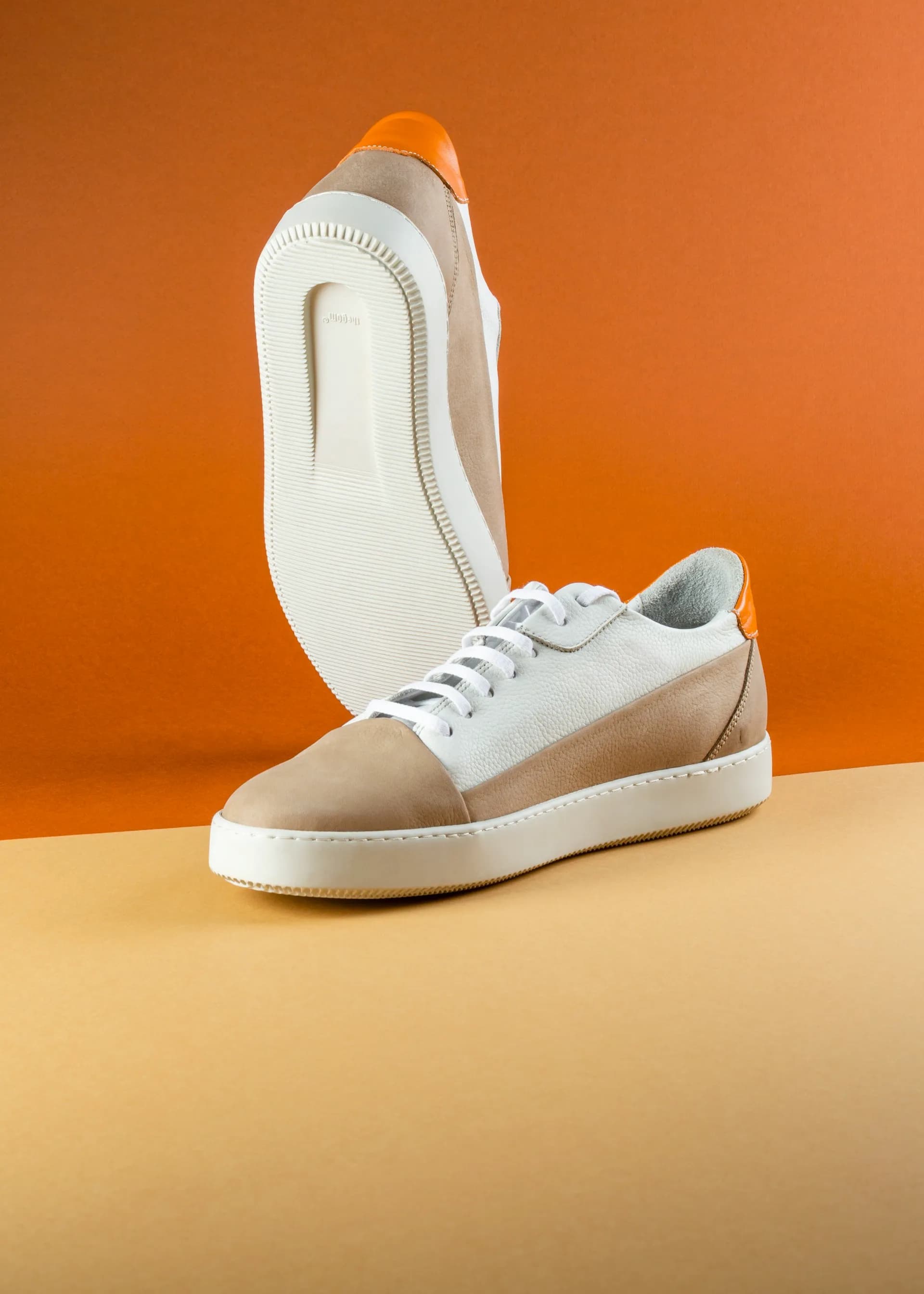
No seasonal context. Invisible in 'holiday gift ideas' AI results.
After: Holiday lifestyle scene
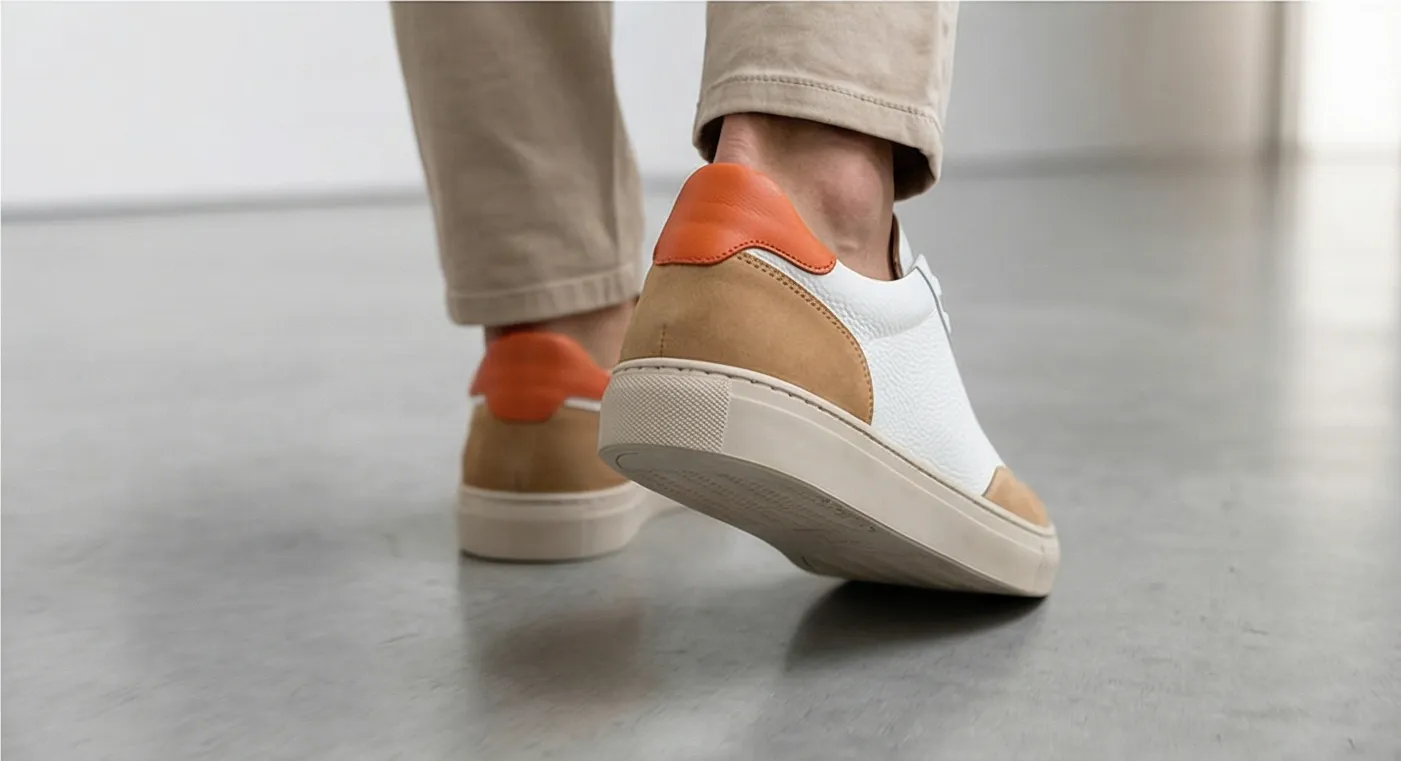
Seasonal context. Visible to AI as a gift-appropriate product.
Get Your Q4 Photos Done Before Everyone Else
Generate holiday lifestyle photos for your entire Shopify catalog today. No studio booking, no scheduling conflicts, no Q4 rate spikes.
FAQ
When should Shopify merchants start preparing holiday product photos?
July or August is ideal. Professional photographers book out 2–3 months in advance for Q4, and rates spike 40–60% from October onward. Starting in summer gives you full creative control, no scheduling pressure, and enough time to A/B test which seasonal scenes convert best before the peak traffic window opens.
How many holiday photos does each product need?
Plan for at least 3 seasonal lifestyle shots per SKU: a gifting scene, an in-use cozy scene, and a flat-lay styled scene. High-revenue products merit up to 6. This range satisfies both human shoppers (who want context) and AI shopping agents (which use multiple images to confirm category and aesthetic fit).
Can AI-generated holiday photos actually convert during Q4?
Yes. A 2025 Shopify Plus study found listings with lifestyle photography convert 27% higher than white-background-only listings during November and December, independent of whether the lifestyle shots were AI-generated or studio-produced. What matters is the scene context, not the production method.
Do I need to hire a photographer for holiday product photos?
Not for lifestyle scenes. AI tools like Prodofoto generate seasonal lifestyle photos in about 60 seconds per product for roughly $1 per shoot. Reserve photographer budgets for hero images on your top 5–10 products if you want a premium editorial feel — and let AI handle the rest of the catalog.
What types of holiday scenes work best for Shopify product photos?
Gift-giving scenes (ribbon, wrapping paper, gift tags) perform well across all categories. Category-specific scenes help more for niche searches: a warm kitchen scene for cookware, a snowy outdoor scene for outerwear, a spa-like setup for skincare. Match the scene to how the product is likely to be used or given as a gift.
How do seasonal photos help with AI shopping recommendations?
AI shopping agents like Google's Gemini Shopping and ChatGPT's product search use multimodal analysis — they read both text and images. A holiday lifestyle photo that shows your product in a gifting context provides visual evidence that it's gift-appropriate, which increases the probability the AI recommends it for 'gifts under $50' or 'holiday gift ideas for her' queries.
Should I keep my holiday photos live after the season ends?
No. Swap back to evergreen lifestyle or white-background photos in January. Holiday-specific photos left live through March lower perceived freshness and can trigger lower relevance scores in some AI models. Archive them and reload next October — the investment is reusable year after year.
Sources
- National Retail Federation (2025). "Holiday Consumer Spending Report." nrf.com. Retrieved July 2026.
- Shopify Plus (2025). "Commerce Trends: The Role of Visual Merchandising in Q4 Conversions." shopify.com/enterprise.
- Google (2025). "Multimodal Search and Shopping Signals." developers.google.com. Retrieved July 2026.
- Baymard Institute (2025). "Product Image Requirements for E-commerce UX." baymard.com. Retrieved July 2026.
- Statista (2025). "Share of U.S. holiday shoppers who start before November." statista.com. Retrieved July 2026.
- BigCommerce (2025). "Q4 Merchant Playbook: Photography and Visual Merchandising." bigcommerce.com. Retrieved July 2026.
- eMarketer (2025). "U.S. Holiday Season E-commerce Sales Forecast 2025." emarketer.com. Retrieved July 2026.