Tutorial • Catalog Scale
How to Bulk Generate Product Photos for Your Entire Shopify Catalog
One product at a time works when you have 10 SKUs. At 100, it does not scale. AI generates 4 lifestyle photos per product in 60 seconds, which means a 100-product catalog gets a full image library in about 2 hours. Here is exactly how to run that workflow.
By LinkedIn: Brian Chen • 9 min read• Published June 30, 2026

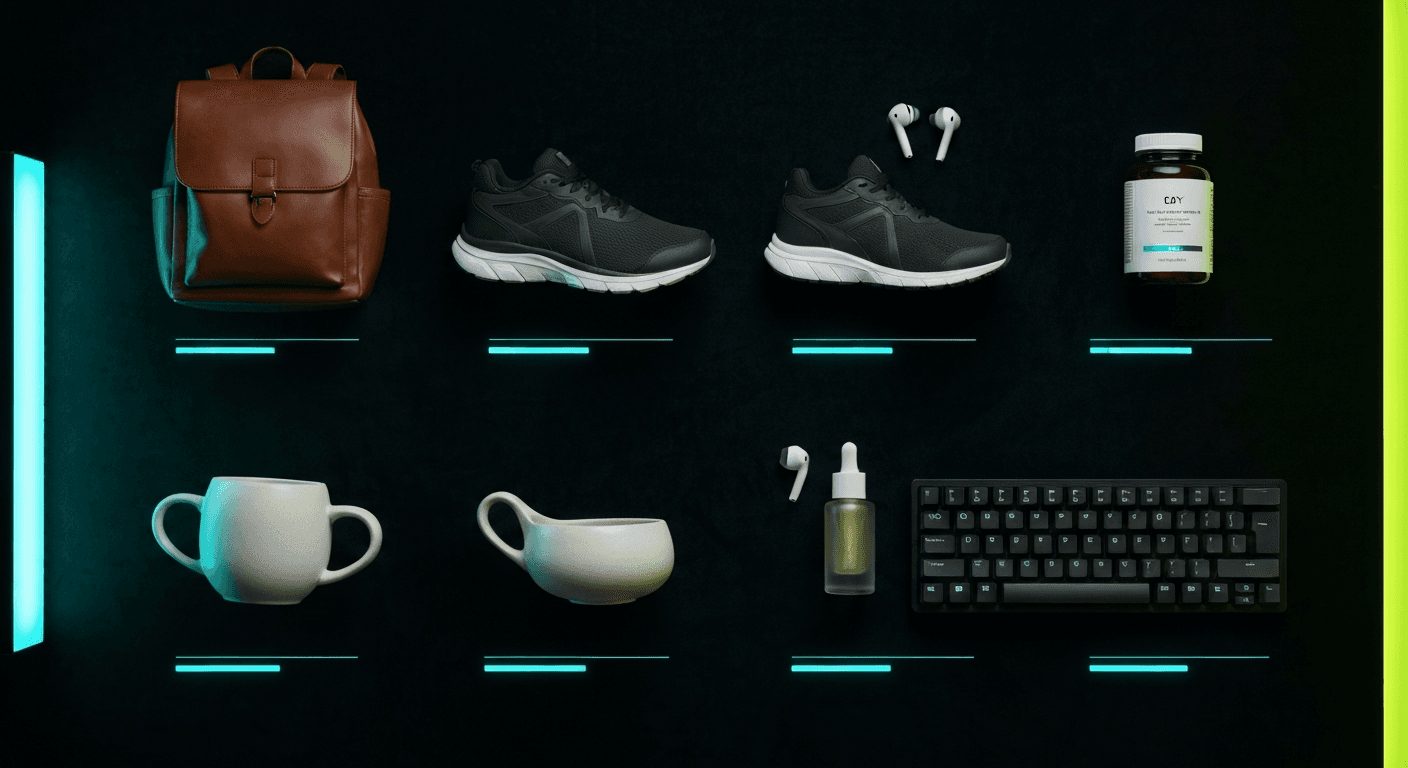
Quick Answer
To bulk generate product photos for a Shopify catalog, use an AI photography app that connects directly to your store. Select products one by one, click generate, and get 4 lifestyle photos per product in 60 seconds. At roughly $1 per generation, a 100-product catalog costs about $100 and takes 2 hours. Traditional photography at $300+ per product costs $30,000+ for the same catalog.
The Catalog Scale Math
Most merchants think about product photography one product at a time. That is the wrong frame once your catalog grows past 20 SKUs. At that point, the question is not "how do I photograph this product?" but "how do I build a full image library across 200 products without spending six months and $60,000?"
The numbers are brutal at scale. Traditional photography runs $200–500 per product including photographer, location, model, and editing. A 200-product catalog at $300 per product is $60,000. Shopify research shows that switching to AI-driven photography reduces image production costs by roughly 73% and cuts listing creation time by the same margin. That math changes what is possible.
The other problem with one-at-a-time traditional photography is that it takes months. By the time the photos arrive, the season has shifted, the product may have variants that need their own shoots, and your competitors already have their listings live. AI removes the time lag entirely.
| Catalog Size | Traditional Photography | AI Photography (Prodofoto) | Savings |
|---|---|---|---|
| 10 products | $3,000–$5,000 (2–3 shoot days) | ~$10 for 40 lifestyle images | ~99% |
| 50 products | $15,000–$25,000 (5–10 shoot days) | ~$50 for 200 lifestyle images | ~99% |
| 200 products | $60,000–$100,000 (3–5 months) | ~$200 for 800 lifestyle images | ~99% |
| 500 products | $150,000–$250,000 (6–12 months) | ~$500 for 2,000 lifestyle images | ~99% |
| 1,000 products | $300,000+ (12–24 months) | ~$1,000 for 4,000 lifestyle images | ~99% |
Sources: Shopify: Product Photography Pricing 2026, Nightjar: The Real Cost of Product Photography, Photta: AI Product Photography Case Study
How to Prepare Your Catalog for Bulk Generation
Running bulk photography without a plan produces inconsistent results. Set up these three things before you start generating.
Audit your existing product images
Go through your Shopify catalog and flag which products have strong clean product shots on white or neutral backgrounds versus which have blurry, low-resolution, or cluttered original images. AI works best when the input image is clean. Products with poor original images will need a fresh clean photo before AI can generate good lifestyle variants. Start your audit in your Shopify admin under Products — sort by image.
Prioritize by revenue impact
Do not photograph your catalog alphabetically. Start with your top 20 revenue-generating products, then your most recent launches, then your seasonal bestsellers. These are the products where better images move conversion rates — and therefore revenue — fastest. Low-performing products and slow movers can wait. You get 80% of the conversion lift from the top 20% of your catalog.
Group by product category
Process all apparel together, then all accessories, then all home goods. This keeps the AI output visually consistent within each product type and helps you spot when a particular category is generating weaker results. Switching between categories mid-session can produce a disjointed catalog look. Batch by category, finish each batch, then move on.
Related: How Much Does Product Photography Actually Cost in 2026?
The Bulk Generation Workflow
This is the exact process for generating photos across an entire Shopify catalog. It works whether you have 50 products or 5,000.
Connect Prodofoto to your Shopify store
Install Prodofoto from the Shopify App Store. It connects directly to your catalog — your existing product images are already there, no uploading required.
Sort your catalog by conversion priority
Start with your top 20 revenue-generating products or your most recent launches. These are the products where better photos move the needle fastest.
Select a product and choose your photo style
Pick a product from your catalog. Choose Lifestyle (product in a real-world scene), Product-Only (clean catalog shots on styled surfaces), or On-Model (apparel on AI-generated models). One click generates 4 photos in 60 seconds.
Work through your catalog in batches of 10–20 products
Process your catalog in segments. Complete one category before moving to the next — apparel first, then accessories, then home goods. This keeps your visual style consistent across each category.
Review, edit, and publish directly to Shopify
Pick your favorites from each generation. Use built-in editing to adjust scenes if needed. Publish directly to the product listing with one click — no downloading, no re-uploading.
Realistic time estimate for a 100-product catalog
Audit + prioritize
30–45 minutes
One-time setup
Generation time
~2 hours
60 seconds × 100 products
Review + publish
1–2 hours
Pick favorites, publish
Traditional photography for 100 products takes 3–6 months including scheduling, shoot days, and editing. The AI approach compresses that into a single afternoon. And if you need seasonal variants or A/B test options later, you can generate more from the same products in minutes.
Related: How to Use Prodofoto for Shopify Product Photography (Step-by-Step)
Related: How to Generate AI Lifestyle Product Photos in 60 Seconds
Before & After: One Product in the Catalog
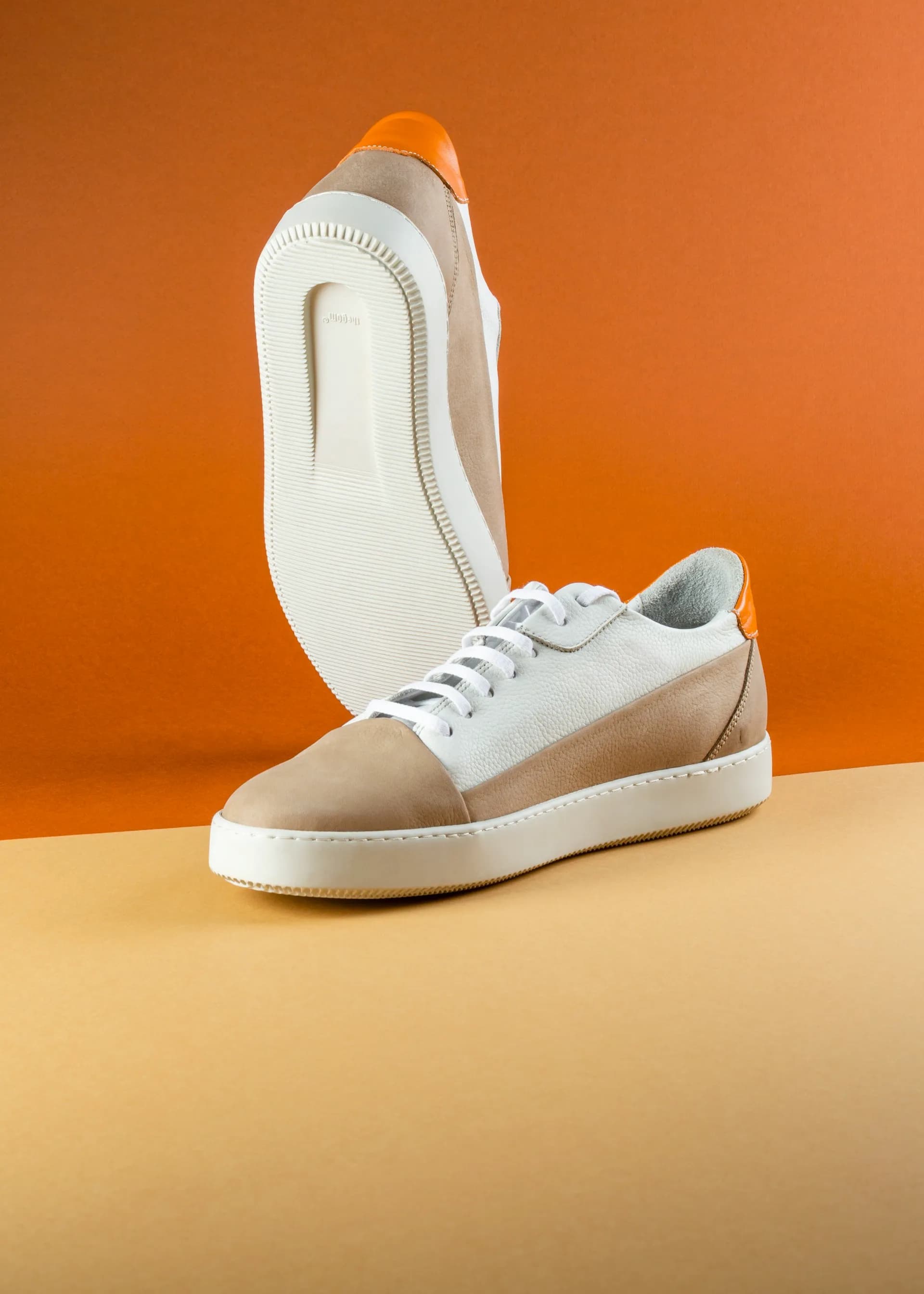
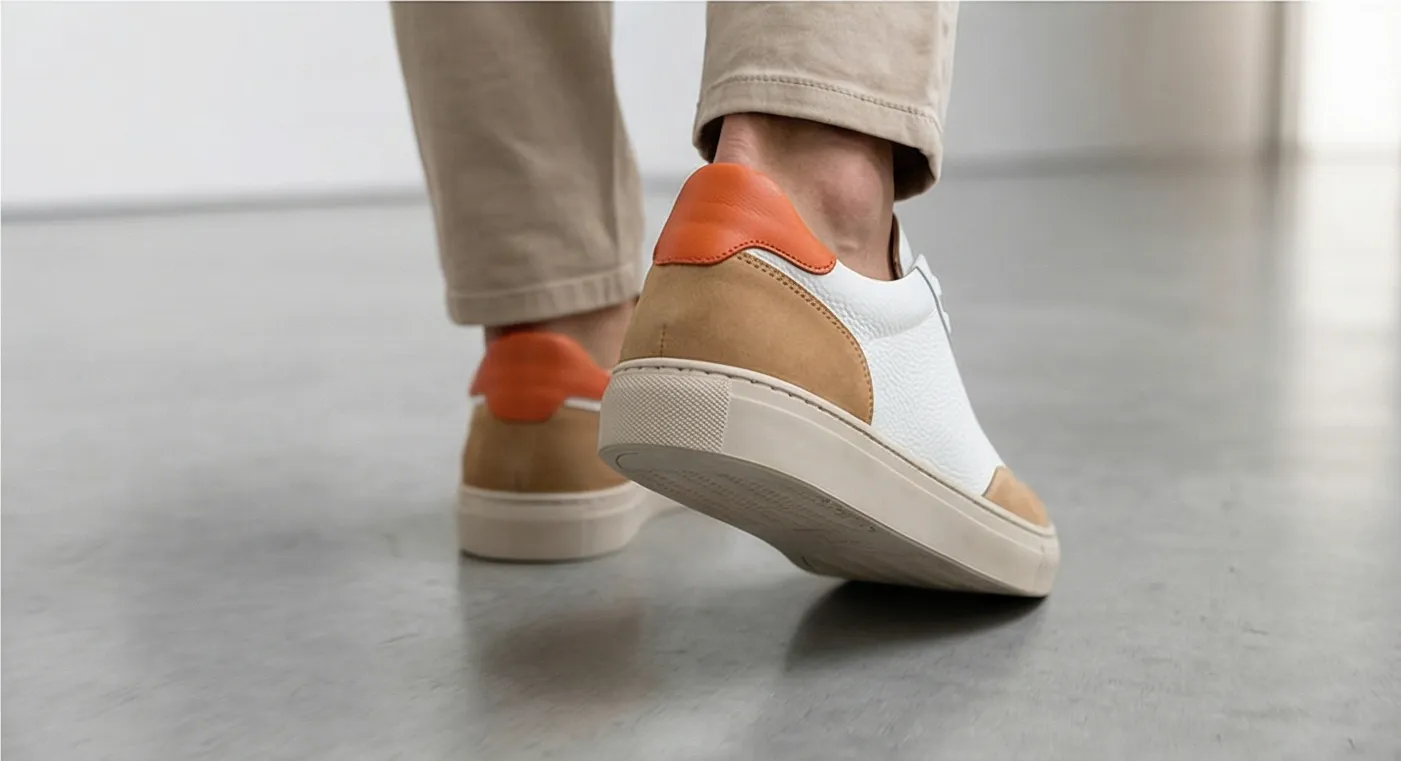
Every product in your catalog goes through the same transformation. Plain white-background shot in, lifestyle photo out. The sneaker below is a single SKU from a larger catalog. Multiply this result across 100 or 500 products and the cumulative conversion lift compounds quickly.
Baymard Institute research shows that shoppers who see products in context are significantly less likely to return them — the image answers questions about scale, material, and real-world fit that a white background cannot. At catalog scale, that difference becomes measurable in return rate and reorder rate.
Sources: Baymard Institute: Cart Abandonment Research, Digital Applied: AI Product Photography Tools 2026
Batch Strategy by Product Category
Different product categories need different photo priorities. Here is what to focus on when you hit each category in your bulk generation run.
Apparel & Footwear
Photo priority
On-Model + Lifestyle
Why it matters
Fit, drape, and scale are invisible without a body reference. Shoppers return apparel at 30%+ when they cannot judge fit from photos. On-model shots cut that return rate. Generate at least 2 on-model and 2 lifestyle images per apparel SKU.
Batch speed
1 generation covers all needs for most SKUs
Electronics & Tech
Photo priority
Desk Setup + Detail Close-Up
Why it matters
Tech products need context (desk scene, bag, hand for scale) and feature details (port layout, button placement, screen clarity). Generate a desk-setup lifestyle and a feature detail close-up for each SKU.
Batch speed
2 generations recommended per SKU
Home Decor & Furniture
Photo priority
Room Scene + Scale Reference
Why it matters
Scale misjudgment drives 40%+ of returns for home goods. Shoppers need to see the product in an actual room setting. One generation with a room scene typically handles the primary need.
Batch speed
1–2 generations per SKU
Beauty & Cosmetics
Photo priority
Flat Lay + In-Use Context
Why it matters
Beauty buyers respond to aspirational lifestyle contexts: a vanity flat lay with complementary products, an in-use moment, a morning routine setting. One lifestyle generation is usually enough for each product.
Batch speed
1 generation per SKU
Pet Supplies
Photo priority
In-Use Scene with Animal Context
Why it matters
Pet product buyers need to see products in the context of an actual animal. AI generates those scenes without live animal coordination. One lifestyle generation showing the product in use handles the primary need.
Batch speed
1 generation per SKU
| Category | Generations per SKU | Photos Produced | Cost per SKU |
|---|---|---|---|
| Apparel & Footwear | 2 (on-model + lifestyle) | 8 photos | ~$2 |
| Electronics & Tech | 2 (desk + detail) | 8 photos | ~$2 |
| Home Decor | 1–2 (room scene) | 4–8 photos | ~$1–2 |
| Beauty & Cosmetics | 1 (flat lay + lifestyle) | 4 photos | ~$1 |
| Pet Supplies | 1 (in-use lifestyle) | 4 photos | ~$1 |
| Accessories | 1 (lifestyle context) | 4 photos | ~$1 |
Sources: Baymard Institute, Rewarx: Shopify Product Photography — Scale Your Catalog with AI, MindStudio: AI Image Generation + Shopify
Start With Your Top 20 Products Today
Prodofoto connects to your Shopify catalog. No uploading. Generate 4 lifestyle photos per product in 60 seconds. 100 products. 400 images. One afternoon.
Frequently Asked Questions
How long does it take to generate photos for an entire Shopify catalog?
At roughly 60 seconds per product, a 100-product catalog takes about 2 hours of generation time. That includes the time to select each product, click generate, and review the 4 outputs. A 500-product catalog runs about 10 hours spread across a few sessions. Compare that to 3–6 months of traditional photography scheduling, shoots, and editing.
How much does it cost to photograph an entire Shopify catalog with AI?
At roughly $1 per generation (4 photos), a 100-product catalog costs around $100 for 400 lifestyle images. A 500-product catalog runs about $500. Traditional photography at $200–500 per product would cost $20,000–250,000 for the same catalog. Most stores see image production costs drop by 85–95% switching from studio shoots to AI.
Do I need to upload product images to generate bulk photos?
Not with Prodofoto. It connects directly to your Shopify catalog and pulls your existing product images automatically. You select a product from your store list and click generate. No separate upload step, no file management.
What order should I photograph my Shopify catalog?
Start with your top 20 revenue-generating products — these have the highest ROI on better photos. Then work through your catalog by category (apparel, accessories, home goods, etc.) to keep visual style consistent within each group. Save low-performing or soon-to-be-discontinued products for last.
Can I maintain a consistent visual style across hundreds of product photos?
Yes. Prodofoto generates photos within a consistent aesthetic across your catalog. If you want a specific style — warm tones, minimal backgrounds, outdoor contexts — you can steer each generation toward that look. Grouping products by category before you start helps the AI maintain consistency within each product type.
How do I handle product variants (different colors or sizes)?
Generate a separate set of photos for each color variant that has a visually distinct appearance. Size variants usually do not need separate photos unless the size difference changes the product's visual context (a small versus large planter, for example). One product image can represent multiple sizes in most categories.
What if some generated photos do not look right?
Regenerate. There is no limit to how many times you can generate for a product. If a scene looks off, use Prodofoto's natural-language editing to adjust: 'Show the product on a white kitchen counter' or 'Remove the background props and simplify the scene.' Regeneration costs the same as the initial generation.
References
- Shopify: Product Photography Pricing Factors in 2026
- Nightjar: The Real Cost of Product Photography — A Breakdown
- Photta: AI Product Photography Case Study — Cut Shopify Costs by 85%
- Baymard Institute: Product Image Research and Cart Abandonment Studies
- Digital Applied: AI Product Photography Tools 2026 — Best for eCommerce
- Rewarx: Shopify Product Photography — Scale Your Catalog with AI
- MindStudio: AI Image Generation + Shopify — Automate Product Photos for Your Store