Baby & Kids
AI Product Photography for Baby & Kids Products on Shopify
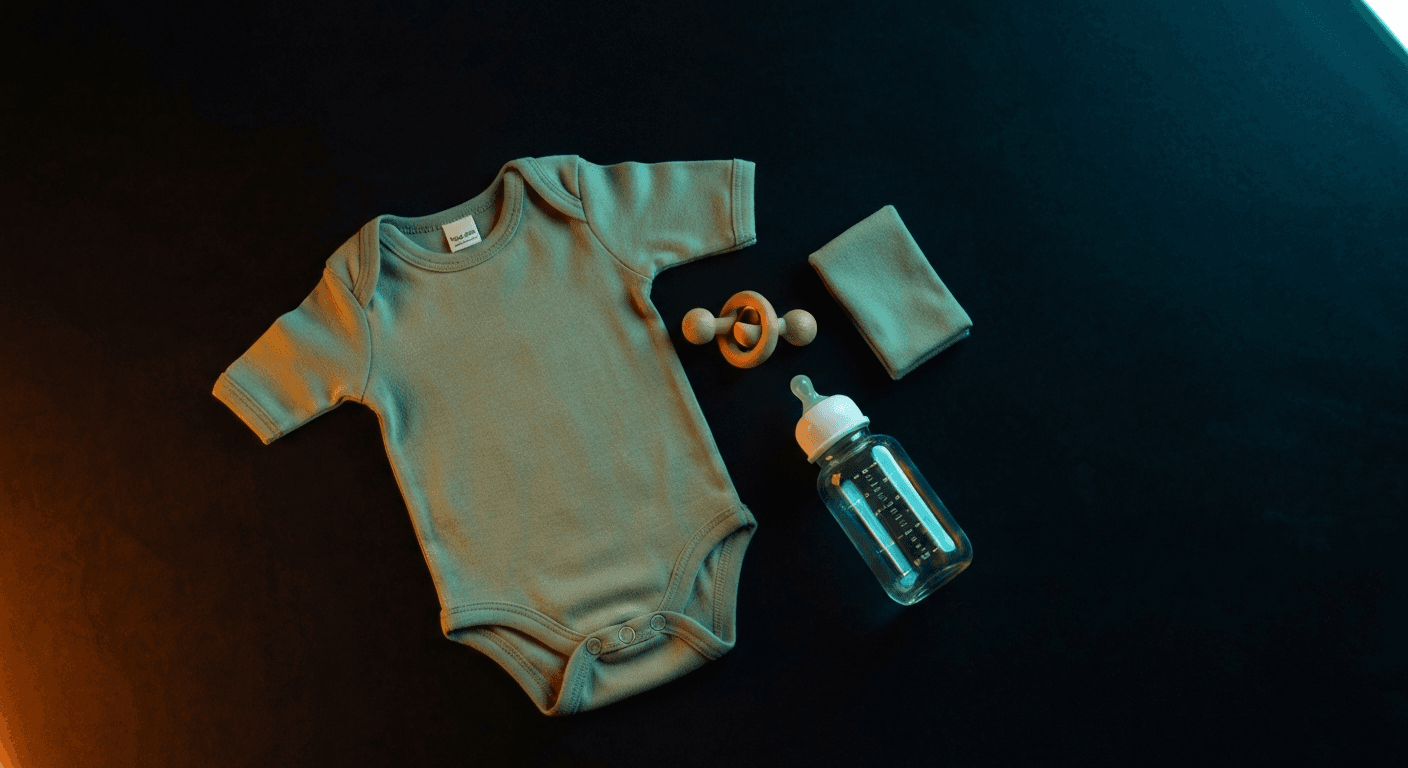
Baby products are bought by people who research obsessively. Parents compare 6 listings before adding to cart. The stores that win that comparison have nursery lifestyle scenes, scale references, and material detail shots. The stores that lose have a white-background photo and hope. AI generates the full image set in 60 seconds for under $1 per product — no nursery props, no borrowed baby, no photographer.
By LinkedIn: Brian Chen • 8 min read • Published June 29, 2026

Quick Answer
Baby and kids product stores on Shopify convert at 0.5–2.3%. The wide gap tracks directly with image quality: parents are the most research-intensive shoppers in ecommerce, and they need nursery context, scale references, and material close-ups before buying. Stores with professional lifestyle imagery cluster at 1.8–2.3%. AI generates that full image set — nursery scenes, safety-signal close-ups, scale references — for under $1 per product in 60 seconds, with no props, no real baby needed.
Why Baby Product Photography Is Different
Most product categories have one photography problem. Baby products have four.
Scale ambiguity.A onesie, a rattle, a sleep sack — these are inherently small objects. On a white background with no reference point, shoppers can't tell if they're looking at a newborn size or a 12-month size. A parent's hand holding the item, or the item folded next to a familiar object, solves this instantly. Traditional photography requires a prop or a person in every shot. AI generates the scale reference automatically.
Safety perception. Parents don't just want to see the product — they want visual evidence it's safe. Crisp material detail shots that show fabric texture, seam quality, and any safety certifications on the tag communicate this. A blurry or dark photo creates doubt. AI renders material detail with the precision of a macro lens.
Lifestyle context cost. Nursery scenes — the soft crib, the wooden shelf, the diaper changing setup — are what parents respond to emotionally. They don't just buy a mobile; they picture it above their baby's crib. But building a nursery prop set costs $500–$2,000. Most baby sellers skip it and wonder why their listings underperform. AI generates full nursery scenes from a plain product photo.
The real-baby coordination problem. Professional baby photography with infant models requires parental consent, careful timing around nap and feeding schedules, and a photographer who specializes in infant safety. Shoots run $300–$800/hour and often produce fewer usable shots than expected. AI generates in-context imagery without any of that overhead.
| Challenge | Traditional Photography | AI Photography |
|---|---|---|
| Scale reference | Need a prop (ruler, common object) or a person in every shot | AI generates hand-holding or adjacent-object reference automatically |
| Nursery lifestyle scene | $500–$2,000 nursery prop setup or expensive location rental | AI generates full nursery context from a white-background product image |
| Material detail | Macro lens + controlled side lighting to show fabric texture and seam quality | AI renders material grain, texture, and construction detail from a standard photo |
| Infant model photos | $300–$800/hour photographer, parental consent, scheduling around naps/feeds | AI-generated context scenes convey in-use context without infant model coordination |
| Seasonal refresh | New studio session for holiday, seasonal, or gift-set imagery | New seasonal context in 60 seconds — spring pastel, holiday gifting, summer outdoor |
| Cost per SKU | $150–$500 per product including props, lighting, and post-processing | Under $1 for up to 9 lifestyle images |
Sources: Baymard Institute, IRP Commerce Baby & Child Market Data, Shopify Ecommerce Photography Guide
6 Image Types Every Baby Product Listing Needs
Parent shoppers compare more carefully than almost any other buyer segment. Each image type answers a different question they have before they'll buy.
Clean White-Background Hero
Required for Google Shopping and most marketplaces. Shows the product clearly, center-framed, on a pure white background. This is the clinical reference shot — accurate color, accurate size relationship.
Nursery Lifestyle Scene
The emotional purchase trigger. Shows the product in a soft, warm nursery context — crib shelf, changing table, wicker basket. This is where parents picture the product in their actual home.
Scale Reference
A parent's hand holding the item, or the item next to a familiar object (coffee mug, pen). Answers 'how big is this actually?' without forcing the shopper to read dimensions.
Material & Safety Detail Close-Up
Tight crop on fabric texture, seam quality, material finish, or safety certifications visible on the tag or packaging. This is the trust-building shot that parents need before clicking Add to Cart.
Flat Lay with Complementary Items
The product laid flat alongside 2–3 complementary items (for a onesie: folded matching pants, soft booties). Works well for gift sets and bundle messaging.
In-Use Context (Lifestyle Action)
For functional products — bottles, pacifiers, baby carriers — a scene showing the product in use. For carriers: a parent with a baby carrier on (AI can generate this). For bottles: a bottle in a bottle warmer or next to a burp cloth.
AI Photography by Baby Product Type
Different baby product categories have different photography priorities. Here's what works by type.
Baby Clothing & Apparel
Photography challenge
Small sizes look ambiguous without scale reference; fabric texture and print quality need to be visible
AI approach
Flat lay showing the full garment + AI-generated ghost mannequin or folded nursery shelf shot; close-up of fabric texture and any screen print
Must-have shot
Flat lay + fabric close-up + size scale reference
Nursery Furniture & Decor
Photography challenge
Large items need room context; difficult to photograph without a full nursery setup
AI approach
AI generates complete nursery room scenes around product images; different color-way and style variants in different room aesthetics
Must-have shot
Full nursery lifestyle scene + detail/texture shot + scale reference
Feeding: Bottles & Accessories
Photography challenge
Glass and plastic surfaces pick up glare; in-use context requires careful staging
AI approach
AI generates kitchen counter feeding setups, bottle warmer context, and burp cloth flat lays; handles glare on glass and plastic surfaces
Must-have shot
White background hero + kitchen lifestyle scene + in-use setup shot
Toys & Developmental Products
Photography challenge
Need to convey play value and age-appropriateness; toy photography often looks flat without child-scale context
AI approach
AI generates playroom and nursery floor scenes; colorful toy groupings; age-appropriate developmental context (stacking, sensory, visual stimulation)
Must-have shot
Playroom lifestyle scene + flat lay grouping + scale reference
Safety & Health Products
Photography challenge
Trust is the primary purchase driver; certifications and construction quality must be visible
AI approach
AI renders safety feature close-ups (edges, clasps, mesh); lifestyle scenes show the product correctly installed (baby monitors on nightstand, outlet covers in socket)
Must-have shot
Safety feature close-up + in-use context + packaging certification shot
| Product Type | Must-Have Shot | Conversion Priority |
|---|---|---|
| Clothing (onesies, sleep sacks) | Fabric texture close-up + flat lay | High — material trust drives purchase |
| Nursery furniture & decor | Full nursery lifestyle scene | Very high — context = conversion |
| Feeding accessories | In-use kitchen context shot | High — functional clarity needed |
| Toys & developmental | Playroom lifestyle scene | High — play value must be visible |
| Safety & health products | Safety feature close-up | Critical — trust is the only purchase driver |
Before & After: What AI Changes
The before/after gap for baby products is wider than most categories. A plain white-background shot of a baby onesie tells almost nothing — size, scale, material quality, and lifestyle context are all absent. The same onesie in a soft nursery scene, folded neatly on a wooden shelf with a small stuffed animal, tells a complete story.
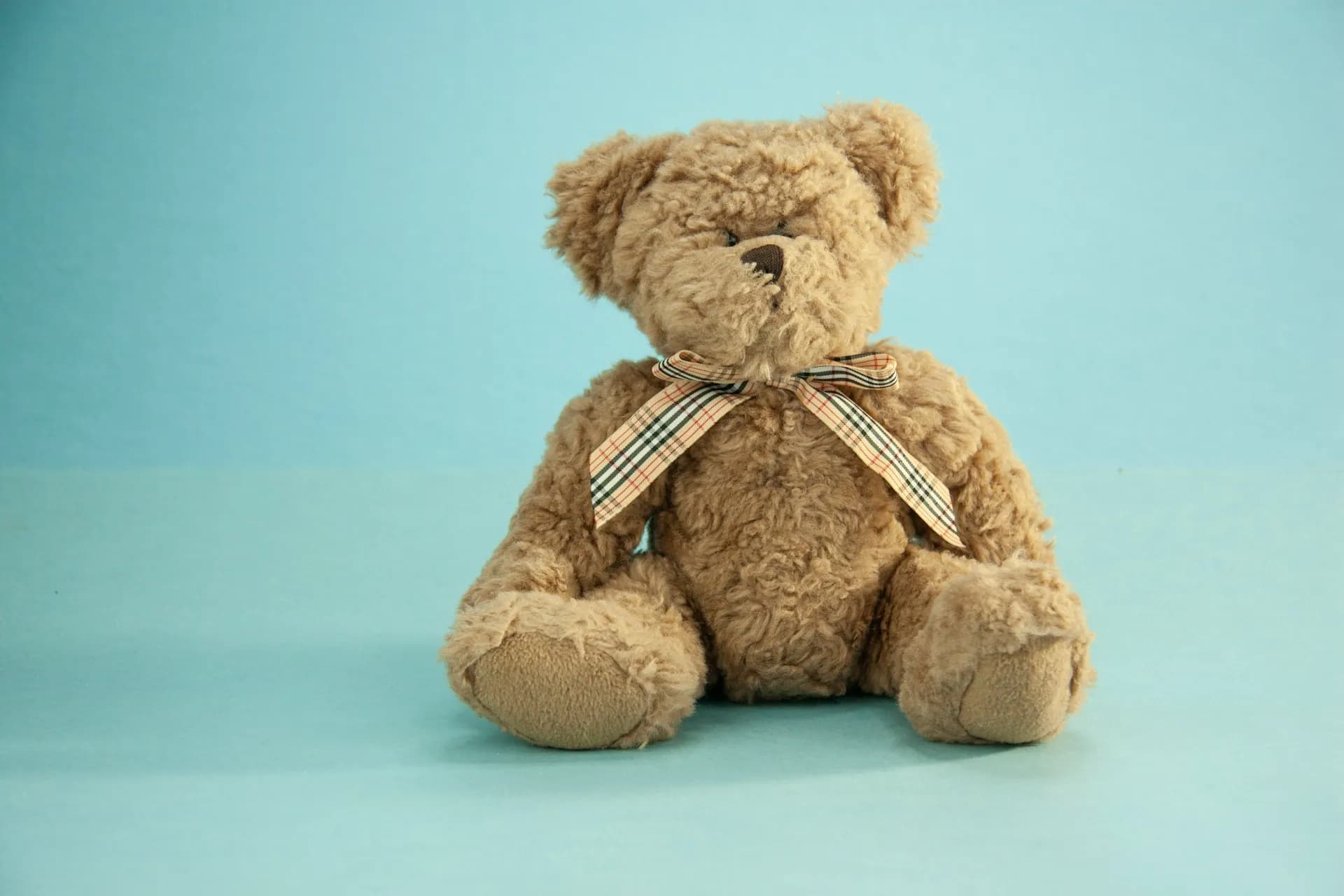
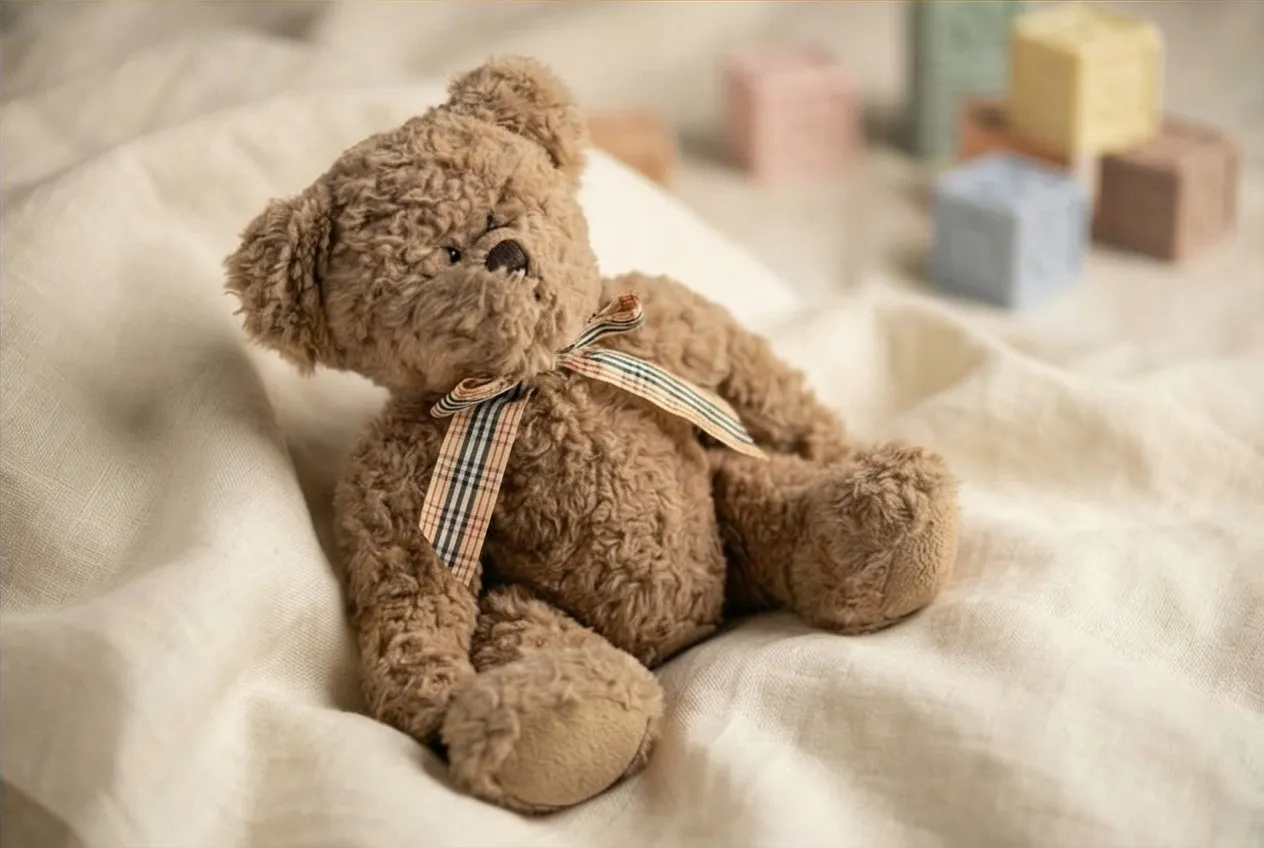
Shopify stores with lifestyle context images convert at 1.8–2.3% in the baby category vs. 0.5–1.2% for white-background-only listings (IRP Commerce, 2026). The photography gap directly explains the conversion gap.
How to Photograph Baby Products With Prodofoto
Prodofoto connects directly to your Shopify catalog. There's no uploading, no file management, no prompting. Select a product, generate, publish. For baby brands, this workflow typically takes under 5 minutes from first click to live listing.
- 1
Start with a clean product photo
For best results, your source image should show the product on a white or light-neutral background with no shadows or other objects. Phone photos on a white sheet work fine. The cleaner the input, the more accurate the AI output — especially for safety-critical detail shots.
- 2
Select the product in Prodofoto
Prodofoto reads your Shopify catalog directly. No uploading — just select the product from your store. Prodofoto pulls the existing product image and uses it as the source for generation.
- 3
Choose Lifestyle or Product-Only mode
For nursery scenes and in-use context, use Lifestyle mode. For detail close-ups and scale references, Product-Only mode generates clean catalog shots with precise lighting. Both modes generate 4 images per click.
- 4
Review and generate more if needed
Prodofoto generates 4 options per click. For baby products, generate 2–3 batches to get variety across nursery aesthetics (modern minimal, Scandinavian wood, soft boho). Each batch takes 60 seconds.
- 5
Publish directly to Shopify
Select your favorites and publish directly to the product listing with one click. No exporting, no resizing, no uploading. The images go live immediately.
Lifestyle Mode
Best for: nursery scenes, in-use context, seasonal flat lays
Generates the emotional lifestyle imagery that parents respond to. AI creates the full nursery or activity context around your product.
Product-Only Mode
Best for: hero shots, material detail, marketplace listings
Clean catalog-quality shots with controlled studio lighting. Great for your Google Shopping primary image and marketplace requirements.
On-Model Mode
Best for: baby clothing, sleep sacks, hats, accessories
AI-generated in-use context for wearable baby products. No infant model coordination required.
See the full Prodofoto tutorial for a step-by-step walkthrough. For a cost comparison against traditional photography for baby brands, see how much product photography actually costs.
Turn One Baby Product Photo Into a Full Nursery Gallery
Prodofoto generates lifestyle scenes, scale references, and material close-ups from a single product image — directly from your Shopify catalog, published back to your listing in one click.
Related Reading
Frequently Asked Questions
- Can AI generate nursery scene lifestyle photos from a plain product image?
- Yes. Upload a clean photo of the baby product on a white or neutral background, and AI generates realistic nursery scenes — soft crib settings, wooden shelf arrangements, changing table contexts — around it. You don't need a nursery prop setup, a photographer, or a baby. The AI builds the context from the product image alone.
- How many product photos does a baby item Shopify listing need?
- Aim for 6–8 images per SKU: a clean white-background hero shot, a nursery lifestyle scene, a scale reference (parent's hand holding the item), a detail close-up showing material or safety features, a flat-lay with complementary products, and one showing the item in use context. Apparel items (onesies, sleep sacks) benefit from an additional folded/flat-lay shot showing the print or fabric clearly.
- Are AI-generated product photos allowed on baby product marketplaces like Amazon and Target+?
- Yes. Amazon allows AI-generated secondary images as of 2026; the primary listing image must show the actual product on a white background, which AI can also generate. Target Plus and similar marketplaces follow similar rules. The key requirement on every platform is accurate representation — the AI image must show what the customer will actually receive, not an idealized version of a different product.
- What are the specific photography challenges for baby products?
- Four challenges make baby products harder than most categories: scale (small items look ambiguous without a reference), safety perception (parents need to see material and construction quality), lifestyle context (nursery scenes require expensive props or location access), and the ethics of not using real infants in shoots without complex consent and coordination. AI solves all four — generating scale references, material detail shots, full nursery scenes, and safety-signal close-ups without any of that overhead.
- How should I photograph baby clothing for Shopify?
- Baby clothing converts best with three image types: a flat lay showing the full garment and print design clearly, a ghost mannequin or stuffed-form shot to show the three-dimensional shape, and a lifestyle context showing it folded in a nursery drawer or hanging on a small hook. AI can generate the lifestyle context from a flat product photo. The flat lay you can shoot yourself on a light background; AI handles the scene-setting that requires expensive studio time.
- What conversion rate should baby product stores expect on Shopify?
- Baby product stores on Shopify convert at 0.5–2.3% depending on product type and image quality. The wide range reflects the research-intensive nature of parental purchasing — parents compare more carefully than average shoppers. Stores with professional lifestyle imagery (nursery scenes, in-use context, scale references) cluster toward 1.8–2.3%. Stores with white-background-only images typically sit at 0.5–1.2%. The conversion gap between well-photographed and poorly-photographed baby listings is larger than most other categories.
- Is it safe to use AI-generated images for baby product listings?
- Yes, with one important rule: the AI image must accurately represent the actual product. Don't use AI to make a product look larger, softer, or safer than it really is — that creates trust issues when the product arrives. For baby products specifically, make sure the AI image correctly shows the material, any certifications or safety labels on the packaging, and the actual color. AI is excellent for generating context (nursery scenes) around an accurate product depiction; it should not be used to fabricate product qualities that don't exist.
References
- IRP Commerce: Baby & Child Ecommerce Market Data (2026)
- Baymard Institute: Cart Abandonment Research
- Shopify: The Complete Guide to Ecommerce Photography
- GrabOn: Product Photography Statistics 2026
- Google Merchant Center: Product Image Requirements
- Skailama: Ecommerce Conversion Rate by Industry (2026)
- Nightjar: AI Product Photography Best Tools (2026)