Photography Tips
AI Product Photography for Watches on Shopify: The Complete Guide
Watch photography is one of the most technically demanding product categories in e-commerce. Curved crystals create glare. Metal bracelets act like mirrors. Tiny dials need macro detail that most product cameras can't resolve. Traditional watch photography costs $120–$350 per image. AI generates up to 9 images per watch in 60 seconds for under $1.
By LinkedIn: Brian Chen • 9 min read • Published July 9, 2026

Quick Answer
Watch listings on Shopify need 6–8 images per SKU to convert at top rates. The standard shot set covers: dial-forward clean background, wrist-angle, dial close-up, strap or bracelet detail, lifestyle context, and scale reference. Traditional watch photography costs $120–$350 per image due to specialized diffusion rigs and retouching requirements. AI handles every one of those shot types — including the hard parts (crystal glare, bracelet links, case-edge reflections) — for under $1 per product.
Why Watch Photography Is Uniquely Hard
Put a t-shirt on a clean background and it photographs cleanly. Put a watch on the same background and the curved crystal catches the ceiling lights, the case edges reflect the camera, and the bracelet links create a pattern of hot and dark spots that makes the whole product look cheaply finished — even if it isn't.
Professional watch photographers solve this with a full diffusion rig: a large light tent, multiple softboxes, black cards positioned to kill unwanted reflections, and polarizing filters on both lens and light source to cut crystal glare specifically. Setup alone takes 1–2 hours per product. Post production adds another hour per image for retouching the remaining reflections and correcting dial colors. At studio rates, that works out to $120–$350 per usable image.
AI generates that same controlled-lighting result from your source image without any physical setup. The model understands surface physics: it knows a convex sapphire crystal behaves differently from a flat mineral glass, that a brushed case finish scatters light differently from a polished one, and that metal bracelets need directional light to show link definition without going mirror-bright. All of that knowledge applies automatically in 60 seconds.
| Challenge | Traditional Photography | AI Photography |
|---|---|---|
| Crystal glare | Polarizing filter on lens + light, 1–2 hr setup | AI simulates polarized diffusion; no hardware |
| Bracelet reflections | Black cards, multiple repositions per shot | AI renders controlled directional light on link texture |
| Dial legibility | Precise top-down angle + post retouching | AI preserves indices and hands in clean detail |
| Case edge rendering | Multiple exposures blended in post | AI handles mixed brushed/polished finishing naturally |
| Lifestyle scenes | Prop styling, location, model wrist rental | AI generates on-wrist and flat-lay scenes in 60s |
| Cost per SKU | $120–$350 per image; $7,200–$21,000 per 10-SKU shoot | Under $1 for up to 9 images |
The 6 Image Types Every Watch Listing Needs
Watch shoppers do due diligence. They compare specs, read forum threads, and zoom in on dial photos before buying. Every image in your gallery should close a specific buyer question. Here is the shot set that consistently produces high-converting watch listings on Shopify.
Dial-forward clean background shot
The watch face is the first thing a buyer sees and the most important image in the set. A flat, dial-forward shot on a clean white or light-neutral background — no shadows, no props, no competing reflections. This image satisfies Google Shopping requirements and gives buyers the clearest possible view of what they are actually buying. The watch should be set to 10:10 or 1:50 (the standard time positions that frame the brand logo and prevent hands from obscuring dial details). Get this image right and the rest of the gallery sells the story.
Wrist-angle perspective
A flat dial shot tells buyers what the watch looks like. A wrist-angle shot tells them how it will look on their wrist. This is a 3/4 angle view — slightly above and to the side — that shows the case profile, lug shape, and how the strap or bracelet flows from the case. Watch buyers consistently cite size and proportions as a primary purchase concern, and this shot answers both questions. It also naturally reveals the case finishing quality in a way flat photography cannot.
Dial close-up
The detail shot. Dial texture, applied indices, hand finishing, date window, sub-dials — these are the details that separate a $50 watch from a $500 one, and buyers will zoom in to find them. A macro-level close-up of the dial face showing clean index edges and legible text signals build quality without a word of copy. For dress watches, include a crown close-up. For sport watches, a bezel detail. These are the photos watch forums share when discussing whether a piece is worth the price.
Strap or bracelet texture shot
The strap or bracelet is a major purchase variable for watches. Buyers want to know: is it genuine leather or PU? Is the grain consistent? Do the bracelet links have finishing on both sides or just the top face? A close-up shot of the strap or bracelet answers these questions better than any specification bullet point. For metal bracelets, this shot also demonstrates the brushed vs. polished finishing that distinguishes different price points. Positioned correctly, light catches the texture without creating the mirror glare that standard photography produces.
Lifestyle context scene
Where does this watch live? On a clean desk beside a leather notebook, a cup of coffee, and a phone, it reads as a business-wear piece. On a granite surface beside a field watch and a compass, it reads as outdoor-ready. In a gym bag or water splash, it reads as sport. The lifestyle context scene places the watch in the buyer's intended environment and sells the identity, not just the product. This is the image that gets shared, pinned, and saved. Accessories listings with at least one lifestyle scene convert 22–30% higher than listings without one (Caspa AI, 2025).
Scale reference shot
Case diameter in millimeters is meaningless to most buyers until they see 40mm next to something familiar. A watch photographed next to a hand, a pen, or a common object communicates actual size instantly. For dress watches, a shot on a wrist beside a shirt cuff shows how the proportions work in formal context. For oversized sport watches, a scale shot prevents the disappointment of "I didn't realize it was that large on my wrist." Returns drop when buyers get accurate size expectations before purchase.
AI Photography by Watch Category
Luxury dress watches, fashion watches, sport dive watches, and smartwatches have different buyers with different visual priorities. The same 6-shot framework applies to all of them, but the tone, environment, and styling emphasis changes by category.
Luxury & Dress Watches
The photography job here is communicating craftsmanship. Dark surfaces — black velvet, slate, brushed concrete — make metal case finishing pop. Props should be minimal: a folded white pocket square, a fountain pen, a leather passport holder. Nothing that competes with the watch for attention. Close-up images of dial texture and case finishing matter more in this category than in any other, because buyers are evaluating whether the manufacturing quality justifies the price. Avoid busy backgrounds, lifestyle clutter, or sport contexts that contradict the formal positioning.
Fashion & Casual Watches
Fashion watches sell an aesthetic, not a complication. The lifestyle scene is the most important image in the set. Flat-lay compositions — the watch with sunglasses, a book, a coffee cup, seasonal accessories — work well because they show the watch as part of an outfit decision, not a standalone product. Color coordination matters: a rose gold watch on a blush pink surface next to soft-toned accessories tells a very different story than the same watch on a dark slate. Match the palette to your target buyer's taste profile.
Sport & Dive Watches
Sport watch buyers need to see the watch in context. A dive watch on a white background could be any watch. The same dive watch photographed next to a dive mask on a weathered wooden dock, or on a wrist mid-paddle on a kayak — that sells the watch. Outdoor and active environments, natural light, wet surfaces and sand textures all work for this category. For dive watches specifically, a water-resistance demonstration image (water droplets on the case, or a partial underwater placement) directly addresses the primary purchase question: can this handle what I plan to do with it?
Smartwatches & Fitness Trackers
Smartwatches and fitness trackers are tech products wearing a watch face. The screen content matters as much as the hardware design. Use a source image with the screen displaying the watch face or fitness UI you want featured. Lifestyle environments should match the use case: a morning run route, a gym mirror, a sleep tracking bedroom scene. Include a charging image — it answers a question buyers have (how does this charge?) and also shows scale next to the charger. For fitness trackers, a wrist comparison shot showing the slim profile is often the highest-converting image in the set.
| Watch Type | Most Important Shot | Primary Buyer Question |
|---|---|---|
| Luxury / Dress | Dial close-up + case finishing detail | Is the craftsmanship worth the price? |
| Fashion / Casual | Flat-lay lifestyle with accessories | Does it fit my style and wardrobe? |
| Sport / Dive | Active environment or water-resistance shot | Can this handle what I need it for? |
| Smartwatch | Screen-on wrist shot showing active UI | What does it look like when I'm actually wearing it? |
| Fitness Tracker | Slim wrist profile + charging close-up | How slim is it? Does it look good 24/7? |
Watch Product Photography: Before & After
A watch on a white background tells buyers what it looks like. A watch on a dark slate surface with controlled lighting, a folded leather accessory in the background, and clean shadow definition tells buyers what kind of watch it is and who wears it. That difference is where purchase decisions happen.
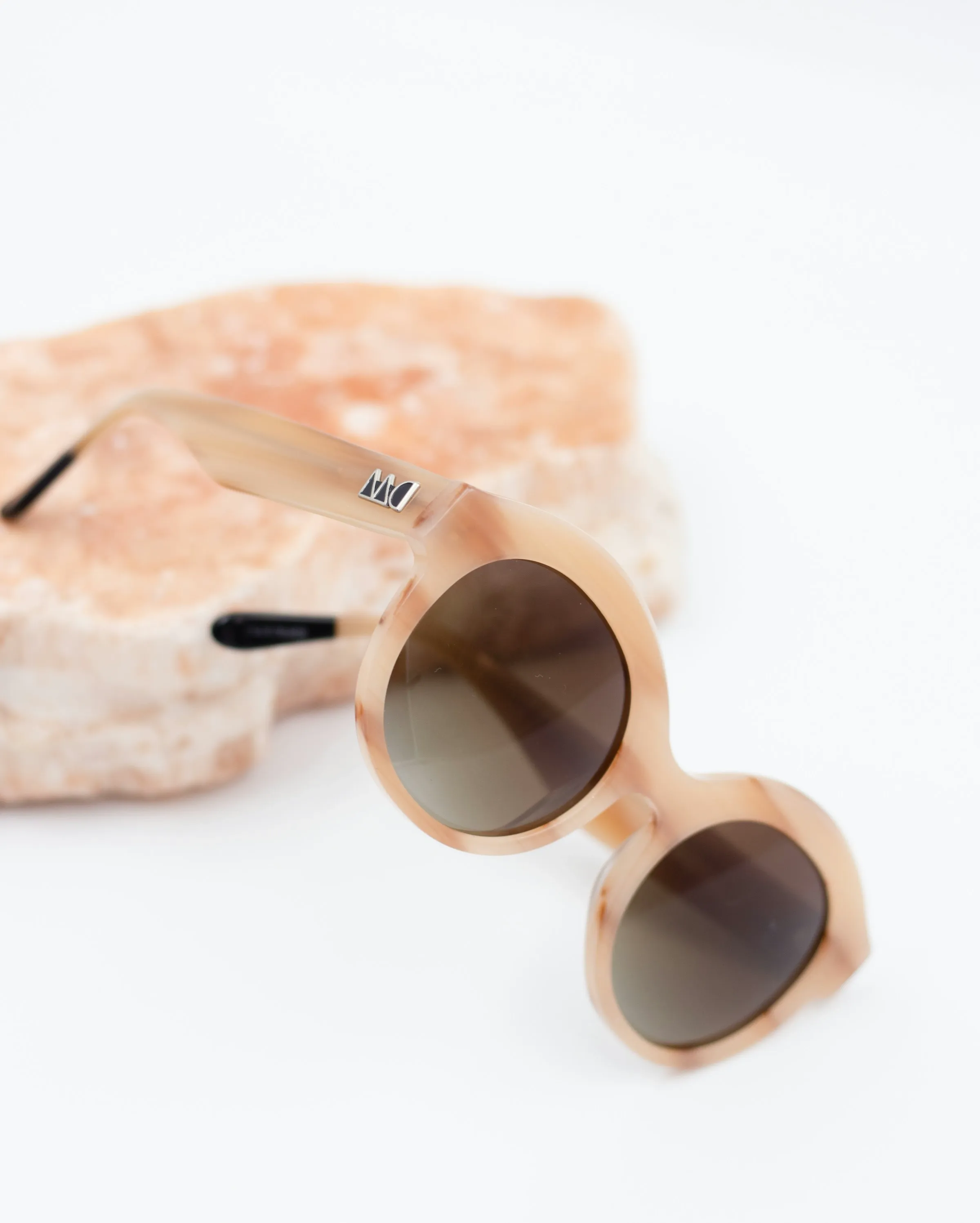
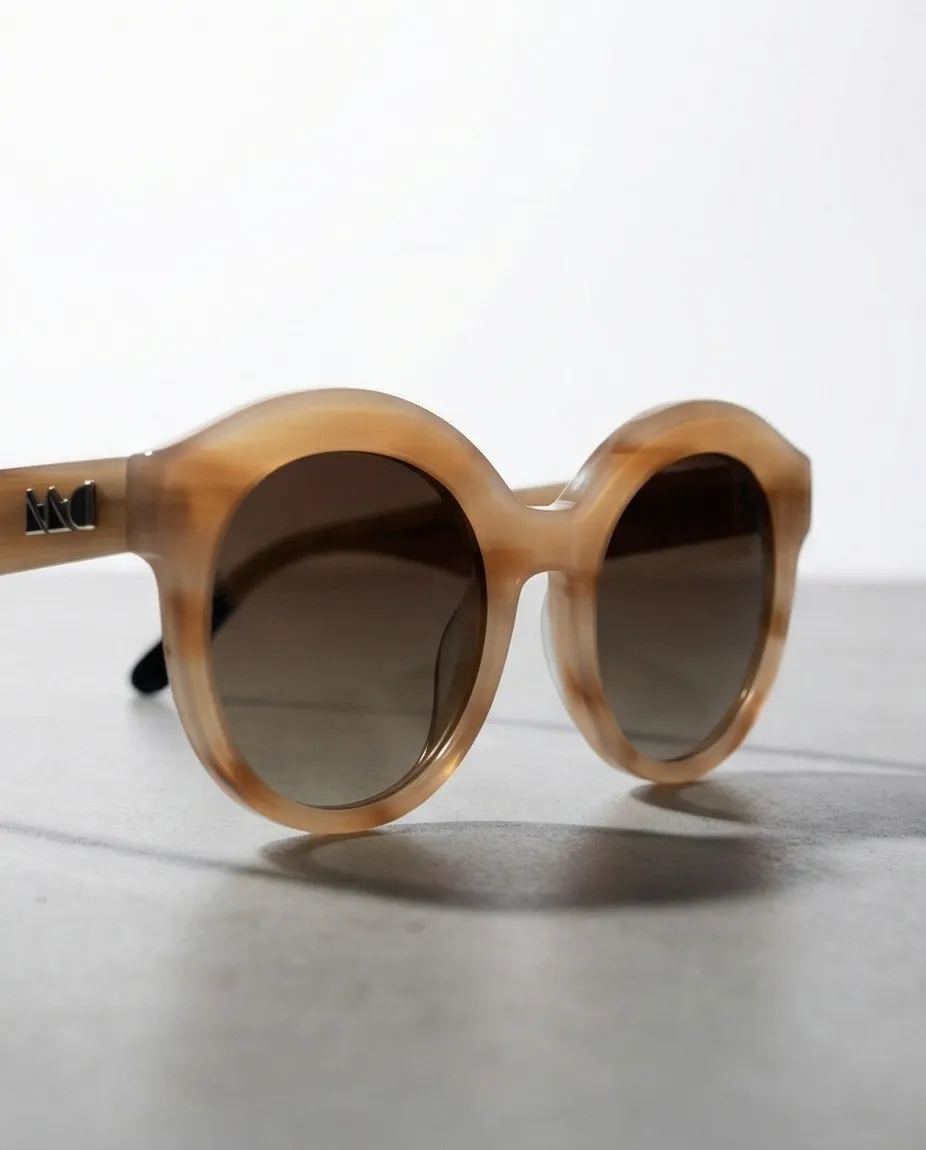
Generated with Prodofoto in under 60 seconds. The same technique applies to watches: starting from a clean source image, AI generates flat-lay context, dark-surface studio presentations, and lifestyle scenes across multiple angles.
How to Photograph Your Watch Products With Prodofoto
Prodofoto runs inside Shopify. Select a product from your catalog, pick a photo mode, and get up to 9 lifestyle images in about 60 seconds. No prompt engineering. No switching between tools. Publish directly back to your product listing when you find the shots you want.
Prepare the best source image you have
For watches, the source image quality matters more than in most categories because AI works from the surface and finishing details it can see in your photo. Shoot your watch face-forward on a neutral surface with even, diffused light. No flash directly at the crystal — it will create a white hotspot that AI carries through to the output. A simple daylight window with a sheer curtain as diffusion works. Make sure the entire case and strap or bracelet is in frame. Set the hands to 10:10 to keep the brand logo and dial readable. The cleaner the source, the better every generated image will be.
Select the product in Prodofoto
Prodofoto connects to your Shopify catalog directly. No uploading, no file management. Find the watch you want to shoot and select it. The app pulls your existing product images and uses them as source material for generation.
Choose your photo mode for the shot type you need
Lifestyle mode places your watch in environmental scenes — a clean desk, a leather notebook flat-lay, an outdoor setting — with lighting that suits the context. Product-Only mode generates controlled studio shots on dark surfaces, ideal for luxury or dress watch presentations. On-Model mode generates on-wrist imagery where the watch appears being worn, which is important for size and proportion communication. Run each mode to build out the full 6-image set.
Review your 4 generated images and regenerate as needed
Each run produces 4 images with variation in angle, scene, and lighting. Look for: clean crystal rendering without hard glare, bracelet or strap detail that shows texture, accurate dial color, and realistic case edge definition. If the crystal picks up an unwanted reflection, regenerate — each run produces a fresh set. You can run as many times as needed, and the edit tools let you refine specific elements of images you like.
Publish directly to your Shopify listing
One click sends selected images to your product in Shopify. They live in your media library and update on the product page immediately. No downloading, re-uploading, or file juggling. Build your 6-shot gallery by publishing the best images from each mode run: one Product-Only set for the technical shots, one Lifestyle run for context, one On-Model run for wrist proportions.
Prodofoto generates up to 9 photos per watch in about 60 seconds for under $1. No diffusion rig. No studio booking. No waiting weeks for retouching.
The entire workflow stays inside Shopify. Works with any watch type — luxury, fashion, sport, or smartwatch. Free plan available.
Install Prodofoto on ShopifyFor a broader look at AI photography costs vs. traditional studios, read How Much Does Product Photography Actually Cost in 2026?
For the jewelry and accessories category guide, see AI Product Photography for Jewelry on Shopify and the Complete Guide to AI Product Photography for Shopify.
Get a Full Watch Gallery for Under $1
Dial-forward clean shots, wrist-angle perspectives, dial close-ups, lifestyle context, and flat-lay scenes. Prodofoto generates up to 9 images per watch in 60 seconds — no studio, no diffusion rig, no photographer required.
Frequently Asked Questions
Does AI product photography handle watch crystal reflections and metal bracelet links?
Yes. Watch crystals and metal bracelets are among the hardest surfaces to photograph because they pick up every stray light source. AI photography models simulate controlled studio lighting — the same diffused panels and black cards that watch photographers use to eliminate glare without losing the metal's three-dimensional quality. The result is clean, detailed shots that show case finishing, bracelet texture, and crystal clarity without hotspots or distracting reflections.
What is the best photography setup for luxury watch listings on Shopify?
Luxury watch listings need a minimum of 6 images: one dial-forward shot on a clean neutral surface, one wrist-angle shot showing proportions, one close-up of the dial and hands, one strap or bracelet detail, one side-profile showing case thickness and crown, and one lifestyle environment shot (clean desk, leather notebook, natural light). This set addresses every question a serious buyer has before committing to a $100+ purchase. AI generates each of these views from a single source image.
Can AI product photography show the watch dial clearly without reflections?
Yes. AI generates lighting that wraps around the crystal dome without creating the mirror-like reflection that catches windows and ceiling lights in standard photography. The dial, indices, and hands remain clearly visible. For watches with luminous hands, the AI preserves the painted details without the green-blue glow overexposure that affects long-exposure photography. The dial face is the primary purchase decision point for watch buyers, and AI handles it better than most home photography setups.
How many product photos does a watch listing need on Shopify?
Plan for 6–8 images per SKU. High-converting watch listings typically include: one clean dial-forward shot, a wrist-angle perspective, a detail close-up of dial and crown, a strap or bracelet texture close-up, a lifestyle scene (desk, coffee table, travel flat-lay), a scale reference (watch next to everyday object), and a variant shot if you sell multiple colorways or strap options. That gallery answers buyer questions about appearance, size, finish quality, and real-life context without requiring a return.
Can I use AI-generated watch photos on Google Shopping and Amazon?
Yes. Both Google Shopping and Amazon allow AI-generated product images as of 2026. The main restriction applies to the primary listing image, which must show the actual product on a white or light background — AI can generate those too. Secondary lifestyle and gallery images have no AI restrictions on either platform. The only rule is accurate product representation: the AI image must show what the watch actually looks like, not a different model or colorway.
How much does traditional watch photography cost?
Professional watch photography runs $120–$350 per final image when you include the specialized jewelry photography studio, diffusion rig setup, and post-production retouching. A 10-SKU watch shoot with 6 images each costs $7,200–$21,000. Luxury watch photographers in major markets can charge significantly more. AI generates up to 9 images per watch in about 60 seconds for under $1. A 50-SKU catalog that would cost $36,000–$105,000 traditionally costs under $50 with AI.
What's the difference between watch photography for luxury, fashion, and sport categories?
Luxury watches need formal, controlled presentations: dark surfaces, minimal props, close attention to dial and finishing detail. The photos should communicate craftsmanship. Fashion watches benefit from styled flat-lays, seasonal palettes, and accessory groupings that position the watch as part of an outfit. Sport and dive watches need active context: outdoors, water, athletic environments that show the watch can handle what the buyer plans to do with it. AI generates each of these environments on demand with the same source image.
References
- 1. Caspa AI — Watch Product Photography: Challenges and AI Solutions
- 2. Rewarx — Ecommerce Product Photography Conversion Rates 2026 (lifestyle context lifts accessories CVR 22–30%)
- 3. GrabOn — 50+ eCommerce Product Photography Statistics 2026
- 4. Shopify — The Complete Guide to Product Photography
- 5. SuperDNA3DLab — AI Product Photography for Shopify Watches
- 6. Baymard Institute — Product Images: UX Research Findings (scale reference reduces return rates)
- 7. Digital Applied — AI Product Photography Tools 2026 Guide ($120–$350 per image traditional cost cited)