AI Product Photography
How AI Product Photography Actually Works (The Technology Explained)
You upload one product photo and get 9 studio-quality lifestyle shots in 60 seconds. But how does that actually happen? Here is the real technology behind AI product photography — the models, the steps, and why the results look like they were shot in a studio.
By LinkedIn: Brian Chen • 8 min read • Published June 25, 2026

Quick Answer
AI product photography works in two steps. A scene-planning model takes your product image and decides what the shoot should look like — composition, environment, lighting, mood. A diffusion model then generates the final image pixel by pixel, starting from noise and iteratively refining it until the output matches what a real camera would capture. Both models were trained on tens of millions of real photographs, so the physics of light, shadow, and reflection are built into the generation process. The result: a photo that was never taken in a studio but looks like it was.
The Two-Step Process
Most people assume AI product photography is one model doing everything. It is actually a pipeline — at least two distinct AI systems working in sequence, each doing a different job.
The first system plans the shoot. The second system generates the image. That separation is why the output looks intentional rather than random — one model decides what to make, and the other makes it.
Step 1
Scene Planning
A language or vision model analyzes your product image and the shoot mode you picked. It decides: What environment fits this product? What lighting direction makes sense? What surfaces, props, or background elements should appear? The output is a structured description — a detailed prompt — that guides the generation step.
Step 2
Image Generation
A diffusion model takes the scene description plus your product image and generates the final photo. It starts with random noise and runs through hundreds of refinement steps, guided by both the text prompt and the visual features of your product. The product's shape, texture, and color are preserved; the environment around it is created from scratch.
Step 1: Scene Planning in Detail
Scene planning solves the composition problem. If you just fed your product image to a diffusion model with a vague prompt like “lifestyle photo,” you'd get inconsistent results — sometimes good, sometimes off. Scene planning gives the generation model a specific, structured brief.
In Prodofoto, you pick a shoot mode — Product-Only, On-Model, Lifestyle, Infographic, or Copycat — and that choice drives the planning step. The mode tells the system what kind of scene to construct: a clean surface with natural light for Product-Only, an outdoor setting for Lifestyle, a dressed human figure for On-Model.
The system also reads the product itself. Color, shape, and apparent category inform decisions like: warm or cool lighting? Indoor or outdoor? Natural textures or minimal studio look? A ceramic mug gets a different brief than a running shoe. That product-aware planning is why you do not need to write a prompt — the AI figures out what makes sense for your specific product.
What scene planning decides for each shoot
Environment
Indoor studio, outdoor setting, abstract, branded surface
Lighting
Direction, intensity, color temperature, key vs fill balance
Composition
Product placement, angle, foreground elements, negative space
Mood
Editorial, lifestyle, aspirational, minimal, textured
Context objects
Props, surfaces, secondary elements that support the product
Color palette
Background tones coordinated with the product's color
Step 2: How Diffusion Models Generate Images
A diffusion model does not “draw” an image from scratch the way a human would. It works backwards from noise.
During training, the model was shown millions of real photographs and learned to “add noise” to them step by step until they became random static. Then it learned to reverse that process — to predict what the clean image looks like at each step, given noisy input. After enough training, the model can start from pure noise and denoise its way to a coherent image that matches a given description.
For product photography, your product image acts as a “condition” — a constraint the model must satisfy. Techniques like ControlNet let the model preserve the exact shape, silhouette, and visual features of your product while generating an entirely new surrounding environment. The product stays; the world around it is created.
| Stage | What happens | Duration |
|---|---|---|
| Conditioning | Your product image is encoded into a feature vector the model can work with | Instant |
| Noise initialization | The model starts with a random noise tensor the same size as the target image | Instant |
| Denoising iterations | The model runs 20–50 refinement steps, each making the image more coherent and product-accurate | Most of the 60 seconds |
| Final decode | The internal representation is decoded into actual pixel values at the target resolution | A few seconds |
| Post-processing | Sharpening, color grading, and quality checks are applied | A few seconds |
The full pipeline from upload to delivered photos takes about 60 seconds per batch in Prodofoto — and each batch produces up to 9 photos.
Why AI Product Photos Look Realistic
The realism comes from what the model learned during training. Diffusion models trained on real photography absorb the physics of light — not as equations, but as patterns learned from millions of examples.
Accurate shadows and ambient occlusion
Where objects rest on surfaces, light scatters differently. Real photos show subtle contact shadows — the slight darkening where a bottle meets a countertop, for instance. The model learned this from millions of product shots and reproduces it naturally, without any manual shadow work.
Surface reflections and specularity
Shiny products reflect their environment. A ceramic mug in a kitchen scene picks up the warm tones of the surroundings. The model generates these reflections in context — not as a post-processing effect but as part of the image itself, which is why they look proportional and directionally correct.
Depth of field and focus roll-off
Real cameras do not produce uniformly sharp images. Elements at different distances from the lens go soft. The model learned this from photography and applies it to generated images, giving them the same focal gradient a real lens would produce.
Color grading consistent with scene lighting
A product photographed under warm afternoon light looks different from one under cool studio strobe. The model applies this color science across the entire scene — both the product and the environment share the same color temperature, just as they would in a real photo.
None of this means every output is perfect. Hands, text on packaging, and very fine structural details can still be hallucinated or blurred. That is why AI editing exists as a second pass — you can fix specific areas in plain English after the initial generation.
The Technology in Practice
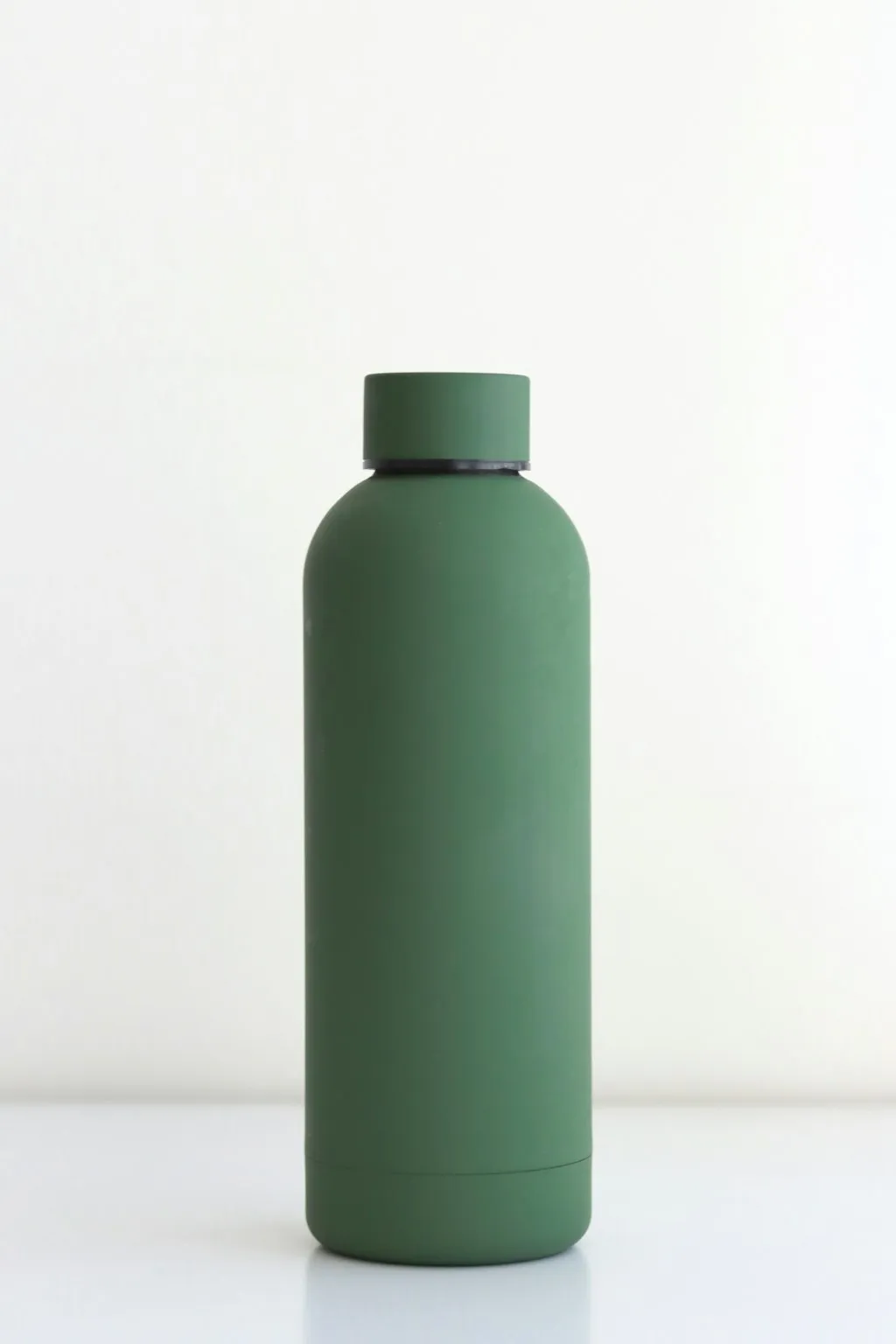
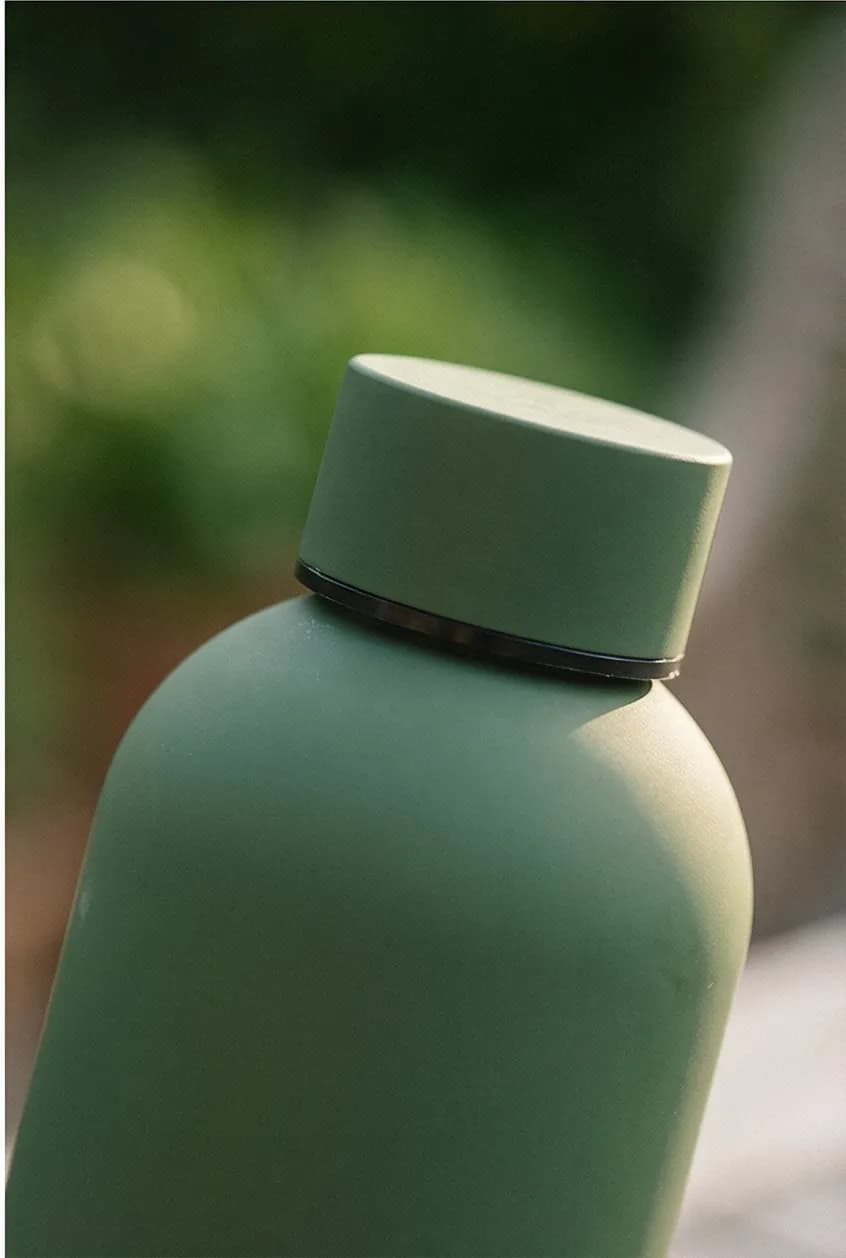
The best way to see the two-step process is in the output. The original product photo has its own lighting, shot in its own environment. The AI-generated version places the same product into a new scene — with matched lighting, new shadows, and a coherent background that was never photographed.
How Shopify Merchants Use It
For a Shopify merchant, the technology above collapses into a workflow that takes about 3 minutes from start to published photo.
- 1
Pick a product from your Shopify catalog
Prodofoto pulls your product list directly. You choose one — no exporting images, no manual upload. The product's existing photos are the source material for the generation.
- 2
Choose a shoot mode
Product-Only for clean catalog shots, On-Model for apparel and accessories, Lifestyle for contextual scenes, Infographic to add callout annotations, Copycat to match a reference photo style.
- 3
Generate — about 60 seconds
The scene planning model builds the brief; the diffusion model generates up to 9 photos. You get a full batch at once — different compositions of the same shoot direction.
- 4
Pick photos, edit if needed
Select the photos you want to keep. If something is slightly off — a background element you do not like, a color that needs adjustment — type the change in plain English. The AI edits and saves every version in history.
- 5
Publish directly to your product listing
One click sends the photos to your Shopify product page. No downloading files, no re-uploading to Shopify admin — it happens in-app.
The total time from clicking a product to having new photos live on your listing is typically under 5 minutes. The technology running in the background is sophisticated; the experience for the merchant is just a few clicks.
What AI Product Photography Can and Can't Do
The technology is genuinely capable, but it has honest limits worth understanding before you start.
What it does well
- ✓Lifestyle scenes: a product in a real-world context with matched lighting
- ✓On-model shots: apparel on AI-generated human figures without a model casting
- ✓Clean catalog shots: product on elegant surfaces, consistent backgrounds
- ✓Batch variety: 9 different compositions of the same shoot in one run
- ✓Speed: a full photoshoot in 60 seconds, photos live in under 5 minutes
- ✓AI editing: plain-English refinements after generation, full version history
Where it has limits
- ×Fine text on packaging: small labels and fine print can blur or hallucinate
- ×Very complex multi-element arrangements: more than 4 products in one scene
- ×Guaranteed brand accuracy: specific brand colors may shift slightly
- ×Fully custom prompting: Prodofoto works best with its 5 modes; open-ended prompting is Pro/Business
- ×Editorial campaigns: original brand storytelling requiring specific talent or authentic moment
- ×Batch background removal: not what AI lifestyle photography is for — use a background removal tool for that
AI editing covers most of the limitation cases. If a background element is wrong, you change it. If a color is slightly off, you adjust it. The version history means you never lose a good base by experimenting on top of it.
Related Reading
- The Complete Guide to AI Product Photography for Shopify — strategy, modes, and best practices for getting the most out of AI shoots
- AI Product Photography vs Traditional Photography — cost, speed, and quality comparison with real data
- How to Generate AI Lifestyle Product Photos — step-by-step guide to creating lifestyle scenes for Shopify
- How to Use Prodofoto for Shopify Product Photography — full walkthrough of the Prodofoto workflow
- Prodofoto vs Photoroom: Which Is Better for Shopify? — how the two leading AI photo tools compare
See the Technology for Yourself
Prodofoto installs from the Shopify App Store. Your first 10 credits are free — pick a product from your catalog, choose a shoot mode, and see 9 AI-generated photos in about 60 seconds. No prompting, no credit card.
Frequently Asked Questions
How does AI product photography actually work?
AI product photography uses a two-step process. First, a scene-planning model analyzes your product image and decides on composition, lighting style, background environment, and mood. Second, a diffusion model generates the final image pixel by pixel, trained on tens of millions of real product photographs so the output follows real lighting physics. The result is a photo that was never taken with a camera but looks like it was.
What kind of AI model generates product photos?
Most AI product photography tools use diffusion models — the same technology behind image generators like Stable Diffusion and DALL-E. A diffusion model starts with random noise and iteratively removes it, guided by your product image and a text description of the scene. The model has been trained on vast datasets of real photography, so it learns how light behaves, how surfaces reflect, and how objects look in real environments.
Does AI product photography require a professional camera?
No. You need one decent photo of your product — sharp, well-lit, no heavy filter. Even a smartphone photo works as the source. The AI generates an entirely new scene around your product, so the quality of the output depends on the AI model, not your camera gear.
How long does it take to generate AI product photos?
With Prodofoto, a batch of up to 9 photos takes about 60 seconds. That covers a full photoshoot worth of angles and scenes. Traditional product photography — booking a studio, hiring a photographer, shooting, retouching, and delivering — typically takes days to weeks.
Can AI product photography replace a real photographer?
For standard ecommerce product shots — lifestyle scenes, on-model apparel, catalog images — AI product photography produces results that work well on product pages. It does not replace editorial photography, campaign shoots requiring brand talent, or situations where authenticity of the specific moment matters. Prodofoto is transparent that photos are AI-generated; we never claim otherwise.
Why do AI product photos look realistic?
Diffusion models are trained on millions of real photographs. They learn to reproduce accurate lighting gradients, surface reflections, ambient occlusion (the subtle darkening where objects meet surfaces), and depth of field — the same physics a camera lens captures. When the model places your product into a scene, it applies those learned rules to make the product and environment look like they were lit and photographed together.
What is the difference between AI background removal and AI product photography?
Background removal cuts your product out of its original photo and places it on a new background. The product's original lighting stays, which can look mismatched against the new background. AI product photography generates a new scene from scratch — new environment, new lighting, new reflections — all matched to the product. The difference shows up in shadows: a background swap rarely gets them right; a full scene generation includes them naturally.
References
- High-Resolution Image Synthesis with Latent Diffusion Models (Rombach et al., 2022) — arXiv
- Adding Conditional Control to Text-to-Image Diffusion Models (ControlNet) — arXiv
- Product Photography in the Age of AI — Shopify Enterprise Blog
- AI Product Photography vs Traditional Photography — Prodofoto
- How to Generate AI Lifestyle Product Photos — Prodofoto
- Prodofoto — Shopify App Store