Agentic Commerce · Tactical Checklist
How to Prepare Shopify Product Photos for AI Shopping Agents (2026 Checklist)
A tactical, image-readiness checklist for Shopify merchants entering agentic commerce. Image set, alt text, filenames, schema, feed parity, category playbooks, and how to measure agent-driven traffic in 2026.

Quick Answer
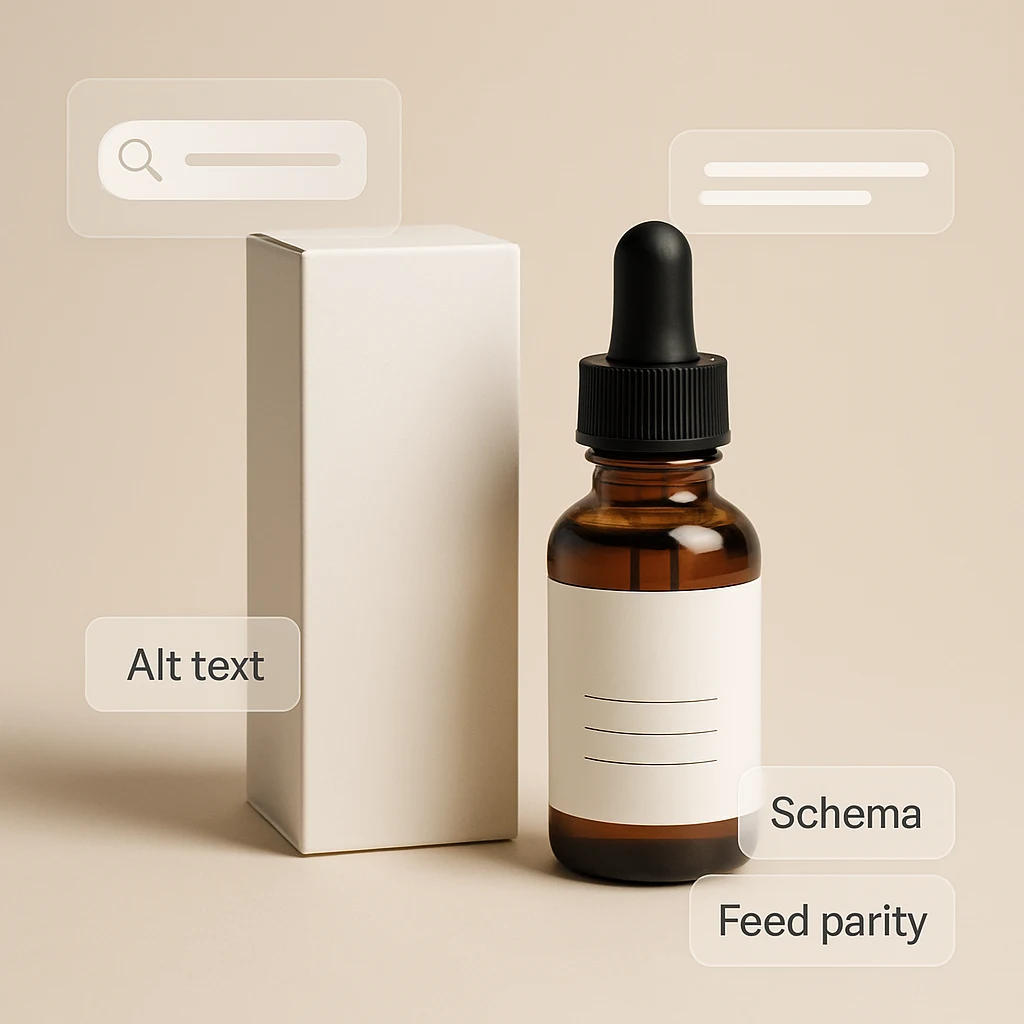
To prepare a Shopify catalog for AI shopping agents in 2026, ship a 6-image set per product (hero, lifestyle, scale, feature close-up, packaging, variant grid), make every image data-clean (descriptive alt text, hyphenated filenames, accurate Product schema, feed parity), and upgrade hero shots first for your top revenue products. Agents render the cover image before the buyer reads anything else — that thumbnail is now your most important conversion asset. For the strategic backstory on why this matters, read our agentic commerce overview.
What's Different About Agent-Ready Photos
Traditional product photos are designed for a shopper who has already arrived on your product page. They have time, scroll, and context. AI shopping agents flip the funnel. The image now renders inside a chat reply, sitting next to one or two competitors, and the buyer makes a yes/no decision in seconds.
That changes the brief. An agent-ready image set has to do four jobs at once: identify the product instantly, signal quality at thumbnail size, communicate scale and use case without copy, and survive aggressive downsizing in mobile chat UIs.
The good news is that nothing about this requires a reshoot for most merchants. Most stores already have a usable hero. The missing pieces are systematic: a complete image set per SKU, clean metadata, and feed parity. This article is a tactical checklist for getting all three right.
For the strategic context — what Shopify Agentic Storefronts and ChatGPT Instant Checkout actually changed in early 2026 — read our agentic commerce overview. This post assumes that backdrop and gets straight to the work.
The 6-Image Set Every Product Needs
Treat this as the floor. If you do nothing else, ship these six shots for every active SKU before any other agentic work.
1. Hero — clean, neutral, recognizable
Centered product on a neutral background (white, off-white, or soft gradient). The product fills 60–80% of the frame. No props that compete for attention. This is the image an agent is most likely to surface as the primary thumbnail.
2. Lifestyle — product in real context
The product being used or living in its natural environment. Coffee on a kitchen counter, a candle on a nightstand, a backpack on a commuter. This image answers “can I picture this in my life?” before the buyer scrolls.
3. Scale — in-hand or next to a familiar object
The single biggest cause of agent-driven returns is size surprise. A held shot, a worn shot, or a side-by-side with a known-size object eliminates the ambiguity that text alone cannot.
4. Feature close-up — texture, finish, mechanism
A tight crop of the most decision-relevant detail: stitching on apparel, label texture on beverages, grain on wood, key travel on a keyboard. This is where premium signals live and where lower-quality competitors fall apart.
5. Packaging — what arrives at the door
Especially important for gifts, beauty, and DTC categories. Buyers in chat are often shopping for something to send. Showing the unboxing-ready packaging closes a question that text descriptions usually leave open.
6. Variant grid — all sizes, colors, or sets together
A single composition showing every variant. When an agent surfaces the product, this image lets the buyer see the full range without clicking through. It is also the cleanest signal an agent can use to recommend the right variant.
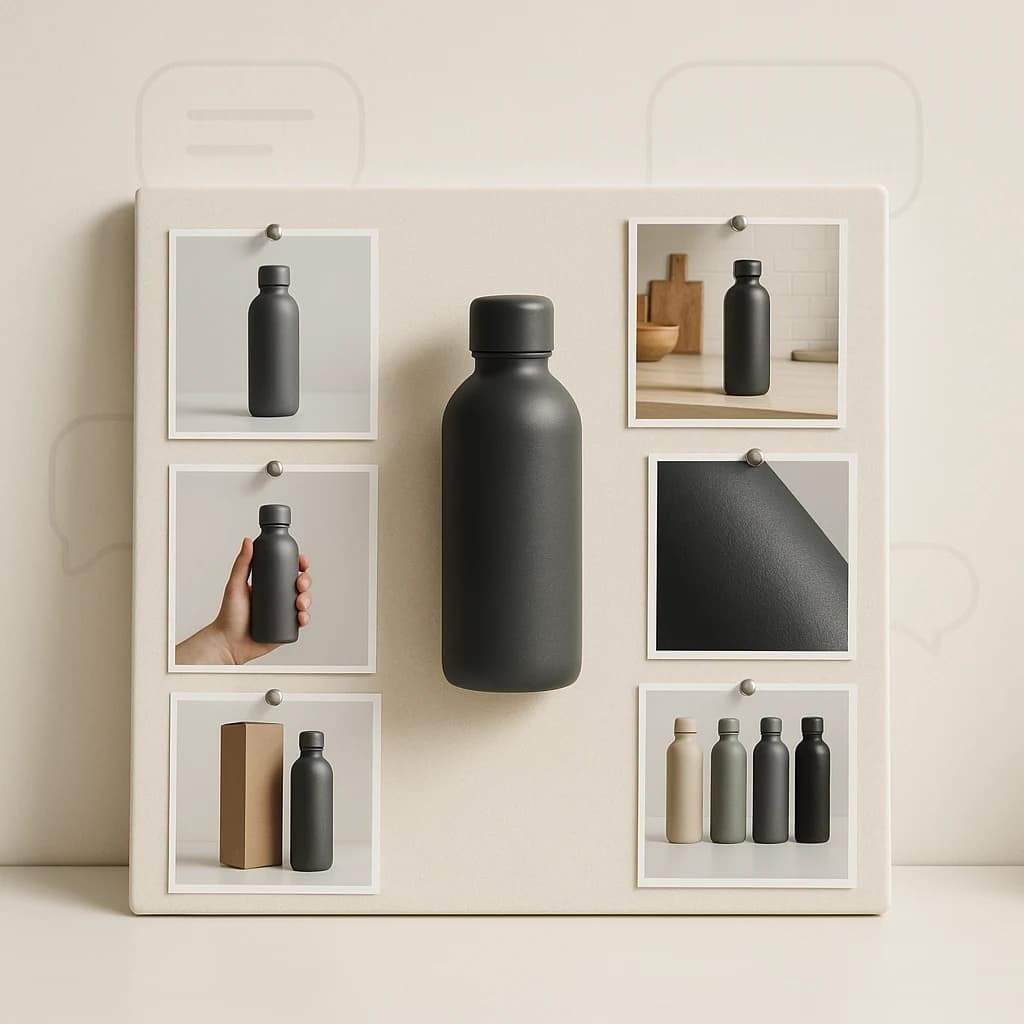
The 6-image set covers every question an AI agent's renderer is likely to surface.
Data Hygiene Checklist
Pretty pictures aren't enough. Agents rely on structured data and accurate metadata to decide which product to surface and which image to lead with. Audit each item below for every product before assuming you're agent-ready.
Alt text — short, factual, use-case aware
Format: “[product] [key attribute] [context or use case].” Example: “Walnut wood cutting board with juice groove on a kitchen counter.” Avoid keyword stuffing. Multimodal models can read the image directly, but accessibility requirements and ranking signals still reward descriptive alt text.
Filenames — descriptive, lowercase, hyphenated
Replace IMG_4421.webp with walnut-cutting-board-juice-groove-hero.webp. Filenames travel with image URLs into agent and search indices. They are a free signal you should not waste.
Product JSON-LD — verify image array is correct
Run a sample of product URLs through Google's Rich Results Test. Confirm the Product schema emits an imagearray of absolute URLs in 1:1, 4:3, or 16:9 — and that the URLs aren't blocked by robots.txt. Shopify handles this by default, but custom themes and apps can break it silently.
Feed parity — Merchant Center and Shop matches storefront
The image an agent sees is often pulled from a feed, not your product page. Audit your Google Merchant Center, Shopify Shop channel, and any marketplace integrations to confirm the primary image and lifestyle images match what you ship on-site. Mismatches usually appear as default placeholder or thumbnail-only feeds.
For a deeper feed-side checklist, see our guide on optimizing Shopify product images for Google Shopping.
Image dimensions — at least 2048px on the long edge
Upload high-resolution sources. Shopify's CDN serves correctly sized variants downstream, including for agent renderers. Don't pre-compress to 800px to save space — you lose future-proofing as renderers move to higher-DPI surfaces. Our Shopify image sizes guide has the full reference table.
Category-Specific Playbooks
The 6-image set is the floor. Different categories need different emphasis on top.
Apparel
Lead with on-model in lifestyle context, not flat lay. Include front, back, and detail shots; show fabric drape and stitching. Variant grid should show all colorways together. See our apparel photography guide for the full sequence.
Beauty & cosmetics
Texture and packaging do the heavy lifting. Show the product swatched on skin, the bottle in-hand, and the packaging at macro detail. Buyers in chat are often gift-shopping — packaging photography wins disproportionately. See our beauty photography guide for the templates.
Food & beverage
Warm lifestyle shots that trigger appetite appeal. The hero should still be a clean studio shot, but the second slot should always be a lifestyle photo with steam, pour, or plating cues. Our food and beverage photography guide breaks down the five shot types.
Home goods & decor
Scale is the dominant question. Show the product in a real room with recognizable furniture for size reference. Variant grid should communicate finish options. Texture close-ups carry premium signals.
Measuring Agent Traffic
You can't improve what you don't measure. Set up these three signals before you start the rollout so you can attribute wins later.
- AI referrer tracking. In your analytics (Shopify Analytics, GA4, or your warehouse), segment sessions by referrer to isolate ChatGPT, Perplexity, Copilot, and Shopify-syndicated agent traffic. Track sessions, add-to-cart rate, and conversion rate for that segment.
- Agentic Storefronts reporting. When Shopify exposes agent-channel impressions and clicks in the admin, pipe those metrics into your weekly merchandising review the same way you review Google Shopping performance today.
- Holdout test on photography. Pick a category with at least 20 active SKUs. Upgrade photography on half; leave the other half unchanged. After 30 days, compare CTR from agent referrers and on-site CR. This is the cleanest way to attribute lift to imagery vs. other variables.
For the on-site side of measurement, our Shopify product photography conversion checklist covers the broader CRO baseline that agentic traffic will land on once it clicks through.
30-Day Rollout Plan
You don't need to ship everything at once. This sequence gives you the biggest impact in the shortest time.
Week 1 — top 20% by revenue
Sort products by trailing-30-day revenue. Take the top 20% and run them through the full 6-image set and data hygiene checklist. This is where every other improvement compounds.
Week 2 — feed and schema audit
Validate Product JSON-LD on 10 sample products. Audit Merchant Center and Shop channel for image parity. Fix any feeds where the primary image disagrees with the storefront.
Week 3 — long tail with AI lifestyle generation
Most merchants don't have time or budget to reshoot a long tail of SKUs. Prodofoto generates four AI lifestyle variants from an existing product image in about 60 seconds per product. Use it to bring the bottom 80% up to parity with the hero set. Here is exactly how the generation flow works.
Week 4 — measurement and iteration
Stand up the AI referrer dashboard. Ship the photography holdout test. Schedule a monthly review tied to Shopify Agentic Storefronts reporting once it's live in your admin.
Ship the 6-Image Set Without a Reshoot
Prodofoto turns one existing product image into four production-ready lifestyle variants in about 60 seconds. Cover the long tail of your catalog before AI shopping agents get there.
Frequently Asked Questions
What is the minimum image set a Shopify product needs to be ready for AI shopping agents?
At minimum: a clean hero on a neutral background, one lifestyle in-context shot, one scale or in-hand shot, and one close-up of a key feature or texture. That covers the four questions an AI agent's renderer is most likely to surface in chat: what is it, where does it live, how big is it, and what's the quality detail. Apparel, beauty, and food categories should add packaging and variant grids on top.
Does alt text actually matter for AI shopping agents?
Yes, but not the way old SEO advice says. Agents using vision models can read the image directly, but they also lean on alt text and surrounding metadata when ranking similar candidates and when accessibility is required. Treat alt text as a short, factual description of what is in the photo plus the use case — not a keyword dump. Filenames matter too: descriptive, lowercase, hyphenated names beat IMG_4421.webp.
Do I need to add structured data for product images, or does Shopify handle it?
Shopify outputs Product schema by default, including the image array, when your theme follows current standards. Verify with Google's Rich Results Test that your product pages emit Product JSON-LD with image URLs that are absolute, indexable, and not blocked. For Agentic Storefronts, Shopify syndicates the same catalog, so anything missing in your store will be missing in agent channels too.
Will my Google Shopping feed images be the same as what AI agents see?
They should match, but they often don't. Many merchants set a different primary image in their Google Merchant Center feed than what's in their Shopify gallery, or they silently strip lifestyle images at feed time. Audit your feed for parity with the storefront. If an agent or marketplace pulls from a feed, the photo it shows is the photo your buyer judges first.
Are AI-generated lifestyle photos allowed on Shopify-syndicated AI channels?
Yes. Shopify, Google Shopping, and major marketplaces allow AI-generated product imagery as of 2026, provided the image accurately represents the product. The product itself should not be misrepresented (no fake features or sizes), but environment, lighting, and styling generated by AI are fine and increasingly standard.
How do I measure whether my photos are helping in agent channels?
Track three things: (1) sessions and orders attributed to AI referrers (ChatGPT, Perplexity, Copilot) in your analytics, (2) impression and click data from Shopify's Agentic Storefronts reporting once available, and (3) on-site CR for products you upgrade vs. unchanged controls. The cleanest signal is a holdout: upgrade photography on half a category, leave the other half as-is, and compare CTR and CR over 30 days.
How big should product images be for AI agent rendering?
Aim for at least 2048×2048 source images uploaded to Shopify; let Shopify's CDN serve resized variants. Agents commonly render at 600–1200px on the long edge, but providing high-resolution sources future-proofs your catalog as renderers and devices change. Keep file sizes reasonable with WebP and avoid heavy compression artifacts.
Where do I start if I have hundreds of products?
Sort by revenue and recent traffic, then upgrade your top 20% first. For each, replace the hero with a clean studio shot, add one lifestyle and one scale image, and rewrite alt text and filenames. Prodofoto generates four lifestyle variants from a single existing product image in about 60 seconds, which lets one merchant cover a long tail in days instead of months.
References
- Shopify Dev: Agentic Commerce documentation
- Shopify: Introducing Agentic Storefronts (Winter ‘26 Edition)
- OpenAI: Buy it in ChatGPT — Instant Checkout and the Agentic Commerce Protocol
- Google Search Central: Product structured data
- Google Merchant Center: Image link [image_link] requirements
- Shopify Help: Product media types and recommended dimensions