Platform Strategy
Pinterest Product Photography: The Shopify Seller's Guide for 2026
Pinterest shoppers have 83% buying intent. Learn the exact image specs, aspect ratios, and photo styles that drive saves, clicks, and purchases from your Shopify store.

Quick Answer
Pinterest favors 2:3 vertical images (1000×1500px), lifestyle photos over white backgrounds, and multiple product angles. Shoppers on Pinterest have 83% buying intent -- they arrive already planning to purchase. Connect your Shopify catalog via Pinterest Shopping, generate lifestyle variants for your top products first, and pin regularly to stay in the discovery feed.
Pinterest is not social media. It's a visual search engine where people go specifically to find things to buy. A 2025 Pinterest Business study found that 83% of weekly Pinterest users have made a purchase based on content they saw on the platform. Compare that to the average 2% to 4% add-to-cart rate on a cold Shopify store and you start to see why the traffic is different.
But here's the gap most Shopify sellers miss: syncing your catalog to Pinterest is not enough. Pinterest's algorithm surfaces visually rich content. A white background product shot that looks fine on your Shopify listing looks thin next to lifestyle imagery from your competitors. The merchants winning on Pinterest in 2026 are the ones who treat it as its own photo channel, not a carbon copy of their Shopify gallery.
This guide covers what Pinterest actually wants, the exact image specs you need, and how to generate a full set of Pinterest-ready photos for every product in your catalog without booking a new photoshoot.
Why Pinterest Traffic Converts Differently
Pinterest users are planners. The average pin has a lifespan of 3.5 months -- vastly longer than the hours-long window of an Instagram post or a TikTok. A pin you create today can drive traffic to your Shopify store for years. That compounding organic reach is something no paid channel can match.
The intent signal is also fundamentally different. Someone who finds your product on Pinterest was searching for "minimalist home storage" or "fall kitchen decor" -- they were actively looking for products like yours. Contrast this with paid social, where you interrupt someone's feed to show them something they weren't thinking about.
Pinterest also integrates directly with Shopify through Rich Pins, which pull live product data, including current price and availability, onto each pin. When a product goes out of stock, the pin updates automatically. When you run a sale, your price drop shows up. That level of real-time data creates a product page experience that drives clicks from high-intent shoppers.
Pinterest Image Requirements for 2026
Pinterest renders pins at 236px wide in the home feed but stores and serves the original at full resolution. File quality matters more than you might think. Here are the specs you need.
| Pin Format | Dimensions | Ratio | Best Use |
|---|---|---|---|
| Standard (recommended) | 1000×1500px | 2:3 | Product listings, lifestyle shots |
| Square | 1000×1000px | 1:1 | Profile grid, catalog pins |
| Wide | 1000×500px | 2:1 | Infographics, step-by-step guides |
| Max tall | 1000×2100px | 1:2.1 | Long-form tutorials (use sparingly) |
File format: JPEG or PNG, under 20MB. Pinterest compresses images aggressively, so starting with a high-resolution source matters. A blurry or pixelated pin gets penalized in the algorithm because Pinterest's ranking factors include visual quality scores.
One rule most guides miss: avoid placing important elements within 50px of any edge. Pinterest crops thumbnails in some contexts, and product details or text near the border get cut.
Lifestyle Photos vs. White Backgrounds on Pinterest
Pinterest's visual search algorithm scores images for "visual richness" -- texture, color contrast, scene depth, and subject clarity. A white background product shot scores low on richness. A styled lifestyle image scores high.
That said, white background shots still have a role. Lifestyle images consistently outperform white backgrounds for saves, profile visits, and outbound clicks on Pinterest, but white backgrounds work well for catalog pins where price and availability are the primary draw. Use both, with lifestyle photos leading on your boards and white background shots in your synced catalog.
The most effective Pinterest strategy stacks both: pin the lifestyle version to your boards to get organic discovery, and let the catalog sync your white background shots as Shopping pins. Shoppers who discover you through the lifestyle pin, then encounter the catalog pin when they return, have already seen your product in context. That double exposure drives higher click-through rates than either format alone.
5 Product Photo Types That Win on Pinterest
Most Shopify sellers pin one photo per product and move on. The sellers who consistently appear in Pinterest searches pin multiple formats. Here are the five that matter.
1. Vertical Lifestyle Hero (2:3)
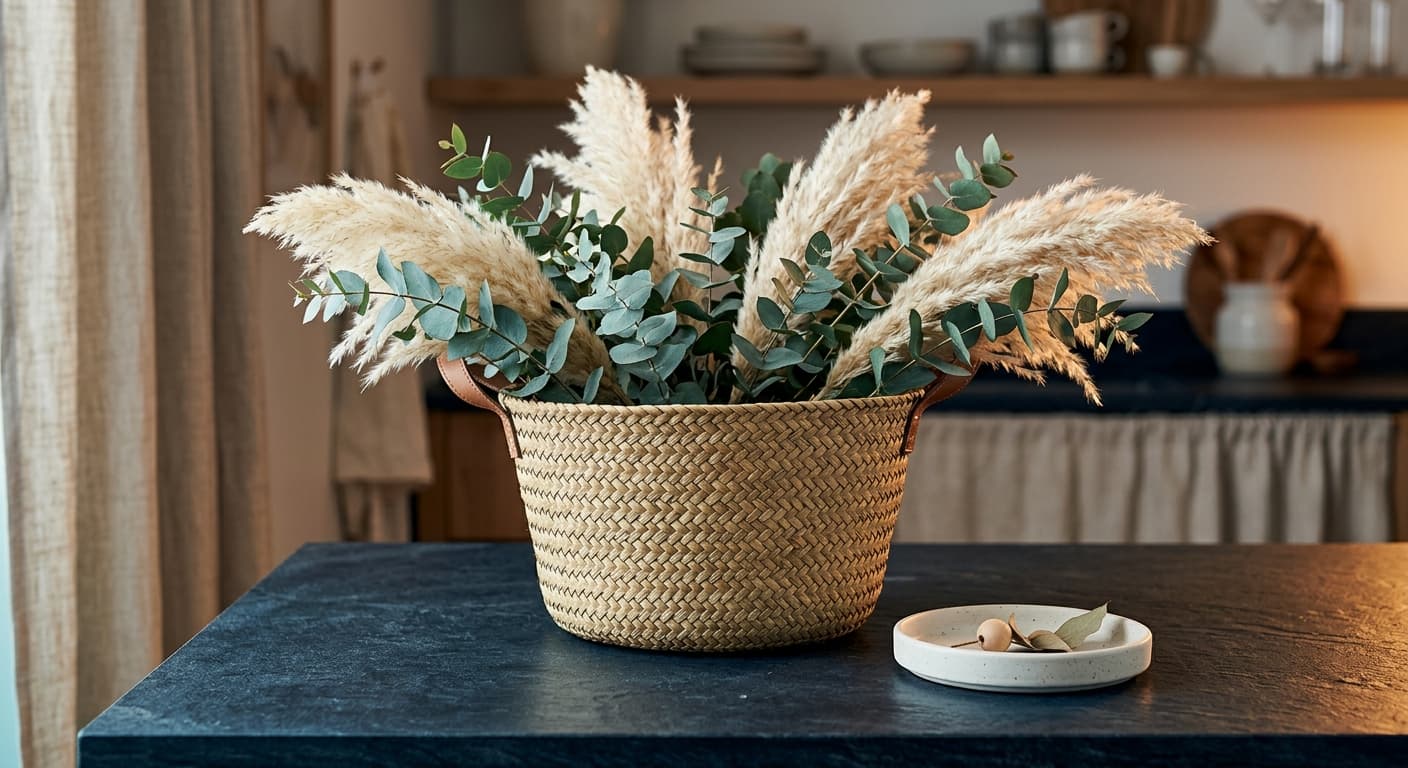
This is your primary pin. Show the product in a real scene that matches the visual aesthetic your target customer is already saving to their boards. A storage basket on a sunlit shelf, a candle next to a reading nook, a skincare product on a marble vanity. The setting tells the buyer where this product belongs in their life.
2. Flat-Lay with Context Props
Flat-lays perform exceptionally well in home, beauty, and gift categories. Arrange your product alongside a few relevant props -- dried botanicals, a linen napkin, a complementary product -- and shoot from directly above. Keep the color palette tight. The composition rules are the same as for any product gallery: lead with the product, support with context.
3. In-Use / On-Person Shot
Showing scale and usage is critical for apparel, accessories, and functional products. An on-model shot answers the "how will this look on me" question immediately. For non-wearables, an in-context usage shot -- a knife cutting vegetables, a bag on a shoulder -- does the same job. These pins get strong save rates because they help shoppers visualize ownership.
4. Detail Close-Up
Texture, stitching, materials, and finish details all perform well as secondary pins. Pinterest users who are close to a purchase decision actively seek out detail shots to confirm quality. A tight crop of your product's most distinctive feature -- the weave of a basket, the matte finish of ceramic -- can catch a searcher who already pinned your lifestyle hero.
5. Pin with Short Text Overlay
A 6 to 10 word text overlay naming the key product benefit works well for boards targeting informational searches. "Handwoven Seagrass Storage Under $40" or "Natural Fiber Baskets That Actually Fit a Shelf" give the algorithm a text anchor to match against keyword searches. Keep the font large, the contrast high, and the text brief. More than 10 words clutters the image and loses the visual focus.
How to Connect Your Shopify Store to Pinterest Shopping
The technical setup takes about 20 minutes. Once it's done, your catalog syncs automatically and Rich Pins pull live data from your store without any ongoing maintenance.
- 1
Install the Pinterest app from the Shopify App Store
Search for the official Pinterest app in your Shopify Admin under Apps. The app creates the authenticated connection between your Shopify admin and your Pinterest Business account. You'll need a Pinterest Business account -- if you only have a personal account, convert it first (it's free and takes two clicks).
- 2
Claim your website on Pinterest Business
Under Pinterest Business settings, claim your store domain. Pinterest verifies ownership via a meta tag or HTML file. Once claimed, every pin that links back to your domain gets enhanced analytics, and your profile photo appears on all your pins.
- 3
Enable Rich Pins
Apply through Pinterest's Rich Pin Validator using any product URL from your store. Approval typically takes a few hours. Once approved, your product pins display live title, price, and availability pulled directly from Shopify. When you run a sale, your pinned prices update automatically.
- 4
Sync your product catalog
In the Pinterest app settings inside Shopify, trigger the initial catalog sync. Pinterest imports product images, titles, descriptions, and prices into a shoppable catalog. The initial sync can take up to 24 hours depending on catalog size. After that, updates sync in near real time.
- 5
Create Pinterest Collections
Inside Pinterest Business, organize your synced products into curated Collections -- themed product groupings that match how your buyers browse. "Fall Kitchen Essentials," "Minimalist Home Storage," or "Gift Ideas Under $50" give the algorithm clear category signals and give shoppers a natural path from discovery to purchase.
How Prodofoto Helps You Build a Pinterest Photo Strategy
The biggest bottleneck for most Shopify sellers on Pinterest is photo volume. Pinterest rewards frequent pinning, different formats, and fresh content. Traditional photography makes producing that volume impractical for most solo operators and small teams -- a single lifestyle shoot costs hundreds of dollars and yields a fixed set of images.
Prodofoto changes the economics. You upload one product image and generate multiple AI-generated lifestyle photos in different styles in under 60 seconds. Lifestyle mode places your product in a styled scene. Product-Only mode generates clean studio shots with varied backgrounds. On-Model mode puts your apparel or accessories on an AI model for in-use shots. Each mode produces photos you can crop to 2:3 vertical for Pinterest before pinning.
The practical workflow: pick your 10 best-selling products, generate 3 to 5 photo variants for each using Prodofoto, resize to 1000×1500px, and build out a Pinterest board for each product category. That's 30 to 50 fresh pins without a single photoshoot booking. On Pinterest, frequency and variety compound over time -- the same way blog content compounds in search, new pins keep surfacing your products in discovery feeds months after you post them.
You can try Prodofoto free on the Shopify App Store with 10 credits -- enough to generate photos for your first few products and pin them before deciding whether to upgrade.
Frequently Asked Questions
What image size does Pinterest recommend for product photos?+
Pinterest recommends a 2:3 vertical aspect ratio for product pins, with a minimum width of 600 pixels. The ideal dimensions are 1000×1500 pixels. Square pins (1:1) also perform well in the home feed. Avoid images taller than a 1:2.1 ratio, as Pinterest crops them in the feed.
Do Pinterest product photos need to be lifestyle images?+
Not exclusively, but lifestyle images consistently earn more saves and outbound clicks on Pinterest than plain white background shots. Pinterest is a visual discovery platform where shoppers are actively looking for inspiration, and photos showing a product in context perform better. White background images still work for catalog pins, but mixing in lifestyle photos lifts overall engagement.
How do I connect my Shopify store to Pinterest?+
Install the Pinterest app from the Shopify App Store, then claim your website inside Pinterest Business. Enable Rich Pins to pull live price and availability data, then sync your product catalog. Pinterest Shopping ads and organic catalog pins can go live within 24 to 48 hours of connecting.
Do the same product photos work on both Shopify and Pinterest?+
Your existing Shopify product photos will sync to Pinterest automatically via the catalog, but they may not be optimized for it. Shopify thumbnails are typically square (1:1) while Pinterest favors 2:3 vertical images. Creating vertical lifestyle variants of your top-selling products specifically for Pinterest boards gives you a significant advantage over sellers who sync the catalog and stop there.
How many product images should I create for Pinterest?+
Aim for at least 3 to 5 distinct pin formats per product: a vertical lifestyle hero, a flat-lay with context props, an in-use or on-person shot, a detail close-up, and optionally a pin with a short text overlay naming the product benefit. Pinning multiple formats spreads your product across more searches and interest categories.
What is a Rich Pin on Pinterest?+
A Rich Pin pulls live metadata from your Shopify store directly onto your pin, including the product title, current price, and availability. When your item goes out of stock, the pin updates automatically. Rich Pins require a one-time setup through Pinterest Business and make your catalog pins significantly more useful to shoppers.
How does AI product photography help with a Pinterest strategy?+
AI photography tools like Prodofoto let you generate multiple lifestyle photo styles from a single product image in under 60 seconds. Instead of booking a separate shoot to create 2:3 vertical lifestyle photos for Pinterest, you generate them on demand. This makes it practical to create Pinterest-specific photo variants for every product in your catalog, not just your top sellers.
Sources
- Pinterest Business. "Pinterest Shopping: Stats and Insights." Pinterest Business, 2025.
- Pinterest for Business. "Creative Best Practices: Image Specs." Pinterest Help Center, 2026.
- Shopify. "Set Up the Pinterest Sales Channel." Shopify Help Center, 2026.
- Pinterest Business. "Rich Pins Overview." Pinterest Developer Documentation, 2026.
- eMarketer. "Pinterest Users and Ecommerce Intent Data, 2025." Insider Intelligence, 2025.
Generate Pinterest-Ready Photos in 60 Seconds
Prodofoto turns a single product image into vertical lifestyle photos, flat-lays, and on-model shots sized for Pinterest pins. No photoshoot required.