Prodofoto vs Adobe Firefly: Which Is Better for Shopify Product Photography?

Quick Answer
Adobe Firefly produces stunning creative images but has no native Shopify integration — every photo requires manual download and upload. Prodofoto lives inside your Shopify admin and publishes photos directly to product listings in one click. If your goal is consistent, commerce-ready product photography at catalog scale, Prodofoto is the faster path.
Adobe Firefly is one of the most talked-about AI image generators of 2026 — and for good reason. Its Generative Fill, text-to-image, and background replacement tools are genuinely impressive. But when Shopify merchants ask "can I use Firefly for my product photos?" the answer is usually "yes, but it's complicated."
Complicated because Firefly isn't a Shopify app. There's no listing on the Shopify App Store for Firefly product photography. You generate images on Adobe's web platform, download them, and then manually upload to each Shopify product — a workflow that works for a handful of hero shots but breaks down fast across a full catalog.
Prodofoto takes the opposite approach: it's a native Shopify app built specifically for merchant product photography. Pick a shoot mode, generate up to 9 photos in about 60 seconds, and publish directly to your product listing. No downloading, no uploading, no prompting. This comparison covers both tools honestly so you can pick the right one for your store.
Tool Overview
Adobe Firefly
Prodofoto
Feature Comparison
| Feature | Adobe Firefly | Prodofoto |
|---|---|---|
| Shopify App Store listing | No | Yes — native app |
| 1-click publish to Shopify | No — manual download/upload | Yes |
| Product-only white background | Manual prompt | Dedicated mode |
| On-model product photos | Manual prompt + editing | Dedicated On-Model mode |
| Lifestyle scene generation | Manual prompt | Dedicated Lifestyle mode |
| Infographic overlays | Manual in Adobe Express | Dedicated Infographic mode |
| Competitor photo matching | Not available | Copycat mode (Pro/Business) |
| Batch / catalog processing | Manual per image | Up to 9 photos per shoot |
| AI prompting required | Yes — skill-dependent results | No — structured modes |
| Photos per shoot | Unlimited but manual | Up to 9 in ~60 seconds |
| Free tier | Yes (limited credits) | Yes (10 one-time credits) |
| Shopify billing | Separate Adobe subscription | Through Shopify admin |
What Prodofoto Does With a Plain Product Photo
Both tools start with a product image. Here's what the Prodofoto Lifestyle mode produces from a basic backpack shot — no prompting, no editing, one click.
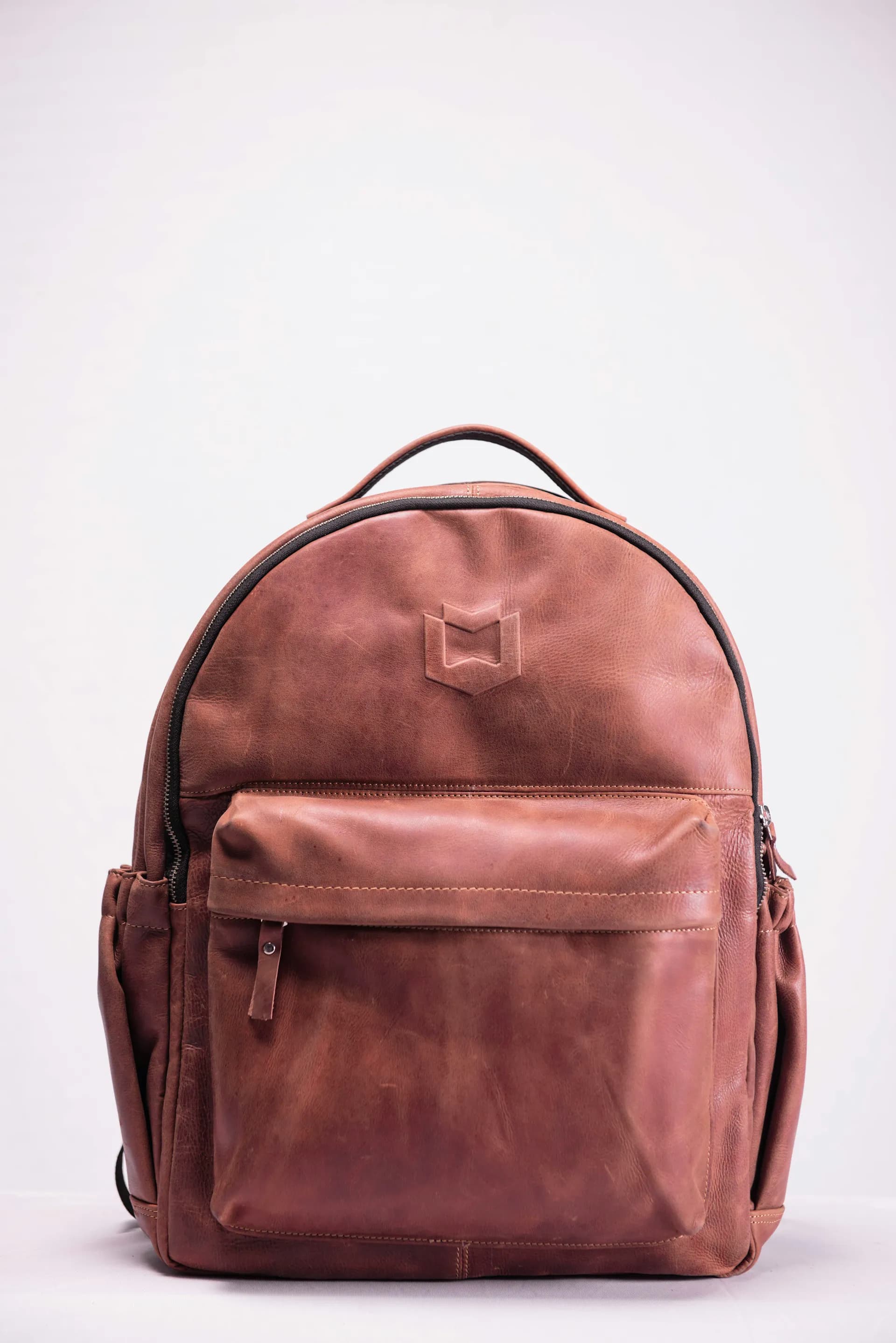

Left: original product photo. Right: Prodofoto Lifestyle mode — no prompting required.
What Adobe Firefly Does Well
Firefly's generative capabilities are genuinely impressive. The Generative Fill tool lets you select any part of an image and replace it with AI-generated content — swap backgrounds, add props, extend the canvas. Firefly's text-to-image quality for creative scenes is among the best in the industry, trained on Adobe Stock imagery with commercial licensing in mind.
For merchants who already pay for Creative Cloud, Firefly is a powerful addition to an existing Adobe workflow. If you're creating brand campaigns, social media hero shots, or editorial-style lookbook images, Firefly's flexibility is hard to match.
The catch: none of this is automated or Shopify-native. Each image is a manual creative project. According to Adobe's documentation, you generate in Firefly or Express, then export and upload to wherever you need it — including Shopify. At 10 products with 5 photos each, that's 50 manual upload operations before you've even considered writing alt text.
What Prodofoto Does Well
Prodofoto's five shoot modes cover the main product photography use cases for Shopify merchants without requiring any creative direction or prompting:
- ✓Product-Only: Clean white or neutral background, studio lighting — the standard catalog shot.
- ✓On-Model: AI-generated models wearing or holding your product, no physical photoshoot needed.
- ✓Lifestyle: Contextual scenes that show your product in use — kitchen, office, outdoors.
- ✓Infographic: Annotated product shots with key feature callouts, great for conversion.
- ✓Copycat: Match a competitor's photo style or background — Pro/Business plans only.
After generating up to 9 photos in about 60 seconds, you click "Publish to Shopify" and they appear in your product gallery — no downloading, no uploading, no switching apps. The entire workflow happens inside your Shopify admin.
Workflow Comparison
Adobe Firefly Workflow
- 1.Open Adobe Firefly or Express
- 2.Upload your product image
- 3.Write a prompt describing the scene
- 4.Generate and iterate until satisfied
- 5.Download the image(s) locally
- 6.Open your Shopify admin
- 7.Navigate to the product
- 8.Upload image(s) from your computer
- 9.Repeat for every product and every photo
Prodofoto Workflow
- 1.Open Prodofoto inside Shopify admin
- 2.Select a product
- 3.Choose a shoot mode
- 4.Generate up to 9 photos (~60 seconds)
- 5.1-click publish to your product listing
Which Tool Fits Your Store?
Choose Adobe Firefly if...
- →You already pay for Adobe Creative Cloud
- →You need highly custom or artistic visuals
- →You create editorial campaigns, not catalog shots
- →You have a designer who works in Adobe tools daily
- →Volume is low (fewer than 20 products)
Choose Prodofoto if...
- →You sell on Shopify and need catalog-scale photos
- →You want photos published directly to your store
- →You don't want to manage an Adobe subscription
- →You need on-model photos without a photoshoot
- →You're a merchant, not a professional designer
Pricing
Adobe Firefly's free tier gives limited generative credits. Creative Cloud (which includes Firefly) starts at $54.99/month. Adobe Express standalone is $9.99/month. On top of that, you still pay separately for Shopify.
Prodofoto bills through Shopify and has a Free plan (10 one-time credits), Starter at $9.99/month (50 credits), Pro at $29.99/month (200 credits), and Business at $79.99/month (600 credits). Each credit covers a full product shoot of up to 9 photos.
Sources
- Adobe Firefly overview
- Adobe Express pricing
- Adobe Creative Cloud pricing
- Prodofoto on Shopify App Store
- Shopify App Store product photography category
- Baymard Institute: product image quality and conversion
- BigCommerce: ecommerce product photography guide
Frequently Asked Questions
Can Adobe Firefly create Shopify product photos?
Adobe Firefly can generate creative images, but it has no native Shopify App Store listing for product photography automation. You generate images in Adobe Express or Firefly web app, then download them and manually upload to Shopify — a multi-step workflow that doesn't scale well for catalog-sized batches.
Does Adobe Firefly have a Shopify app?
As of mid-2026, Adobe has no dedicated Shopify App Store listing for Firefly product photography. Adobe Commerce exists for enterprise Adobe/Shopify bridges, but that's a different product. Prodofoto is purpose-built for Shopify with 1-click publish directly to your store.
How much does Adobe Firefly cost for product photography?
Adobe Firefly is included in Adobe Creative Cloud plans ($54.99/month) and has a free tier with limited generative credits. Adobe Express standalone starts at $9.99/month. Either way, you pay separately for Shopify — and manual export/upload time adds up across a large catalog.
How much does Prodofoto cost?
Prodofoto has a Free plan (10 one-time credits), Starter at $9.99/month (50 credits), Pro at $29.99/month (200 credits), and Business at $79.99/month (600 credits). All plans include 1-click Shopify publish, and each credit covers a full multi-photo shoot.
Which tool is better for on-model product photos?
Prodofoto has a dedicated On-Model mode that places your product on AI-generated models without any physical photoshoot. Adobe Firefly's generative fill can do something similar, but it requires manual prompting per image and has no direct Shopify pipeline.
Is Adobe Firefly better than Prodofoto for creative brand campaigns?
If you need highly custom creative visuals — illustrated backgrounds, surreal scenes, fine art composites — Firefly's flexibility is hard to beat. For Shopify merchants who need consistent, commerce-ready product photos at scale, Prodofoto's structured modes and direct integration are a stronger fit.
Can I use both Adobe Firefly and Prodofoto together?
Yes. Some merchants use Prodofoto for bulk catalog photography and Firefly for one-off hero images or marketing campaigns. They serve different use cases well, and there's no conflict using both.
Related Articles
Ready to Try Prodofoto?
10 free credits, no credit card required. Generate your first product photos in under a minute — directly inside your Shopify admin.
Get Prodofoto Free