AI Product Photography
Prodofoto vs Shopify Magic: Which Is Better for Product Photography?
Every Shopify merchant already has Shopify Magic — it is built into admin and free on every plan. So the real question is not whether to use it, but whether it is enough. Shopify Magic handles background replacement on photos you already own. Prodofoto handles the whole photoshoot: five distinct shoot modes, up to 9 photos per product, published to your listing in one click. This comparison covers what each tool actually does, where each falls short, and how to decide which one your store needs.
By LinkedIn: Brian Chen • 9 min read• Published July 5, 2026

Quick Answer
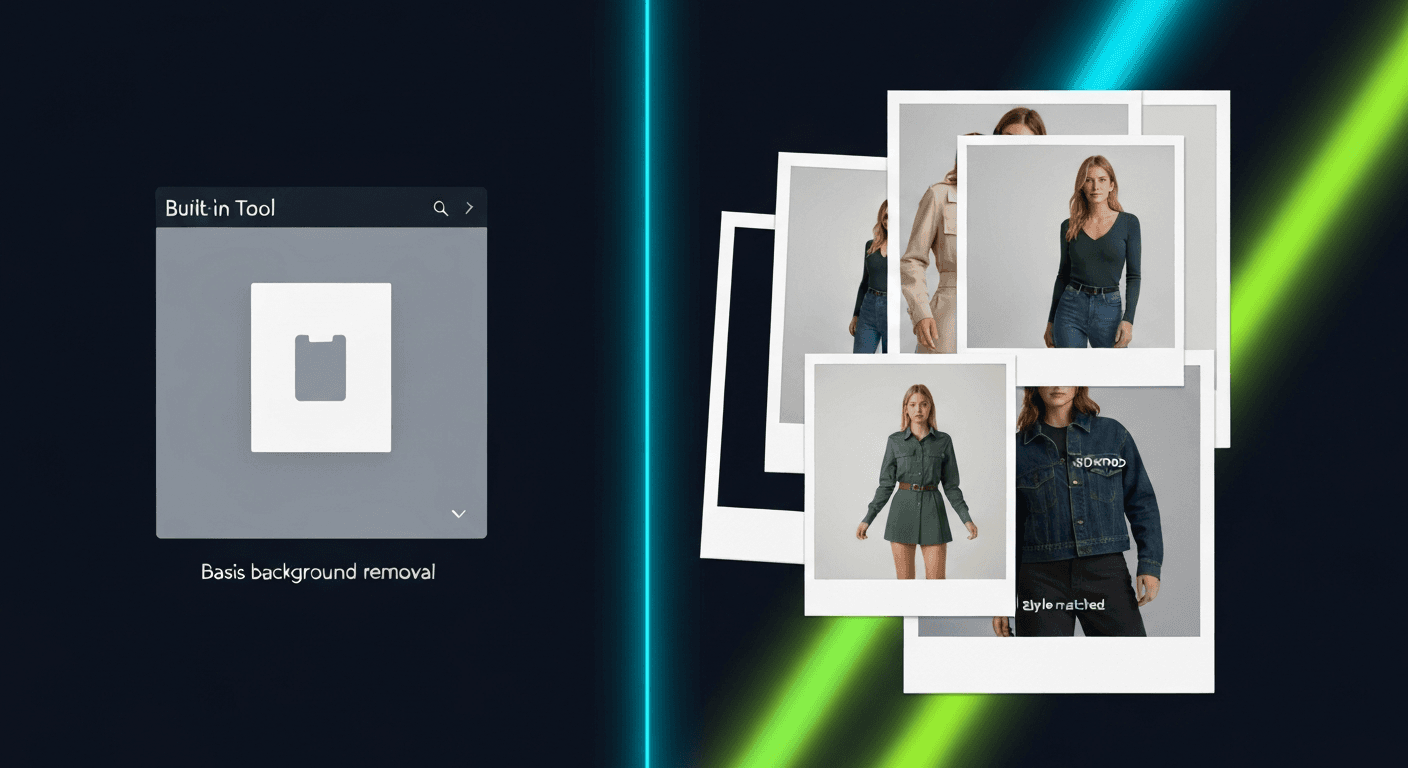
Shopify Magic is free, built into every Shopify plan, and handles two photo tasks well: removing backgrounds and replacing them with AI-generated scenes. It works on photos you already have. Prodofoto is a dedicated AI photography app with five shoot modes — Product-Only, On-Model, Lifestyle, Infographic, and Copycat — that generates up to 9 new product photos from scratch in about 60 seconds, published directly to your listing. If all you need is background cleanup on existing photos, Shopify Magic is free and good enough. If you need a full photoshoot workflow, on-model shots, lifestyle scenes, or consistent multi-mode coverage across your catalog, Prodofoto is the stronger tool.
What Each Tool Actually Does
Shopify Magic and Prodofoto solve different problems. The comparison is not really “which is better” — it is “which one covers the task you actually have.”
Shopify Magic is a set of AI-powered features built directly into Shopify admin. For product photos, it does two things: background removal (cuts out the product so it sits on a transparent or white background) and background generation (replaces the background with an AI-created scene based on a text description). You open a product listing, click into the media editor, and these tools appear inline — no app install, no additional payment. The key constraint: Shopify Magic works on photos you already have. You bring the product photo; it handles the background.
Prodofoto is a Shopify app that runs a full AI photoshoot from a plain product image. It connects to your catalog, you pick a product, pick a shoot mode, and it generates up to 9 commercial-quality photos in about 60 seconds. The five modes cover the full range of commercial product photography: Product-Only for clean catalog shots, On-Model for apparel and accessories placed on an AI-generated human model, Lifestyle for complete environmental scenes, Infographic for feature-callout shots, and Copycat (Pro/Business) for style-matching across your catalog from a reference image. One click publishes directly to your product listing.
The workflow difference: Shopify Magic takes your photo and changes its background. Prodofoto takes your product and builds an entire photoshoot around it. For merchants evaluating which to prioritize, the question is whether background replacement on existing images is enough — or whether you need new shots generated from scratch.
Shopify Magic
Free AI features built into Shopify admin. Background removal and AI background generation on photos you already own. No app install required. Works inline inside your product media editor on every Shopify plan.
Limitation: works on existing photos only. No new shoot modes, no on-model generation, no lifestyle scene creation from scratch.
Prodofoto
A native Shopify app with five shoot modes: Product-Only, On-Model, Lifestyle, Infographic, and Copycat. Pick a product from your catalog, choose a mode, and get up to 9 AI-generated photos in about 60 seconds. One click publishes to your listing.
Requires a paid plan for consistent catalog use. Generates new photos rather than editing existing ones.
Many merchants use both: Shopify Magic for quick background cleanup on supplier photos or product variations, Prodofoto for systematic photoshoots across their catalog. They cover different jobs.
Feature Comparison
The table below maps both tools against the capabilities Shopify merchants evaluate most when choosing an AI photo solution.
| Feature | Shopify Magic | Prodofoto |
|---|---|---|
| Cost | Free — included with every Shopify plan | Free tier + paid plans from $9.99/mo |
| Where it lives | Built into Shopify admin — no install | Shopify App Store — install required |
| Background removal | Yes — built-in cutout tool | Yes — Product-Only mode |
| AI background generation | Yes — text-prompt background swap | Yes — automatic scene composition |
| Lifestyle scene generation | Partial — basic background swap only | Yes — full Lifestyle mode |
| On-model photos | No | Yes — On-Model mode |
| Infographic callouts | No | Yes — Infographic mode |
| Style matching (Copycat) | No | Yes — Copycat mode (Pro/Business) |
| Photos per product | One at a time | Up to 9 per shoot (plan-dependent) |
| Generation from scratch | No — edits existing photos | Yes — generates new shots |
| AI video | No | Yes — 5s/10s video on all plans |
| Multi-product scenes | No | Yes — Pro/Business plans |
| 1-click publish to listing | Yes — inline media editor | Yes — from shoot results |
| Generation speed | Seconds (background only) | ~60 seconds per shoot |
| Requires prompting | Yes — text description for background | No — AI picks context automatically |
Shopify Magic: Strengths and Limitations
Shopify Magic's biggest advantage is that it costs nothing and requires nothing extra. Every Shopify merchant already has it. If you are a new store owner photographing products on a phone and need to clean up backgrounds, Shopify Magic handles that job without paying for an app or exporting files to another platform.
The background removal tool is accurate for most standard product shapes — bottles, boxes, bags, small electronics. For complex shapes with fine details (jewelry, fur, glasses with thin frames), results can be inconsistent and may need cleanup. The background generation feature lets you describe a scene in plain text — “marble kitchen countertop” or “cozy living room shelf” — and Shopify Magic generates a background matching that description. The quality is serviceable for secondary and social media photos. For primary listing images that need to convert at high rates, results can look generated and may not match the quality of a dedicated photography tool.
What Shopify Magic does not do: it does not generate new product photography from scratch. You must bring the product photo. It has no on-model generation, no Lifestyle mode that builds a full ambient scene around your product, no infographic capabilities, and no catalog-wide style matching. It also does not generate video. For merchants who need more than a background swap, Shopify Magic reaches its ceiling quickly.
See the full guide to Shopify's AI features in 2026 for a broader look at what Shopify Magic covers across the admin.
Pricing
Free — included with all Shopify plans. No additional cost, no credit system, no app install.
Best for
Quick background removal on supplier photos, cleaning up phone shots, and fast background swaps for social content
Limitations
Works on existing photos only; no on-model, no lifestyle generation, no infographics, no video, one photo at a time
Prodofoto: Strengths and Limitations
Prodofoto does something structurally different from Shopify Magic: it treats each product as a photoshoot subject. You are not editing a photo — you are commissioning a shoot. Pick a product from your Shopify catalog, choose a mode, and Prodofoto composes a full scene around it.
Product-Only generates clean catalog shots on curated surfaces — the kind of main-image photos buyers expect when evaluating a product. On-Model places your apparel, shoes, or accessories on an AI-generated human model, with no casting fees, fitting sessions, or model releases. Lifestyle builds a complete ambient environment — surfaces, backgrounds, props, lighting — that matches your product category. Infographic adds feature callout annotations directly on the photo, useful for tech products, supplements, and anything with specification details. Copycat (Pro/Business) replicates the visual style of a reference image across your whole catalog, so everything looks consistent without building every scene from scratch.
Each shoot generates up to 9 photos in about 60 seconds. AI editing in plain English lets you refine any result without starting over — “shift the background warmer,” “add a wooden surface,” “reduce the shadow on the left.” Version history is saved on all edits. All plans include 5-second and 10-second product video. Pro and Business plans unlock multi-product scenes for bundles and category imagery. Billing runs through Shopify — no separate payment account needed.
The limitation is scope: Prodofoto is Shopify-only, and it generates new photos rather than enhancing ones you already own. If you have a good supplier photo that just needs a quick background swap, Shopify Magic handles that faster and for free. Prodofoto earns its cost when you need systematic, multi-mode photography across a catalog — not just one background edit.
Pricing
Free (10 credits), $9.99/mo Starter, $29.99/mo Pro, $79.99/mo Business — billed through Shopify
Best for
Shopify merchants who need on-model shots, full lifestyle scenes, or consistent multi-mode catalog photography across many products
Limitations
Shopify-only; generates new photos rather than editing existing ones; requires a paid plan for consistent use
What Prodofoto's Lifestyle Mode Actually Generates
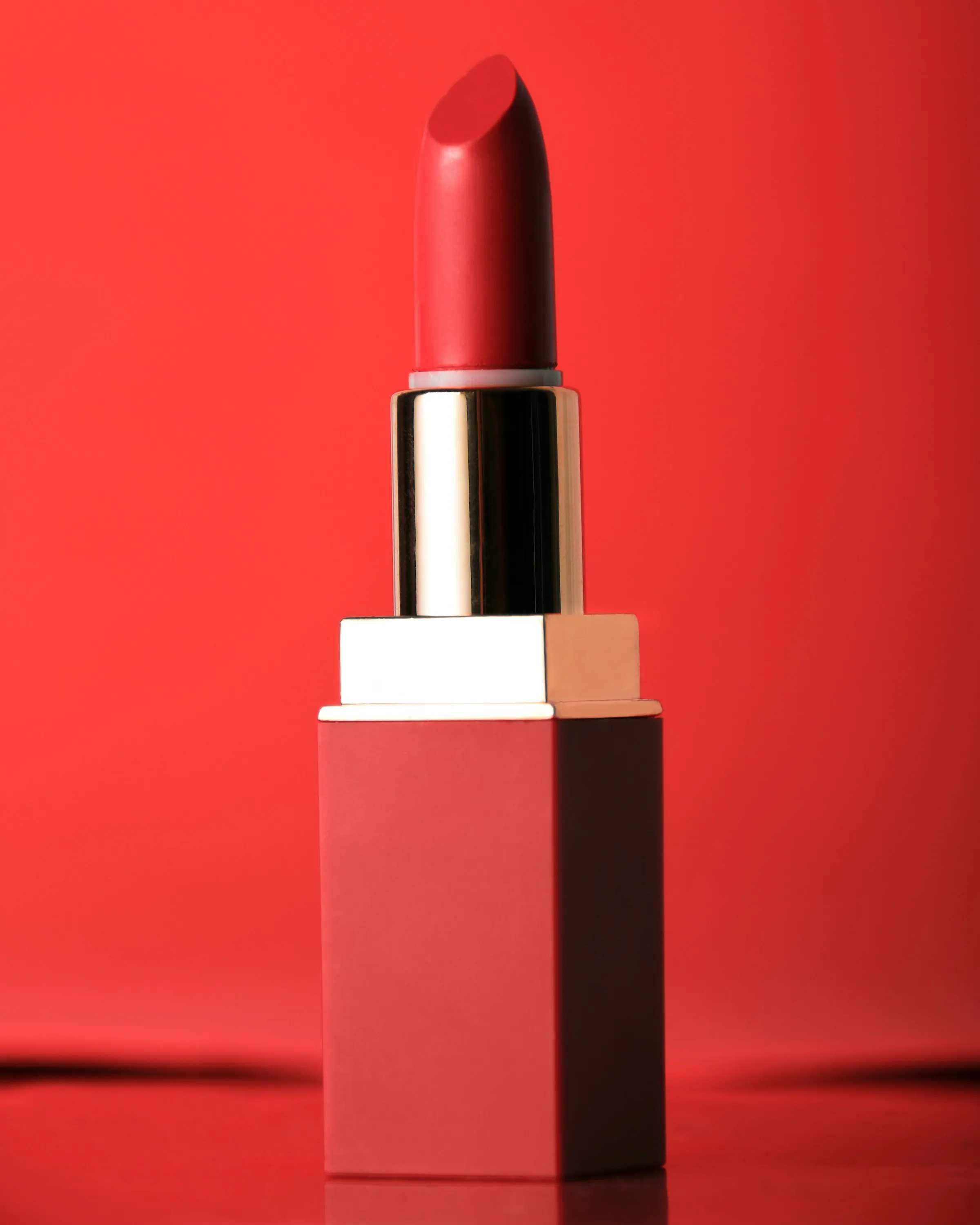
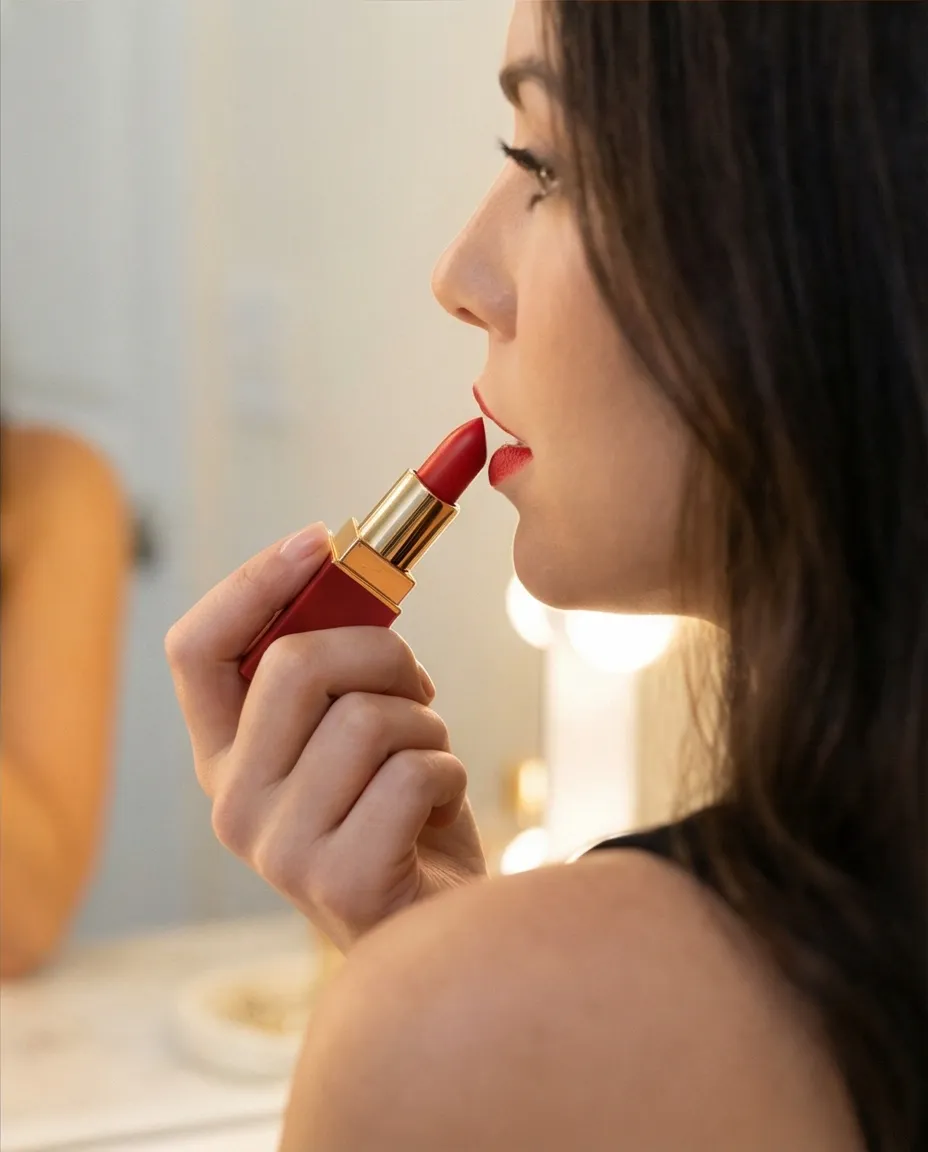
Shopify Magic's background generation puts a product on an AI-generated background — the product stays exactly as it was, background swapped. Prodofoto's Lifestyle mode builds an entire ambient scene: surfaces, props, lighting, environmental context — all composed around your product from scratch. Here is the difference in practice.
Pricing Comparison
Shopify Magic is free on every plan — no credits, no subscription, no extra payment. Prodofoto uses credit subscriptions billed through Shopify. The cost decision is straightforward: if background replacement covers your needs, Shopify Magic costs nothing. If you need full shoots, on-model photos, or lifestyle scenes, Prodofoto's credits pay for themselves relative to the alternative of hiring a photographer.
| Plan | Price | What you get | Publish to Shopify |
|---|---|---|---|
| Shopify Magic | $0 | Background removal + AI background generation, unlimited use | Yes — inline in media editor |
| Prodofoto Free | $0 | 10 one-time credits, up to 2 photos/shoot | 1-click publish |
| Prodofoto Starter | $9.99/mo | 50 credits/mo, up to 4 photos/shoot | 1-click publish |
| Prodofoto Pro | $29.99/mo | 200 credits/mo, 9 photos/shoot, 2048×2048 px | 1-click publish |
| Prodofoto Business | $79.99/mo | 600 credits/mo, Copycat mode, multi-product scenes | 1-click publish |
Prodofoto is billed through Shopify — no separate payment method needed. The free tier includes 10 one-time credits, enough to test output quality across a few products before committing to a paid plan.
Which Tool Fits Your Store
These tools are not competing for the same job. Shopify Magic is free and already in your admin — there is no reason not to use it for background cleanup on existing photos. The question is whether that is all you need.
Shopify Magic is enough if:
- ✓You have good product photos that just need background removal or a quick background swap
- ✓Your products do not benefit from on-model presentation, lifestyle context, or infographic callouts
- ✓You are a new store with a small catalog and no budget for additional apps
- ✓You need to process one photo at a time quickly without setting up a photoshoot workflow
- ✓You want a simple background swap for social media variations, not primary listing photos
Choose Prodofoto if:
- ✓You sell apparel, accessories, or wearables and need on-model photos without a model or photographer
- ✓You want lifestyle scenes with full ambient context — not just a background swap on an existing photo
- ✓You have a growing catalog and need to shoot multiple products systematically at ~$1 per product
- ✓You need up to 9 shot variations per product in one 60-second shoot, published directly to your listing
- ✓You want infographic callout shots for tech, supplement, or specification-heavy products
- ✓You want to maintain a consistent visual style across your catalog using Copycat mode (Pro/Business)
The honest summary
Shopify Magic is a free background editing tool. It is worth using for what it does well — background removal and quick background swaps on photos you already own. Prodofoto is a complete AI photoshoot platform: five modes, nine photos per shoot, one-click publish. The two are complementary rather than competitive. Start with Shopify Magic for photos you already have. Add Prodofoto when you need full shoots — especially if on-model photos, lifestyle scenes, or catalog- wide consistency are part of how your store competes.
More Comparisons
Evaluating other tools? See how Prodofoto stacks up in the full AI product photography roundup.
- Prodofoto vs Photoroom: Which Is Better for Shopify Product Photos?
- Prodofoto vs CreatorKit: Which AI Product Photography App Is Right for Your Shopify Store?
- Prodofoto vs Flair AI: Which AI Product Photography Tool Is Right for Your Shopify Store?
- Prodofoto vs Pebblely: Which AI Product Photo App Is Right for Your Shopify Store?
- AI Product Photography vs Traditional Photography: The Full Comparison
- AI Product Photography for Shopify: The Complete Guide
Five Shoot Modes, One Click to Publish
Prodofoto installs from the Shopify App Store in under 5 minutes. Pick a product from your catalog, choose a shoot mode — Product-Only, On-Model, Lifestyle, Infographic, or Copycat — and get up to 9 AI photos in about 60 seconds. Published directly to your product listing. No file downloads, no manual uploads, no developer.
Frequently Asked Questions
Is Shopify Magic good enough for product photography?
Shopify Magic works well for a specific, narrow task: removing or replacing the background behind a product photo you already own. It is built into Shopify admin for free, requires no app install, and handles basic background swaps in seconds. What it does not do: generate new photoshoot scenarios from scratch, place products in lifestyle environments, put apparel on models, add infographic callouts, or produce multiple shot variations per product. For merchants who need more than background replacement — catalog shots, lifestyle scenes, on-model photos — a dedicated AI photography tool is the better fit.
What can Shopify Magic do for product photos?
Shopify Magic has two core photo capabilities as of 2026: background removal (clean cutout of your product) and background generation (replace the background with an AI-generated scene). You upload a product photo, and Shopify Magic can either remove the background entirely or swap it for a generated one using a text prompt. It also has an image editing feature for basic adjustments. These tools live inside Shopify admin under the media editor for product listings. They work on images you already have — they do not generate product shots from scratch.
Does Prodofoto work with existing product photos?
Prodofoto generates new product photos from scratch using your product as the input. You select a product from your Shopify catalog, choose a shoot mode, and Prodofoto generates up to 9 AI-composed photos in about 60 seconds. It does not enhance or clean up photos you already own — it creates entirely new shots: catalog compositions, lifestyle scenes, on-model presentations, infographic layouts, and style-matched imagery (Copycat mode on Pro/Business). If your workflow is 'I have a photo, I just need a different background,' Shopify Magic handles that directly. If your workflow is 'I need professional shots and I am starting from a plain product photo or supplier image,' Prodofoto is the tool.
Can I use both Shopify Magic and Prodofoto together?
Yes, and many merchants do. The tools serve different moments in the workflow. Shopify Magic is useful for quick background cleanup on existing photos — supplier images, sample shots, product variations. Prodofoto is useful when you need a full photoshoot: pick a product, choose Product-Only, Lifestyle, On-Model, Infographic, or Copycat mode, and get up to 9 commercial-quality shots published to your listing in one click. Using Shopify Magic for quick edits and Prodofoto for systematic catalog photography are complementary, not competing, workflows.
How does Shopify Magic pricing compare to Prodofoto?
Shopify Magic is included with every Shopify plan at no extra cost — background removal and background generation are free features built into admin. Prodofoto charges on a credit-subscription model billed through Shopify: Free (10 one-time credits), $9.99/month Starter (50 credits/month), $29.99/month Pro (200 credits, up to 9 photos per shoot, 2048x2048 resolution), and $79.99/month Business (600 credits, Copycat mode, multi-product scenes). The cost comparison depends entirely on what you need: if background replacement is all you need, Shopify Magic is free. If you need systematic multi-mode product photography across your catalog, Prodofoto's credit subscriptions pay for themselves quickly relative to hiring a photographer.
Does Shopify Magic generate on-model product photos?
No. Shopify Magic does not generate on-model photos. It replaces or removes backgrounds on product photos you already have — it does not place your product on a human model. Prodofoto's On-Model mode generates an AI human model wearing or carrying your product directly from a catalog photo. For apparel, shoes, accessories, and wearable products, on-model photos significantly outperform flat-lay and background-only shots for conversion. This capability is one of the clearest functional gaps between the two tools.
Which Shopify AI photography tool should I use in 2026?
Start with Shopify Magic for background removal and quick edits — it is free and built in. For systematic product photography across your catalog, evaluate Prodofoto: five shoot modes (Product-Only, On-Model, Lifestyle, Infographic, Copycat), up to 9 photos per shoot, 1-click publish to listings, and AI editing for refinements. The free tier (10 credits) lets you test the output quality before committing to a paid plan. Other strong options include Photoroom (good for non-Shopify workflows), Flair AI (manual prompt control), and CreatorKit (AI video ads as a Shopify-native app).
References
- Shopify Magic — Official feature overview and media editor docs
- Prodofoto on Shopify App Store — Feature and plan overview
- Shopify Help — Edit product media with Shopify Magic
- Baymard Institute — Product image quality impact on conversion rates
- Shopify — The Impact of Product Photography on Conversion Rate
- Digital Applied — AI Product Photography Tools 2026 Guide