AI Photography • Fashion & Apparel
5 Best Shopify Apps for AI On-Model Product Photos in 2026
A professional model costs $200-$500 per day. That figure stops most Shopify fashion merchants cold. The good news: AI on-model photos now deliver the same result for under $2 per product, directly inside your Shopify admin. Here are the five apps worth your time.
By LinkedIn: Brian Chen • 11 min read• Published June 26, 2026

Quick Answer
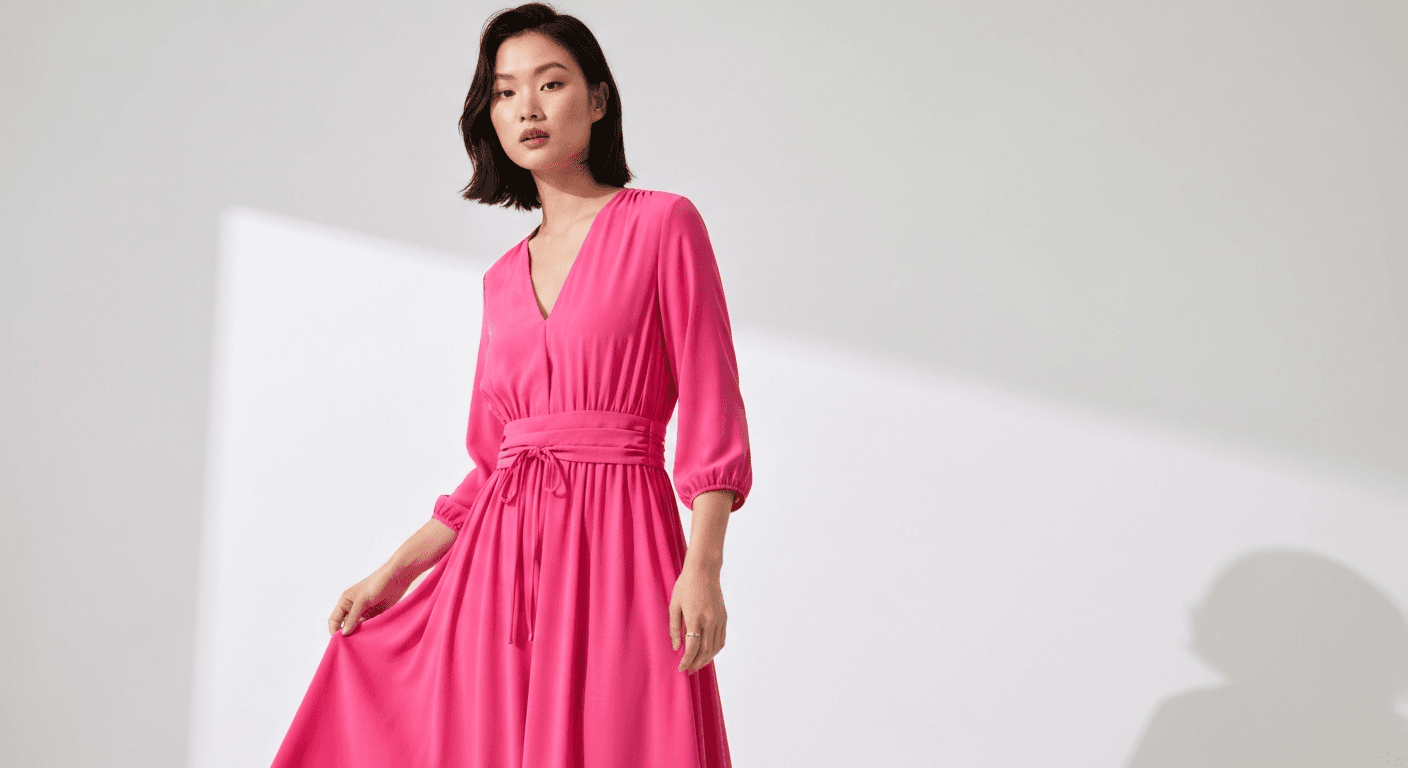
The best Shopify app for AI on-model product photos depends on your catalog and workflow. Prodofoto integrates directly with your Shopify catalog (no uploading) and generates up to 9 on-model images per product in 60 seconds. Lensiaholds Shopify's “Built for Shopify” badge and adds AI video output. MODA converts flat lays into 10 on-model angles per SKU with a video clip. All three cost under $30 per month for most stores, versus $500-$2,000 for a traditional model shoot.
Why On-Model Photos Are Worth the Effort
Fashion is the largest product vertical on Shopify, and it has the widest gap between “supplier photo” and “what actually sells.” A flat lay or mannequin shot tells a shopper what a product looks like folded on a shelf. An on-model photo tells them how it fits, moves, and feels to wear. Those are different purchase decisions.
Products shown on a model convert up to 44% better than flat lays or mannequin shots, according to Wearview's 2026 ecommerce photography analysis. The return rate difference is also significant: when shoppers can see how a garment drapes and fits on a person, they make better purchase decisions and return fewer items.
The problem is cost. A model runs $200-$500 per day. A photographer runs another $300-$600. Add a studio, post-production, and coordination time, and a small fashion shoot costs $500-$2,000 before you get a single usable photo. Multiply that by 50 SKUs in a seasonal collection. It gets old fast.
| Factor | Traditional Model Shoot | AI On-Model App |
|---|---|---|
| Cost per product | $50-$200+ | Under $2 |
| Turnaround | 2-4 weeks | 60 seconds |
| Images per shoot | 3-5 angles | Up to 9-10 angles |
| Model booking | Days to schedule | None |
| Reshoot if product changes | Full cost again | Regenerate in seconds |
| A/B testing variants | Not practical | Unlimited variations |
5 Things to Look for in an AI On-Model App
Not all apps in this category do the same job. Before comparing tools, decide which of these factors matters most for your store.
- 01
Shopify integration depth
Does the app pull products directly from your catalog, or do you upload images manually? Direct integration saves time and keeps your workflow inside Shopify admin.
- 02
Garment preservation
Does the AI keep your garment's exact colors, prints, and textures? Generic pattern replacement is a dealbreaker for anything with a distinctive print.
- 03
Model diversity
Can you influence model attributes like body type, skin tone, or style? Some apps generate randomized diverse figures; others let you choose. Neither is strictly better, but it matters for brand alignment.
- 04
Output breadth
Do you need on-model photos only, or also lifestyle backgrounds and product-only shots for Google Shopping? An all-in-one tool costs less than stacking multiple subscriptions.
- 05
Pricing model
Monthly subscriptions work best for consistent high-volume use. Credit packs or per-SKU pricing work better for seasonal or burst workflows. Understand your generation frequency before committing.
The 5 Best Shopify Apps for AI On-Model Photos
1. Prodofoto
Prodofoto is the only tool on this list that pulls products directly from your Shopify catalog. There is no manual uploading. You pick a product, select On-Model mode, and the AI generates up to 9 professional on-model images in about 60 seconds. Those images publish back to your Shopify product listing with one click.
The platform covers five shoot modes: On-Model, Lifestyle, Product-Only, Infographic, and Copycat. That breadth matters if you sell products across multiple categories or need different image types for the same SKU. Google Shopping needs a clean product-only shot; your Instagram needs a lifestyle scene; your product page needs on-model context. Prodofoto generates all three without leaving Shopify.
AI editing lets you refine any generated image in plain English, with full version history. Multi-product scenes (2-4 products together) are available on Pro and Business plans. Pricing starts at $0 (10 free credits for new installs), $9.99 per month for 50 credits (Starter), $29.99 per month for 200 credits (Pro), and $79.99 per month for 600 credits (Business). Each on-model generation costs 5 credits, covering 1 product for up to 9 images.
Pricing
Free (10 credits), $9.99/mo, $29.99/mo, $79.99/mo
Best for
Merchants who want native Shopify publishing and all photo modes in one tool
Limitations
No AI video output; model customization is automated rather than user-directed
2. Lensia
Lensia earned Shopify's “Built for Shopify” badge, which signals that the app meets Shopify's native integration standards for merchant experience. It generates realistic on-model photos, lifestyle backgrounds, and product-only shots, and adds AI video output that the other apps on this list largely skip.
The pricing model is credit packs rather than a monthly subscription. This works well for stores with uneven generation needs: buy a pack when you have a seasonal collection to shoot, go quiet when you don't. The trade-off is that per-image cost tends to run higher than subscription pricing for stores that generate consistently every month.
Garment preservation is strong for standard fashion items. Complex embroideries and very fine prints may need a spot-check before publishing, same as with any tool in this category.
Pricing
Credit packs (see Shopify App Store for current rates)
Best for
Stores that need AI video alongside photos, or seasonal burst generation
Limitations
No monthly subscription; per-credit cost adds up for high-volume regular use
3. MODA
MODA is purpose-built for the fashion on-model use case. Upload a flat lay, mannequin shot, or packshot, and MODA generates 10 unique on-model angles of that product plus a short video clip. The 10-angle output is unusually generous for a single generation, and the bundled video is useful for TikTok Shop and Instagram Reels.
The app requires no subscription. It works on a per-SKU or credit basis, which fits seasonal fashion brands that shoot 50 products for a collection, then go quiet for weeks. No ongoing monthly fee during quiet periods.
MODA's constraint is scope. It focuses exclusively on on-model fashion photos. If you also need lifestyle backgrounds, product-only shots for Google Shopping, or photography for non-apparel products, you will need a second tool. For fashion-only stores focused entirely on on-model output, MODA is worth a close look.
Pricing
No subscription; pay per SKU or credit (see Shopify App Store)
Best for
Fashion-only stores that need maximum on-model angles per product with bundled video
Limitations
Apparel only; no lifestyle backgrounds, product-only mode, or multi-category support
4. OnModel
OnModel takes a different approach. Instead of generating entirely new scenes from a flat lay, it swaps the model in photos that already show a person or mannequin wearing your product. Upload a styled shot, and OnModel replaces the figure with an AI-generated person of your choosing. This is useful for stores with large libraries of existing photos who want to diversify model representation without reshooting.
The limitation is context. You are working with what you already have, so you can't change the scene, the background, or the composition. If your supplier photos are studio shots on white, the output stays studio-on-white with a different face and body. You can't get a lifestyle setting from a model swap.
OnModel is freemium, which makes it the most accessible entry point on this list. Good for dropshippers and stores testing whether model diversity improves conversion before investing in a fuller tool.
Pricing
Freemium; paid plans scale by volume (see Shopify App Store)
Best for
Stores with existing styled shots that want to diversify model representation
Limitations
Model swap only; can't generate new scenes, backgrounds, or full lifestyle imagery
5. ImagineCreate AI
ImagineCreate AI converts flat lay images into on-model fashion photos and short video clips in a single workflow. Upload a flat lay, choose a model style, and the app generates fashion-ready images plus optional motion content. The combined image-plus-video pipeline is the app's main differentiator.
The app targets fashion merchants specifically and connects with Shopify's product management. Garment preservation is generally solid for standard fashion items. The video output is short-form and suited to social media placements rather than long-format product showcases.
ImagineCreate uses credit-based pricing. The value depends on whether you will actively use the video output. If you are running motion ads alongside your product page photography, the bundle makes economic sense. If you only need stills, Prodofoto or Lensia will give better per-image value.
Pricing
Credit-based (see Shopify App Store for current rates)
Best for
Fashion stores running motion ads who want photos and video from one generation
Limitations
Photo and video are bundled; photography-only stores pay for video capacity they may not use
Feature Comparison
A side-by-side look at what each app actually does.
| Feature | Prodofoto | Lensia | MODA | OnModel | ImagineCreate AI |
|---|---|---|---|---|---|
| Shopify integration | Direct catalog pull | Native (Built for Shopify) | Upload | Upload | Upload |
| On-model photos | Yes | Yes | Yes (10 angles) | Model swap | Yes |
| Lifestyle backgrounds | Yes | Yes | No | No | No |
| Product-only mode | Yes | Yes | No | No | No |
| AI video output | No | Yes | Yes | No | Yes |
| AI editing | Yes | No | No | No | No |
| Free credits / tier | 10 (new installs) | No | No | Yes (free tier) | No |
Pricing at a Glance
| App | Free Tier | Paid Plans | Price Model |
|---|---|---|---|
| Prodofoto | 10 free credits | $9.99 / $29.99 / $79.99 /mo | Subscription + top-ups |
| Lensia | None | Credit packs | Pay-as-you-go |
| MODA | None | Per-SKU pricing | Pay per use |
| OnModel | Free tier available | Volume plans | Freemium |
| ImagineCreate AI | None | Credit packs | Pay-as-you-go |
Competitor pricing changes frequently. Verify current rates on each app's Shopify App Store listing before purchasing.
The On-Model Transformation
This is the shift that matters for apparel merchants. A hanger shot tells shoppers the product exists. An on-model lifestyle photo tells them how it will feel to wear it. The before image below is the kind of supplier-provided photo most merchants start with. The after is what Prodofoto generates from that source in about 60 seconds.
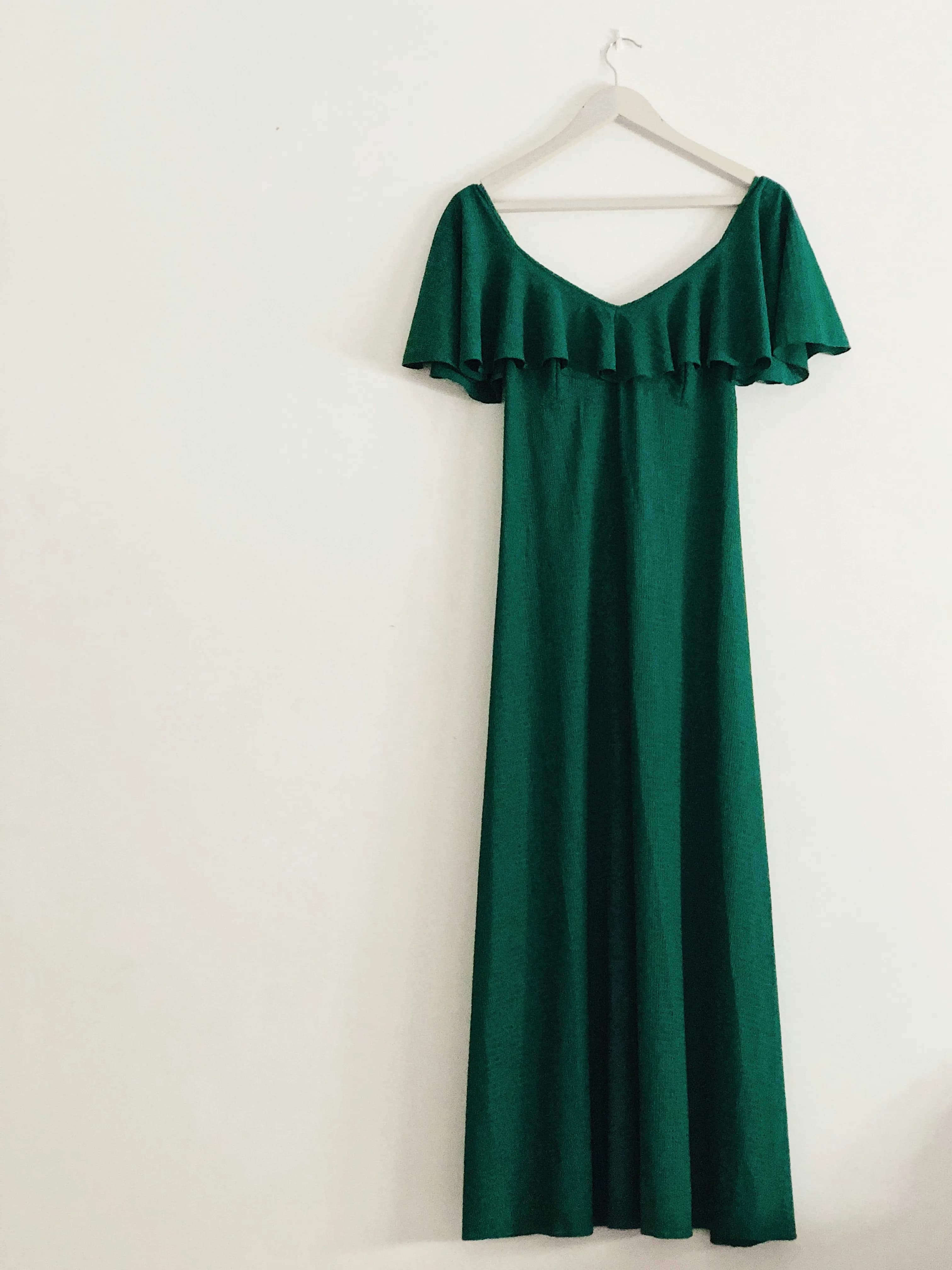
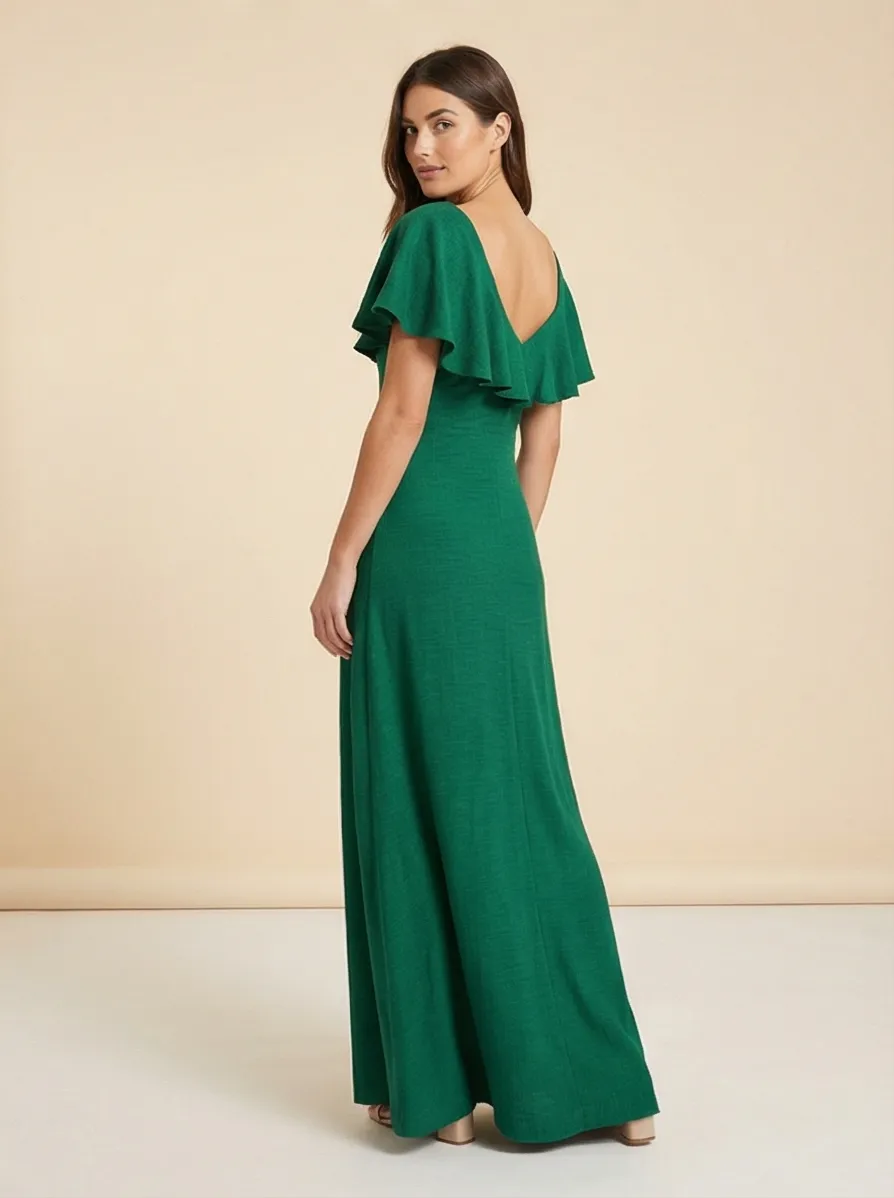
Same product. Same source photo. The AI preserves the garment's exact color and silhouette while generating a completely new context around it. See more examples in our fashion product photography guide.
Which App Fits Your Store
The right tool depends on your catalog size and what you need to generate alongside on-model photos.
Under 50 SKUs
Start with Prodofoto (free 10 credits) or OnModel (free tier). Prodofoto covers all photo types in one tool. OnModel is the lowest-cost entry if you already have styled shots and want to test model diversity.
50-500 SKUs, mixed categories
Prodofoto or Lensia. Both scale well. Prodofoto is the better choice if you sell apparel alongside other product types, since it handles lifestyle, product-only, and on-model in one workflow.
Fashion-only catalog, 500+ SKUs
MODA or Prodofoto Business. MODA's per-SKU structure and 10-angle output suits large fashion catalogs shot in batches. Prodofoto Business ($79.99/mo, 600 credits) covers roughly 120 products per month.
Running social ads with video
Lensia or ImagineCreate AI. Both add AI video output alongside photos, which means you can pull ad creative from the same generation session as your product page imagery.
Related Guides
Get On-Model Photos for Your Shopify Store in 60 Seconds
Prodofoto pulls products directly from your Shopify catalog. No uploading, no prompting. Select On-Model mode and get up to 9 professional lifestyle images for under $2 per product.
Frequently Asked Questions
Can AI on-model photos accurately show my garment's print and texture?
The best tools — including Prodofoto, Lensia, and MODA — preserve the garment's colors, prints, and textures from your source image. Complex patterns with very fine detail may lose some sharpness in the AI output. Spot-check intricate embroidery or micro-prints before publishing. Standard patterns, solids, and simple graphics reproduce accurately in most cases.
Are AI-generated model photos allowed on Shopify?
Yes. Shopify does not require disclosure of AI-generated images for product photography, and AI on-model photos are fully allowed on Shopify, Google Shopping, and major marketplaces as of 2026. No current platform policy restricts the use of AI-generated model imagery for product listings.
What source image do I need to get good AI on-model results?
Start with a clean photo of your product on a plain white or light neutral background. The garment should be wrinkle-free and fully visible. The AI uses this image to understand the product's shape, color, and texture before generating the on-model scene. A blurry or poorly lit source photo reduces output quality.
How do AI on-model photos compare to hiring a real model?
Traditional model shoots run $200-$500 per day for the model alone, plus photographer, location, and post-production. Total spend for a small fashion shoot is typically $500-$2,000 minimum with a 2-4 week turnaround. AI on-model photos produce results in 60 seconds for under $2 per product. The main trade-off: real models still have an edge for ultra-premium luxury positioning where authenticity is a core brand signal.
Can I specify model attributes like skin tone, age, or body type?
It depends on the app. Prodofoto generates diverse AI figures without requiring you to specify attributes. Some apps like Lensia offer style selection. No current Shopify app gives complete control over every model attribute, but diversity in generated figures is an active focus across the category.
Will on-model AI photos work for Google Shopping?
For Google Shopping's primary listing image, a white or light neutral background is required — on-model lifestyle shots don't qualify there. On-model images work best as secondary product page images or in social and ad creative. Prodofoto's Product-Only mode generates Google Shopping-compliant images alongside on-model shots, so you get both from one tool.
How many on-model images does a Shopify fashion listing need?
Plan for 4-5 images per fashion listing: one clean cutout on a white background, two or three on-model lifestyle shots (front view, 3/4 or side, close-up detail), and one size or scale reference. Prodofoto generates up to 9 images per 60-second session, which covers this full set in one generation.
References
- 1. Wearview, “9 Best AI Fashion Model Generators for Ecommerce (2026)”
- 2. Lensia: AI Videos / AI Photos — Shopify App Store
- 3. MODA: AI Model Photos+Video — Shopify App Store
- 4. OnModel: AI Models Photos — Shopify App Store
- 5. ImagineCreate AI — Shopify App Store
- 6. Baymard Institute, “Product Page UX Research”
- 7. Prodofoto, “AI Product Photography vs Traditional Photography: The Full Comparison”