Print-on-Demand Photography
AI Product Photography for Print-on-Demand Shopify Sellers: Why Mockups Aren't Enough
LinkedIn: Brian Chen • 8 min read• July 8, 2026

Quick Answer
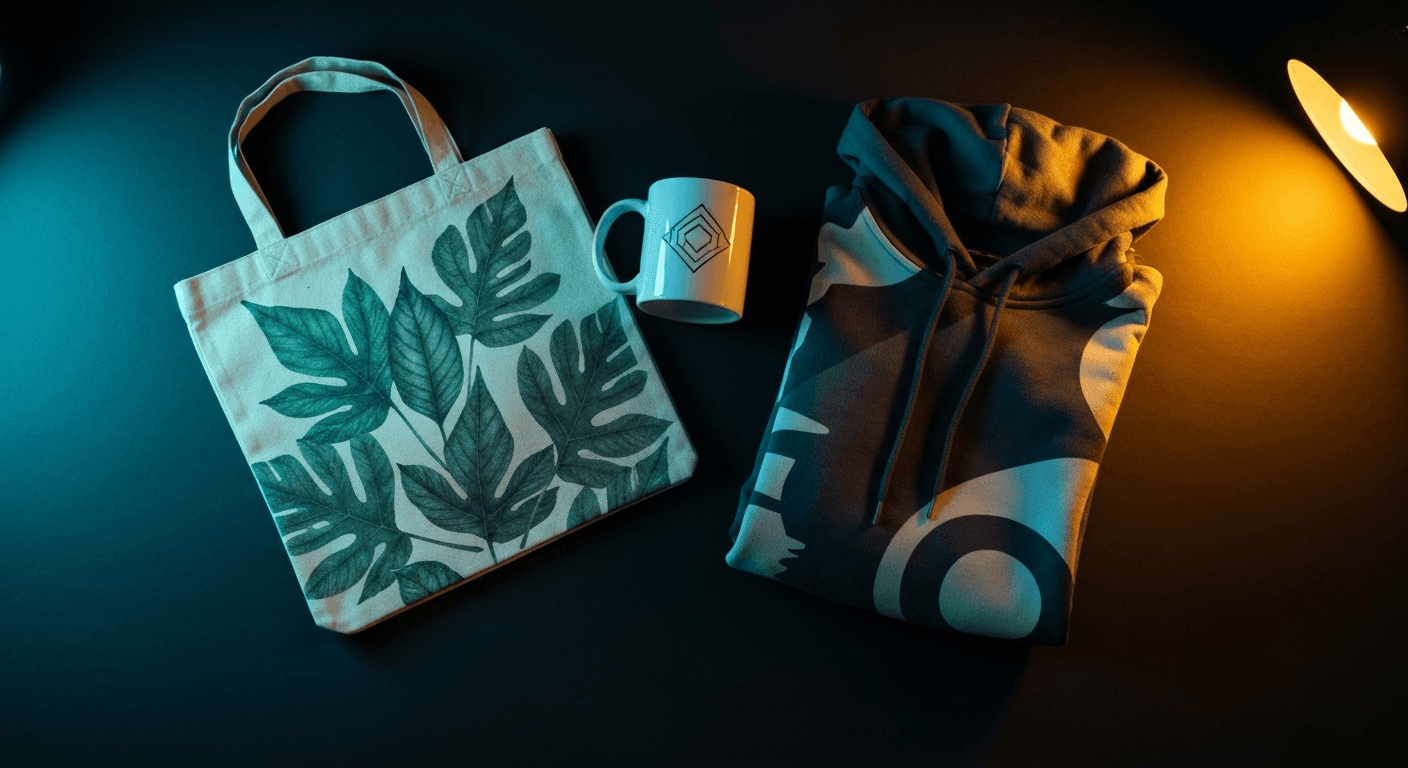
Flat mockups show your design. AI lifestyle photos sell the experience. Print-on-demand sellers switching from mockup templates to AI-generated lifestyle scenes typically see 2-3x better conversion because shoppers can imagine the product in their own lives. Prodofoto generates 4 lifestyle photos from any POD product photo in under 60 seconds, directly from your Shopify catalog, starting from $1 per product.
Print-on-demand has made it possible for anyone to launch a Shopify store without holding inventory. The barrier is lower than it has ever been. That is also why the competition is brutal. Search for custom mugs or graphic tees on any marketplace and you'll scroll past hundreds of listings that all look identical. Same template mockup. Same flat background. Same rigid digital composite.
Shoppers have developed an eye for it. Researchers call it mockup blindness: consumers who see hundreds of POD listings per session start to recognize the template instantly. The garment looks plastic. The shadows are wrong. The scene is empty. The product exists nowhere a real person would actually use it.
AI lifestyle photography fixes this without requiring a photographer, a model, a studio, or a physical inventory run. You'start from your existing product image and generate realistic scenes around it in under a minute. This guide covers what mockups do well, where they fall short, and how to build the image gallery your POD listings actually need.
Mockups vs Lifestyle Photos: What Each Does
Mockup generators and AI lifestyle photography solve different problems. Knowing which job belongs to which tool saves you from expecting either one to do the other's work.
| Dimension | Mockup Generator | AI Lifestyle Photo |
|---|---|---|
| Primary job | Show the design on a template product | Show the product in a real-world scene |
| Conversion impact | Adequate for design preview | 2-3x stronger than flat mockups |
| Lighting quality | Pre-baked template lighting | Generated, contextual, true-to-life |
| Scene variety | Limited to template library | Unlimited (outdoor, studio, lifestyle) |
| On-model shots | Flat on blank model outline | Realistic model in context |
| Emotional resonance | Low — product exists in a vacuum | High — product exists in a life |
| Best use | Design preview, custom order preview | Main listing images, social ads |
The practical implication: keep mockups for showing customers a preview of their custom design before they order. Use AI lifestyle photos as your actual listing images. They are not competing tools. They handle different parts of the buyer journey.
Mockup Blindness Is Real in 2026
The POD market reached $16.1 billion globally in 2025 (Grand View Research) and is growing at roughly 25% annually. That growth means more sellers, more listings, and more competition for the same shopper attention. In a market this crowded, the baseline has shifted.
A 2025 consumer survey by Mockey found that 68% of online shoppers say they can immediately identify a mockup vs a real product photo, and 54% say a mockup-only listing makes them less confident in the product quality. That is not about aesthetics. It is about trust.
The stores gaining market share are not necessarily the ones with better designs. They are the ones whose listings look like real products in real settings. AI lifestyle photography is how independent POD sellers close that gap without a $5,000 photo shoot budget.
The 4 Photos Every POD Listing Needs
A flat mockup covers one job: showing the design. A high-converting POD listing needs four distinct image types, and each one answers a different question a shopper is asking.
01
Hero lifestyle shot
The product in use or wear, in a real scene. This is the image that appears in search results and decides whether a shopper clicks. On-model for apparel. In-room for home goods. In-hand for accessories.
02
Design close-up
A tight crop of the print, graphic, or embroidery showing color accuracy, line quality, and material texture. This answers 'what exactly am I getting?' Keep label text and design crisp.
03
Clean product-only hero
A white or gradient background image showing the full product. Required for Google Shopping feed. Serves as the fallback image and the SKU reference shoppers use when comparing sizes or colors.
04
Scale and context reference
For mugs, totes, and home goods especially: a scene that establishes size relative to familiar objects or spaces. Shoppers return POD products at higher rates when size expectations are not met.
Which AI Photo Mode Works for Each POD Product Type
Not every POD product benefits from the same type of AI photo. Here is how the five Prodofoto shoot modes map to the most common POD categories.
| POD Product | Best Mode | Why It Works |
|---|---|---|
| T-shirts, hoodies, sweatshirts | On-Model | Shows fit and how the design looks worn — the primary conversion driver for apparel |
| Mugs, tumblers, water bottles | Lifestyle | Kitchen counter, desk, coffee-shop scene — puts the product where buyers imagine using it |
| Tote bags, backpacks | Lifestyle / On-Model | Lifestyle for editorial flat lay; On-Model to show carry and scale in context |
| Phone cases | Lifestyle + Product-Only | Lifestyle for in-hand scene; Product-Only for the back-of-case design detail image |
| Wall art, prints, posters | Lifestyle | Room-scene generation places your print in a living room, office, or gallery wall setting |
| Stickers, patches, pins | Lifestyle + Product-Only | Group flat lay shows scale; lifestyle puts them in use (on laptop lid, jacket lapel) |
| Pillows, blankets, home textiles | Lifestyle | Bedroom or living-room scene establishes context and shows texture at scale |
Flat Background vs AI Lifestyle Scene
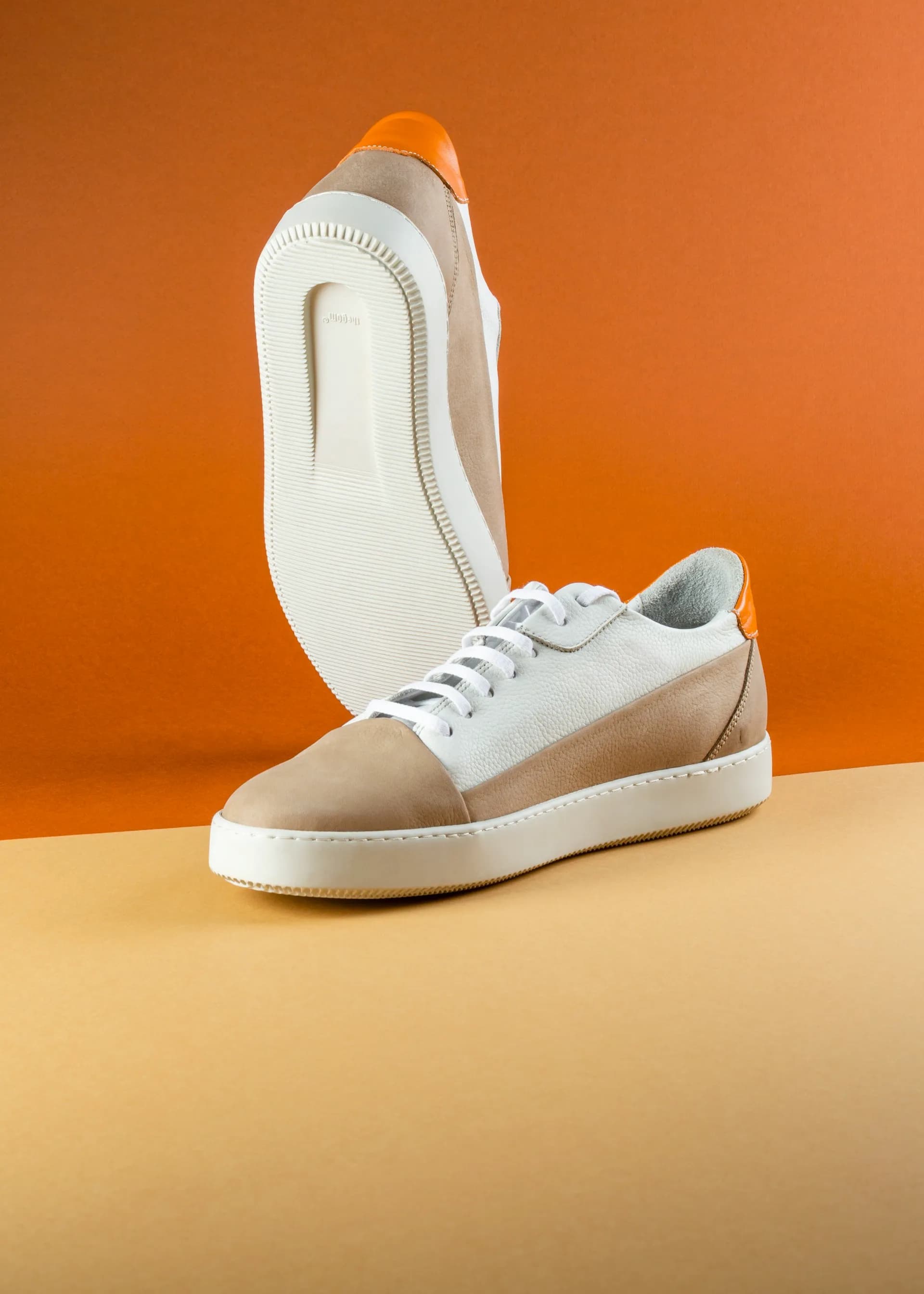
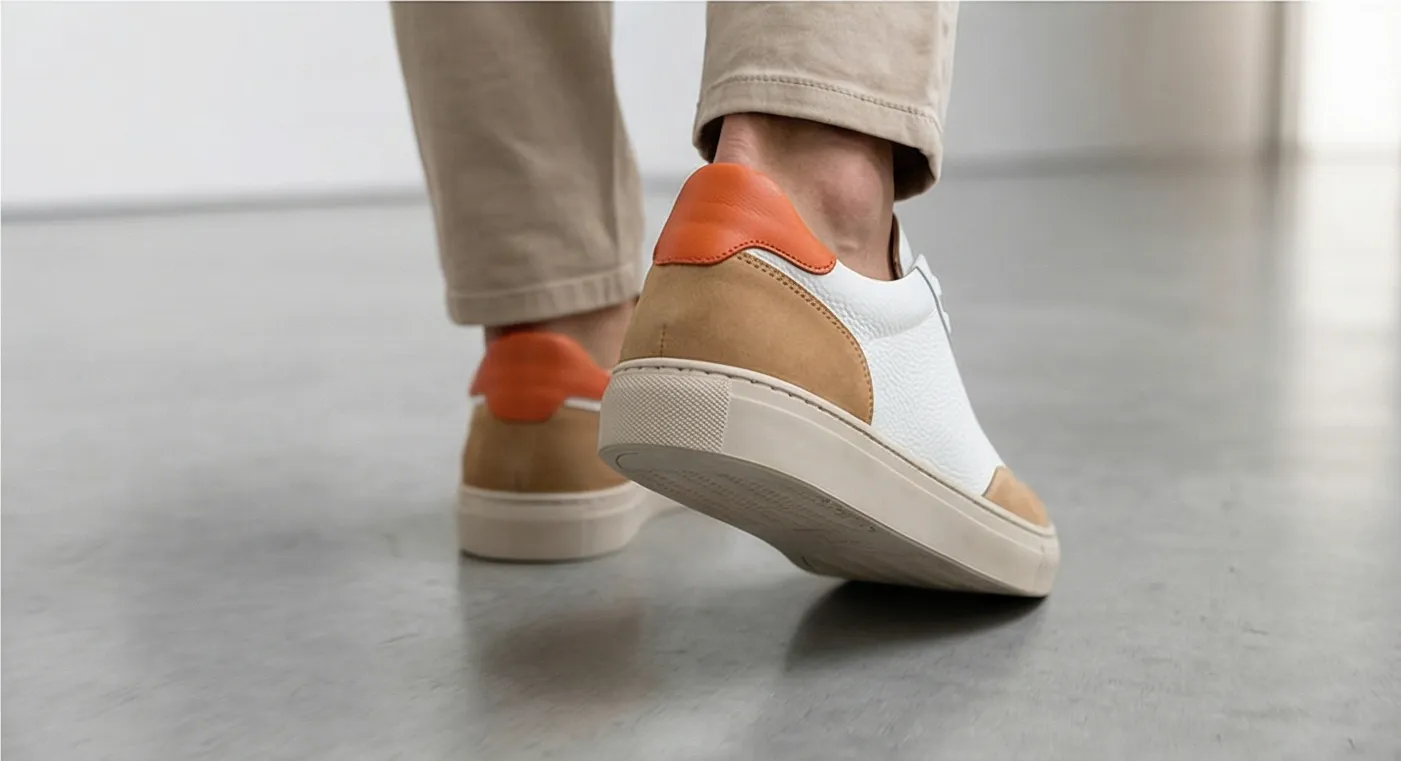
On the left: the kind of plain white-background photo most POD sellers use as their primary listing image. On the right: the AI-generated lifestyle scene Prodofoto creates from that same photo in under 60 seconds.
How to Set Up AI Product Photos for Your POD Store (5 Steps)
The full workflow from install to published listing image takes about 2 minutes per product. Here is exactly how it works.
- 1
Connect Prodofoto to your Shopify store
Install Prodofoto from the Shopify App Store. It pulls your existing product catalog automatically — no uploading or manual import needed.
- 2
Select a product from your catalog
Choose any print-on-demand product. Prodofoto reads your existing product image directly from your Shopify listing.
- 3
Choose a shoot mode
For POD apparel, On-Model mode shows the product worn in a lifestyle setting. Lifestyle mode works for mugs, totes, and home decor. Product-Only gives clean hero shots on elegant surfaces.
- 4
Generate 4 photos in under 60 seconds
Prodofoto creates a full set of lifestyle images around your product. No prompting, no design skills required. You get 4 variants to choose from.
- 5
Publish directly to your Shopify listing
Select your favorites and publish with one click. The photos go live on your product page immediately — no downloading, no uploading, no switching tabs.
What It Costs to Photograph a POD Catalog
The math is straightforward. Traditional photography at POD scale is not viable for most independent sellers. AI photography makes the economics work.
| Catalog Size | Traditional Photography | Prodofoto (AI) |
|---|---|---|
| 10 products | $500–$2,000 | ~$10 |
| 50 products | $2,500–$10,000 | ~$50 |
| 100 products | $5,000–$20,000 | ~$100 |
| 500 products | $25,000+ | ~$500 (Business plan) |
Traditional photography costs assume $50–$200 per SKU for studio shots, per Squareshot and BlendNow. Prodofoto pricing at ~$1/credit per generation on paid plans.
If you are newer to AI product photography and want to understand the full technology behind it, the complete guide to AI product photography for Shopify covers the fundamentals. For a head-to-head comparison of AI vs traditional studio photography across cost, speed, and quality, see the AI vs traditional photography comparison. POD sellers with larger catalogs should also read the guide on bulk generating product photos for your entire Shopify catalog.
Turn Your POD Products Into Lifestyle Photos Today
Prodofoto connects to your Shopify catalog and generates 4 professional lifestyle photos per product in under 60 seconds. No photographers. No models. No waiting. Start with 10 free credits and see the difference for yourself.
Install Prodofoto Free on ShopifyFrequently Asked Questions
- Can I use Prodofoto for print-on-demand products?
- Yes. Prodofoto works with any product on your Shopify catalog — including print-on-demand items from Printify, Printful, Gelato, or any other POD provider. Select the product, choose a shoot mode, and Prodofoto generates lifestyle photos from your existing product image in under 60 seconds.
- How is AI product photography different from a mockup generator?
- Mockup generators (Placeit, Printify mockups) place your design onto a template product image. The result is a rigid, digitally-composited visual. AI product photography takes your actual product photo and places it in a fully generated lifestyle scene — a real room, outdoor setting, or editorial flat lay — with natural lighting, shadows, and context. The latter converts better because it shows the product as shoppers imagine using it.
- Do I need a physical product photo or can I use a mockup as input?
- A clean photo of the actual product converts better, but a high-quality mockup can work as input. The key is that your product — with its specific design, colors, and proportions — is clearly visible in the source image. Prodofoto builds the lifestyle scene around whatever product photo you provide.
- Which Prodofoto shoot mode is best for POD apparel like t-shirts and hoodies?
- On-Model mode is the strongest choice for POD apparel. It generates a realistic model wearing your garment in a contextual setting — the exact shot that most POD sellers can't get without expensive photo shoots. Lifestyle mode works well for accessories and home goods. Product-Only is good for clean hero images to use alongside lifestyle shots.
- Can AI product photos replace mockups completely?
- For sales listings, yes. AI lifestyle photos consistently outperform flat mockups on conversion. Keep mockups for design-preview purposes (showing customers a preview of their custom order) — that is what they are genuinely good at. For the main product listing images that shoppers see in search results and on product pages, AI lifestyle photos perform significantly better.
- Does Prodofoto work with Printify or Printful?
- Prodofoto connects to your Shopify store, which is where Printify and Printful sync their products. Any POD product that appears in your Shopify catalog is available to photograph with Prodofoto. You do not need to integrate directly with your POD supplier.
- How much does it cost to photograph a full POD catalog with Prodofoto?
- Prodofoto costs approximately $1 per product on paid plans. A 50-product POD catalog runs about $50 to generate a full set of lifestyle images — compared to $2,500–$10,000 for traditional photography at that scale. The Starter plan at $9.99 per month includes 50 credits, enough to cover a modest catalog.
References
- Grand View Research — Print-on-demand market size report, 2025
- Mockey — Mockups vs Real Product Photography: Consumer Survey, 2025
- Baymard Institute — E-Commerce Product Page UX Research
- Ecommerce Fastlane — How to Build an AI-Powered Print-on-Demand Business on Shopify
- FASHN — How to Create the Perfect Photos for Your Etsy & Shopify POD Listings with AI
- Squareshot — How Much Does Product Photography Cost in 2026?
- BlendNow — Product Photography Cost Guide
Related articles