AI Product Photography
Prodofoto vs Flair AI: Which AI Product Photography Tool Is Right for Your Shopify Store?
Flair AI and Prodofoto both generate AI product photos, but they work very differently. Flair is a browser-based design canvas where you build each scene by hand. Prodofoto is a Shopify app that reads your catalog and publishes photos back to your listings in one click. Here is what each one actually does, where each falls short, and which fits your store.
By LinkedIn: Brian Chen • 9 min read• Published July 2, 2026

Quick Answer
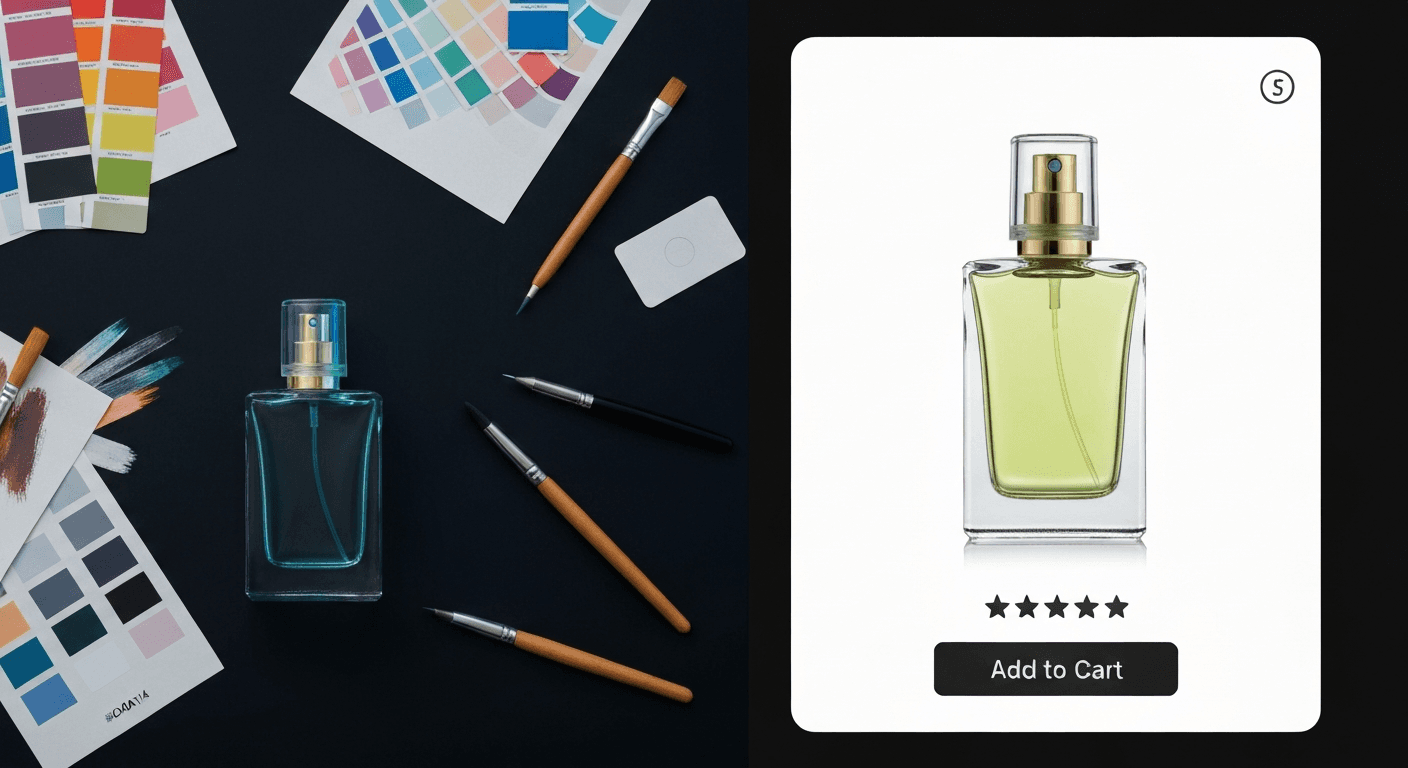
Prodofoto is a native Shopify app that pulls products directly from your catalog, generates AI lifestyle, on-model, and product-only photos, and publishes them to your Shopify listings in one click — no downloading, no uploading, no developer. Flair AIis a powerful browser-based design canvas where you drag props and backgrounds around your product to compose each scene. It generates high-quality images, but there is no Shopify app, no catalog sync, and no direct publishing — every photo requires manual download-then-upload. For Shopify merchants who need to shoot dozens or hundreds of products, Prodofoto's integrated workflow saves hours per week.
What Each Tool Actually Does
Before comparing features, it helps to understand that Prodofoto and Flair AI are not the same type of product. One is a Shopify app. The other is a creative studio you use separately from Shopify — and that difference shapes every decision that follows.
Prodofoto lives inside Shopify admin. You find it in the Shopify App Store, install it in a few clicks, and use it without ever leaving your store dashboard. Flair AI is a browser-based canvas at flair.ai — a separate tool entirely, with its own login, its own billing, and no connection to Shopify unless you build one yourself by hand.
Prodofoto
A native Shopify app that generates full AI product photos inside your Shopify admin. Pick a product from your catalog, choose a shoot mode, and get up to 9 photos in about 60 seconds. Publish directly to your product listing without leaving Shopify. No file management, no prompting required, no developer.
Five shoot modes: Product-Only, On-Model, Lifestyle, Infographic, and Copycat. AI editing in plain English with full version history. Billed through Shopify, so no new card required.
Flair AI
A browser-based drag-and-drop canvas where you build product scenes by placing 3D props, lighting references, and backgrounds around a transparent-background product image. The AI generates a photorealistic render of your composition.
No Shopify app and no catalog sync. To use Flair with Shopify, you generate images in Flair, download them to your computer, then upload them to each Shopify product manually. Best suited for creative directors and small catalogs where per-product scene control matters more than speed.
The short version: Prodofoto is built for the Shopify merchant who needs great photos this afternoon. Flair AI is built for the creative professional who wants fine-grained control over every element of each scene — and does not mind managing files manually afterward.
Feature Comparison
The table below compares both tools on the features Shopify merchants care most about.
| Feature | Prodofoto | Flair AI |
|---|---|---|
| Native Shopify App | Yes — Shopify App Store | No — web canvas only |
| Direct catalog access | Yes — pulls from your products | No — upload each product image |
| 1-click publish to listing | Yes — all plans | No — manual download + upload |
| Scene composition required | No (auto-generated) | Yes — drag-and-drop canvas per shot |
| AI lifestyle scene generation | Yes — Lifestyle mode | Yes — canvas-based scene builder |
| On-model photos | Yes — On-Model mode | Yes — fashion & apparel focus |
| Product-only catalog shots | Yes — Product-Only mode | Yes — transparent bg upload |
| Video generation | Yes — 5s/10s on all tiers | Yes — Runway-powered video |
| AI image editing | Yes — plain English, version history | Limited post-generation editing |
| Photos per generation | Up to 9 (~60 seconds) | Per canvas composition |
| Brand style presets | Copycat mode (Pro/Business) | Yes — saved scene templates |
| Team collaboration | Limited | Yes — Pro+ and above |
| SKU scalability | Strong (catalog-integrated) | Breaks down at ~50 SKUs |
| Billing | Shopify billing — no new card | Separate billing system |
| Setup time | Under 5 minutes | 1-2 hours to learn canvas workflow |
Prodofoto: Strengths and Limitations
Prodofoto was built for one specific job: helping Shopify merchants create professional product photos without hiring photographers, booking shoots, or learning software. Every design decision reflects that focus.
The workflow lives entirely inside Shopify admin. Pick a product from your catalog, choose a shoot mode, and get photos back in about 60 seconds. No uploading files, no switching between apps, no manual exports. One click to publish the result directly to your product listing. For a merchant managing 50 or 500 products on Shopify, that integration compounds — what takes hours in a separate tool takes minutes here.
The five shoot modes cover most product photography scenarios. Product-Only generates clean catalog shots on elegant surfaces. On-Model places your product on an AI-generated human — no models to hire, no fitting sessions. Lifestyle creates a full real-world scene around the product with matched lighting. Infographic adds callout annotations directly on the photo. Copycat (Pro/Business) replicates the visual style of a reference image you provide — useful for brand consistency.
AI editing is worth highlighting. After generating a batch, you type a plain-English instruction — "remove the shadow on the left," "make the background more neutral," "add warm lighting" — and get a revised version in seconds. Every edit creates a new version you can compare or restore, so you are never starting from scratch when one detail is off.
The limitation: Prodofoto is Shopify-only. If you sell on Amazon, Etsy, or other channels and want a single image workflow across all of them, Prodofoto handles only the Shopify side. And the canvas-based creative control Flair offers — placing specific props, choosing exact lighting angles, building bespoke scenes from scratch — is not something Prodofoto tries to replicate. Prodofoto's AI makes those decisions for you.
Pricing
Free (10 credits), $9.99/mo Starter, $29.99/mo Pro, $79.99/mo Business
Best for
Shopify merchants who need lifestyle, on-model, and catalog shots published directly to their store without file management
Limitations
Shopify-only; AI picks scene style (not you); no multi-platform workflow
Flair AI: Strengths and Limitations
Flair AI is genuinely good at what it does. The canvas workflow gives you creative control most auto-generation tools do not offer. You start with a transparent-background image of your product — either uploaded or auto-removed by Flair — and then drag 3D prop models, backdrops, color fills, and lighting references into position around it. Hit generate, and the AI renders a photorealistic version of your composition.
That compositing approach means the scene is yours to direct. You decide where the shadows fall, what props appear in the frame, and how the product is lit. Flair also supports on-model fashion shots, team collaboration with shared brand libraries, and Runway-powered video generation — useful if you need short product videos for ads or social.
The friction shows up at scale. Because every product requires its own canvas composition, Flair's workflow is proportional to your SKU count. Multiple ecommerce reviewers note that the process starts to break down around 50 products — at that point, the time spent composing, generating, downloading, and re-uploading images to Shopify can exceed the time a traditional photographer would take. The tool is optimized for hero product shoots and campaign imagery, not bulk catalog generation.
The other gap is Shopify integration. Flair has no Shopify app, no API connection to Shopify, and no way to publish directly to a product listing. Every image goes: generate in Flair → download to your computer → open Shopify → find the product → upload the image. For 3 hero products that is fine. For a catalog of 200 SKUs, it is a significant workflow cost.
The free plan gives 5 images per month — enough to evaluate the tool, not enough for real catalog work. Commercial use requires Pro+ ($35/month) which includes 80 images and a commercial license. If you need more than 80 images per month, Flair's Scale plan adds API access at around $38/month, though that still does not solve the Shopify publishing gap.
Pricing
Free (5 images/mo), Pro ~$10/mo (40 images), Pro+ ~$35/mo (80 images + commercial license), Scale ~$38/mo (API)
Best for
Creative directors, fashion brands, and small catalogs where manual scene control and per-product creative direction matter more than speed
Limitations
No Shopify app; no catalog sync; no direct publish; manual download-upload for every image; workflow bottleneck at ~50 SKUs
What the Output Looks Like
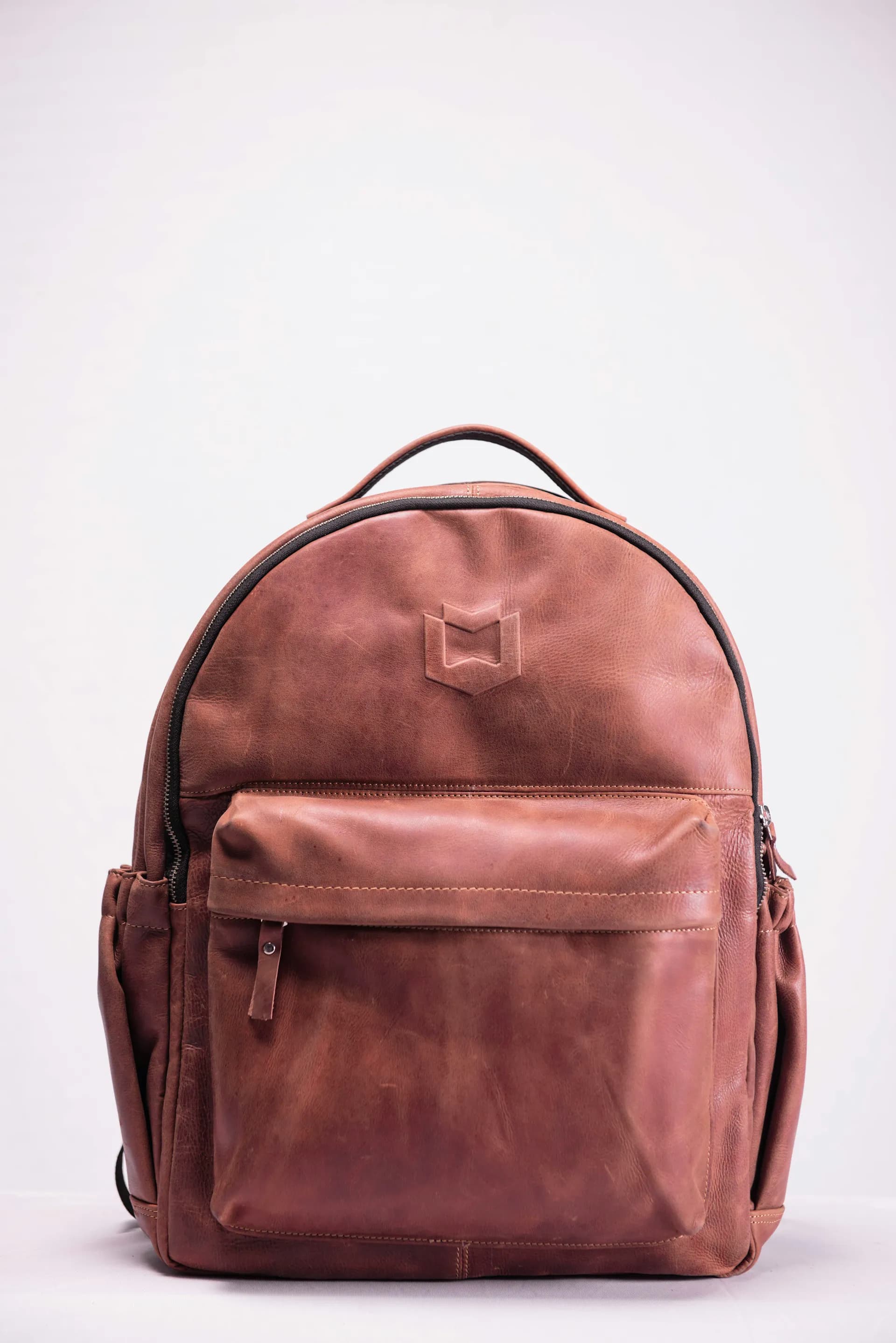
Below is an example of what Prodofoto generates from a plain product photo: a full lifestyle scene in about 60 seconds, published to your Shopify listing in one click. No canvas, no compositing, no file management.

Pricing Comparison
Both tools have free tiers and paid plans, but the cost story is about more than the subscription price — Flair's manual workflow adds a time cost that does not show up on the pricing page.
| Plan | Price | AI photo generation | Shopify publish |
|---|---|---|---|
| Prodofoto Free | $0 | Yes — 10 credits | Yes |
| Prodofoto Starter | $9.99/mo | Yes — 50 credits/mo, up to 4 photos/gen | Yes |
| Prodofoto Pro | $29.99/mo | Yes — 200 credits/mo, 9 photos/gen, 2048×2048 px | Yes |
| Flair Free | $0 | Yes — 5 images/mo | No — manual download + upload |
| Flair Pro | ~$10/mo | Yes — ~40 images/mo | No — manual download + upload |
| Flair Pro+ | ~$35/mo | Yes — 80 images/mo + commercial license | No — manual download + upload |
Flair pricing is approximate and may change. Check flair.ai for current plans. Note that Flair's free plan restricts commercial use — selling products made with free-tier images requires upgrading to Pro+ for the commercial license.
Which Tool Fits Your Store
The answer comes down to two questions: How many products do you shoot at a time? And how much creative control do you need over each scene?
Choose Prodofoto if:
- ✓Shopify is your main or only sales channel
- ✓You have more than 10 products to shoot
- ✓You want photos generated and published without touching a single file
- ✓You need lifestyle, on-model, infographic, and product-only shots
- ✓You want everything billed through Shopify (no new card)
- ✓Speed matters — you want results in 60 seconds, not 60 minutes
Choose Flair AI if:
- ✓You need precise creative control over every element of each scene
- ✓You shoot a small number of hero products (under ~50 SKUs)
- ✓You sell on multiple channels and Shopify is not your only platform
- ✓Your team has a dedicated creative person who can manage the canvas workflow
- ✓You need team collaboration and shared brand asset libraries
- ✓Short video generation is a priority for ad creatives
The honest summary
Most Shopify merchants comparing these two will land on Prodofoto — not because Flair AI is a bad tool (it is genuinely good at what it does) but because Flair was not designed for the Shopify merchant workflow. It is designed for creative studios. If you are a store owner who needs great product photos across a real catalog, Prodofoto removes the friction Flair adds back in. If you are a creative director shooting 5 hero products for a campaign and want pixel-level scene control, Flair is the stronger choice.
More Comparisons
Evaluating other tools? See how Prodofoto stacks up elsewhere in the full AI product photography roundup.
Generate and Publish Product Photos Without Leaving Shopify
Prodofoto installs from the Shopify App Store in under 5 minutes. Pick a product from your catalog, choose a shoot mode, and get up to 9 AI photos in about 60 seconds — published directly to your product listing. No file downloads, no manual uploads, no developer.
Frequently Asked Questions
Is Prodofoto better than Flair AI for Shopify?
For Shopify merchants, yes. Prodofoto installs directly from the Shopify App Store, reads your product catalog automatically, and publishes finished photos back to your listings in one click. Flair AI is a standalone web canvas — there is no Shopify app, no catalog sync, and no direct publishing. You generate images in Flair, download them, then manually upload to Shopify. For stores with more than a handful of products, that manual loop adds up fast.
Does Flair AI have a Shopify app?
No. As of mid-2026, Flair AI does not have a native app in the Shopify App Store. Flair is a browser-based design canvas at flair.ai. To use it with Shopify, you generate images in Flair, export them to your computer, then upload them to your Shopify product pages manually. There is no automatic catalog sync or 1-click publish feature.
What does Flair AI actually do?
Flair AI is a drag-and-drop canvas where you build product scenes by placing props, backgrounds, and lighting references around a transparent-background image of your product. The AI generates a photorealistic render of that scene. It also supports on-model fashion shots, video generation, and team collaboration. The workflow is creative and flexible, but it requires hands-on composition for each shot — it does not auto-generate scenes from your product catalog.
Is Flair AI cheaper than Prodofoto?
Flair's free plan gives 5 images per month. The Pro plan is around $10/month for 40 images, and Pro+ is around $35/month for 80 images plus a commercial license for teams. Prodofoto's free plan gives 10 credits with no time limit, and paid plans start at $9.99/month. The real cost difference is workflow: Flair's price only covers image generation, not Shopify integration. Every product still requires manual upload. For high-volume Shopify catalogs, the time cost of that manual step usually outweighs the subscription price difference.
Can Flair AI generate on-model product photos?
Yes. Flair AI has an on-model feature, particularly popular for fashion and apparel. You upload a product image and Flair places it on an AI-generated model in your chosen scene. Prodofoto also has an On-Model shoot mode that works inside Shopify admin — pick the product from your catalog and publish the result directly to your listing without downloading any files.
What is the main difference between Prodofoto and Flair AI?
Prodofoto is a Shopify-native app: your catalog is right there, you generate photos and publish with one click, everything stays inside Shopify admin. Flair AI is a standalone creative canvas: you build each scene by hand on a canvas, download the output, then upload it to Shopify separately. Prodofoto optimizes for speed and Shopify integration. Flair optimizes for creative control and manual scene composition.
Which tool is better for high-SKU Shopify stores?
Prodofoto scales better for high-SKU Shopify stores. Because it reads directly from your product catalog and publishes with one click, processing 100 products is a straightforward workflow. With Flair AI, each product requires you to manually compose a canvas scene, export the image, and upload it to the correct product in Shopify. Multiple sources report that Flair's manual workflow becomes a bottleneck around 50 products, making it better suited for small catalogs or hero-product shoots.
References
- Flair AI — Official pricing and feature overview
- Prodofoto on Shopify App Store — Feature and plan overview
- Nightjar — 10 Best AI Product Photography Tools in 2026 (independent comparison)
- Rewarx — Best AI Product Photography Tools Ranked for Ecommerce 2026
- Digital Applied — AI Product Photography Tools 2026 Guide
- Baymard Institute — Product image quality impact on conversion rates
- Hostinger — Best Flair AI Alternatives for 2026