Prodofoto vs FLUX AI: Which Is Better for Shopify Product Photography?

Quick Answer
FLUX.1 by Black Forest Labs is a 12-billion-parameter image model with photorealism that benchmarks at the top of the industry — but it has no Shopify App Store listing, no 1-click publish, no On-Model mode, no Infographic mode, and requires API or ComfyUI setup to use. Every image you generate must be downloaded and manually uploaded to your Shopify product listing. Prodofoto is a native Shopify app with five structured shoot modes (Product-Only, On-Model, Lifestyle, Infographic, Copycat), no prompting required, up to 9 photos per shoot in roughly 60 seconds, and 1-click publish directly to your product gallery. For Shopify merchants who need catalog photography without technical setup, Prodofoto is the direct choice.
FLUX.1 launched in August 2024 alongside Black Forest Labs, the company founded by the same team of researchers behind Stable Diffusion at LMU Munich. The model attracted attention fast: 12 billion parameters, a rectified flow transformer architecture that generates high-quality images in as few as 4 steps, and photorealism scores that outperformed Midjourney and DALL-E 3 in independent benchmarks. By December 2025 the company raised $300 million at a $3.25 billion valuation.
The photorealism is real. FLUX.1 [pro] and FLUX 1.1 [pro] Ultra (which outputs up to 4K) are legitimately excellent general-purpose image generators. Designers, illustrators, and developers use them for hero images, concept art, and creative campaigns.
But FLUX.1 is not built for Shopify merchants. It has no native Shopify integration, no shoot modes, no product consistency enforcement across a catalog, and no way to publish directly to your product listings. Every image you generate requires API access or a self-hosted GPU setup, then a manual download and re-upload into Shopify admin. This comparison covers both tools honestly so you can decide what fits your actual workflow.
Tool Overview
FLUX.1
Prodofoto
Feature Comparison
| Feature | FLUX.1 | Prodofoto |
|---|---|---|
| Shopify App Store listing | No — API or self-hosted model only | Yes — native Shopify app |
| 1-click publish to Shopify | No — manual download and re-upload required | Yes — built into app |
| Setup required | API key + code, or GPU (8-33 GB VRAM) + ComfyUI | Install from Shopify App Store |
| Photos per generation | 1 image per API call | Up to 9 photos per shoot |
| Uses your actual product image | Yes — via image conditioning | Yes — source image preserved in every output |
| Prompting required | Yes — detailed text prompts required | No — select a shoot mode |
| Shoot modes | None — general-purpose generator | 5 structured modes |
| Product-Only studio shots | Via custom prompting + background removal | Dedicated Product-Only mode |
| On-model product photos | Via prompting — no style lock | Dedicated On-Model mode |
| Lifestyle scene generation | Via prompting | Dedicated Lifestyle mode |
| Product infographics | Not available | Dedicated Infographic mode |
| Competitor photo matching | Not available | Copycat mode (Pro/Business) |
| Product fidelity across series | Identity drift between generations | Preserved from source photo |
| Text/label rendering on products | Unreliable on multi-line labels and fine text | Source label text preserved from product image |
| Product video | Not available via FLUX.1 | 5s/10s video on all plans |
| Shopify billing | No — separate BFL or third-party account | Through Shopify admin |
| Generation time | 1-4 steps (Schnell); 28 steps default (Dev/Pro) | ~60 seconds for up to 9 photos |
What Prodofoto Does With a Plain Product Photo
Prodofoto uses your actual product image as input and generates new scenes around it. Logos, colorways, proportions, and label text are preserved exactly in every output — no prompting required, no downloading files, no manual uploads to Shopify.
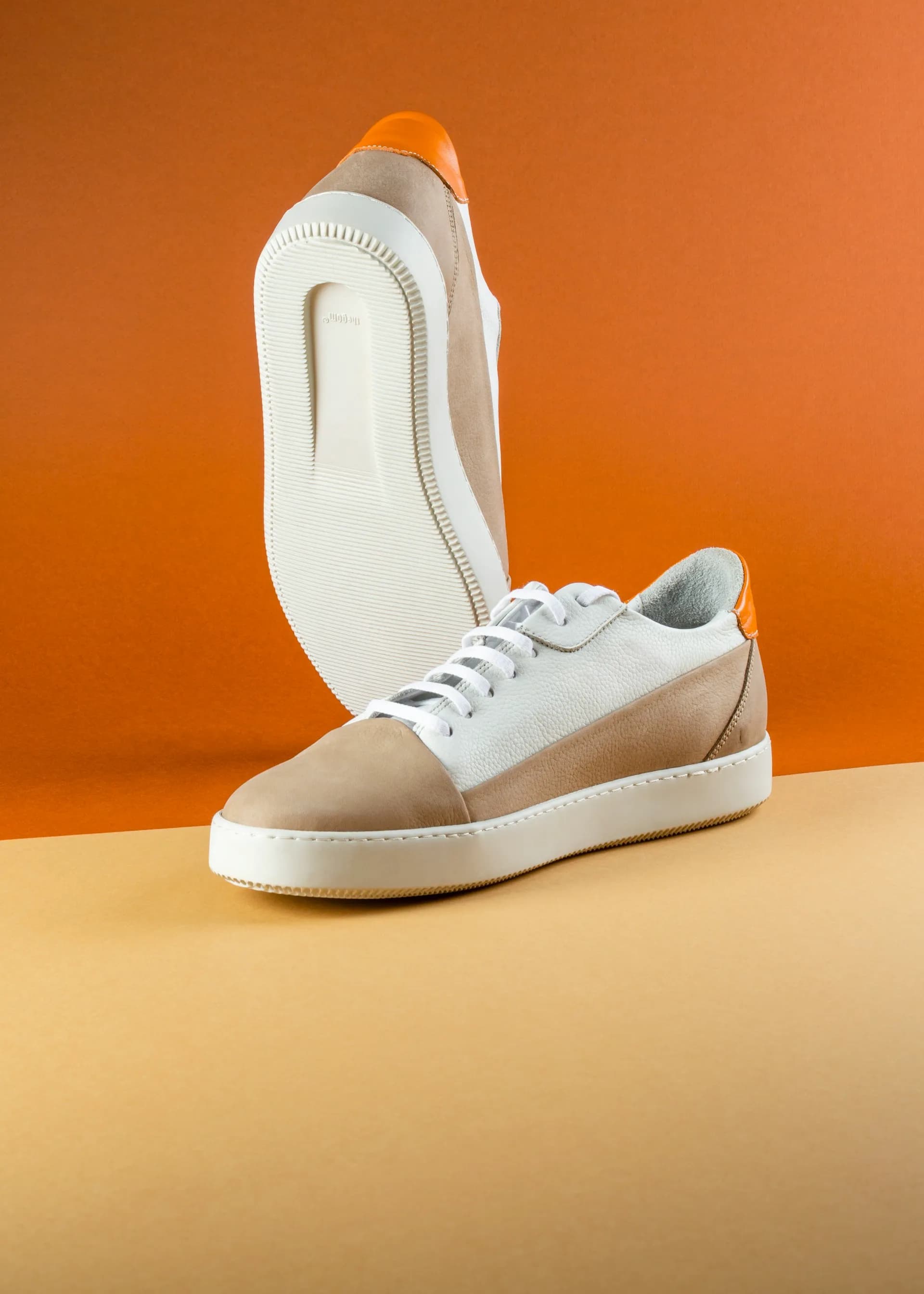
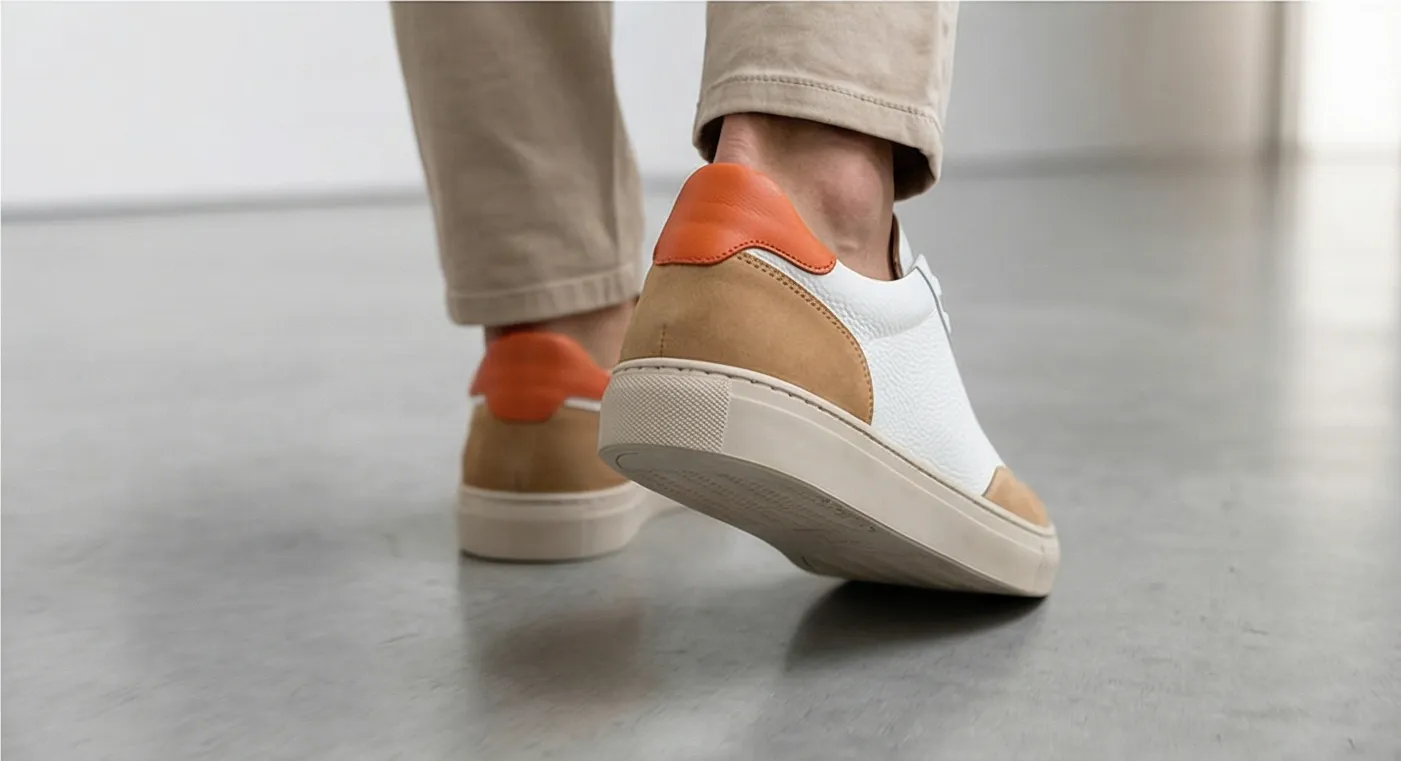
Left: original product photo. Right: Prodofoto Lifestyle mode — your actual product preserved, published to Shopify in one click.
What FLUX.1 Does Well
FLUX.1 is a genuine technical achievement. The rectified flow transformer architecture linearizes the path from noise to image, which is why it can produce high-quality outputs in as few as 4 steps with FLUX.1 [schnell] — versus 20-50 steps in earlier Stable Diffusion versions. The 12-billion parameter model trained on a 16-channel latent space delivers photorealism that scored an ELO of 1168 in independent benchmarks, outperforming Midjourney and DALL-E 3 for photographic scenes.
Text rendering improved substantially over its predecessors. FLUX.1 handles short text strings in product imagery better than Stable Diffusion, achieving roughly 95% accuracy on single-word or two-word labels in controlled tests.
The open-weight versions (FLUX.1 [schnell] under Apache 2.0, FLUX.1 [dev] for non-commercial use) give developers full access to the model weights for fine-tuning, LoRA training, and custom pipeline building. For a developer building a product photography tool from scratch, FLUX.1 is an excellent foundation.
The commercial API (FLUX.1 [pro] at $0.055/image, FLUX 1.1 [pro] at $0.04/image, FLUX 1.1 [pro] Ultra at $0.06/image for 4K output) is straightforward to integrate via REST if you have developer resources. For teams building image generation into a larger workflow, the BFL API is competitive with Midjourney and DALL-E 3 in both quality and cost per image.
Where FLUX.1 Falls Short for Shopify Merchants
Four specific limitations hit Shopify catalog work hardest:
- •No Shopify App Store listing — requires a separate API account and developer setup, or self-hosted GPU infrastructure with 8-33 GB VRAM
- •No 1-click publish — every image must be downloaded and manually uploaded to your Shopify product listing
- •Product identity drift — FLUX.1 uses single-image conditioning and cannot lock product appearance (logo position, color, label text) consistently across a series of images for the same product
- •Text rendering fails on complex labels — multi-line product labels, ingredient lists, barcodes, and nutritional panels produce garbled or nonsensical characters
- •No dedicated On-Model shoot mode — on-model outputs require extensive prompting and still produce inconsistent results across a product catalog
- •No Infographic mode — callout annotation lines and feature text overlays are not supported
- •No Copycat mode for matching competitor photo styles
- •No product video generation (5-second or 10-second clips)
- •No Shopify billing integration — separate account and billing to manage
- •One image per API call — no multi-output per shoot
The product identity drift issue is worth dwelling on. When a Shopify merchant needs 4 photos of the same sneaker across different lifestyle scenes, each photo needs to show the same exact sneaker. FLUX.1 re-generates product appearance on every call — which means slight variations in colorways, texture rendering, and logo placement can creep in. Dedicated product photography tools solve this by building style-locking into the workflow; FLUX.1 does not.
What Prodofoto Does Well
Prodofoto's five shoot modes cover the core product photography use cases for Shopify merchants without requiring any prompting or file management:
- ✓Product-Only: Clean studio shot on a white or neutral background. Your product, exactly as it looks — sharp, consistent, catalog-ready.
- ✓On-Model: AI-generated models wearing or holding your product. No booking, no model fees, no scheduling.
- ✓Lifestyle: Contextual scenes — kitchen counter, desk setup, outdoor setting. Your real product in the scene, not a generic placeholder.
- ✓Infographic: Annotated product shots with feature callout lines. Converts well on technical products and anything with multiple key features.
- ✓Copycat: Match a competitor's photo style. Pro/Business plans only.
Every output starts from your actual product image, not a text description. Logos, label text, colorways, and product proportions are preserved exactly in every generated output.
After generating up to 9 photos in roughly 60 seconds, you click Publish and they go straight to your Shopify product gallery. No downloading. No switching tabs. No manual uploads. The AI editing layer lets you refine any output in plain English with full version history, all inside Shopify admin.
Workflow Comparison
FLUX.1 Workflow (via API)
- 1.Create account at bfl.ai or a third-party provider
- 2.Generate an API key and set up authentication
- 3.Write or adapt code to call the image generation endpoint
- 4.Write a detailed text prompt for your product shot
- 5.Make the API call, wait for the response
- 6.Review output — re-prompt if product fidelity drifted
- 7.Download the generated image to your computer
- 8.Open Shopify admin in another tab
- 9.Navigate to the product and upload the downloaded file
- 10.Repeat for every photo style and every product
Prodofoto Workflow
- 1.Open Prodofoto inside Shopify admin
- 2.Select a product from your catalog
- 3.Choose a shoot mode
- 4.Generate up to 9 photos (~60 seconds)
- 5.1-click publish to your product listing
Pricing
| Plan | FLUX.1 | Prodofoto |
|---|---|---|
| Free tier | FLUX.1 [schnell] — Apache 2.0, full commercial use, self-hosted only | $0 (10 one-time credits, no watermark) |
| Non-commercial open | FLUX.1 [dev] — open-weight, non-commercial license | N/A |
| Entry paid API | FLUX 1.1 [pro]: $0.04/image; FLUX.1 [pro]: $0.055/image | $9.99/mo (Starter, 50 credits) |
| High resolution | FLUX 1.1 [pro] Ultra (4K, up to 4096x4096): $0.06/image | $29.99/mo (Pro, 200 credits, 2048px) |
| Volume / business | Third-party providers from $0.003/image (Schnell) at scale | $79.99/mo (Business, 600 credits, 2048px) |
| Shopify billing | No — separate account with BFL, fal.ai, Replicate, or Segmind | Yes — billed through Shopify admin |
FLUX.1 pricing from bfl.ai official API pricing page and Segmind per-model pricing. Verify current rates before purchasing.
Which Tool Fits Your Store?
Choose FLUX.1 if...
- →You have developer resources to build and maintain a custom image pipeline, and want maximum flexibility and control over the generation process
- →You need open-weight model access to fine-tune on your product category or build a custom style-locked solution from scratch
- →Your team already uses the BFL API or a third-party provider and wants to add product photography to an existing technical workflow
- →You are producing one-off hero images or creative campaigns where catalog consistency across many SKUs is not required
Choose Prodofoto if...
- →You need catalog photography at scale — lifestyle scenes, on-model shots, and studio photos across many SKUs without technical setup or manual file management
- →You want 1-click publish directly to your Shopify product listings, without ever leaving Shopify admin
- →Product fidelity is critical — exact logos, labels, and colorways in every output, consistently across a series
- →You need a dedicated On-Model mode, Infographic mode, or Copycat mode that FLUX.1 does not offer
- →You want your AI product photography tool billed through Shopify — no separate API account, no code required
Try Prodofoto Free on Shopify
Start with 10 free credits — no subscription required. Your actual product preserved in every shot: logos, labels, colors exactly as they are. Select a shoot mode, generate up to 9 photos, and publish to your Shopify listing in one click.
Install Prodofoto on ShopifySources
- Black Forest Labs — FLUX API pricing
- TechCrunch: Black Forest Labs raises $300M at $3.25B valuation (December 2025)
- VentureBeat: Stable Diffusion creators launch Black Forest Labs, secure $31M for FLUX.1
- Melies: FLUX models comparison — Schnell vs Dev vs Pro vs Max
- fal.ai: FLUX.2 vs FLUX.1 — what changed (product fidelity and text rendering)
- Medihertz: how to run FLUX.1 locally — GPU requirements and ComfyUI setup
- Prodofoto on the Shopify App Store
Frequently Asked Questions
Does FLUX.1 have a Shopify app?
No. FLUX.1 by Black Forest Labs is a raw AI image model — it has no Shopify App Store listing and no native Shopify integration. To use FLUX.1 for product photography, you need API access (via Black Forest Labs, fal.ai, or Replicate) or a self-hosted setup using ComfyUI with a compatible GPU. Every image you generate must then be downloaded and manually uploaded to your Shopify product listings. Prodofoto is a native Shopify App Store app that integrates directly with your admin and publishes generated photos to your product listings in one click.
Can FLUX.1 generate on-model product photos for apparel?
FLUX.1 can generate images of models wearing clothing, but it has no dedicated On-Model shoot mode — you must write detailed prompts, and product fidelity (exact logo position, label text, color accuracy) can drift across generations because the model has no style-locking mechanism. Prodofoto has a dedicated On-Model mode that uses your actual product image and generates AI models wearing or holding your product with consistent logos, colors, and proportions preserved in every output.
How much does it cost to use FLUX.1 for product photography?
FLUX.1 [schnell] is free and open-source (Apache 2.0). FLUX.1 [dev] is free for non-commercial use. For commercial use via the Black Forest Labs API, FLUX.1 [pro] costs $0.055 per image, FLUX 1.1 [pro] costs $0.04 per image, and FLUX 1.1 [pro] Ultra (4K output) costs $0.06 per image. Third-party providers like fal.ai and Segmind offer FLUX.1 [dev] for around $0.025 per image. These per-image costs look low, but the total cost includes API setup time, prompt engineering effort, and the manual workflow to move every image from the API into Shopify. Prodofoto offers a free plan with 10 one-time credits, then $9.99/mo (Starter), $29.99/mo (Pro), and $79.99/mo (Business), all billed through Shopify with no separate account to manage.
What are the main limitations of FLUX.1 for product catalog photography?
Four specific limitations affect Shopify merchants most. First, product identity drift: FLUX.1 uses single-image conditioning and cannot reliably lock product appearance (logo position, color accuracy, label text) across a series of images. Second, text rendering: FLUX.1 still garbles multi-line labels, barcodes, and ingredient lists, which matters for packaged goods. Third, no Shopify integration: every image requires download then manual upload to your product listing. Fourth, no structured shoot modes: there is no On-Model mode, no Infographic mode with callout annotations, and no Copycat mode for matching competitor photo styles.
Can I self-host FLUX.1 to avoid API costs?
Yes, but self-hosting requires a compatible NVIDIA GPU. The FP8 single-file version needs at least 16 GB of VRAM; the full FP16 model requires 33 GB VRAM. Setup uses ComfyUI, which is a node-graph editor that takes hours to days to learn. Disk space requirements run 10-50 GB depending on the model variants you download. For most Shopify merchants who are not developers, the setup friction and hardware requirements make self-hosting impractical compared to a purpose-built app.
How does FLUX.1 compare to Stable Diffusion for Shopify product photos?
Both are open-weight generative image models without native Shopify integration. FLUX.1 uses a rectified flow transformer architecture with 12 billion parameters and a 16-channel latent space, which gives it stronger photorealism and better text rendering than earlier Stable Diffusion versions. FLUX.1 [schnell] generates images in 1-4 steps versus Stable Diffusion XL's 20-50 steps. However, both share the same fundamental limitation for Shopify merchants: they require API or ComfyUI setup, produce no Shopify integration, and require manual download-and-upload workflows for every image. A dedicated Shopify app like Prodofoto eliminates all of that friction.
Which tool is better for a Shopify merchant with no developer background?
Prodofoto. The entire workflow lives inside Shopify admin: select a product, choose a shoot mode, generate up to 9 photos in roughly 60 seconds, and publish to your product listing in one click. No API keys, no prompt engineering, no GPU requirements, no file downloads. FLUX.1 requires meaningful technical setup — API account creation, code or no-code connectors, and prompt iteration to get reliable product shots — plus a manual workflow to move images into Shopify. The compute cost of FLUX.1 is lower, but the total time cost is substantially higher for a non-technical merchant.