Prodofoto vs Fotor: Which Is Better for Shopify Product Photography?

Quick Answer
Fotor is a web-based design platform with 300M+ users and an AI Product Photo feature that generates your product in new scenes — but it has no Shopify App Store listing and no native integration, so every image requires manual download and re-upload to your store. Prodofoto is a native Shopify app with five structured shoot modes (Product-Only, On-Model, Lifestyle, Infographic, Copycat), no prompting required, up to 9 photos per shoot in roughly 60 seconds, and 1-click publish directly to your Shopify product gallery. For Shopify merchants who need catalog photography at scale without manual file management, Prodofoto is the faster choice.
Fotor has been around since 2012 and has grown to over 300 million users worldwide. Most Shopify merchants encounter it as a background remover or general design tool. More recently, Fotor added an AI Product Photo feature that generates your product placed inside a new scene — which puts it in direct competition with dedicated AI product photography tools for e-commerce.
But Fotor is not built for Shopify. It lives on the web, outside your admin, and every image you create in Fotor has to be downloaded from Fotor's site and uploaded manually to your Shopify product listings. For a merchant photographing 50 SKUs across multiple shoot styles, that manual round-trip adds up.
Prodofoto is built inside Shopify admin. Five structured shoot modes cover the full catalog photography stack — studio shots, on-model photography, lifestyle scenes, infographics, and competitor-style matching — with no prompting required and 1-click publish to your product gallery. This comparison covers both tools honestly so you can choose what fits your workflow.
Tool Overview
Fotor
Prodofoto
Feature Comparison
| Feature | Fotor | Prodofoto |
|---|---|---|
| Shopify App Store listing | No — web-based tool only | Yes — native Shopify app |
| 1-click publish to Shopify | No — manual download and re-upload required | Yes — built into app |
| Photos per generation | 1 image per generation | Up to 9 photos per shoot |
| Uses your actual product image | Yes — AI Product Photo uses uploaded image | Yes — source image preserved in every output |
| Prompting required | Yes — describe the scene or style | No — select a shoot mode |
| Shoot modes | None — AI tool plus general editing | 5 structured modes |
| Product-Only studio shots | Via background removal and editing | Dedicated Product-Only mode |
| On-model product photos | Not available | Dedicated On-Model mode |
| Lifestyle scene generation | Via AI Product Photo feature | Dedicated Lifestyle mode |
| Product infographics | Not available | Dedicated Infographic mode |
| Competitor photo matching | Not available | Copycat mode (Pro/Business) |
| Product fidelity (logos, labels) | Uses source image; output may vary | Preserved from source photo |
| AI image editing | Available in Fotor editor | Natural language AI editing in Shopify |
| Product video | Not available | 5s/10s video on all plans |
| Shopify billing | No — separate Fotor account and billing | Through Shopify admin |
What Prodofoto Does With a Plain Product Photo
Prodofoto uses your actual product image as input and generates new scenes around it. Logos, colorways, proportions, and label text are preserved exactly in every output — no prompting required, no downloading files, no manual uploads to Shopify.
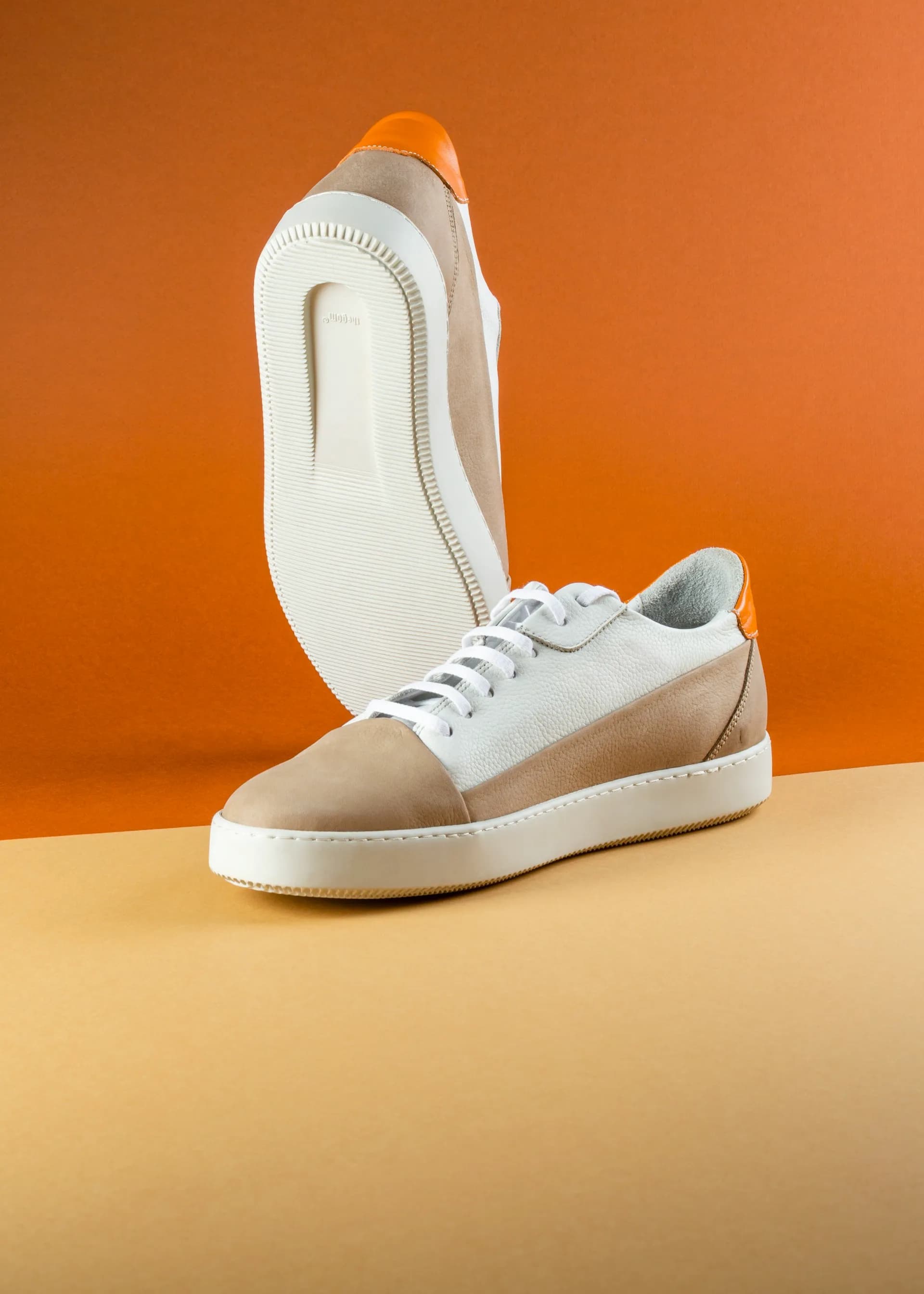
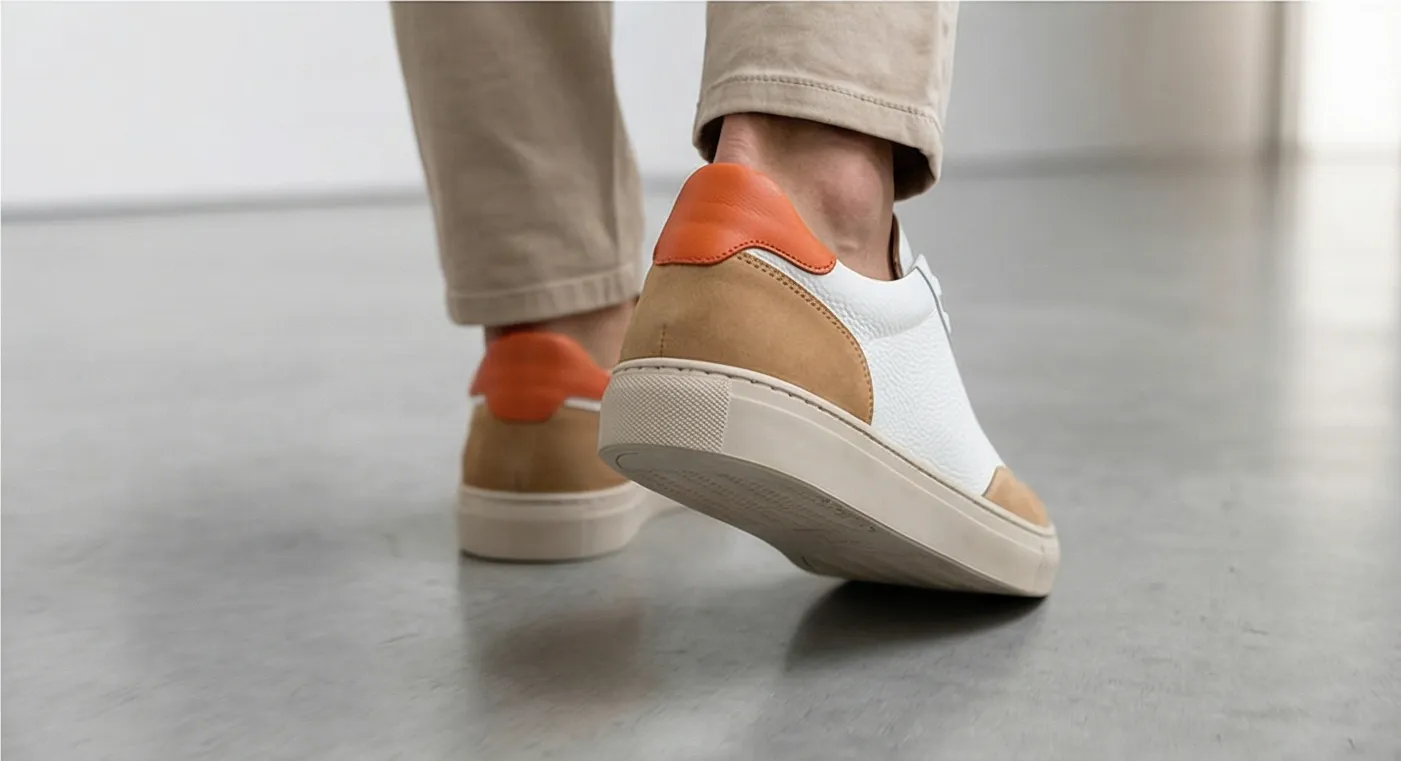
Left: original product photo. Right: Prodofoto Lifestyle mode — your actual product preserved, published to Shopify in one click.
What Fotor Does Well
Fotor is a mature, full-featured design platform. If you need background removal, photo retouching, social media templates, collage tools, and AI image generation all in one place, Fotor provides that breadth at a competitive price point.
The AI Product Photo feature specifically does something useful: it takes your uploaded product image and generates the product placed in a new scene or on a new background. Unlike pure text-to-image tools, Fotor starts from your real product rather than hallucinating a generic version from a description. For merchants who already live in Fotor and want to quickly generate a few hero images, that workflow is familiar.
Fotor's free plan, even with watermarks, lets you test the output quality before committing to a subscription. And the Pro plan at roughly $8.99/mo is affordable for designers who are already using Fotor for other tasks.
Where Fotor Falls Short for Shopify Merchants
The fundamental limitation is the workflow gap. Fotor is not inside Shopify. Every image you generate in Fotor requires you to download the file, open your Shopify admin, navigate to the product, and upload it manually. For a store with 50 products and multiple photo styles per product, that manual round-trip is a real time cost — not a one-time inconvenience.
- •No Shopify App Store listing — requires a separate account and billing outside Shopify
- •No 1-click publish — every image must be downloaded from Fotor and uploaded manually to Shopify
- •No dedicated On-Model shoot mode with AI-generated models holding or wearing your product
- •No Infographic mode with callout annotation lines for product features
- •No Copycat mode for matching competitor photo styles
- •No product video generation (5-second or 10-second clips)
- •No Shopify billing integration — separate subscription to manage
- •One image per generation — no multi-output per shoot
For merchants building catalog photography at scale — lifestyle scenes, on-model shots, and studio photos across dozens or hundreds of SKUs — Fotor's external workflow and one-at-a-time generation model creates significant friction. Prodofoto covers the same catalog with five structured shoot modes, no file management, and direct publish to Shopify.
What Prodofoto Does Well
Prodofoto's five shoot modes cover the core product photography use cases for Shopify merchants without requiring any prompting or file management:
- ✓Product-Only: Clean studio shot on a white or neutral background. Your product, exactly as it looks — sharp, consistent, catalog-ready.
- ✓On-Model: AI-generated models wearing or holding your product. No booking, no model fees, no scheduling.
- ✓Lifestyle: Contextual scenes — kitchen counter, desk setup, outdoor setting. Your real product in the scene, not a generic placeholder.
- ✓Infographic: Annotated product shots with feature callout lines. Converts well on technical products and anything with multiple key features.
- ✓Copycat: Match a competitor's photo style. Pro/Business plans only.
Every output starts from your actual product image, not a text description. Logos, label text, colorways, and product proportions are preserved exactly in every generated output.
After generating up to 9 photos in roughly 60 seconds, you click Publish and they go straight to your Shopify product gallery. No downloading. No switching tabs. No manual uploads. The AI editing layer lets you refine any output in plain English — "make the background warmer" or "add more contrast" — with full version history, all inside Shopify admin.
Workflow Comparison
Fotor Workflow
- 1.Open fotor.com in a browser tab
- 2.Upload your product image
- 3.Navigate to AI Product Photo or background removal tool
- 4.Generate one image
- 5.Download the output file to your computer
- 6.Open Shopify admin in another tab
- 7.Navigate to the product and upload the downloaded file
Prodofoto Workflow
- 1.Open Prodofoto inside Shopify admin
- 2.Select a product from your catalog
- 3.Choose a shoot mode
- 4.Generate up to 9 photos (~60 seconds)
- 5.1-click publish to your product listing
Pricing
| Plan | Fotor | Prodofoto |
|---|---|---|
| Free | Yes — watermarked outputs, limited AI credits | $0 (10 one-time credits, no watermark) |
| Entry paid | ~$8.99/mo (Pro) — no watermark, AI credits included | $9.99/mo (Starter, 50 credits) |
| Mid | ~$19.99/mo (Pro+) — expanded AI credits | $29.99/mo (Pro, 200 credits, 2048px resolution) |
| Business | Enterprise options available | $79.99/mo (Business, 600 credits, 2048px resolution) |
| Shopify billing | No — separate account outside Shopify | Yes — billed through Shopify admin |
Fotor pricing sourced from fotor.com pricing page. Verify current rates before purchasing — pricing and AI credit allocations change periodically.
Which Tool Fits Your Store?
Choose Fotor if...
- →You already use Fotor for design work and want to try its AI Product Photo feature alongside your existing workflow
- →You need a general-purpose design tool for marketing assets beyond Shopify — social posts, banners, collages — and product photos are a secondary use case
- →You have a very small number of products to photograph and the manual download/upload workflow is not a bottleneck
- →You prefer to keep all your design work in a single web-based platform outside of Shopify
Choose Prodofoto if...
- →You need catalog photography at scale — lifestyle scenes, on-model shots, and studio photos across many SKUs without manual file management
- →You want 1-click publish directly to your Shopify product listings, without ever leaving Shopify admin
- →Product fidelity is critical — exact logos, labels, and colorways in every output
- →You need a dedicated On-Model mode, Infographic mode, or Copycat mode that Fotor does not offer
- →You want your AI product photography tool to be billed through Shopify — no separate account to manage
Try Prodofoto Free on Shopify
Start with 10 free credits — no subscription required. Your actual product preserved in every shot: logos, labels, colors exactly as they are. Select a shoot mode, generate up to 9 photos, and publish to your Shopify listing in one click.
Install Prodofoto on ShopifySources
- Fotor AI Product Photo
- Fotor pricing page
- Prodofoto on the Shopify App Store
- Baymard Institute: product image quality and ecommerce conversion
- Shopify: product photography guide for merchants
- Shopify Help Center: adding and managing product images
- GrabOn: product photography statistics for ecommerce conversion
Frequently Asked Questions
Is Fotor available as a Shopify app?
No. Fotor is a web-based photo editor and design platform — it is not listed on the Shopify App Store and has no native Shopify integration. To use Fotor images in your Shopify store, you download the edited files from Fotor's website and upload them manually to your product listings. Prodofoto is a native Shopify App Store app that integrates directly with your admin and publishes generated photos to your product listings in one click.
Does Fotor use your actual product image for AI Product Photo?
Yes. Fotor's AI Product Photo feature uses your uploaded product image as the source and generates the product placed in a new scene or environment. This is similar to Prodofoto's approach — both tools start from your real product rather than generating a product from a text description. The key difference is workflow: Fotor requires manual download and re-upload to Shopify, while Prodofoto publishes directly to your product listing in one click.
How much does Fotor cost?
Fotor offers a free plan with watermarked outputs and limited AI credits. The Pro plan runs approximately $8.99 per month, and Pro+ approximately $19.99 per month, each including additional AI credits. Prodofoto offers a free plan with 10 one-time credits, Starter at $9.99/mo (50 credits), Pro at $29.99/mo (200 credits), and Business at $79.99/mo (600 credits). Prodofoto's pricing is all-inclusive — credits cover lifestyle, on-model, infographic, and product-only shoots.
Can Fotor generate on-model product photos?
Fotor does not have a dedicated On-Model shoot mode. Its AI tools include background removal, AI scene generation, and general image editing, but there is no structured mode for placing your product on an AI-generated model. Prodofoto has a dedicated On-Model mode that uses your actual product image and generates AI models wearing or holding your product with consistent product fidelity — logos, colors, and proportions preserved.
Which tool is better for Shopify merchants with no design experience?
Prodofoto. It requires no design skills, no prompt writing, and no manual file management. Select a product, choose a shoot mode, generate up to 9 photos in roughly 60 seconds, and publish to your Shopify listing in one click. Fotor is a full design platform with many tools and menus — it has a learning curve, and the AI Product Photo feature still requires downloading results and uploading them to Shopify manually, which adds friction for non-technical merchants.
Does Fotor integrate with Shopify for direct publishing?
No. Fotor has no native Shopify integration. The workflow is: edit in Fotor, download the output file, log in to Shopify admin, navigate to your product, and upload the file manually. Prodofoto is built inside Shopify admin — generate photos and publish them to your product gallery without ever leaving Shopify or touching a file manager.
How many photos does each tool generate per shoot?
Fotor's AI Product Photo generates one image per generation. Prodofoto generates up to 9 photos per shoot on paid plans (Free = 2 photos; Starter and above = 4, 6, or 9 photos depending on plan). For merchants who need variety across their catalog or want to A/B test images, Prodofoto's multi-output model delivers significantly more options per dollar spent.