Prodofoto vs Glamify: Which AI Product Photography App Is Right for Your Shopify Store?

Quick Answer
Both Prodofoto and Glamify are native Shopify App Store apps for AI product photography. Glamify is prompt-driven — you write a scene description and it generates one image per $0.50 token using Flux and Gemini models. Prodofoto uses five structured shoot modes (Product-Only, On-Model, Lifestyle, Infographic, Copycat) with no prompting required, generates up to 9 photos per shoot in roughly 60 seconds, and publishes directly to your Shopify listing in one click. For merchants who want fast, consistent results without learning prompt engineering, Prodofoto is the stronger fit.
Finding an AI product photography app on the Shopify App Store used to mean choosing between background removers and general design tools. That changed. Both Prodofoto and Glamify are purpose-built for AI product photography and both live natively inside Shopify admin. The question is which workflow actually fits how you run your store.
Glamify is built around creative prompting. You pick a product image, write a vision — "shoe in a neon-lit futuristic city," for instance — and the app uses Flux and Gemini models to generate a matching scene. One image per $0.50 token, billed through Shopify. It's fast, it's Shopify-native, and the output quality depends on how well you can describe what you want.
Prodofoto takes a different approach. No prompting required. Five structured shoot modes cover the core catalog photography use cases for Shopify merchants: studio shots, on-model photography, lifestyle scenes, annotated infographics, and competitor-style matching. Up to 9 photos per shoot. Publish to your Shopify listing in one click. This comparison covers both tools honestly so you can choose the right one for your catalog.
Tool Overview
Glamify
Prodofoto
Feature Comparison
| Feature | Glamify | Prodofoto |
|---|---|---|
| Shopify App Store listing | Yes — native Shopify app | Yes — native Shopify app |
| 1-click publish to Shopify | Yes — apply generated image to listing | Yes — built into app |
| Photos per generation | 1 image per $0.50 token | Up to 9 photos per shoot |
| Prompting required | Yes — describe your vision | No — select a shoot mode |
| Shoot modes | None — prompt-driven only | 5 structured modes |
| Product-Only studio shots | Via custom prompt | Dedicated Product-Only mode |
| On-model product photos | Via custom prompt (variable fidelity) | Dedicated On-Model mode |
| Lifestyle scene generation | Via custom prompt | Dedicated Lifestyle mode |
| Product infographics | Not available | Dedicated Infographic mode |
| Competitor photo matching | Not available | Copycat mode (Pro/Business) |
| AI models used | Flux and Gemini nano | Google Gemini 3 Pro Image |
| Product fidelity (logos, labels) | Depends on prompt quality | Preserved from source photo |
| AI image editing | Not available | Natural language AI editing |
| Product video | Not available | 5s/10s video on all plans |
| Shopify billing | Through Shopify admin | Through Shopify admin |
What Prodofoto Does With a Plain Product Photo
Prodofoto uses your actual product image as input and generates new scenes around it. Logos, colorways, proportions, and label text are preserved exactly in every output — no prompting required, no guessing whether the AI got your product right.
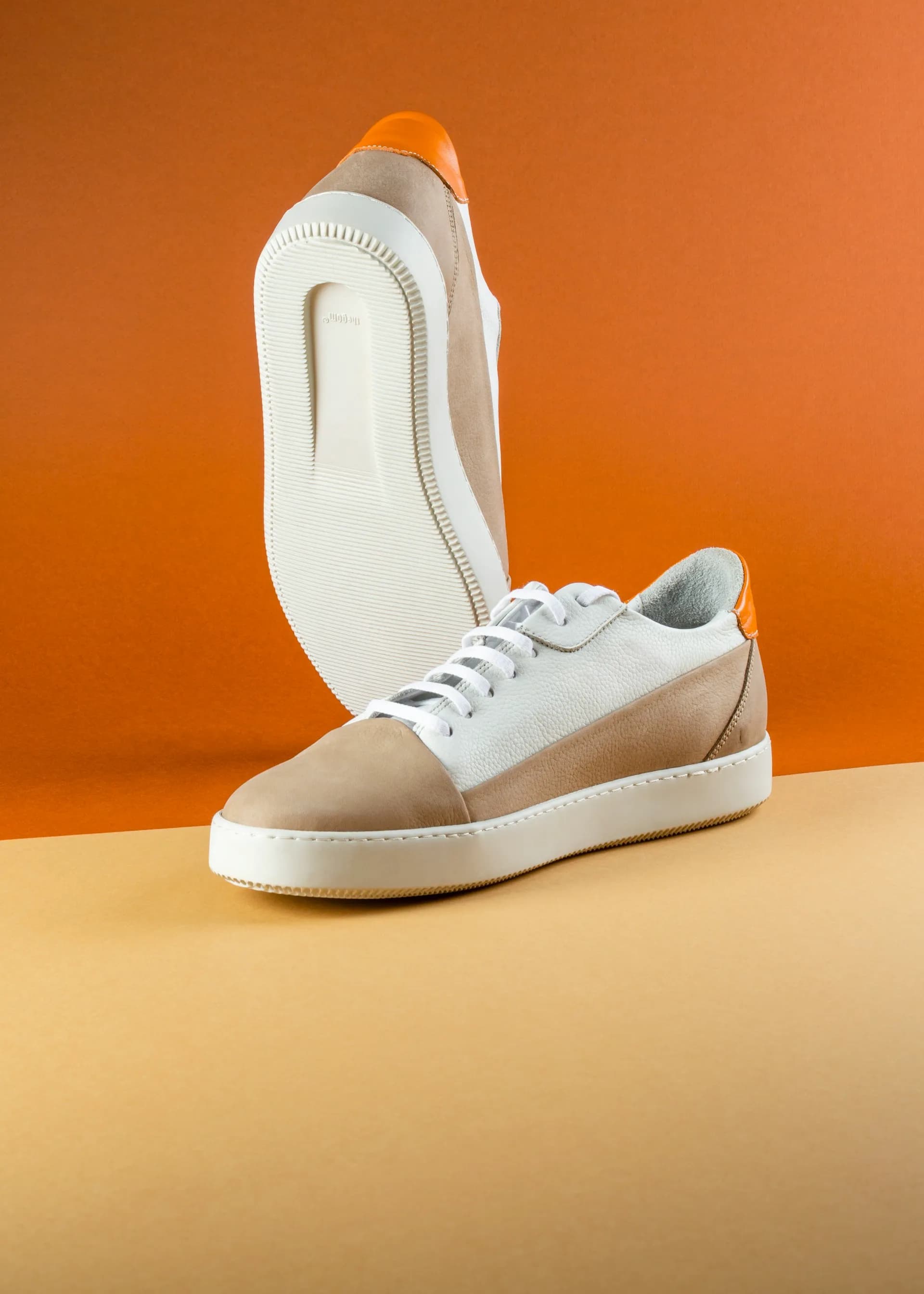
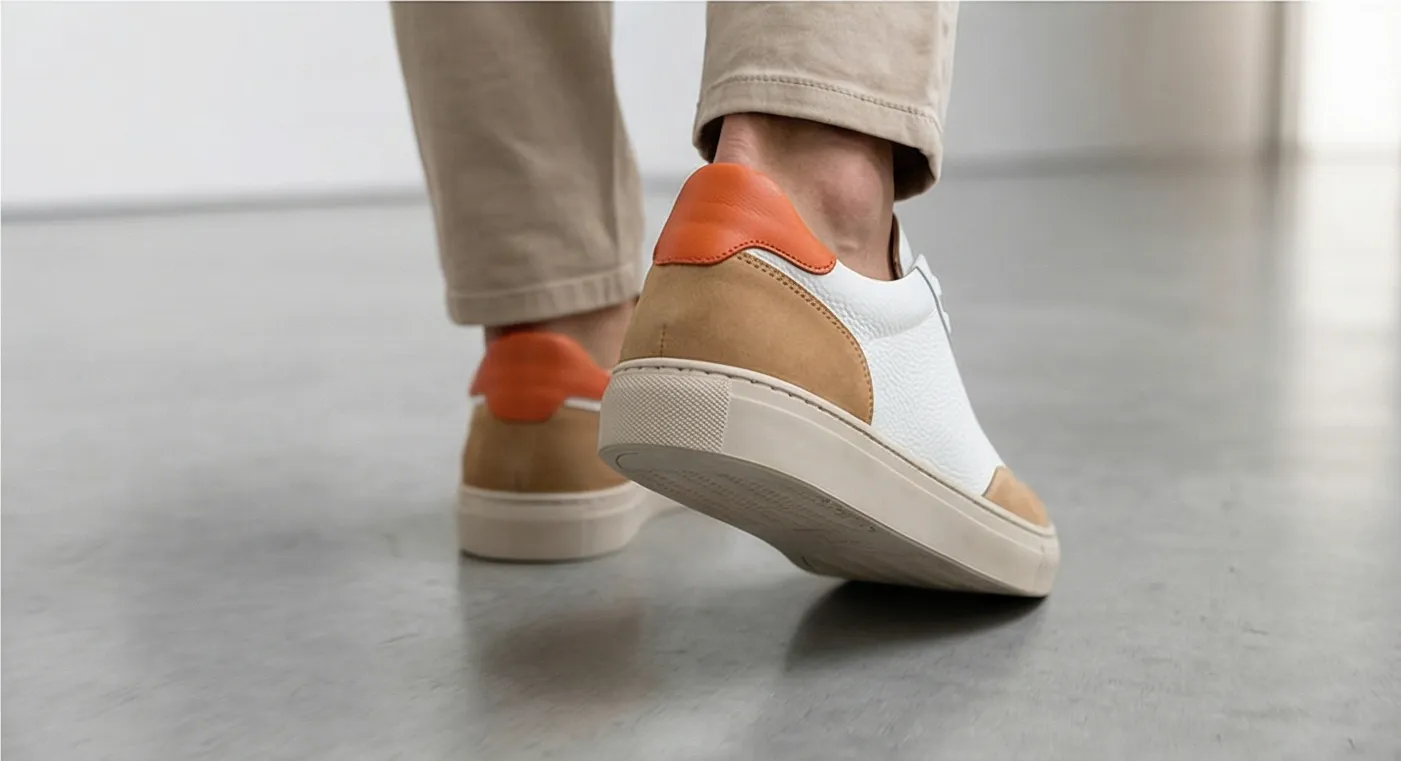
Left: original product photo. Right: Prodofoto Lifestyle mode — your actual product preserved, no prompt required.
What Glamify Does Well
Glamify's prompt-driven approach gives merchants with creative vision a fast way to explore unusual product presentations. If you can describe the aesthetic you want — a specific lighting style, a niche setting, a particular mood — the Flux and Gemini model combination can generate it without requiring Photoshop skills or a professional set.
The pricing model is genuinely simple. $0.50 per token, billed through Shopify, no monthly commitment. For merchants testing a small number of products before committing to a subscription, the pay-per-generation structure has low friction.
And it is Shopify-native — generated images can be applied directly to product listings without downloading and re-uploading, which is a real advantage over general-purpose AI tools that sit outside your admin entirely.
Where Glamify Falls Short for Catalog Photography
The core limitation is prompting. Writing prompts that consistently produce catalog-ready photos requires experimentation. The same prompt can produce very different results between generations, and getting consistent product fidelity — your actual logo, your actual label text, your exact colorway — is harder when the AI is working from a text description rather than your actual product image.
- •One image per $0.50 token — no multi-output per generation
- •No structured shoot modes — every generation requires a custom prompt
- •No dedicated On-Model mode with consistent product fidelity
- •No product infographic mode with callout annotation lines
- •No Copycat mode for matching competitor photo styles
- •No AI image editing to refine individual outputs
- •No product video generation
- •Product detail accuracy depends on prompt precision — logos and label text may shift
For a merchant with 50 SKUs who needs on-model shots, studio product photos, and lifestyle scenes across their catalog, Glamify requires writing and iterating on prompts for every product. Prodofoto covers the same catalog with five structured shoot modes, no prompting, and up to 9 photos per shoot published directly to Shopify.
What Prodofoto Does Well
Prodofoto's five shoot modes cover the core product photography use cases for Shopify merchants without requiring any prompting:
- ✓Product-Only: Clean studio shot on a white or neutral background. Your product, exactly as it looks — sharp, consistent, catalog-ready.
- ✓On-Model: AI-generated models wearing or holding your product. No booking a photographer, no model fees, no scheduling.
- ✓Lifestyle: Contextual scenes — kitchen counter, desk setup, outdoor setting. Your real product in the scene, not a generic placeholder.
- ✓Infographic: Annotated product shots with feature callout lines. Converts well on technical products and anything with multiple key features.
- ✓Copycat: Match a competitor's photo style. Pro/Business plans only.
Every output starts from your actual product image, not a text description. That means your logo stays your logo, your label text stays your label text, and your product's colorway is preserved exactly across every generated output.
After generating up to 9 photos in roughly 60 seconds, you click Publish and they go straight to your Shopify product gallery. No downloading. No switching to another app. No manual uploads. The AI editing layer lets you refine any output in plain English — "make the background darker" or "add a warm glow" — with full version history.
Workflow Comparison
Glamify Workflow
- 1.Open Glamify inside Shopify admin
- 2.Select your product image
- 3.Write a creative vision prompt describing the scene
- 4.Generate one image (~$0.50 per generation)
- 5.If output needs revision, write a new prompt and regenerate
- 6.Apply the image to your product listing
Prodofoto Workflow
- 1.Open Prodofoto inside Shopify admin
- 2.Select a product from your catalog
- 3.Choose a shoot mode
- 4.Generate up to 9 photos (~60 seconds)
- 5.1-click publish to your product listing
Pricing
| Plan | Glamify | Prodofoto |
|---|---|---|
| Free | No free tier — pay-per-token from first use | $0 (10 one-time credits) |
| Entry paid | $0.50/token (no subscription required) | $9.99/mo (Starter, 50 credits) |
| Mid | $0.50/token (same rate regardless of volume) | $29.99/mo (Pro, 200 credits, 2048px resolution) |
| Business | $0.50/token (same rate) | $79.99/mo (Business, 600 credits, 2048px resolution) |
| Photos per dollar | 2 photos per $1.00 | Up to 9 photos per $1.00 shoot (Starter plan) |
Glamify pricing sourced from the Shopify App Store listing (apps.shopify.com/glamify). Verify current rates before purchasing.
Which Tool Fits Your Store?
Choose Glamify if...
- →You want creative control through prompting and enjoy experimenting with AI image generation
- →You have a small number of products to photograph and want pay-per-use pricing with no monthly commitment
- →You have a specific visual style in mind that you can describe clearly in a prompt
- →You want to explore unusual or highly stylized product presentations
Choose Prodofoto if...
- →You need catalog photography at scale — lifestyle scenes, on-model shots, and studio photos across many SKUs
- →You want consistent results without writing prompts for every product
- →Product fidelity is critical — exact logos, labels, and colorways in every output
- →You need up to 9 photos per product published directly to Shopify listings
- →You want structured shoot modes that cover all your catalog photography needs in one app
Try Prodofoto Free on Shopify
Start with 10 free credits — no subscription required. Your actual product preserved in every shot: logos, labels, colors exactly as they are. Select a shoot mode, generate up to 9 photos, and publish to your Shopify listing in one click.
Install Prodofoto on ShopifySources
- Glamify on the Shopify App Store
- Prodofoto on the Shopify App Store
- Baymard Institute: product image quality and ecommerce conversion
- Shopify: product photography guide for merchants
- Shopify Help Center: adding and managing product images
- GrabOn: product photography statistics for ecommerce conversion
- Rewarx: AI product photography trends and ecommerce signals 2026
Frequently Asked Questions
Is Glamify a native Shopify app?
Yes. Glamify is listed on the Shopify App Store and can apply generated images directly to your product listings. It uses a token-based pricing model at $0.50 per generation. Prodofoto is also a native Shopify app — both integrate directly with your admin, but their generation workflows and shoot modes differ significantly.
Does Glamify require prompts to generate product photos?
Yes. Glamify is a prompt-driven tool — you write a creative vision description (for example, "shoe in a neon-lit futuristic city") and the AI generates a scene from that text. Prodofoto does not require prompts. You select a shoot mode (Product-Only, On-Model, Lifestyle, Infographic, or Copycat) and Prodofoto generates up to 9 photos automatically from your actual product image.
How much does Glamify cost per product photo?
Glamify charges $0.50 per token and each AI generation costs one token — so $0.50 per generated image. Prodofoto uses a credit system: a single-product shoot costs 5 credits and generates up to 9 photos. On the Starter plan ($9.99/mo, 50 credits), that works out to roughly $1.00 per shoot of up to 9 photos, or about $0.11 per individual photo.
Can Glamify generate on-model product photos?
Glamify is a general-purpose AI image generator — you could prompt it to show a product on a model, but the output fidelity depends on your prompt skill, and it does not have a dedicated On-Model shoot mode. Prodofoto has a dedicated On-Model mode that uses your actual product image as input and generates AI-modeled lifestyle shots with consistent product fidelity.
Which app is better for merchants with no design experience?
Prodofoto. It requires no prompting — select a product, pick a shoot mode, and generate. Glamify requires you to write a creative prompt describing the scene you want, which takes iteration and experimentation to get right. Merchants who are not experienced with AI image generation will get faster, more consistent results from Prodofoto's structured shoot modes.
Does either app preserve product details like logos and labels?
Prodofoto uses your actual product image as the source and preserves product fidelity — logos, labels, colorways, and proportions carry through into every generated output. Glamify uses prompt-driven generation, which means product details may shift depending on how precisely the prompt describes them. For catalog-accurate photography at scale, Prodofoto's fidelity model is the stronger fit.
How many photos does each app generate per shoot?
Glamify generates one photo per token (one generation per $0.50 token). Prodofoto generates up to 9 photos per shoot on paid plans (Free = 2 photos; Starter and above = 4, 6, or 9 photos depending on plan). For merchants A/B testing images or needing variety across their catalog, Prodofoto's multi-output model means more choices per generation.