AI Product Photography
Prodofoto vs Canva: Which Is Better for Shopify Product Photography?
Canva has 200 million users and a general-purpose AI image generator. Prodofoto is a native Shopify app that reads your catalog, generates lifestyle scenes and on-model shots from your actual product images, and publishes to your listings in one click. Here is what each tool actually does, where each falls short, and which one fits a Shopify product photography workflow.
By LinkedIn: Brian Chen • 9 min read• Published July 6, 2026

Quick Answer
Canva is a general-purpose design platform. It handles background removal, graphic design, brand templates, and AI image generation through Dream Lab — but its AI generator creates scenes from text prompts, not from your actual product images, and every finished file must be downloaded and uploaded to Shopify manually. Prodofoto is a native Shopify app built specifically for product photography: it reads your catalog, wraps your real product images in AI-generated lifestyle environments or on-model shots, and publishes them directly to your listings with one click. If you need a general design tool for social content and branded graphics, Canva is the right choice. If you need Shopify-native product photography at catalog scale, Prodofoto is built for that.
What Each Tool Actually Does
Canva and Prodofoto both touch product images, but they are built for different jobs. Understanding that distinction upfront saves a lot of trial and error.
Canva is a general-purpose visual design platform. It launched in 2013 as a drag-and-drop alternative to Photoshop, and it has grown to 200 million users by covering an enormous range of design tasks: social media graphics, presentations, marketing materials, video clips, and branded templates. Product image editing is one slice of what Canva does. Its background removal tool works quickly, and its Dream Lab feature (powered by Google's Imagen AI) lets you generate images from text prompts. But Canva's AI generation is prompt-based and general purpose — it creates images from your description, not from your actual product.
Prodofoto is built for one thing: generating product photos for Shopify. Connect your store, pick a product, choose a shoot mode, and get up to 9 photos in about 60 seconds. The app pulls your product directly from Shopify — no uploading required — and the finished photos publish back to your product listing with one click. Five shoot modes cover the full commercial photography range: Product-Only (clean cutouts), On-Model (your clothing on an AI model), Lifestyle (your product in a scene), Infographic (callout-annotated shots), and Copycat (match a reference image's style).
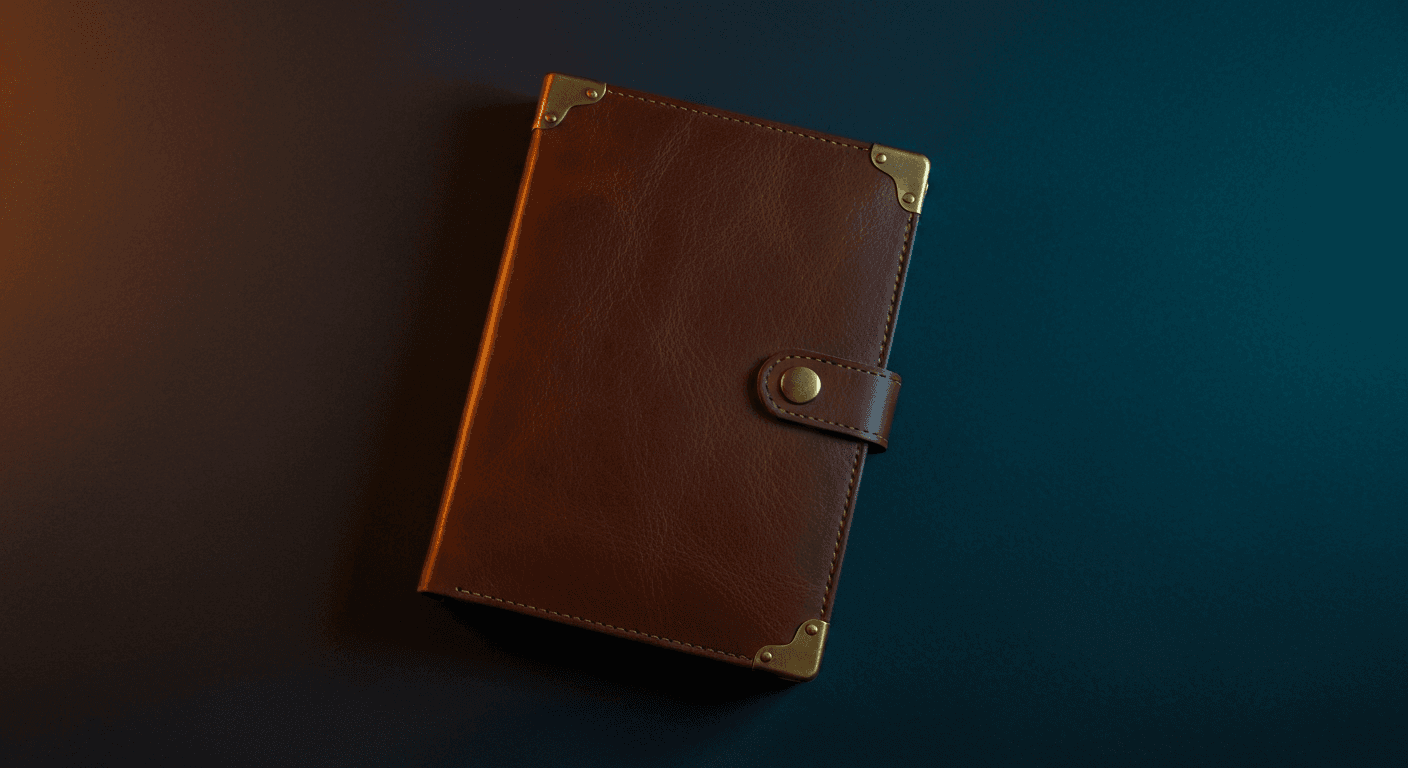
The key gap with Canva for product photography: its AI generator creates plausible-looking product images from descriptions, but the product in the output is AI-invented. If you type "a brown leather wallet on a marble table," Dream Lab produces a wallet that looks roughly like your description — but it is not your wallet with your stitching, your hardware, and your exact shade of leather. Prodofoto starts from your actual product image and wraps it in a generated environment, so the product in every output is always your product.
Feature Comparison
Here is how the two tools stack up across the features that matter most to Shopify merchants:
| Feature | Prodofoto | Canva |
|---|---|---|
| Shopify App Store | Yes — native app | No dedicated photography app; Canva Connect exports designs to Shopify media library (one at a time) |
| Shopify catalog sync | Yes — reads products automatically | No |
| 1-click Shopify publish | Yes | No — manual download then upload |
| AI scene generation | Yes — uses your actual product image in the scene | Dream Lab generates from text prompts; product is AI-invented, not your actual item |
| On-model photography | Yes — places your actual product on AI model | Dream Lab generates a model wearing a prompted garment (not your specific product) |
| Background removal | Yes — included in all shoot modes | Yes — strong, available on free tier |
| Product label accuracy | Preserved from source image | Often garbled in AI-generated scenes |
| Shoot modes | 5 (Product-Only, On-Model, Lifestyle, Infographic, Copycat) | N/A — general design tool, not mode-based photography |
| Photos per generation | 2-9 per shoot (by plan) | 1-10 per Dream Lab batch |
| AI generation limit | Credit-based (50-600/mo by plan) | 5/mo (Free); 500/mo (Pro) |
| Graphic design tools | Limited — product photography focused | Extensive — templates, text, brand kit, video, more |
| Video generation | 5s/10s product video (all tiers) | Video design tools; AI video via Dream Lab (Pro) |
| Team collaboration | Business plan | All plans — Canva's core strength |
| Output resolution | Up to 2048×2048 (Pro/Business) | Up to 4K export on Pro |
| Billing | Through Shopify — no separate payment method | Separate Canva account and billing |
Prodofoto: Deep Dive
Prodofoto lives inside Shopify. You install it from the Shopify App Store, and from that point forward, your entire product catalog is available inside the app — no separate login, no uploading files, no switching between browser tabs.
Pick a product, pick a shoot mode, and the generation starts. About 60 seconds later, you have 2 to 9 new product photos depending on your plan. Review them, swap the background or adjust the lighting if needed, and hit publish. The photos land directly on your product listing in Shopify admin.
Five Shoot Modes
Product-Only
Clean white or transparent background cutouts. Consistent across your entire catalog. No photographer needed.
On-Model
Your actual clothing placed on a realistic AI model. The garment's colors, patterns, and construction are preserved from your source image.
Lifestyle
Your product in a generated scene — kitchen countertop, bedroom shelf, outdoor setting, coffee shop table. You choose the context.
Infographic
Product shots with callout annotations highlighting features, materials, or dimensions. Useful for complex products where details drive conversion.
Copycat
Match the visual style of a reference image. Upload a competitor shot or a mood board and Prodofoto generates your product in that aesthetic.
Before and After: On-Model Mode
This is what on-model photography looks like when it starts from your actual product image, not a text prompt:
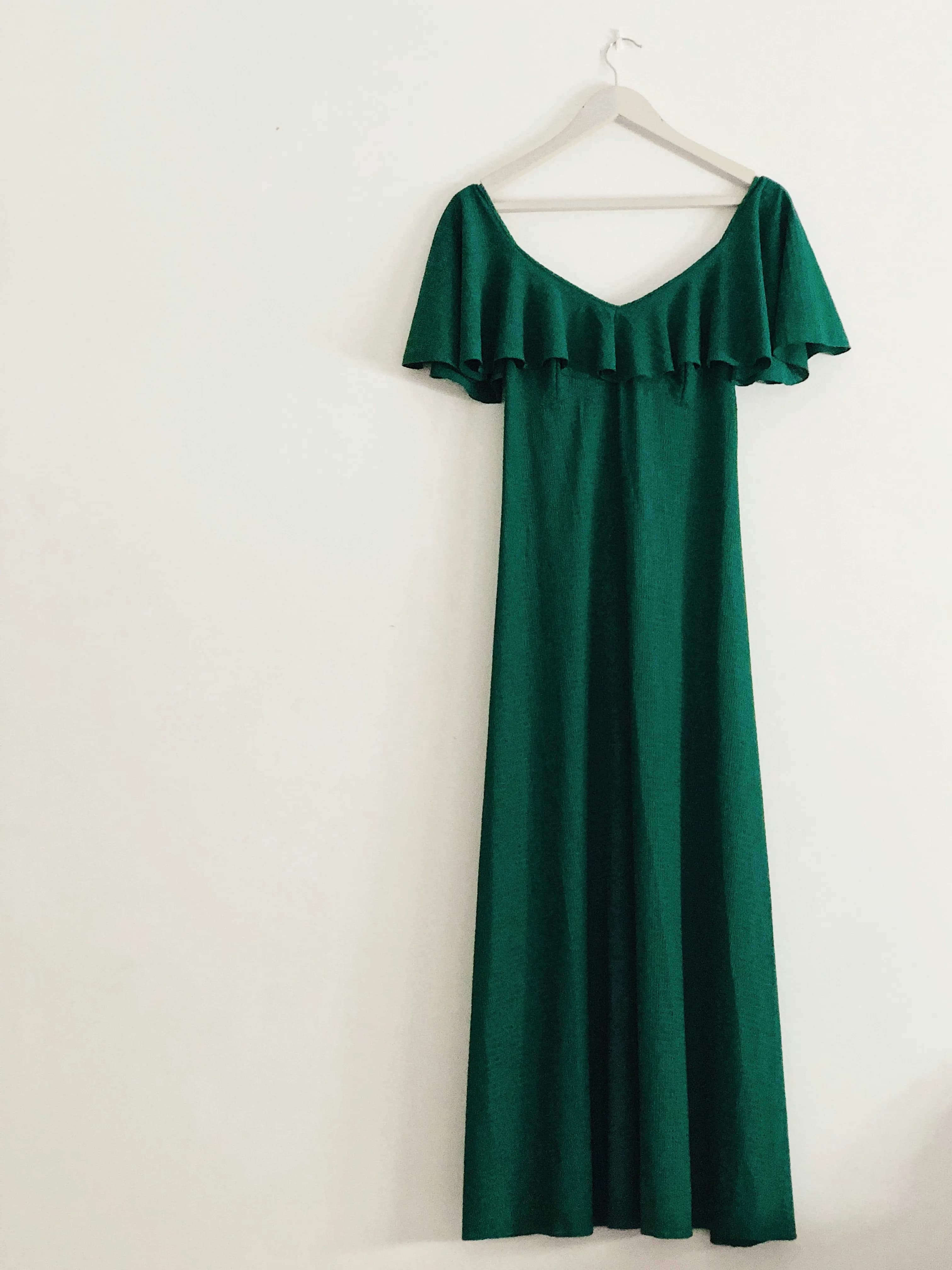
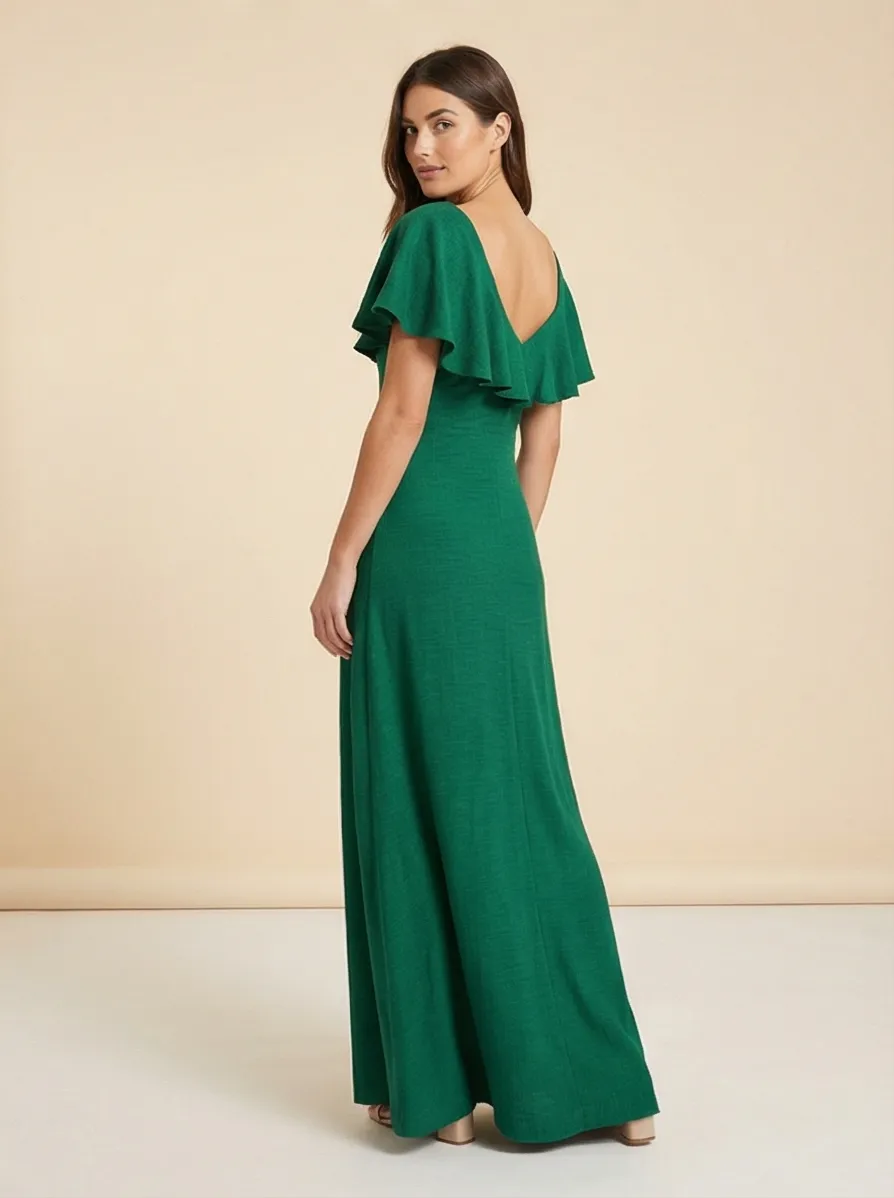
The key point: the garment in the output is the actual dress from the original photo. Canva Dream Lab would generate a dress that looks like your description — useful for mood boards, not for a product listing where the customer needs to see the exact item they are buying.
What Prodofoto Does Not Do
Prodofoto is not a general design tool. It does not have templates for social media posts, presentation slides, or branded graphics. There is no drag-and-drop canvas, no font library, no team workspace for collaborative design projects. It does one thing: generate and publish product photos for Shopify. If your workflow requires both product photography and graphic design content, you would use Prodofoto alongside another tool — not instead of it.
Canva: Deep Dive
Canva's strength is breadth. It covers more visual design tasks than any other single tool at its price point: social media posts, short videos, product mockups, email graphics, presentations, and now AI image generation through Dream Lab. For a small team that produces marketing content across multiple channels, the value is real.
For Shopify product photography specifically, Canva has three meaningful capabilities and three meaningful limits.
Where Canva Works Well
Background Removal
Fast and accurate. Remove backgrounds from existing product photos in one click. Available on all plans including free. Handles complex shapes and transparent edges well.
Brand Templates
Build consistent branded product graphics — price callout overlays, launch announcement cards, sale badges. Great for social media adaptations of product photos.
Team Collaboration
Multiple team members can work in shared brand kits, access the same asset library, and maintain visual consistency across channels. Canva's strongest organizational feature.
Where Canva Falls Short for Product Photography
Dream Lab generates a version of your product, not your actual product
When you describe your product in Dream Lab and ask for a lifestyle shot, the AI generates a plausible-looking product based on your description. The hardware details, the exact fabric pattern, the specific shade of packaging — these are invented. For social content where approximate is fine, that works. For product listings where shoppers are deciding whether to buy based on what they see, it is a problem.
Product label text is garbled in AI-generated scenes
Canva Dream Lab, like most general-purpose AI image generators, struggles with legible text in generated scenes. A supplement bottle with your brand name and nutrition facts comes out with scrambled characters roughly 60% of the time. Prodofoto carries your actual product — label and all — into the generated scene, because it is compositing your product image rather than generating a product from scratch.
No Shopify catalog integration or 1-click publish
Canva Connect lets you export finished designs to your Shopify media library one image at a time. It does not sync your product catalog, auto-match images to the right listings, or publish. Every file moves manually: design in Canva, download, open Shopify admin, find the right product, upload, save. Multiply that by 50 products and it is a significant time commitment per photo refresh.
Dream Lab generation limits are low for catalog-scale work
Free users get 5 Dream Lab generations per month. Pro subscribers get 500 per month with a 10-image batch cap per generation. For a Shopify store with 100 products and 5 photos per listing, that is 500 total images — bumping right against the Pro ceiling in a single catalog refresh. Prodofoto generates 2-9 photos per product per shoot and scales with credit-based plans, not hard monthly generation limits.
Pricing
These two tools operate on different pricing models. Canva is priced as a subscription design platform. Prodofoto is priced on a per-shoot credit model through Shopify billing.
| Plan | Price | What You Get |
|---|---|---|
| Canva Free | $0 | Background removal, basic templates, 5 Dream Lab AI generations/month |
| Canva Pro | $15/mo or ~$10/mo (annual) | 500 Dream Lab generations/month, brand kit, 4K export, premium templates, team features |
| Canva Teams | ~$10/mo per person (3-person minimum) | All Pro features plus shared brand kit, role permissions, and collaborative editing |
| Prodofoto Free | $0 | 10 one-time credits, 2 photos/shoot, 512×512 resolution |
| Prodofoto Starter | $9.99/mo | 50 credits/mo, all shoot modes, HD output, 1-click Shopify publish |
| Prodofoto Pro | $29.99/mo | 200 credits/mo, up to 9 photos/shoot, 2048×2048 resolution, product video |
| Prodofoto Business | $79.99/mo | 600 credits/mo, Copycat mode, bulk catalog generation |
Note: Prodofoto billing goes through Shopify — no separate payment method, and the charge appears on your normal Shopify invoice.
The two tools are not mutually exclusive. Many Shopify merchants use Canva Pro for marketing graphics, social content, and brand template work while using Prodofoto for product photography. At $9.99/month for Prodofoto Starter plus $10/month for Canva Pro annually, the combined cost is about $20/month — less than a single hour of professional photography.
Which Tool Fits Your Store?
The right choice depends on what you are actually trying to produce.
Choose Canva if...
- •You already have product photos and need to create consistent marketing graphics, social content, and branded templates around them.
- •Your team collaborates on visual content across multiple channels and needs a shared brand kit and template library.
- •You need a general-purpose design platform for presentations, email graphics, and promotional materials in addition to product image work.
- •You want fast background removal for existing photos and do not need full AI scene generation from your product image.
Choose Prodofoto if...
- •You need complete AI-generated product photos — lifestyle scenes, on-model shots, and studio cutouts — built from your actual product images, not invented from a text prompt.
- •You sell on Shopify and want the photos to publish directly to your product listings without any file management.
- •You sell apparel or accessories and need on-model photos where the actual fabric, print, and construction of your garment are accurately represented.
- •You are scaling a catalog with 10 to 1,000 SKUs and the download-upload workflow for every photo would be a real time cost.
Using both: Canva and Prodofoto are not competing for the same job. A common pattern for growing Shopify brands: use Prodofoto to generate product photography at the listing level, then use Canva to adapt those photos into social posts, email headers, and promotional graphics with brand templates. The tools complement each other.
Sources
- Canva About — 200 million monthly active users, global design platform overview
- Canva Pricing — Free, Pro, and Teams plan details and Dream Lab generation limits
- Canva for Shopify (Canva Connect) — Shopify media library export integration details
- Baymard Institute — Product page UX: how image quality and accuracy affect purchase decisions and return rates
- Prodofoto on the Shopify App Store — native integration, pricing plans, and supported features
- Rombach et al. (2022) — High-resolution image synthesis with latent diffusion models (arXiv:2112.10752)
Frequently Asked Questions
- Can Canva be used for Shopify product photography?
- Canva can help with light editing — background removal, adding text overlays, and resizing product images for different formats. It has a general AI image generator (Dream Lab) that can create images from prompts, but it is not designed for automated product photography. It cannot read your Shopify catalog, position your actual product in a generated scene, or publish photos directly to your listings. Every image you create in Canva must be downloaded and uploaded to Shopify manually. Prodofoto reads your Shopify product catalog, wraps your actual product in AI-generated lifestyle environments or on-model shots, and publishes to your listings in one click — no file management.
- Does Canva have a Shopify integration for product photos?
- Canva has a free integration called Canva Connect that lets you export designs from Canva to your Shopify media library, one image at a time. This is a manual export tool — it does not sync your product catalog, generate new product photos, or push finished images to specific product listings automatically. For merchants with more than a handful of SKUs, the one-at-a-time export becomes a significant time cost. Prodofoto integrates differently: it reads your Shopify catalog directly inside Shopify admin and publishes finished photos to the right product listing with one click.
- Is Canva Dream Lab good for product photography?
- Canva Dream Lab generates images from text prompts using AI — it is useful for creating mood boards, background textures, and general creative assets. For product photography, it has two important limitations: it cannot incorporate your actual product into the generated scene (you would need to composite your product in manually afterward), and product label text in generated scenes is garbled roughly 60% of the time. Dream Lab also caps usage at 5 generations per month on the free plan and 500 per month on Pro, with a 10-image batch limit. Prodofoto starts from your actual product image and wraps it in generated environments, so the product itself is always accurate.
- How does Canva pricing compare to Prodofoto?
- Canva is free for basic use and $15/month (or ~$10/month billed annually at $120/year) for Pro, which includes Dream Lab AI generation, brand kit tools, and unlimited design assets. Prodofoto's plans run through Shopify: Free (10 one-time credits), $9.99/month Starter (50 credits), $29.99/month Pro (200 credits, up to 9 photos per shoot), and $79.99/month Business (600 credits, Copycat mode). If you already pay for Canva Pro for design work, adding Prodofoto for Shopify product photography costs from $9.99/month extra — most merchants find the Starter plan covers a small catalog, and Pro covers a mid-size store.
- What is the main difference between Prodofoto and Canva?
- The core difference is purpose. Canva is a general-purpose design platform built for marketing materials, social content, presentations, and branded graphics — product photography is an add-on, not its primary function. Prodofoto is built exclusively for Shopify product photography: it reads your catalog, generates lifestyle scenes and on-model shots using your actual product images, and publishes directly to your listings. The second major difference is Shopify integration — Prodofoto works inside Shopify admin with 1-click publish; Canva requires manual download and upload for every file.
- Can Canva create on-model product photos?
- Canva's Dream Lab can generate AI images of people wearing clothing through text prompts, but the results are not true virtual try-on. Because Dream Lab works from a text prompt rather than your actual product image, the garment in the output is AI-invented, not your specific product with its exact colors, patterns, and construction details. AI-generated faces in Dream Lab also show the artifacts common to general-purpose generators — unnaturally smooth skin and occasional structural inconsistencies. Prodofoto's On-Model mode composites your actual product onto an AI model, preserving the product's real appearance.
- Which tool is better for Shopify merchants who sell apparel?
- For apparel merchants, Prodofoto's On-Model mode is a strong differentiator that Canva cannot replicate with the same fidelity. Prodofoto takes your actual clothing product image and presents it on a realistic AI model — the fabric, print, and construction details of your real garment are preserved. Canva Dream Lab generates clothing from a prompt, which means the result is a plausible-looking garment that may not match your product's exact appearance. If you need on-model shots for a specific SKU with accurate color and texture fidelity, Prodofoto is the more reliable choice.
Related Articles
Ready to try Prodofoto on your Shopify store?
Install from the Shopify App Store and generate your first AI product photos in under a minute. No credit card required to start.
Install Prodofoto Free