AI Product Photography
Prodofoto vs CreatorKit: Which AI Product Photography App Is Right for Your Shopify Store?
Both Prodofoto and CreatorKit are native Shopify apps — which puts this comparison in a different category from most AI photography tool writeups. Neither requires you to download files and upload them manually. The real question is which one fits how your store actually creates product content: five distinct shoot modes and credit-based depth, or a template-driven creative engine built around AI video ads.
By LinkedIn: Brian Chen • 9 min read• Published July 4, 2026

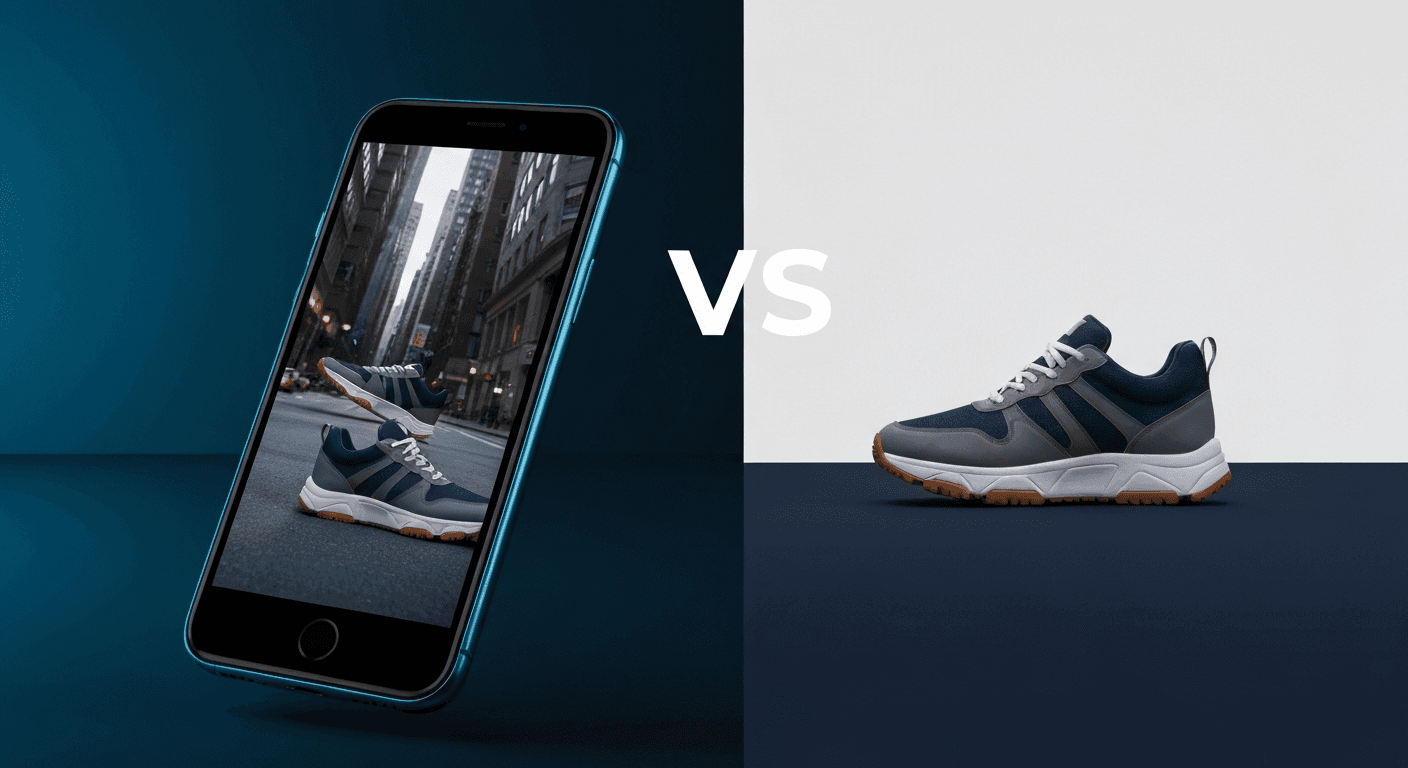
Quick Answer
Prodofoto is a native Shopify app with five shoot modes — Product-Only, On-Model, Lifestyle, Infographic, and Copycat — generating up to 9 photos in about 60 seconds per product, published directly to your listing without any file handling. CreatorKit is also a native Shopify app, built around AI video ads, template-driven photo generation, and a generate-free/pay-per-download pricing model. If on-model shots, lifestyle scenes, and commercial photography depth matter most, Prodofoto is the stronger fit. If AI video ad creative and a pay-as-you-go download model suit your workflow, CreatorKit deserves a close look.
What Each Tool Actually Does
Most AI product photography comparisons pit a Shopify-native tool against something that lives entirely outside Shopify. This one is different: both Prodofoto and CreatorKit are available in the Shopify App Store, both connect to your product catalog, and both can publish results back to your listings. The decision is not about workflow plumbing — it's about which creative approach matches how your store actually needs to create content.
Prodofoto is organized around five shoot modes, each covering a distinct type of commercial product photography. Product-Only generates clean catalog shots on curated surfaces — the images buyers expect to see when evaluating a product. On-Model places your product on an AI-generated human model. Lifestyle builds complete environmental scenes around your product with matched lighting and ambient detail. Infographic adds callout annotations directly to the photo. Copycat (available on Pro and Business plans) replicates the visual style of a reference image across your catalog. Pick a product, pick a mode, and get up to 9 photos in about 60 seconds — one click publishes any of them to your listing.
CreatorKit is built around a different core idea: AI-generated ad creative. Its strongest feature is AI video ads — it takes your product images and generates short-form video content suited for social media advertising. Beyond video, it offers template-driven photo generation (apply your product to a curated background scene), background removal, and a creative library. The pricing model is distinct too: generate images at no cost, then pay per high-resolution download — or subscribe for unlimited downloads.
The workflow difference in practice: Prodofoto gives you a photoshoot interface where you control shot type and photo count. CreatorKit gives you a template and creative library where you browse scenes and generate ad-ready assets. Both publish to Shopify directly, so neither requires the manual download-upload cycle that tools like Pixelcut, Flair AI, and Caspa AI require.
Prodofoto
A native Shopify app with five shoot modes: Product-Only, On-Model, Lifestyle, Infographic, and Copycat. Pick a product from your Shopify catalog, choose a mode, and get up to 9 AI-generated photos in about 60 seconds. One click publishes to your product listing. No file downloads, no prompting, no developer.
AI editing in plain English with version history. 5s/10s video on all tiers. Multi-product scenes on Pro/Business. Billed through Shopify.
CreatorKit
A native Shopify app with strong AI video ad generation, template-driven product photo creation, and background removal. Connects to your Shopify catalog and publishes results to listings. Emphasizes ad-ready creative and social media content over photoshoot depth.
Pricing model: generate free, pay per high-resolution download — or subscribe for unlimited downloads. No dedicated on-model mode. Template-based scene selection rather than mode-based generation.
The summary: Prodofoto is a commercial photography platform — deep in shoot types, fast per product, direct to Shopify listings. CreatorKit is an ad creative platform — strong on video ads and template-based content, flexible pay-per-download pricing. Both live in Shopify. The question is what kind of content you need to create most.
Feature Comparison
The table below compares both tools on the features Shopify merchants evaluate most.
| Feature | Prodofoto | CreatorKit |
|---|---|---|
| Native Shopify App | Yes — Shopify App Store | Yes — Shopify App Store |
| Shopify catalog sync | Yes — pulls from your products | Yes — connects to your catalog |
| 1-click publish to listing | Yes — all plans | Yes — supported |
| AI lifestyle scenes | Yes — Lifestyle mode | Yes — template-based backgrounds |
| On-model photos | Yes — On-Model mode | No — no dedicated on-model generation |
| Clean catalog shots | Yes — Product-Only mode | Yes — via background removal + template |
| Infographic callouts | Yes — Infographic mode | No — no dedicated infographic mode |
| Style matching | Yes — Copycat mode (Pro/Business) | No — no reference-based style matching |
| AI video ads | Yes — 5s/10s on all tiers | Yes — core strength, social ad formats |
| Background removal | Yes — Product-Only mode | Yes — dedicated feature |
| Multi-product scenes | Yes — Pro/Business plans | Limited |
| No-prompt generation | Yes — AI picks the scene | Template-driven — you pick the scene |
| Photos per shoot | Up to 9 (plan-dependent) | Varies by template |
| Generation speed | ~60 seconds per shoot | Varies by output type |
| Pricing model | Credit subscription via Shopify billing | Generate free, pay per download or subscribe |
Prodofoto: Strengths and Limitations
Prodofoto was designed specifically for Shopify merchants who need professional product photos without a photographer, a studio, or any file management. Every step — from catalog connection to photo generation to publishing — happens inside Shopify admin.
The five shoot modes cover the full commercial range. Pick a product from your catalog, choose a mode, and Prodofoto generates up to 9 photos in about 60 seconds. One click publishes any result directly to your product listing. Product-Only gives you clean studio-style catalog shots. On-Model places your product on an AI-generated human model — no casting, no fitting sessions, no model fees. Lifestyle generates a complete real-world environment around the product, with matched lighting, surfaces, and ambient detail. Infographic adds feature callouts directly on the photo, useful for tech products and supplements. Copycat (Pro/Business) matches the visual style of a reference image across your full catalog.
AI editing in plain English lets you refine any generated photo without starting over — “add a warm wooden surface below,” “remove the shadow in the upper left,” “shift the lighting cooler.” Every edit is saved as a version, so you can step back at any point. AI editing is available on all paid plans.
All Prodofoto plans include 5-second and 10-second product video generation alongside stills. Pro and Business plans unlock multi-product scenes (2-4 products in one frame) — useful for bundles, gift sets, and category shots. Billing runs through Shopify, so no separate payment method is needed.
The limitation: Prodofoto is Shopify-only. If you sell across multiple platforms and need a single content creation workflow, it handles only the Shopify side. It also generates new scenes rather than enhancing existing photos — if you have supplier product shots that just need cleanup, the tool creates something entirely new rather than touching up what you have.
Pricing
Free (10 credits), $9.99/mo Starter, $29.99/mo Pro, $79.99/mo Business — billed through Shopify
Best for
Shopify merchants who need multiple shot types per product — catalog shots, on-model photos, and lifestyle scenes — all published without file handling
Limitations
Shopify-only; generates new scenes rather than enhancing existing photos; no standalone editing for non-Shopify channels
CreatorKit: Strengths and Limitations
CreatorKit's strongest point of differentiation is AI video ads. It takes your product images and generates short-form video content — the kind of scroll-stopping creative that runs on TikTok, Instagram Reels, and Facebook Ads. For merchants whose growth depends on paid social, this is a meaningful capability built directly into their Shopify workflow.
Photo generation in CreatorKit is template-driven. You browse a library of scene templates — an outdoor setting, a kitchen counter, a lifestyle backdrop — and apply your product to the selected scene. Background removal is built in so your product is cleanly extracted before placement. The approach is faster for merchants who know what kind of scene they want and prefer to browse templates rather than let an AI pick the context automatically.
The pricing model stands out: CreatorKit allows unlimited image generation at no cost, with charges applied when you download high-resolution exports. This is practical for merchants who need to generate many variations and only pay for the ones worth keeping. The tradeoff is that high-volume downloading can cost more than a flat subscription at scale. Paid plans remove the per-download cost for merchants with consistent generation needs.
Where CreatorKit falls short relative to Prodofoto: there is no dedicated on-model mode. For apparel, shoes, accessories, and wearable products, on-model photos consistently outperform flat-lay and background-only shots for conversion. CreatorKit also has no Infographic mode for feature callouts, and no Copycat-style reference matching for catalog-wide style consistency. The creative library is wide in template variety but narrower in photoshoot scenario depth.
Pricing specifics: verify current plans and download costs at creatorkit.com, as pricing changes periodically and is not always displayed publicly without sign-in.
Pricing (approximate)
Generate free, pay per high-res download; or subscribe for unlimited downloads — verify at creatorkit.com
Best for
Merchants focused on AI video ad creative and template- driven product photos for social media campaigns
Limitations
No dedicated on-model mode; no infographic generation; no reference-based style matching; template-driven rather than mode-based photoshoot depth
What Prodofoto's On-Model Mode Actually Generates
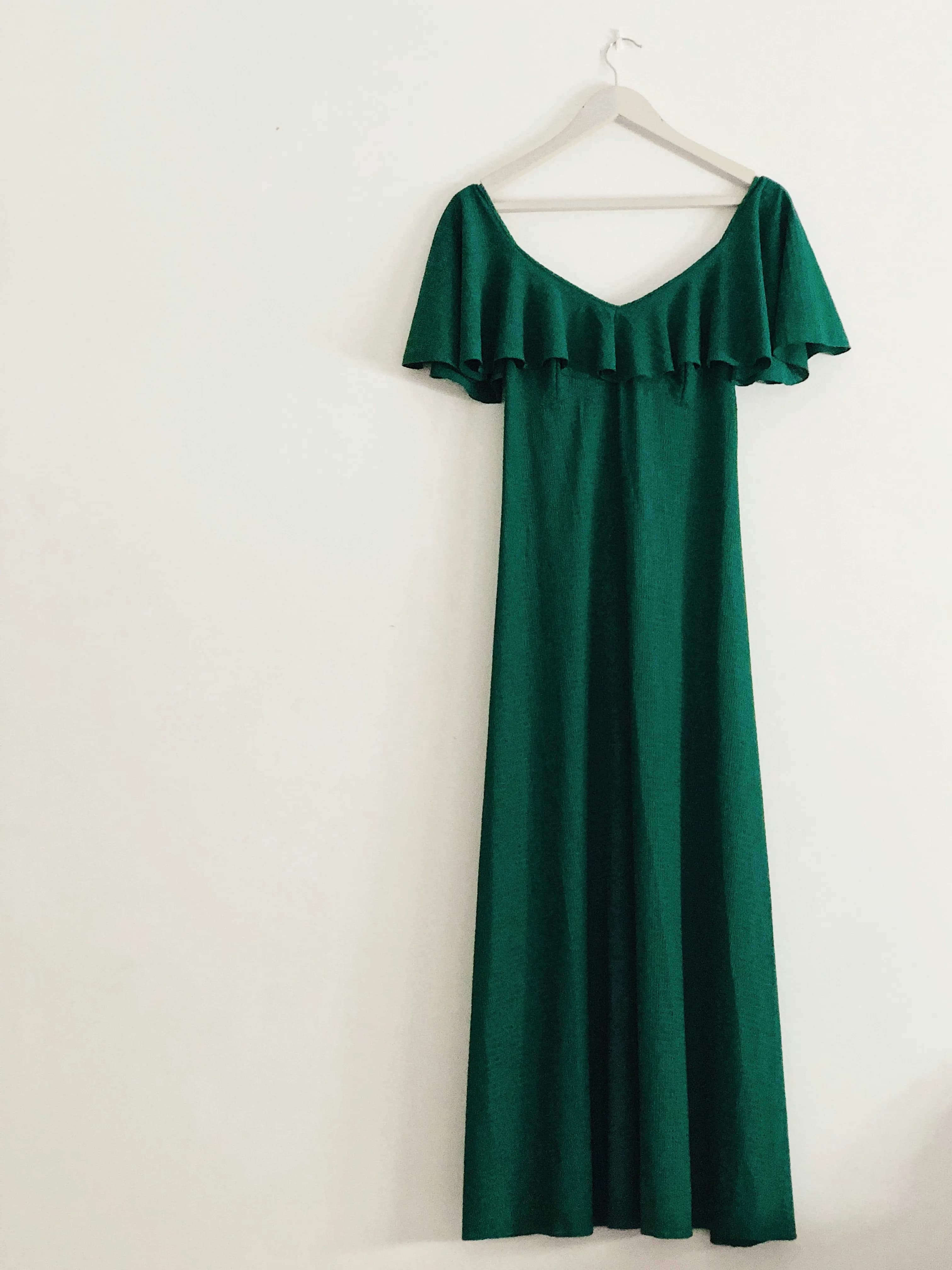
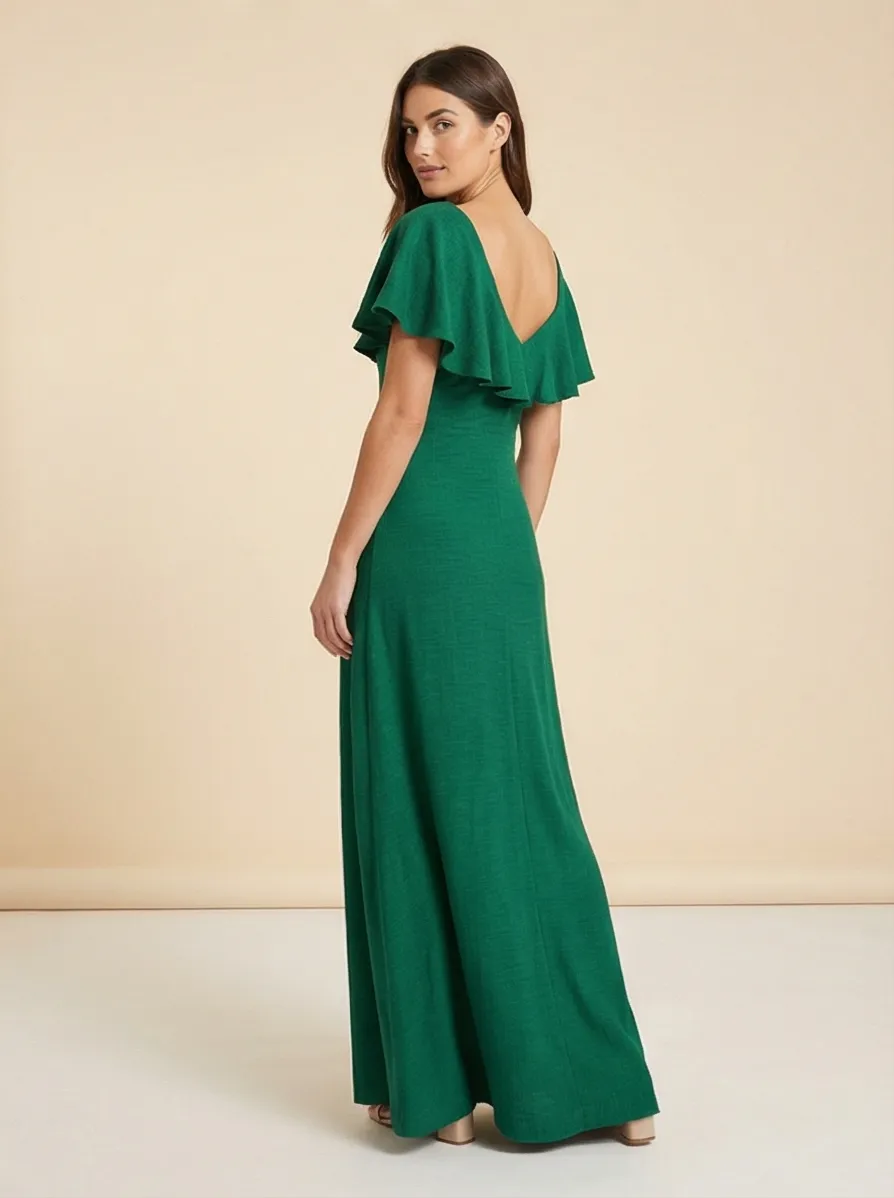
Neither tool handles apparel quite the same way. CreatorKit places products on template backgrounds — solid and lifestyle settings — but does not generate on-model presentations. Prodofoto's On-Model mode puts your product on an AI-generated human model directly, without any casting or photography. For clothing, shoes, and accessories, that difference shows up in conversion rates. Here is what that looks like.
Pricing Comparison
Prodofoto and CreatorKit use fundamentally different pricing models. Prodofoto runs on credit subscriptions billed through Shopify — no separate payment method needed. CreatorKit uses a generate-free/pay-per-download model with optional subscription tiers for unlimited downloads. Which model works better depends on your generation volume and how often you actually keep what you generate.
| Plan | Price | What you get | Shopify publish |
|---|---|---|---|
| Prodofoto Free | $0 | 10 one-time credits, up to 2 photos/gen | 1-click publish |
| Prodofoto Starter | $9.99/mo | 50 credits/mo, up to 4 photos/gen | 1-click publish |
| Prodofoto Pro | $29.99/mo | 200 credits/mo, 9 photos/gen, 2048×2048 px | 1-click publish |
| Prodofoto Business | $79.99/mo | 600 credits/mo, Copycat mode, multi-product scenes | 1-click publish |
| CreatorKit Free | $0 | Unlimited generation; pay per high-res download | Supported |
| CreatorKit Paid | Subscription — verify at creatorkit.com | Unlimited downloads, higher limits, video ads | Supported |
CreatorKit pricing changes periodically and is not always displayed publicly without sign-in — verify current plans and download costs at creatorkit.com before purchasing. Prodofoto is billed through Shopify; no separate payment method needed.
Which Tool Fits Your Store
Because both tools are native Shopify apps, the Shopify integration gap that defines most AI photography comparisons does not apply here. The decision comes down to three questions: What types of photos do you need? Does your product category benefit from on-model shots? And does your marketing depend on AI video ads?
Choose Prodofoto if:
- ✓You need on-model photos — your products are apparel, shoes, accessories, or anything wearable
- ✓You want five distinct shot types from one tool — catalog, lifestyle, on-model, infographic, and style-matched
- ✓You prefer a predictable monthly credit budget billed through Shopify rather than per-download charges
- ✓You want Copycat mode to maintain visual brand consistency across your catalog (Pro/Business)
- ✓You need up to 9 photos per product in one 60-second shoot without writing prompts
- ✓You want multi-product scenes for bundles or category imagery (Pro/Business)
Choose CreatorKit if:
- ✓AI video ads are central to your marketing and you want them generated directly from your product catalog
- ✓You prefer generating many variations and only paying for the ones you actually download and keep
- ✓You like browsing template scenes and picking the look rather than letting AI pick context automatically
- ✓Your product category does not require on-model presentation (home goods, electronics, drinkware, etc.)
- ✓You have occasional or unpredictable generation volume where pay-per-download is more cost-efficient than a monthly subscription
- ✓Social media ad creative — not just product photos — is your primary content need
The honest summary
This is the first comparison in this series where both tools are genuinely Shopify-native — catalog sync, Shopify billing, direct publish. The choice is not about workflow integration. It is about depth vs. flexibility. Prodofoto goes deep on shot types: five modes, up to 9 photos per shoot, on-model generation, infographic callouts, style matching. CreatorKit goes wide on ad creative formats: video ads, template variety, and a pricing model that lets you generate freely and pay only for what you keep. If your product requires on-model photography or infographic callouts, Prodofoto is the better fit. If AI video ads and a flexible pay-per-download model match your workflow, CreatorKit is worth trying first.
More Comparisons
Evaluating other tools? See how Prodofoto stacks up in the full AI product photography roundup.
- Prodofoto vs Pixelcut: Which AI Product Photography Tool Is Right for Your Shopify Store?
- Prodofoto vs Krea AI: Which AI Product Photography Tool Is Right for Your Shopify Store?
- Prodofoto vs Caspa AI: Which AI Product Photography Tool Is Right for Your Shopify Store?
- Prodofoto vs Photoroom: Which Is Better for Shopify Product Photos?
- Prodofoto vs Flair AI: Which AI Product Photography Tool Is Right for Your Shopify Store?
- Prodofoto vs Pebblely: Which AI Product Photo App Is Right for Your Shopify Store?
- AI Product Photography vs Traditional Photography: The Full Comparison
- AI Product Photography for Shopify: The Complete Guide
Five Shoot Modes, One Click to Publish
Prodofoto installs from the Shopify App Store in under 5 minutes. Pick a product from your catalog, choose a shoot mode — Product-Only, On-Model, Lifestyle, Infographic, or Copycat — and get up to 9 AI photos in about 60 seconds. Published directly to your product listing. No file downloads, no manual uploads, no developer.
Frequently Asked Questions
Is Prodofoto or CreatorKit better for Shopify?
Both are native Shopify apps, so the choice comes down to what you need. Prodofoto is better if you need a full commercial photography workflow — five shoot modes including on-model shots, lifestyle scenes, and infographic callouts, all generated in about 60 seconds and published to your listing in one click. CreatorKit is better if AI video ads are central to your marketing, or if you prefer a pay-per-download model rather than a monthly credit subscription. For merchants whose primary need is comprehensive product imagery across multiple shot types, Prodofoto's depth is the stronger fit.
Does CreatorKit have a Shopify app?
Yes. CreatorKit is available as a native app in the Shopify App Store, which makes it one of the few Shopify-native AI product photography tools. It connects to your Shopify catalog, lets you generate product photos and AI video ads using templates, and supports direct publishing back to your listings. This is a meaningful distinction from tools like Pixelcut, Flair AI, Caspa AI, and Pebblely, which have no native Shopify app and require manual file management.
What does CreatorKit actually do?
CreatorKit is an AI creative tool focused on ecommerce product content. Its core features include: AI product photo generation using templates (place your product on a generated background or in a lifestyle scene), AI video ad generation (short-form video ads from your product images), background removal, and a creative library for ad content. The workflow is template-driven — you browse scenes, apply your product, and download the result. CreatorKit emphasizes ad-ready content and video output more than multi-mode photoshoot depth.
How does CreatorKit pricing compare to Prodofoto?
CreatorKit and Prodofoto use different pricing models. CreatorKit offers a generate-free approach where you can create images at no cost but pay per download for high-resolution exports, or subscribe to a paid plan for unlimited downloads. Prodofoto uses credit-based subscription billing through Shopify: Free (10 one-time credits), $9.99/month Starter (50 credits), $29.99/month Pro (200 credits, up to 9 photos per shoot), and $79.99/month Business (600 credits, Copycat mode). The right model depends on your volume — pay-per-download works for occasional use, subscription credits work better for consistent high volume.
Can Prodofoto generate AI video ads like CreatorKit?
Yes — Prodofoto generates 5-second and 10-second product videos on all plans including the free tier. Both tools produce short-form video from product images. The distinction is in approach: Prodofoto generates video as part of a broader photoshoot workflow (same session that produces your stills), while CreatorKit has stronger dedicated video ad templates and formats designed for social media ad creative. If video ads are your primary use case, evaluate both tools' video output quality directly.
Does Prodofoto have more shoot modes than CreatorKit?
Yes. Prodofoto has five distinct shoot modes: Product-Only (clean catalog shots on elegant surfaces), On-Model (your product placed on an AI-generated human model), Lifestyle (full environmental scenes with matched lighting), Infographic (product shots with callout annotations), and Copycat (style-matched shoots from a reference image, on Pro/Business plans). CreatorKit is primarily template-based — you select a scene template and apply your product. It does not have a dedicated on-model mode or infographic generation. For breadth of shot types, Prodofoto covers more commercial photography scenarios.
Which tool is better for apparel and fashion Shopify stores?
Prodofoto's On-Model mode gives it a clear edge for apparel and fashion. On-model photos consistently outperform flat-lay shots for clothing conversion rates — Shopify's own research shows contextual, model-worn images increase purchase confidence. Prodofoto places your apparel product on an AI-generated human model without any casting, fitting sessions, or photographer fees. CreatorKit does not have a dedicated on-model generation feature. If your store sells clothing, shoes, accessories, or any wearable product, Prodofoto's On-Model mode is the strongest AI tool for that use case.
References
- CreatorKit — Official site and feature overview
- CreatorKit on Shopify App Store — App listing and reviews
- Prodofoto on Shopify App Store — Feature and plan overview
- Rewarx — Best AI Product Photography Tools Ranked for Ecommerce 2026
- Digital Applied — AI Product Photography Tools 2026 Guide
- Baymard Institute — Product image quality impact on conversion rates