AI Product Photography
Prodofoto vs Pebblely: Which AI Product Photo App Is Right for Your Shopify Store?
Pebblely and Prodofoto both have native Shopify apps and use AI to generate product photos — but they do very different things. Pebblely swaps backgrounds. Prodofoto shoots lifestyle scenes, places products on AI models, creates infographics, and publishes everything to your Shopify listings in one click. Here is what each tool actually does, where each falls short, and which fits your store.
By LinkedIn: Brian Chen • 9 min read• Published July 2, 2026

Quick Answer
Pebblelyis an AI background replacement tool with a Shopify app — it removes your product's background and replaces it with an AI-generated scene or color. Fast, clean, and good at what it does. Prodofoto is a full AI photo studio built into Shopify that covers five shoot modes — Product-Only, On-Model, Lifestyle, Infographic, and Copycat — generates up to 9 photos per shoot in about 60 seconds, and publishes them directly to your product listings. If you need on-model shots, lifestyle storytelling, or infographic callouts, Pebblely does not cover those. Prodofoto does.
What Each Tool Actually Does
The most important thing to know: both tools have native Shopify apps. That's where the similarity ends. Pebblely and Prodofoto are built around completely different models of what “AI product photography” means.
Pebblely's core capability is background replacement. You bring a product image, it removes the background and drops the product into an AI-generated scene — a wooden tabletop, a marble surface, a soft gradient, a lifestyle setting. It is good at this and does it quickly. What it does not do: place your product on a human model, build a full lifestyle narrative around the product, add text callouts or infographic overlays, or generate video.
Prodofoto starts from your Shopify product catalog and generates a complete set of photos inside Shopify admin — no file downloads, no uploads, no switching apps. Five shoot modes cover the full range of commercial product photography: clean catalog shots, on-model fashion presentation, lifestyle storytelling, infographic callouts, and style-matching from a reference image. Up to 9 photos per shoot, published to your listing in one click.
Prodofoto
A native Shopify app that generates full AI product photos inside your Shopify admin. Pick a product from your catalog, choose a shoot mode, and get up to 9 photos in about 60 seconds. Publish directly to your product listing without leaving Shopify. No file management, no prompting required, no developer.
Five shoot modes: Product-Only, On-Model, Lifestyle, Infographic, and Copycat. AI editing in plain English with full version history. 5s/10s video on all tiers. Billed through Shopify.
Pebblely
An AI background replacement tool with a native Shopify app. You upload a product image (or connect your catalog), Pebblely auto-removes the background and generates a new AI scene behind the product. Fast and clean for simple background swaps.
No on-model photos, no lifestyle scenes with environment storytelling, no infographic overlays, no video generation. Best suited for merchants who need clean background-replaced catalog images across a large product set.
The short version: Pebblely is a background tool that happens to connect to Shopify. Prodofoto is a full AI photo studio built inside Shopify. If background replacement is all you need, Pebblely covers it well. If you need lifestyle scenes, on-model shots, or infographics — or want to avoid any file management at all — Prodofoto is the broader solution.
Feature Comparison
The table below compares both tools on the features Shopify merchants care most about.
| Feature | Prodofoto | Pebblely |
|---|---|---|
| Native Shopify App | Yes — Shopify App Store | Yes — Shopify App Store |
| Shopify catalog sync | Yes — pulls from your products | Yes — imports product images |
| 1-click publish to listing | Yes — all plans | Limited — varies by workflow |
| Background replacement | Yes (Product-Only mode) | Yes — core feature |
| AI lifestyle scene generation | Yes — Lifestyle mode (full environments) | Partial — background scenes only, no prop placement |
| On-model photos | Yes — On-Model mode | No |
| Infographic / callout overlays | Yes — Infographic mode | No |
| Style matching (Copycat) | Yes — Copycat mode (Pro/Business) | No |
| Video generation | Yes — 5s/10s on all tiers | No |
| AI image editing | Yes — plain English, version history | Limited |
| Photos per generation | Up to 9 (~60 seconds) | Varies by plan |
| Resolution | Free 512×512, Pro/Business 2048×2048 | Varies by plan |
| Multi-product scenes | Yes — 2–4 products (Pro/Business) | No |
| Billing | Shopify billing — no new card | Separate billing system |
Prodofoto: Strengths and Limitations
Prodofoto was built for one job: giving Shopify merchants professional product photos without photographers, studios, or file management. Everything runs inside Shopify admin.
Pick a product from your catalog, choose a shoot mode, and get up to 9 photos back in about 60 seconds. One click publishes the result directly to your product listing. No downloading, no uploading, no switching between apps. For a merchant with 50 or 500 products on Shopify, that integration compounds fast — what would take hours in a separate tool takes minutes here.
The five shoot modes cover the full range of commercial product photography scenarios. Product-Only generates clean catalog shots on elegant surfaces — the Pebblely use case, but built into the same app as everything else. On-Model places your product on an AI-generated human model — no casting, no fitting sessions, no model fees. Lifestyle creates a full real-world scene with matched lighting and environment. Infographic adds callout annotations directly on the photo — great for tech products and supplements. Copycat (Pro/Business) replicates a reference image's visual style across your catalog for brand consistency.
AI editing is one of the more useful features. After a shoot, type a plain-English instruction — “make the background warmer,” “remove the shadow on the left,” “add a marble surface” — and get a revised version in seconds. Every edit creates a new version in history, so you're never starting over when one detail is off.
The limitation: Prodofoto is Shopify-only. If you sell across multiple channels and want a single image workflow, Prodofoto handles only the Shopify side. And like all auto-generation tools, the AI picks scene style for you — you do not compose each shot by hand the way you would in a canvas-based tool.
Pricing
Free (10 credits), $9.99/mo Starter, $29.99/mo Pro, $79.99/mo Business
Best for
Shopify merchants who need lifestyle, on-model, and catalog shots — all published to their store without any file management
Limitations
Shopify-only; AI selects scene composition for you; no cross-platform workflow
Pebblely: Strengths and Limitations
Pebblely does background replacement well. You upload a product image — or connect your Shopify catalog through the app — and Pebblely automatically removes the original background and generates a new AI-created scene behind the product. The tool offers a range of background styles: solid colors, gradients, lifestyle tables, seasonal settings, and abstract textures.
For merchants whose main need is clean product images with varied backgrounds — think tabletop goods, packaged products, accessories — Pebblely delivers a lot of throughput at a reasonable price. The free plan is generous, and the paid tiers scale to high image volumes without requiring a big monthly commitment.
The ceiling becomes visible when you need anything beyond a background swap. There is no on-model feature — so for apparel, footwear, jewelry, or accessories that benefit from being shown on a human, you are still without a solution. There are no lifestyle scenes where the product sits within a full narrative environment, no props, no environmental storytelling. There is no infographic mode for adding callouts to the image. No video. And AI editing after generation is limited.
Multiple ecommerce review sites note that Pebblely works best as a complementary tool — fast background replacement for catalog shots, used alongside other tools for richer content types. If Shopify is your main channel and you need lifestyle images or on-model presentation, you will be reaching for a second tool, which adds both cost and workflow friction.
Pebblely's pricing varies across sources — check pebblely.com for current plans. Approximate 2026 tiers: a free plan (~40 images per month), Lite (~$9/mo, ~30 images), Basic (~$19/mo, ~200 images), and Pro (~$39/mo, ~500 images). The free plan is a genuine trial tier, not a teaser.
Pricing
Free (~40 images/mo), ~$9/mo Lite, ~$19/mo Basic, ~$39/mo Pro — verify at pebblely.com
Best for
Merchants who need fast, high-volume background replacement for packaged goods, tabletop products, or accessories — and do not need on-model or lifestyle scenes
Limitations
Background replacement only; no on-model; no lifestyle storytelling; no infographics; no video; limited AI editing
What Prodofoto's On-Model Mode Actually Generates
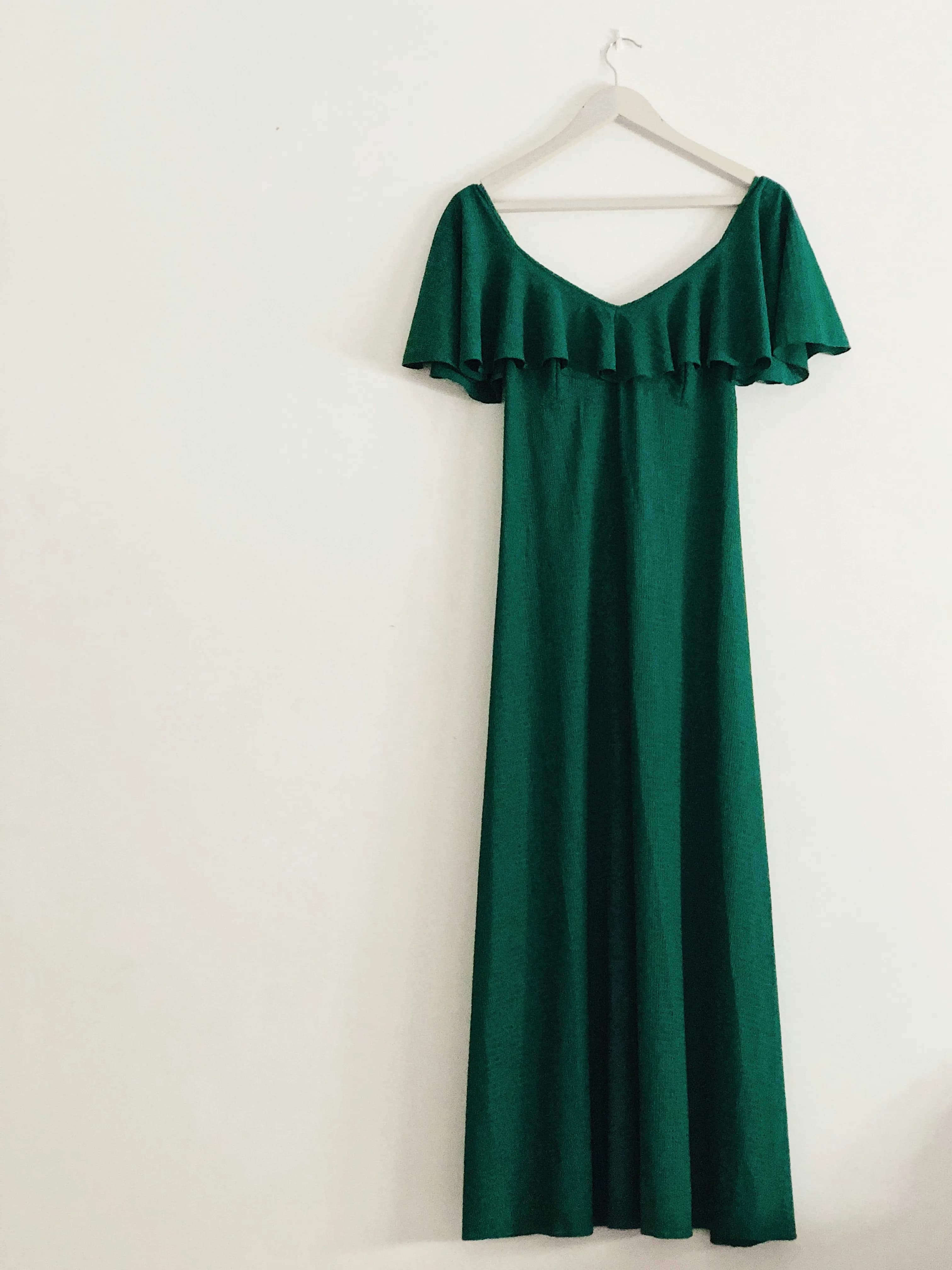
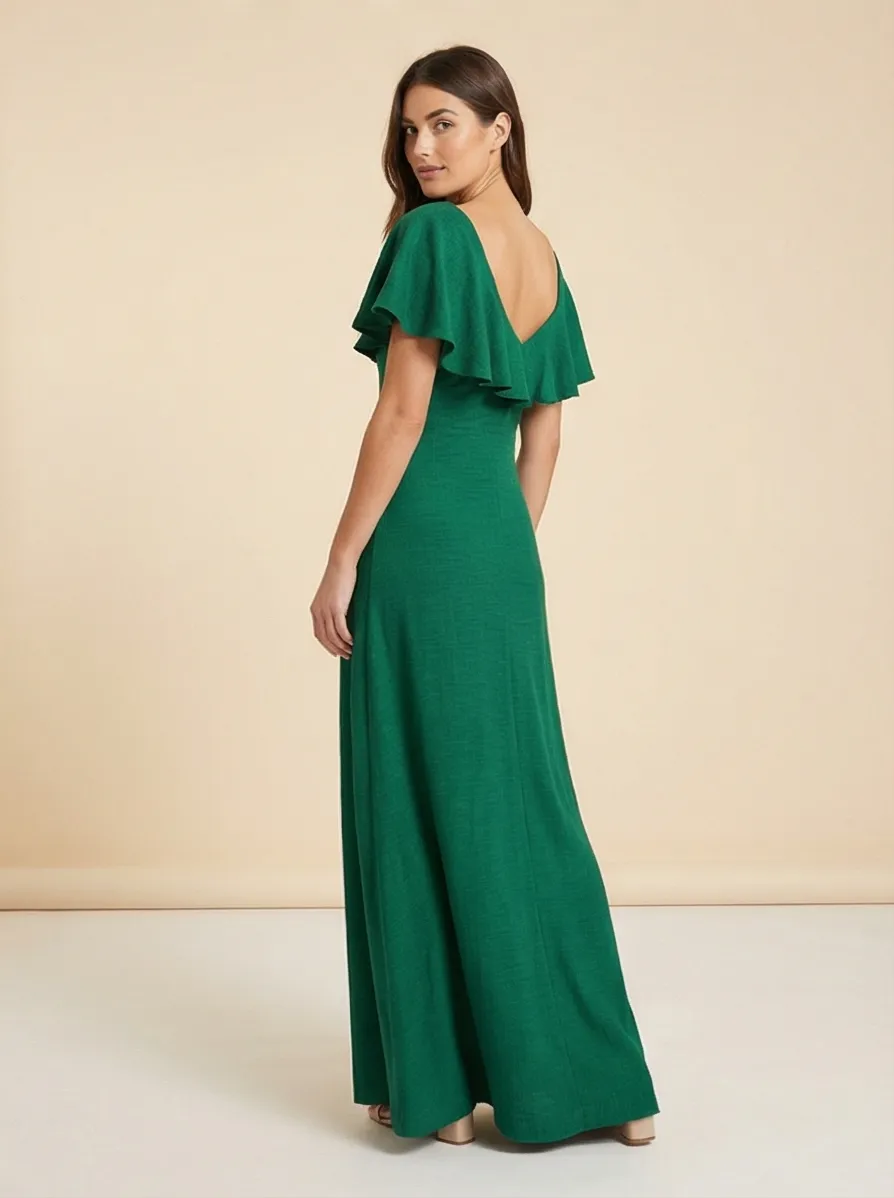
For apparel and fashion, the difference between a background-swapped product image and an on-model lifestyle photo is not just aesthetic — it changes how shoppers perceive fit, drape, and scale. Pebblely can put a dress on a cleaner background. Prodofoto puts it on a model. Here is what that looks like.
Pricing Comparison
Both tools have free tiers, but the value calculus differs. With Pebblely, you are paying per background-replaced image. With Prodofoto, each credit can generate up to 9 photos across 5 different shoot modes — so the per-image cost often works out lower, and you get photo types Pebblely does not cover at all.
| Plan | Price | Photo output | On-model / Lifestyle |
|---|---|---|---|
| Prodofoto Free | $0 | 10 credits, up to 2 photos/gen | Yes |
| Prodofoto Starter | $9.99/mo | 50 credits/mo, up to 4 photos/gen | Yes |
| Prodofoto Pro | $29.99/mo | 200 credits/mo, 9 photos/gen, 2048×2048 px | Yes |
| Pebblely Free | $0 | ~40 images/mo | No |
| Pebblely Lite | ~$9/mo | ~30 images/mo | No |
| Pebblely Basic | ~$19/mo | ~200 images/mo | No |
| Pebblely Pro | ~$39/mo | ~500 images/mo | No |
Pebblely pricing is approximate and may change — check pebblely.com for current plans. Prodofoto is billed through Shopify, so no separate payment method is needed.
Which Tool Fits Your Store
The decision comes down to what types of product photos your store actually needs — and whether background replacement alone is enough to move shoppers to buy.
Choose Prodofoto if:
- ✓You sell apparel, footwear, or accessories that benefit from on-model presentation
- ✓You need lifestyle storytelling — products in real-world environments, not just on different backgrounds
- ✓You want photo types beyond background replacement: infographics, video, style-matched shoots
- ✓You want photos generated and published without touching a single file
- ✓You want everything billed through Shopify (no new card)
- ✓You need up to 9 photos per product in 60 seconds, across 5 different shot types
Choose Pebblely if:
- ✓Background replacement is your main or only need
- ✓You sell packaged goods, drinkware, candles, or other products where tabletop backgrounds are enough
- ✓You need very high image volume (hundreds per month) at low per-image cost
- ✓You sell on multiple platforms and need a background tool that is not Shopify-specific
- ✓You are already using another tool for lifestyle and on-model photos and just need background variation
The honest summary
Pebblely is not a bad tool — for background replacement at volume, it does the job cleanly. But most Shopify merchants who land here are asking whether Pebblely is enough, and for most stores the answer is: not quite. A background-swapped product image is still a product-only image. Shoppers deciding whether to buy a dress, a jacket, or a bag want to see it worn, styled, and in context. Prodofoto covers that ground natively, in the same app, without any file management. If you only sell packaged goods where background aesthetics are the main variable, Pebblely is a legitimate choice. If your catalog needs more than that, Prodofoto is the fuller solution.
More Comparisons
Evaluating other tools? See how Prodofoto stacks up in the full AI product photography roundup.
- Prodofoto vs Photoroom: Which Is Better for Shopify Product Photos?
- Prodofoto vs Flair AI: Which AI Product Photography Tool Is Right for Your Shopify Store?
- Prodofoto vs Claid.ai: Which AI Product Photography Tool Is Right for Your Shopify Store?
- AI Product Photography vs Traditional Photography: The Full Comparison
- AI Product Photography for Shopify: The Complete Guide
Five Shoot Modes, One Click to Publish
Prodofoto installs from the Shopify App Store in under 5 minutes. Pick a product from your catalog, choose a shoot mode — Product-Only, On-Model, Lifestyle, Infographic, or Copycat — and get up to 9 AI photos in about 60 seconds. Published directly to your product listing. No file downloads, no manual uploads, no developer.
Frequently Asked Questions
Is Prodofoto better than Pebblely for Shopify?
For merchants who need more than background replacement, yes. Both tools have native Shopify apps, but they solve different problems. Pebblely swaps product backgrounds with AI-generated scenes — it is fast and clean for simple catalog shots. Prodofoto generates full lifestyle photos, places products on AI-rendered human models, creates infographic-style callout images, and publishes results directly to your Shopify product listings in one click. If you sell apparel, home goods, or anything that benefits from lifestyle context or on-model presentation, Prodofoto covers significantly more ground.
Does Pebblely have a Shopify app?
Yes. Pebblely has a native app in the Shopify App Store. You can install it directly and use it to generate AI backgrounds for your product images. The core workflow is: the app pulls product images from your catalog, you pick a background style, and Pebblely generates a new version with the background replaced. It does not generate on-model photos, lifestyle scenes with environments, infographic callouts, or video.
What does Pebblely actually do?
Pebblely is an AI background replacement tool for product photography. You upload a product image (or connect your Shopify catalog), Pebblely removes the original background and replaces it with an AI-generated scene — a tabletop, a lifestyle setting, a gradient, or a plain color. It works well for clean catalog shots and basic scene backgrounds. It does not place products on human models, generate full lifestyle storytelling environments, create infographic overlays, or produce video content.
Can Pebblely generate on-model product photos?
No. As of mid-2026, Pebblely does not have an on-model feature. It replaces backgrounds around the product but does not place the product on an AI-generated human model. Prodofoto has a dedicated On-Model shoot mode that places your product on an AI-rendered model and publishes the result to your Shopify listing in one click — no model casting, no fitting sessions, no downloads.
What is the main difference between Prodofoto and Pebblely?
Scope. Pebblely specializes in one thing: swapping product backgrounds. It does that one thing well. Prodofoto covers five distinct shoot modes — Product-Only, On-Model, Lifestyle, Infographic, and Copycat — generates up to 9 photos per shoot in about 60 seconds, includes AI editing in plain English with full version history, supports 5s/10s video on all tiers, and publishes directly to your Shopify product listings. Pebblely is a background tool. Prodofoto is a full AI photo studio built into Shopify.
Is Pebblely cheaper than Prodofoto?
Pebblely has lower entry pricing, but the cost story depends on what you actually need. Pebblely's free plan gives roughly 40 images per month; paid plans start around $9/month for ~30 images and go up to ~$39/month for ~500 images. Prodofoto's free plan gives 10 credits with no time limit, and paid plans start at $9.99/month. The real question is whether Pebblely's background-only output covers your needs — if you also need on-model photos, lifestyle scenes, or infographics, those would require separate tools or workflows that add cost Pebblely's subscription does not include.
Which tool is better for high-SKU Shopify stores?
Prodofoto scales better for high-SKU catalogs that need diverse photo types. Because it reads directly from your Shopify product catalog and publishes finished photos back to listings in one click, processing a large catalog is a straightforward workflow. Pebblely also connects to Shopify, but its output is limited to background-replaced images — if your catalog needs lifestyle context, on-model shots, or infographics alongside clean catalog images, you will need to combine Pebblely with other tools, which adds complexity and cost at scale.
References
- Pebblely — Official site and pricing
- Prodofoto on Shopify App Store — Feature and plan overview
- Nightjar — 10 Best AI Product Photography Tools in 2026 (independent comparison)
- Rewarx — Best AI Product Photography Tools Ranked for Ecommerce 2026
- Digital Applied — AI Product Photography Tools 2026 Guide
- Baymard Institute — Product image quality impact on conversion rates