Comparisons
Prodofoto vs Leonardo AI: Which Is Better for Shopify Product Photography?
LinkedIn: Brian Chen • 9 min read• July 9, 2026

Quick Answer
Leonardo AI has 30M+ users and a Product Photography Blueprint that places products into new scenes — but it has no native Shopify App Store listing. Every image requires a manual download and upload to your store. Prodofoto is a native Shopify app that generates lifestyle photos, on-model shots, and infographics from your actual product image and publishes directly to your listing with one click. For Shopify merchants who need catalog-scale photography, Prodofoto is the purpose-built choice.
Leonardo AI is one of the most capable AI image platforms available. Acquired by Canva in July 2024, it now claims 30 million+ users and has generated over 4.5 billion images. Its Product Photography Blueprint is purpose-built for ecommerce: upload a product, choose a scene reference, and it generates the product in that setting while preserving design fidelity.
But capability and workflow are different problems. Shopify merchants don't just need great-looking images — they need images attached to specific product listings, across a catalog that changes. Leonardo AI has no Shopify App Store listing. Every image you generate requires a separate download step and a manual upload to your Shopify media library. For a 10-SKU store, that might be manageable. Multiply it by 50 SKUs and 6 images each, and you have 300 files to manage outside your Shopify workflow.
Prodofoto is built for exactly this. It pulls your products directly from your Shopify catalog, generates photos across five shoot modes, and publishes them to your listing with one click. The entire workflow lives inside Shopify Admin.
Tool Overview
Leonardo AI
- Users
- 30M+ (acquired by Canva, 2024)
- Pricing
- Free (150 tokens/day); Apprentice $12/mo; Artisan $24/mo; Maestro $48/mo
- Best For
- Creative campaigns, brand concept imagery, editorial product shots, mood boards
- Limitations
- No Shopify App Store listing; manual download and upload for every product image; no on-model mode
Prodofoto
- Platform
- Native Shopify App (App Store)
- Pricing
- Free (10 credits); Starter $9.99/mo; Pro $29.99/mo; Business $79.99/mo
- Best For
- Shopify catalog photography at scale, on-model shots, 1-click publish
- Limitations
- Shopify-specific; requires a clean product photo as input
Feature Comparison
| Feature | Leonardo AI | Prodofoto |
|---|---|---|
| Shopify App Store listing | None | Yes — native app |
| 1-click Shopify publish | None — manual download/upload | Yes |
| Uses your actual product image | Yes — Blueprint preserves design | Yes — preserves your product |
| Logo and label fidelity | Generally preserved in Blueprint mode | Preserved from source image |
| Lifestyle scene generation | Yes (prompt + reference image) | Yes (5 shoot modes) |
| On-model photos | No dedicated mode — manual prompting | Yes — dedicated On-Model mode |
| Infographic / text-overlay mode | No | Yes — Infographic mode |
| Shopify catalog sync | No | Yes — pulls from your catalog |
| Image output resolution | Up to 1472×1472 (standard); higher with upscaling | Up to 2048×2048 (Pro/Business) |
| AI editing after generation | In-platform editing tools | Natural language edits + version history |
| Free tier | Yes (150 tokens/day) | Yes (10 one-time credits) |
| Shopify billing | No — separate Leonardo AI subscription | Yes — charged through Shopify |
| Multi-product scenes | Custom prompting only | Yes (Pro/Business) |
| Video from photo | No | Yes — 5s/10s video (all plans) |
| Platform availability | Web app (via Canva ecosystem) | Shopify Admin (native) |
Pricing Comparison
| Tier | Leonardo AI | Prodofoto |
|---|---|---|
| Free | Free (150 tokens/day) | Free (10 credits, one-time) |
| Entry paid | Apprentice $12/mo (8,500 tokens) | Starter $9.99/mo (50 credits) |
| Mid tier | Artisan $24/mo (25,000 tokens) | Pro $29.99/mo (200 credits) |
| High volume | Maestro $48/mo (60,000 tokens) | Business $79.99/mo (600 credits) |
| 50-SKU catalog | Manual download + upload per product | 1-click publish per product |
| Shopify billing | No — separate subscription | Yes — charged through Shopify |
Workflow Comparison
For Shopify merchants, the image generation step is only part of the job. The other part is getting the right image onto the right product listing. Here is how the two workflows compare for a single product.
Leonardo AI (9 steps)
- Log in to leonardo.ai (separate from Shopify)
- Navigate to the Product Photography Blueprint
- Upload your product image
- Select or upload a scene reference image
- Configure prompt and generation settings
- Generate and wait for images
- Review outputs and select the best
- Download selected images to your computer
- Open Shopify Admin, navigate to the product, upload media, and match to listing
Prodofoto (5 steps)
- Open Prodofoto in Shopify Admin
- Select a product from your catalog
- Choose a shoot mode: Lifestyle, On-Model, Product-Only, Infographic, or Copycat
- Generate — get up to 9 photos in 60 seconds
- Click publish — photo goes directly to your Shopify listing
At 10 products, the Leonardo AI workflow adds roughly 90 extra steps versus Prodofoto. At 100 products, it's 900. The gap is not about image quality — it's about operational cost.
Before & After: What AI Product Photography Looks Like
The before image is what most Shopify merchants start with: a clean white-background product shot, usually from a supplier. The after image shows what Prodofoto generates in 60 seconds from that same input.
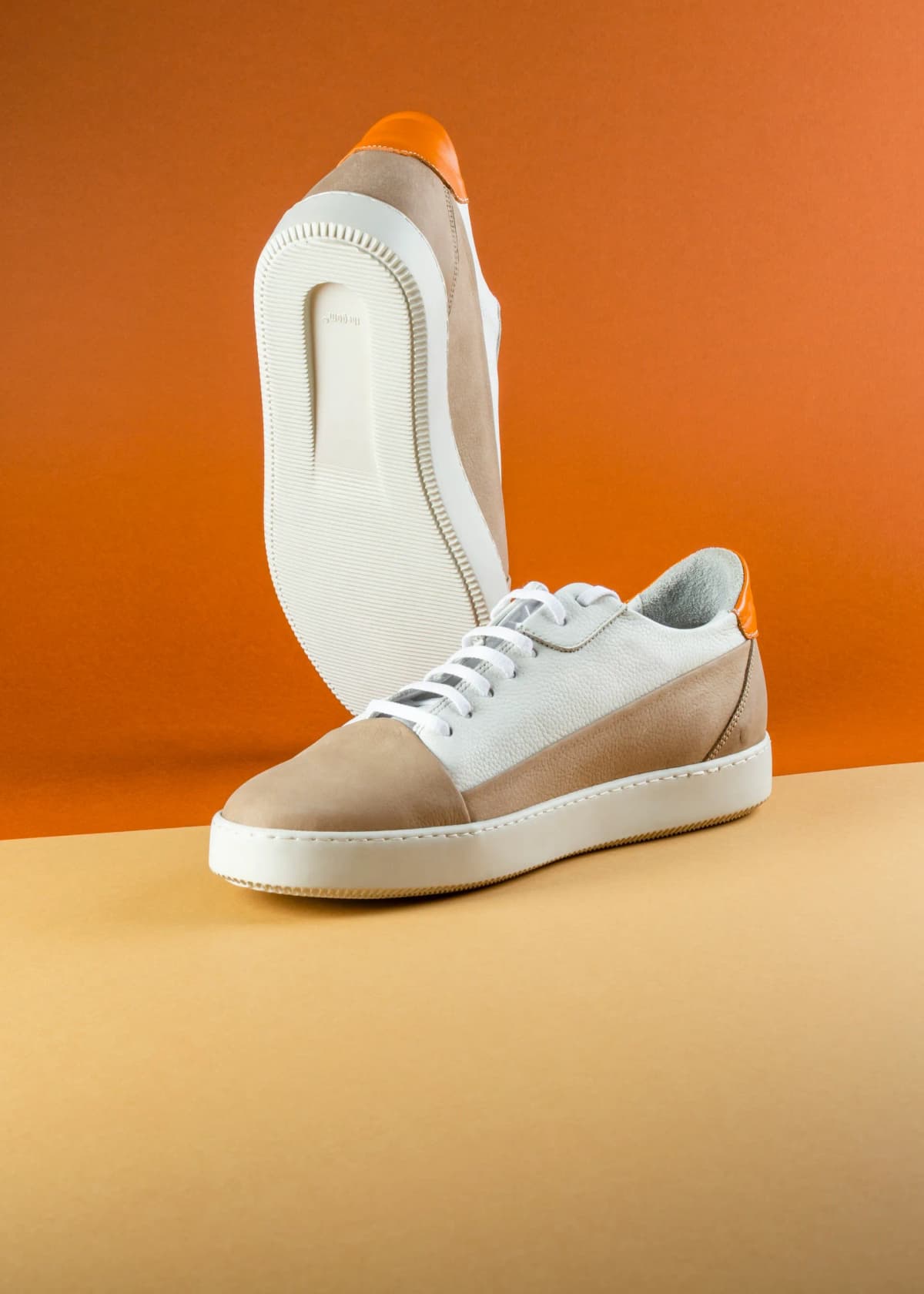
Before: Supplier photo
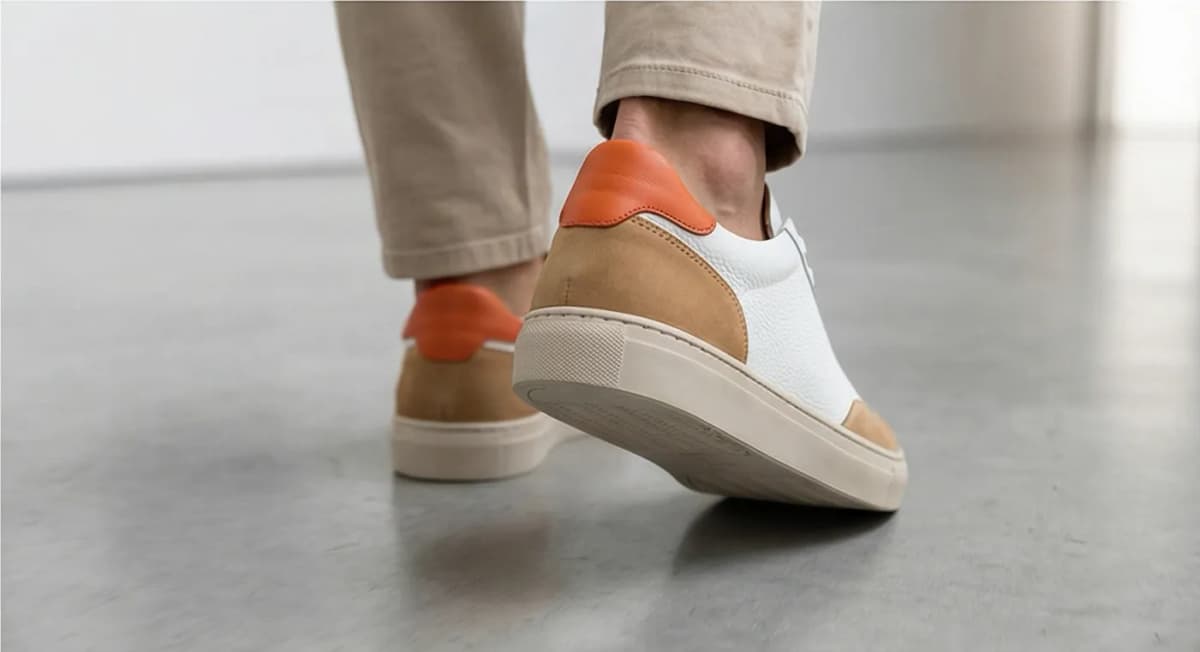
After: Prodofoto Lifestyle
Which Tool Fits Your Store
Choose Leonardo AI if...
- You need creative campaign imagery where artistic quality matters more than Shopify integration
- You want granular control over AI generation (LoRA fine-tuning, Alchemy Refiner, PhotoReal v2, custom models)
- You're creating editorial or mood board content that won't go directly into product listings
- You already have a production workflow that includes a dedicated asset management and upload step
Choose Prodofoto if...
- You need photos published directly to Shopify product listings without a separate download/upload step
- You want on-model shots, lifestyle scenes, infographics, and product-only photos from one native app
- You're working with 10–10,000 SKUs and need scalable catalog photography
- You want Shopify billing integration and one-click results without leaving your Shopify admin
Generate Your First AI Product Photo
Prodofoto is free to install. Your first 10 credits cover 10 full product shoots — up to 9 photos per product, published directly to your Shopify listing. No download, no upload, no external workflow.
Install Prodofoto Free on ShopifyRelated: The Complete Guide to AI Product Photography for Shopify · Best AI Product Photography Tools for Shopify in 2026 · Prodofoto vs Midjourney · Prodofoto vs Adobe Firefly · Prodofoto vs Krea AI
Frequently Asked Questions
Does Leonardo AI have a Shopify app?
No. As of mid-2026, Leonardo AI has no native Shopify App Store listing. You can connect it to Shopify through third-party automation tools like Make.com, but every image still requires a separate download step and manual upload to your store. Prodofoto installs directly from the Shopify App Store and publishes generated photos with one click.
How many users does Leonardo AI have?
Leonardo AI reported 19 million users at the time of its Canva acquisition in July 2024, growing to an estimated 30 million+ by mid-2026. The platform has generated over 4.5 billion images across all use cases.
What is Leonardo AI's Product Photography Blueprint?
Leonardo AI's Product Photography Blueprint is a pre-configured workflow on the platform that places your product into a new scene while attempting to preserve the original design's visual identity. You upload a product image and a reference scene image, then generate the result. It requires a Leonardo AI account and manual download of outputs.
How much does Leonardo AI cost per image?
Leonardo AI uses a token system. The free plan gives 150 tokens per day. Paid plans range from $12/month (Apprentice, 8,500 tokens) to $48/month (Maestro, 60,000 tokens). Token cost per image varies by generation settings — standard resolution uses roughly 8-15 tokens per image.
Can I use Leonardo AI images in Google Shopping product listings?
Yes, AI-generated product images are allowed in Google Shopping provided the product is physically available for purchase. The product in the image must match what the shopper actually receives. Leonardo AI's Blueprint mode preserves product fidelity reasonably well, though you should review outputs carefully before submitting to Merchant Center.
How does Prodofoto compare to Leonardo AI for on-model shots?
Prodofoto has a dedicated On-Model mode that places your product on a realistic AI model in a contextual scene. Leonardo AI does not have a structured on-model mode — you can attempt on-model shots via custom prompts, but the workflow requires manual iteration and separate download/upload for each result. Prodofoto's On-Model mode is the faster, Shopify-native option.
Can I use both Leonardo AI and Prodofoto together?
Yes. Some merchants use Leonardo AI for creative campaigns, editorial concept images, and brand mood boards where artistic flexibility is the priority. Prodofoto handles catalog-ready product photography published directly to Shopify listings. The tools serve different use cases and can work alongside each other.
References
- Leonardo AI Pricing — leonardo.ai/pricing
- Canva Acquires Leonardo AI — TechCrunch, July 2024
- Product Page UX Research — Baymard Institute
- Product Photography Blueprint — Leonardo AI
- Prodofoto — Shopify App Store
- Ecommerce Product Image Statistics — GrabOn
- Product Photography Guide — Shopify Blog