Prodofoto vs Picsart: Which Is Better for Shopify Product Photography?

Quick Answer
Picsart is a photo editor with 150M+ monthly users and a Shopify app for batch background removal and image cleanup. It processes photos you already have — it does not generate new lifestyle scenes. Prodofoto is a native Shopify app that generates catalog-ready product photos from your real product image across five structured shoot modes and publishes them to your listings in one click. If you need to edit existing photos, Picsart helps. If you need new lifestyle scenes, on-model shots, or studio photography without a photoshoot, Prodofoto is built for that.
Picsart grew to 150 million monthly users by making photo editing genuinely accessible. Background removal, collage creation, AI filters, and batch-editing tools that once required desktop software are now available in a browser tab or mobile app. For ecommerce merchants, the Shopify-native Picsart app makes it easy to strip backgrounds and apply consistent edits across a product catalog.
But editing and photographing are different problems. Picsart makes existing photos cleaner. Prodofoto creates new photos from scratch — lifestyle scenes, on-model shots, studio setups, and product infographics generated from your existing product image in about 60 seconds. If your current product photos exist but need cleanup, Picsart is a solid fit. If you need photo contexts that don't exist yet, that's where the two tools diverge.
This comparison covers both tools honestly — what each does well, where each falls short for Shopify merchants, and which fits which store.
Tool Overview
Picsart
Prodofoto
Feature Comparison
| Feature | Picsart | Prodofoto |
|---|---|---|
| Shopify App Store listing | Yes — editing focused | Yes — photography focused |
| 1-click publish to Shopify | Via edited image export | Yes — built into app |
| Generates new scenes from product | No — edits existing photos | Yes — five shoot modes |
| Background removal | Yes — core feature, AI-powered | Yes — via Product-Only mode |
| Lifestyle scene generation | Limited — background swap only | Yes — dedicated Lifestyle mode |
| On-model product photos | Not available | Dedicated On-Model mode |
| Product infographics | Manual design tools | Dedicated Infographic mode |
| Competitor photo matching | Not available | Copycat mode (Pro/Business) |
| Batch image editing | Yes — strong batch editing | Up to 9 photos per shoot |
| AI image editing | Yes — filters, effects, retouching | Natural language AI editing |
| Product fidelity (logos, labels) | Preserved from source photo | Preserved from source photo |
| Product video | Video editing tools | 5s/10s video on all plans |
| Mobile app | Yes — iOS and Android | Runs in Shopify admin |
| Shopify billing | Separate subscription | Through Shopify admin |
What Prodofoto Does With a Plain Product Photo
Prodofoto starts from your actual product image and generates lifestyle scenes around it. The sneaker in the output is the same sneaker you uploaded — brand markings, colorway, and shape preserved exactly. No prompting, no downloads, one click to publish.
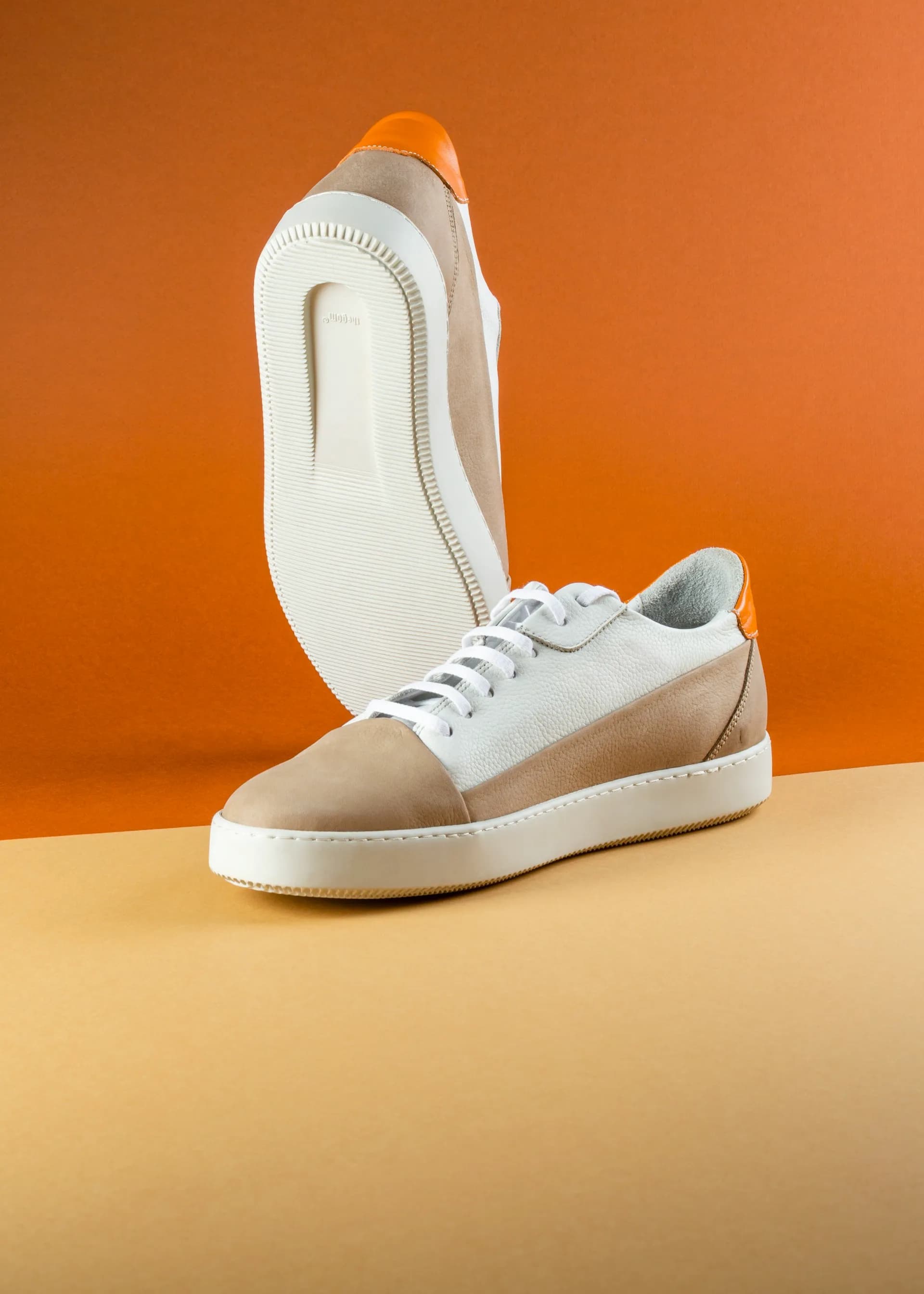
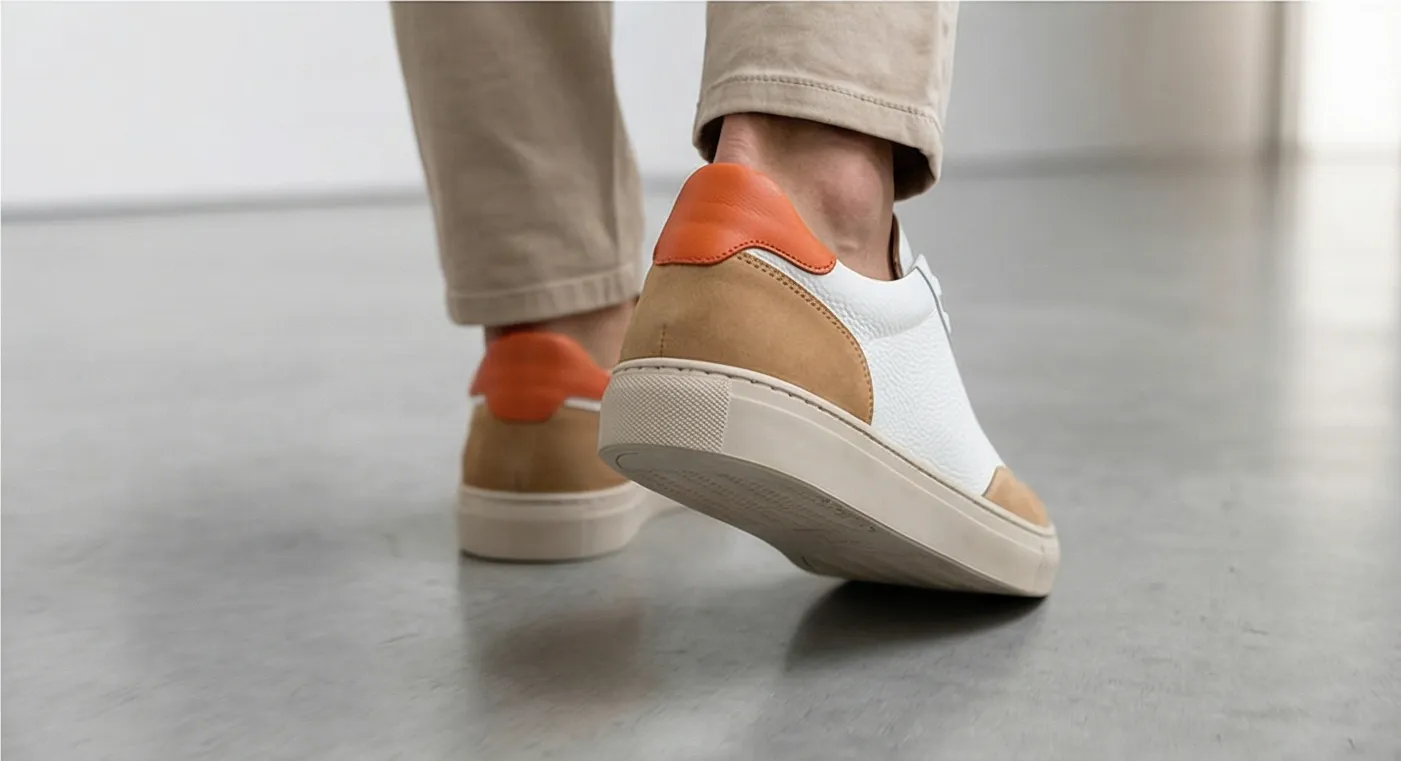
Left: original product photo. Right: Prodofoto Lifestyle mode — your actual product preserved, no prompting required.
What Picsart Does Well
Picsart's AI-powered background removal is genuinely fast and accurate. For merchants who have decent product photos but need clean, consistent white backgrounds across their catalog, it can process multiple images quickly without the precision work of manual masking in Photoshop.
Beyond backgrounds, Picsart's editing toolkit is wide: AI image effects, color correction, batch resizing, template-based social media graphics, and a collage builder. If a merchant needs to create consistent Instagram posts or email banners from existing product photos, Picsart covers it without requiring design experience.
The mobile app is also a real advantage — full editing on iOS and Android, not just a stripped-down version. For solo merchants managing their store from their phone, that flexibility matters.
Where Picsart Falls Short for Shopify Catalog Photography
Picsart is built around editing photos that already exist. It cannot generate a lifestyle scene from scratch — placing your product in a styled kitchen, an outdoor setting, or on an AI-generated model. Its "background replacement" feature swaps the background image, but the product placement, lighting integration, and scene coherence of Prodofoto's Lifestyle mode are fundamentally different from a cutout dropped onto a new background.
- •Cannot generate lifestyle scenes — only edits/replaces backgrounds of existing photos
- •No on-model shot generation — placing products on AI models is not available
- •No product infographic mode with feature callout lines
- •No Copycat mode to match competitor photo styles
- •Scene coherence in background swaps is lower than native scene generation
- •No structured shoot modes — every edit is manual or template-based
- •Not purpose-built for Shopify catalog photography workflows
For a fashion merchant who needs on-model shots of 30 clothing SKUs, Picsart has no answer. Booking models and a photographer costs thousands. Prodofoto's On-Model mode generates those shots from your existing flat product photos in under a minute, with 1-click publish to Shopify.
What Prodofoto Does Well
Prodofoto's five shoot modes cover the core product photography use cases for Shopify merchants, and none of them require prompting:
- ✓Product-Only: Clean white or neutral background, studio lighting. Your actual product, exactly as it looks.
- ✓On-Model: AI-generated models wearing or holding your product. No photoshoot booking, no model fees.
- ✓Lifestyle: Contextual scenes — kitchen counter, desk setup, outdoor setting. The product in the scene is your real product.
- ✓Infographic: Annotated product shots with feature callout lines. Converts well on detail-heavy products.
- ✓Copycat: Match a competitor's photo style. Pro/Business plans only.
After generating up to 9 photos in roughly 60 seconds, you click Publish and they appear in your Shopify product gallery. No downloading, no switching apps, no manual uploads. Your logo stays your logo, your label text stays your label text, across every single output.
Workflow Comparison
Picsart Workflow for Shopify Catalog Editing
- 1.Open Picsart (web or mobile app)
- 2.Upload your product photo
- 3.Use AI Background Remover to isolate product
- 4.Select or generate a new background
- 5.Apply filters, color corrections, or resize
- 6.Export the edited image to your device
- 7.Open your Shopify admin
- 8.Navigate to the product and upload the downloaded image
Prodofoto Workflow
- 1.Open Prodofoto inside Shopify admin
- 2.Select a product from your catalog
- 3.Choose a shoot mode
- 4.Generate up to 9 photos (~60 seconds)
- 5.1-click publish to your product listing
Pricing
| Plan | Picsart | Prodofoto |
|---|---|---|
| Free | Limited features, watermarks on exports | $0 (10 one-time credits) |
| Entry paid | ~$5/mo (Plus — removes watermarks, more AI credits) | $9.99/mo (Starter, 50 credits) |
| Mid | ~$13/mo (Pro — full AI features, priority processing) | $29.99/mo (Pro, 200 credits, 2048px) |
| Business | Custom team pricing | $79.99/mo (Business, 600 credits, 2048px) |
| Shopify integration | Included in Shopify app (background removal focus) | Included — 1-click publish |
Picsart pricing sourced from picsart.com. Prices marked with ~ are approximate and subject to change — verify at picsart.com before purchasing.
Which Tool Fits Your Store?
Choose Picsart if...
- →You have existing product photos that need background removal and cleanup
- →You create social media content from product photos and need design templates
- →You want a mobile-first editing tool for on-the-go catalog management
- →You need batch editing of existing images at a low price point
- →Your catalog photography already exists and just needs consistent polish
Choose Prodofoto if...
- →You need lifestyle scenes, on-model shots, or studio photos that don't exist yet
- →You sell physical products and want catalog-accurate photography at scale
- →You want photos published directly to Shopify listings without manual uploads
- →You need on-model shots, infographics, and lifestyle scenes without booking a shoot
- →Product fidelity — exact colors, logos, proportions — is required in every output
Try Prodofoto Free on Shopify
Start with 10 free credits. No subscription required. Your actual product preserved in every shot — logos, labels, colors exactly as they are. Generate your first AI product photos in under 60 seconds.
Install Prodofoto on ShopifySources
- Picsart — official website and pricing
- Picsart on the Shopify App Store
- Prodofoto on the Shopify App Store
- Baymard Institute: product image quality and ecommerce conversion
- GrabOn: product photography statistics for ecommerce conversion
- Shopify Help Center: adding and managing product images
- Rewarx: AI product photography trends and ecommerce signals 2026
Frequently Asked Questions
Can Picsart create Shopify product photos?
Picsart can clean up existing product photos — removing backgrounds, adjusting brightness, applying filters, and batch-editing multiple images at once. What it cannot do is generate a new lifestyle scene around your product. You start with a photo and end with an edited version of that photo. Prodofoto starts from your product image and generates entirely new scenes: studio backgrounds, lifestyle settings, on-model shots, and infographics.
Does Picsart have a Shopify app?
Yes. Picsart has a Shopify App Store listing (apps.shopify.com/picsart) focused on batch background removal and image editing. It is an editing layer on top of your existing photos, not a scene generator. Prodofoto is also a native Shopify app and focuses on generating new product photography from your existing images.
What is Picsart best known for?
Picsart built its 150M+ monthly user base on accessible photo editing: collage tools, background removal, filters, AI image effects, and social-media-ready templates. Its AI-powered background remover and batch editing tools are its strongest commerce features. It is a horizontal editing platform — not a product photography generator.
Can Picsart generate lifestyle scenes for products?
Not in the same way Prodofoto does. Picsart can remove a background and place your product on a new background image (including AI-generated ones), but it does not generate an integrated lifestyle scene where your product sits naturally inside a room, outdoor setting, or styled environment. Scene generation and product-in-context photography is Prodofoto's core function.
What is the main difference between Picsart and Prodofoto?
Picsart is an image editor — it processes and enhances photos you already have. Prodofoto is a product photographer — it generates new photo contexts around your existing product image. If your photos exist but need cleaner backgrounds or consistent edits, Picsart helps. If you need new lifestyle scenes, on-model shots, or studio-quality photos without a photoshoot, Prodofoto is built for that.
Is Picsart free?
Picsart has a free plan with watermarks and limited features. Paid plans include Picsart Plus (around $5/month) and Picsart Pro (around $13/month), with pricing subject to change — check picsart.com for current rates. Prodofoto also has a free tier with 10 one-time credits.
Which tool is better for Shopify merchants scaling a product catalog?
For generating new catalog photography at scale — lifestyle scenes, on-model shots, studio backgrounds — Prodofoto is the stronger fit. Its five structured shoot modes produce up to 9 photos per product in roughly 60 seconds, with 1-click publish to Shopify. Picsart is better for merchants who already have usable product photos and want to clean them up or add consistent AI editing at scale.