Prodofoto vs Remove.bg: Which Is Better for Shopify Product Photography?


Quick Answer
Remove.bg is the world's leading background removal tool — it cuts your product out of any photo in about 3 seconds, but it has no Shopify App Store listing, no lifestyle scene generation, and no 1-click Shopify publish. Prodofoto is a native Shopify app with five structured shoot modes (Product-Only, On-Model, Lifestyle, Infographic, Copycat), no prompting required, up to 9 photos per shoot in roughly 60 seconds, and 1-click publish directly to your Shopify product gallery. If you need background removal only, Remove.bg is excellent at it. If you need complete lifestyle photography without a photoshoot, Prodofoto is the choice.
Remove.bg launched in 2019 and quickly became the most-used background removal tool in the world, with over 1 billion backgrounds removed. Shopify merchants reach for it when they want to clean up a product photo — cut out the background, get the product on white, and move on.
But background removal is a different problem from product photography. Remove.bg takes your existing photo and removes what's behind your product. Prodofoto takes your existing product photo and generates entirely new visual contexts around it — lifestyle scenes, on-model shots, annotated infographics, studio product images. The output of Remove.bg is a cleaner version of a photo you already have. The output of Prodofoto is photography that didn't exist before.
This comparison covers both tools honestly. If all you need is clean cut-outs, Remove.bg does it better than anything else. If you need the kind of lifestyle photos that convert browsers into buyers — and you need them at catalog scale, inside Shopify — the comparison looks different.
Tool Overview
Remove.bg
Prodofoto
Feature Comparison
| Feature | Remove.bg | Prodofoto |
|---|---|---|
| Shopify App Store listing | No — web tool and API only | Yes — native Shopify app |
| 1-click publish to Shopify | No — manual download and re-upload required | Yes — built into app |
| Core function | Background removal and cut-outs | Full lifestyle scene generation |
| Uses your actual product image | Yes — extracts product from background | Yes — generates new scenes from it |
| Generates new backgrounds/scenes | No — only removes existing background | Yes — 5 structured shoot modes |
| Photos per session | 1 cut-out per upload | Up to 9 photos per shoot |
| Requires original photo quality | Yes — output is limited by input quality | Any clean product photo works |
| On-model product photos | Not available | Dedicated On-Model mode |
| Lifestyle scene generation | Not available | Dedicated Lifestyle mode |
| Product infographics | Not available | Dedicated Infographic mode |
| Competitor photo matching | Not available | Copycat mode (Pro/Business) |
| AI image editing | Not available | Natural language editing in Shopify |
| Product video | Not available | 5s/10s video on all plans |
| Shopify billing | No — separate Remove.bg account | Through Shopify admin |
What Prodofoto Does With a Plain Product Photo
Prodofoto uses your actual product image as input and generates complete new scenes around it — not a cleaner version of the same photo, but photography that did not exist before. Logos, colorways, proportions, and label text are preserved in every output. No prompting required, no downloading files, no manual uploads to Shopify.
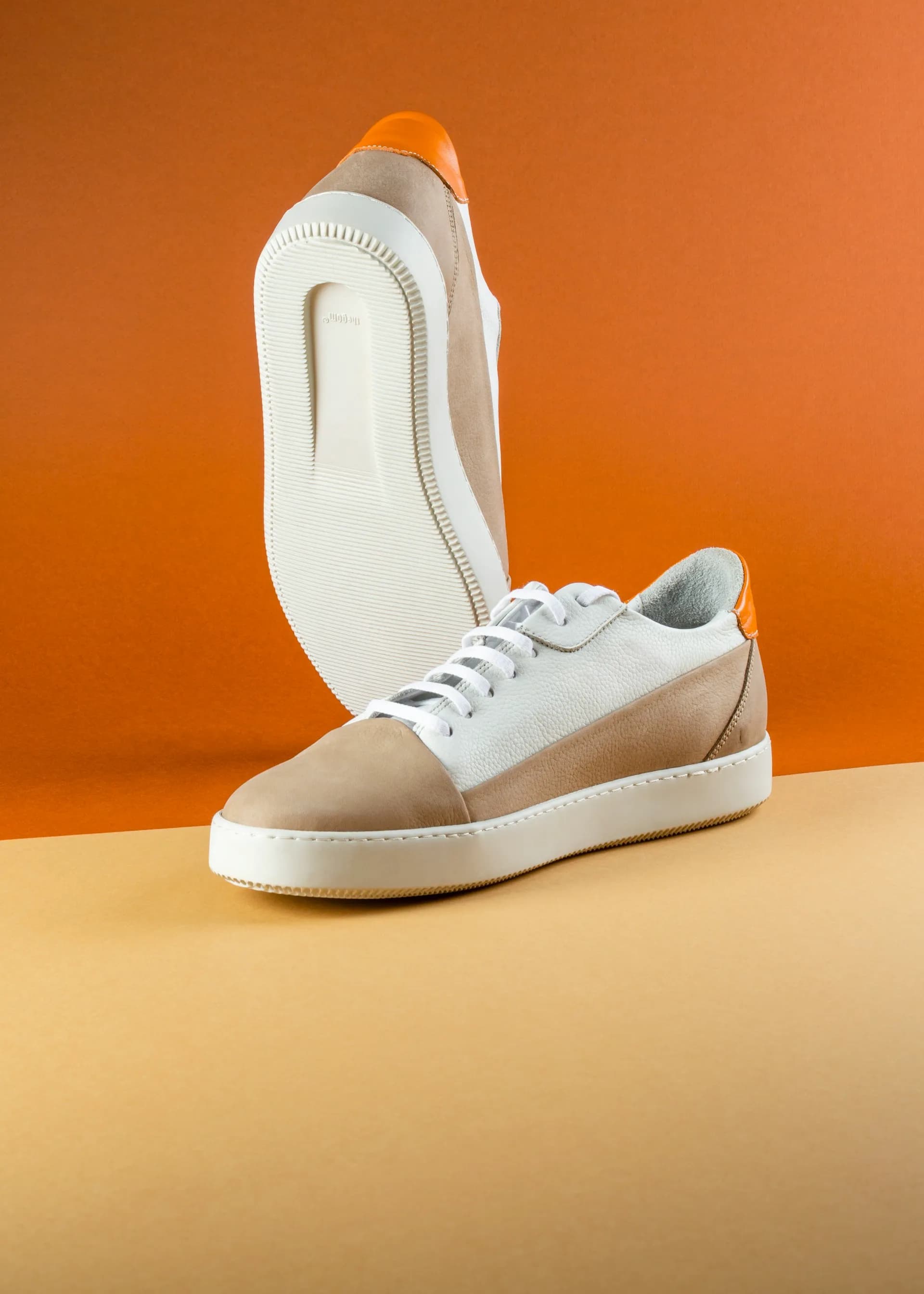
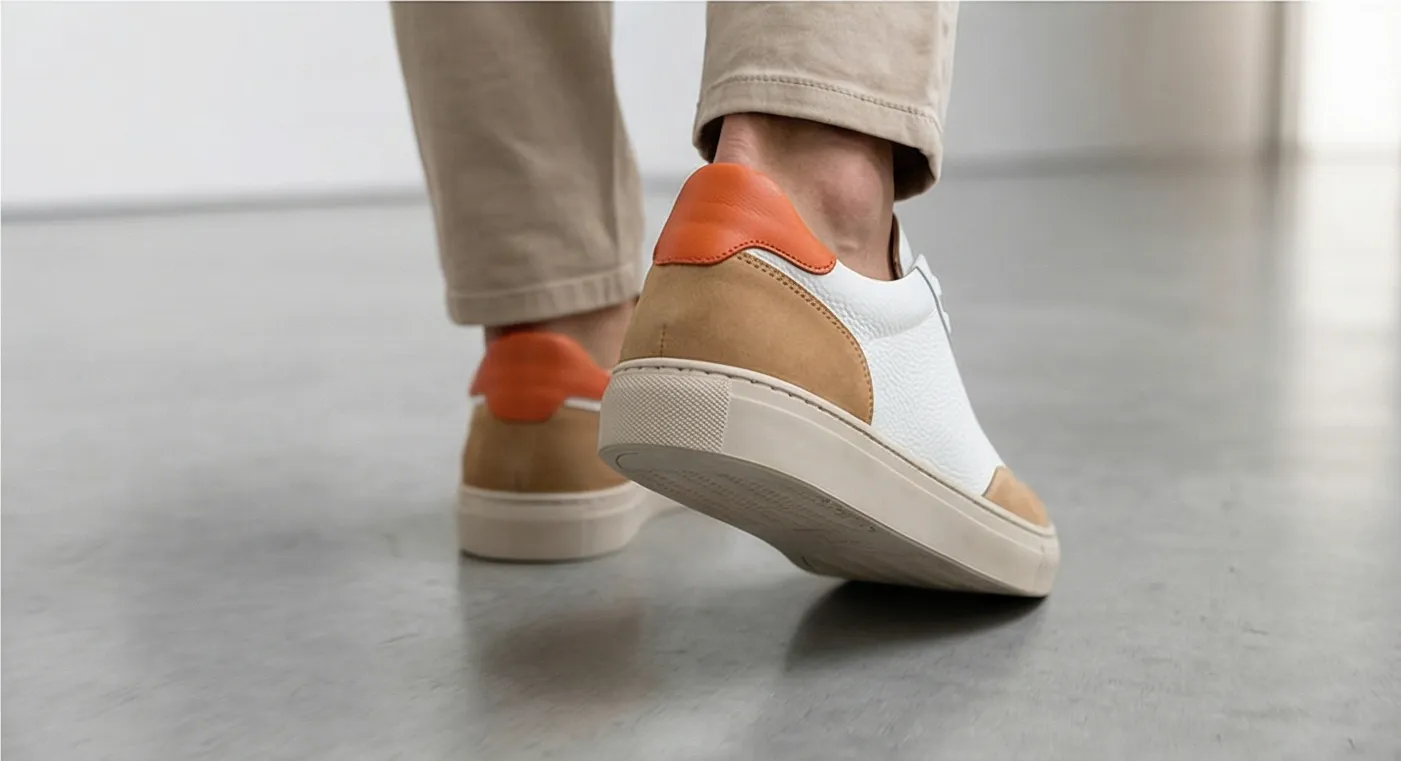
Left: original product photo. Right: Prodofoto Lifestyle mode — full new scene generated from your actual product, published to Shopify in one click.
What Remove.bg Does Well
Remove.bg is genuinely excellent at the one thing it does. The edge detection on complex subjects — fine hair, transparent packaging, mesh fabric, fur — is among the best available. For merchants who need fast, clean cut-outs from existing product photos, there is no faster path.
The API is a strong option for stores with hundreds of SKUs that need batch background removal. At roughly $0.20/image at scale, it's cost-effective for marketplace catalog cleanup — getting existing photos to white-background standard for Amazon, Google Shopping, or Shopify's own image requirements.
The free tier, while limited to standard resolution (0.25 megapixels — fine for preview, not for listing), lets you test the quality before committing. And the interface is as simple as it gets: drag a photo in, get a cut-out out.
Where Remove.bg Falls Short for Shopify Merchants
Background removal solves a narrow problem. It makes your existing photos cleaner. It does not create new photography. For merchants who want lifestyle images, on-model shots, or annotated product infographics, Remove.bg is not in that category — and no amount of background swapping will get you there.
- •No Shopify App Store native listing — connecting Remove.bg to Shopify requires a third-party automation service (Zapier, MESA) with its own setup and monthly cost
- •No lifestyle scene generation — Remove.bg delivers a transparent or white-background cut-out, nothing more
- •No on-model photos — placing your product on an AI model requires a different tool entirely
- •No product infographic mode — callout annotation lines for features are not a Remove.bg capability
- •Output quality is bounded by input quality — a poorly lit original still produces a poorly lit cut-out
- •No product video generation (5-second or 10-second clips)
- •No Shopify billing integration — a separate account and subscription outside Shopify to manage
- •1 image per upload — no multi-output per session
The deeper issue is that background removal assumes you already have a good product photo to work from. If your original photo was taken on your kitchen counter under bad lighting, cutting out the background produces a product on a white background under bad lighting. Prodofoto doesn't improve your original photo — it replaces the entire visual context with new photography built around your product.
What Prodofoto Does Well
Prodofoto's five shoot modes cover the core product photography use cases for Shopify merchants without any prompting or file management:
- ✓Product-Only: Clean studio shot on a white or neutral background. Your product, exactly as it looks — sharp, consistent, catalog-ready.
- ✓On-Model: AI-generated models wearing or holding your product. No booking, no model fees, no scheduling.
- ✓Lifestyle: Contextual scenes — kitchen counter, desk setup, outdoor setting. Your real product in the scene, not a generic placeholder.
- ✓Infographic: Annotated product shots with feature callout lines. Converts well on technical products and anything with multiple key features.
- ✓Copycat: Match a competitor's photo style. Pro/Business plans only.
Every output starts from your actual product image. Logos, label text, colorways, and product proportions are preserved exactly in every generated output.
After generating up to 9 photos in roughly 60 seconds, you click Publish and they go straight to your Shopify product gallery. No downloading. No switching tabs. No manual uploads. The AI editing layer lets you refine any output in plain English — "make the background warmer" or "add more contrast" — with full version history, all inside Shopify admin.
Workflow Comparison
Remove.bg Workflow
- 1.Get or take a product photo
- 2.Visit remove.bg in a browser tab
- 3.Upload your product image
- 4.Download the PNG cut-out to your computer
- 5.Open Shopify admin in another tab
- 6.Navigate to your product listing
- 7.Upload the downloaded cut-out manually
Prodofoto Workflow
- 1.Open Prodofoto inside Shopify admin
- 2.Select a product from your catalog
- 3.Choose a shoot mode
- 4.Generate up to 9 photos (~60 seconds)
- 5.1-click publish to your product listing
Pricing
| Plan | Remove.bg | Prodofoto |
|---|---|---|
| Free | Yes — standard resolution (0.25MP), unlimited removals | $0 (10 one-time credits, full resolution, no watermark) |
| Entry paid | ~$9/mo — 40 HD credits (~$0.23/image) | $9.99/mo (Starter, 50 credits, all shoot modes) |
| Mid | ~$39/mo — 200 HD credits (~$0.20/image) | $29.99/mo (Pro, 200 credits, 2048px resolution) |
| Business | Enterprise / API pricing for 100k+ images/year | $79.99/mo (Business, 600 credits, 2048px resolution) |
| Shopify billing | No — separate Remove.bg account | Yes — billed through Shopify admin |
Remove.bg pricing sourced from remove.bg/pricing. Verify current rates before purchasing — credit allocations and pricing tiers change periodically.
Which Tool Fits Your Store?
Choose Remove.bg if...
- →You already have high-quality product photos and need fast, accurate background removal before uploading to Shopify or a marketplace
- →You need bulk background removal at scale via API — hundreds or thousands of SKUs where the goal is consistent white-background images
- →Background cleanup is your only photography need and you have an existing manual workflow that works for your team
- →You want to feed clean cut-outs into another tool for compositing or design work
Choose Prodofoto if...
- →You need lifestyle photos, on-model shots, or product infographics — photography that doesn't exist yet, not just a cleaner version of what you have
- →You want 1-click publish directly to your Shopify product listings without manual file management
- →You need multiple photo styles per product — lifestyle, studio, on-model, and infographic — from a single product image
- →You want your product photography tool built into Shopify admin, billed through Shopify, and requiring no external accounts
- →Your original product photos are basic and you want AI to generate professional imagery around them, not just cut the background out
Try Prodofoto Free on Shopify
Start with 10 free credits — no subscription required. Your actual product preserved in every shot: logos, labels, colors exactly as they are. Select a shoot mode, generate up to 9 photos, and publish to your Shopify listing in one click.
Install Prodofoto on ShopifySources
- Remove.bg — background removal tool
- Remove.bg pricing page
- Remove.bg Shopify integration via MESA
- Prodofoto on the Shopify App Store
- Baymard Institute: product image quality and ecommerce conversion
- GrabOn: product photography statistics for ecommerce conversion
- Shopify: product photography guide for merchants
Frequently Asked Questions
Is Remove.bg available as a Shopify app?
No. Remove.bg is a web-based background removal tool and API — it is not listed on the Shopify App Store as a native app. To use Remove.bg with Shopify you need a third-party automation platform like Zapier or MESA to connect the two services, which requires additional setup and ongoing subscription costs. Prodofoto is a native Shopify App Store app that installs directly into your admin and publishes generated photos to your product listings in one click.
Does Remove.bg generate lifestyle photos?
No. Remove.bg removes the background from your product photo and delivers a cut-out — your product on a transparent or white background. It does not generate new scenes, environments, on-model shots, or lifestyle contexts. Prodofoto generates completely new photographic scenes around your product — lifestyle settings, AI-model shots, studio infographics, and competitor-style images — starting from your single source product photo.
How much does Remove.bg cost?
Remove.bg offers a free tier for standard-resolution (0.25 megapixel) background removals. Paid subscription plans start at approximately $9/month for 40 credits ($0.23/image) and $39/month for 200 credits ($0.20/image). API pricing runs approximately $0.20/image at standard resolution, with enterprise pricing for 100,000+ images/year. Prodofoto offers a free plan with 10 one-time credits, Starter at $9.99/mo (50 credits), Pro at $29.99/mo (200 credits), and Business at $79.99/mo (600 credits) — credits cover all five shoot modes including lifestyle, on-model, infographic, and product-only.
Do I still need a good original product photo when using Remove.bg?
Yes. Remove.bg cuts out your product from its existing background — the quality of the output depends entirely on the quality of your original photo. If your original photo is poorly lit, blurry, or low-resolution, the cut-out will have those same problems. Prodofoto uses your product photo as a starting point and generates entirely new imagery around it — replacing the scene completely rather than extracting from it. You need a reasonably clean product image to start, but the AI creates the entire visual context.
Can Remove.bg generate on-model product photos?
No. Remove.bg removes backgrounds — it does not place products on models, generate lifestyle settings, or create any new visual context. To get on-model photos, you still need a separate photoshoot. Prodofoto has a dedicated On-Model mode that uses your product image and generates AI models wearing or holding it — logos, colors, and proportions preserved, no booking required.
Which tool is better for a Shopify store with 50+ products?
For background removal at scale, Remove.bg's API is a strong option if your goal is catalog-ready white-background images with no new photography. But if you need lifestyle scenes, on-model shots, or infographic photos across 50+ SKUs, Prodofoto's five shoot modes, Shopify catalog sync, and 1-click publish are significantly faster — no downloading, no manual uploads, no external account to manage.
How many images does each tool produce per run?
Remove.bg produces one cut-out per upload. Prodofoto generates up to 9 photos per shoot on paid plans (Free = 2 photos; Starter and above = 4, 6, or 9 photos depending on plan). For merchants who need variety across their catalog or want to A/B test images, Prodofoto's multi-output model delivers significantly more options per dollar spent.