AI Product Photography
Prodofoto vs Pixelcut: Which AI Product Photography Tool Is Right for Your Shopify Store?
Pixelcut is a popular editing platform with 70 million users and powerful background removal, batch editing, and AI image cleanup tools. Prodofoto is a native Shopify app that reads your catalog, generates full lifestyle scenes and on-model photos, and publishes them to your listings in one click. Here is what each tool actually does, where each falls short, and which fits your store.
By LinkedIn: Brian Chen • 9 min read• Published July 4, 2026

Quick Answer
Pixelcut is a photo editing and enhancement tool — it excels at background removal, batch processing, and cleaning up product photos you already have. It has 70 million users but no native Shopify App Store listing. Prodofoto is a native Shopify app that generates full AI product photos from scratch — lifestyle scenes, on-model shots, clean studio images — and publishes them directly to your product listings in one click. If you need fast, batch background removal across a large catalog, Pixelcut is strong. If you need complete AI-generated product scenes published to Shopify without file management, Prodofoto is the Shopify-native choice.
What Each Tool Actually Does
The surface looks similar — both tools work with product images for ecommerce. But Pixelcut and Prodofoto solve different problems, and the distinction matters before you commit to either one.
Pixelcut is a photo editing and enhancement platform. Its core strength is fast, accurate background removal — upload a product image and the background is gone in seconds. From there, you can drop in a generated background, apply consistent styling across a batch of images, remove unwanted objects with the magic eraser, or add text and logo overlays. It works with photos you already have. If your manufacturer provides product shots on white backgrounds and you want to add lifestyle contexts, Pixelcut cleans and stages those existing images. It does not generate full scenes from scratch.
Prodofoto works the other way: it generates brand-new product photos from a single source image. Connect your Shopify catalog, pick a product, choose a shoot mode, and get up to 9 photos in about 60 seconds. No downloading, no uploading, no switching between apps. Five shoot modes cover the full range of commercial photography needs — clean catalog shots, on-model presentations, lifestyle environments, infographic callouts, and style-matched shoots from a reference image.
The critical workflow gap for Shopify merchants: Pixelcut has no native Shopify App Store listing. After editing in Pixelcut, you download every file and upload it manually to your Shopify product listings — the same extra steps as Flair AI, Caspa AI, Claid.ai, and Pebblely.
Prodofoto
A native Shopify app that generates full AI product scenes inside your Shopify admin. Pick a product from your catalog, choose a shoot mode, and get up to 9 photos in about 60 seconds. Publish directly to your product listing without leaving Shopify. No file management, no prompting, no developer.
Five shoot modes: Product-Only, On-Model, Lifestyle, Infographic, and Copycat. AI editing in plain English with version history. 5s/10s video on all tiers. Billed through Shopify.
Pixelcut
A photo editing and enhancement platform with 70 million users. Strong background removal, batch image processing, AI background generation, magic eraser, product image upscaling, and text/logo overlays. Available via browser and iOS/Android apps.
Workflow: edit product photos in Pixelcut's interface, download results, upload manually to Shopify listings. No native Shopify App Store listing, no catalog sync, no 1-click publish.
The short version: Pixelcut is a photo editor that makes existing product photos cleaner, faster, and more consistent. Prodofoto is a photo generator that creates new product scenes and publishes them to Shopify without any file handling. If you have product photos and need to clean them up, Pixelcut is strong. If you need to create photos and get them live on Shopify, Prodofoto covers that natively.
Feature Comparison
The table below compares both tools on the features Shopify merchants care most about.
| Feature | Prodofoto | Pixelcut |
|---|---|---|
| Native Shopify App | Yes — Shopify App Store | No — web + iOS/Android only |
| Shopify catalog sync | Yes — pulls from your products | No — manual upload per image |
| 1-click publish to listing | Yes — all plans | No — download then upload manually |
| AI scene generation | Yes — generates full new scenes | No — works with existing photos |
| AI lifestyle backgrounds | Yes — Lifestyle mode | Yes — AI background generation |
| On-model photos | Yes — On-Model mode | No — no model placement feature |
| Background removal | Yes — Product-Only mode | Yes — core feature, very fast |
| Batch processing | Yes — process catalog at volume | Yes — batch editing is a strength |
| Infographic / callout overlays | Yes — Infographic mode | Partial — text/logo overlays only |
| Style matching (Copycat) | Yes — Copycat mode (Pro/Business) | No — no reference-based style matching |
| Video generation | Yes — 5s/10s on all tiers | No — stills only |
| Image upscaling | No — generation at fixed resolution | Yes — AI upscaling feature |
| Magic eraser / object removal | Yes — AI editing in plain English | Yes — magic eraser tool |
| No-prompt required | Yes — AI picks the scene | Partial — background templates available |
| Billing | Shopify billing — no new card | Separate billing system |
Prodofoto: Strengths and Limitations
Prodofoto was built for one job: giving Shopify merchants professional product photos without photographers, studios, or file management. Everything runs inside Shopify admin.
Pick a product from your catalog, choose a shoot mode, and get up to 9 photos back in about 60 seconds. One click publishes the result directly to your product listing. No downloading, no uploading, no switching between apps. For a merchant with 50 or 500 products on Shopify, that integration compounds fast.
The five shoot modes cover the full range of commercial product photography scenarios. Product-Only generates clean catalog shots on elegant surfaces. On-Model places your product on an AI-generated human model — no casting, no fitting sessions, no model fees. Lifestyle creates a full real-world scene with matched lighting and environment. Infographic adds callout annotations directly on the photo — great for tech products and supplements. Copycat (Pro/Business) replicates a reference image's visual style across your catalog for brand consistency.
AI editing lets you refine any generated photo with plain English — “make the background warmer,” “remove the shadow on the left,” “add a marble surface.” Every edit creates a new version in history, so you never start over when one detail is off.
The limitation: Prodofoto is Shopify-only. If you sell across multiple channels and need a single creative workflow, it only handles the Shopify side. It also does not offer image upscaling or advanced photo retouching — it generates new scenes rather than enhancing existing ones.
Pricing
Free (10 credits), $9.99/mo Starter, $29.99/mo Pro, $79.99/mo Business
Best for
Shopify merchants who need lifestyle, on-model, and catalog shots — all published to their store without any file management
Limitations
Shopify-only; no upscaling; generates new scenes rather than editing existing photos
Pixelcut: Strengths and Limitations
Pixelcut has grown to 70 million users by solving a real, specific problem: making product photos look clean and professional without a photography studio. Its background removal is fast, the interface is simple, and mobile-first design means you can process images from your phone.
Batch editing is Pixelcut's strongest workflow feature. If you have 50 white-background product shots from your supplier and want them all on a consistent lifestyle background, you can process the entire batch in one operation. That kind of throughput is useful for merchants refreshing a large catalog of existing product images without hiring a photographer.
The AI background generator lets you replace removed backgrounds with generated environments — a wooden table, an outdoor setting, a minimal studio. The results are solid for product-on-surface and simple backdrop scenarios. Where it falls short is full scene generation: Pixelcut adds backgrounds to isolated products, but it does not create complete lifestyle environments with matched lighting, shadows, and ambient detail the way Prodofoto's Lifestyle mode does.
The limitation for Shopify merchants is the workflow. Pixelcut has no native Shopify App Store listing. Every edited image follows the same cycle: open Pixelcut, upload the product photo, edit and generate, download the result, open Shopify admin, navigate to the product listing, upload, save. That is 4-5 extra steps per product compared to Prodofoto. Pixelcut also does not support on-model photo generation, video output, or AI-driven scene composition without prompting.
Pricing data from available sources is approximate — Pixelcut does not always display pricing publicly without account sign-in and plans change periodically. Current estimates are around $10-15/month for Pro access. Verify current pricing at pixelcut.com before committing.
Pricing (approximate)
Free (limited, watermarked), ~$10-15/mo Pro, ~$30/mo Business — verify at pixelcut.com
Best for
Merchants who have existing product photos and need fast batch background removal, cleanup, and simple background replacement
Limitations
No native Shopify app; no catalog sync; no 1-click publish; no on-model generation; no video output; requires existing product photos to work from
What Prodofoto's On-Model Mode Actually Generates
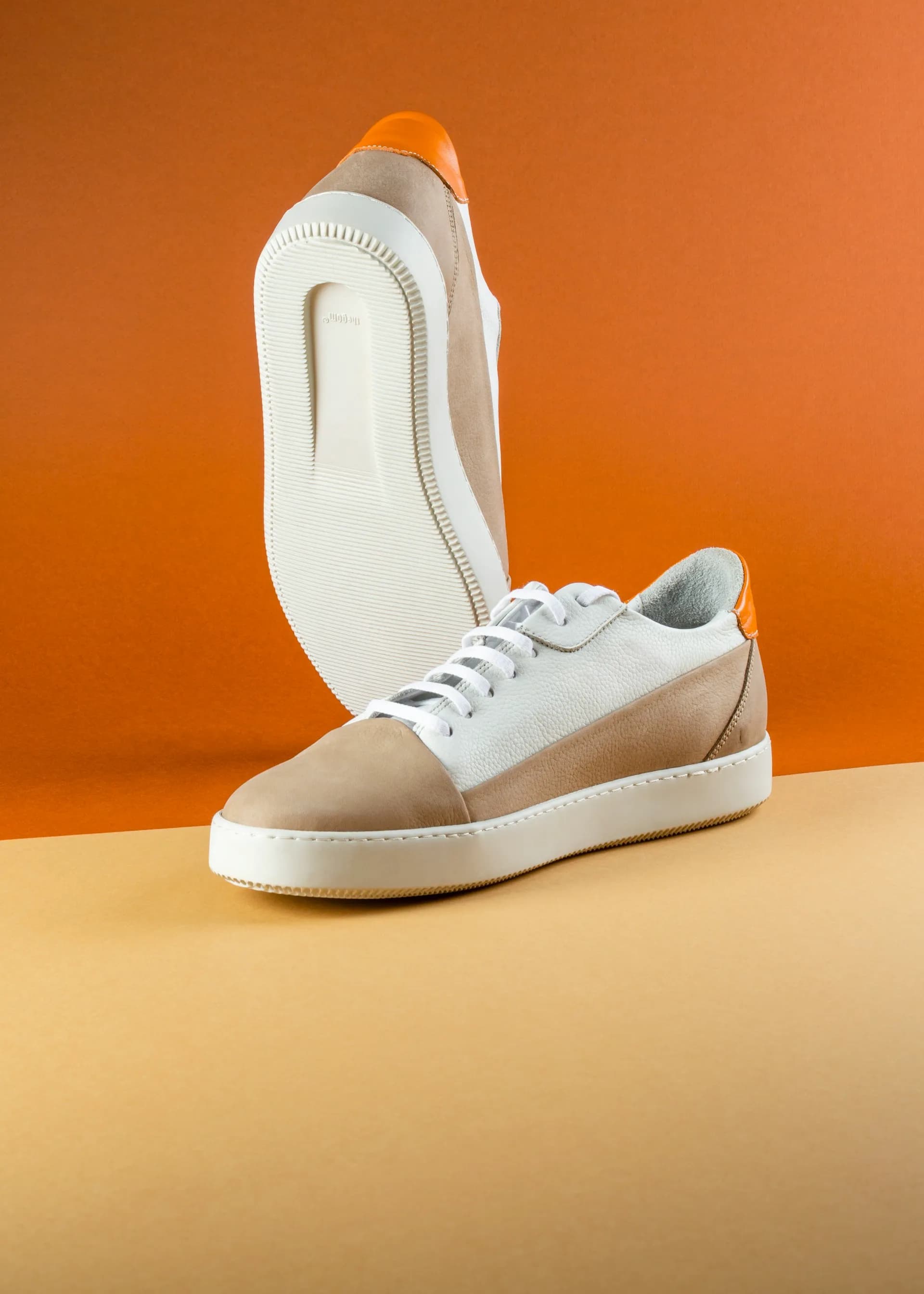
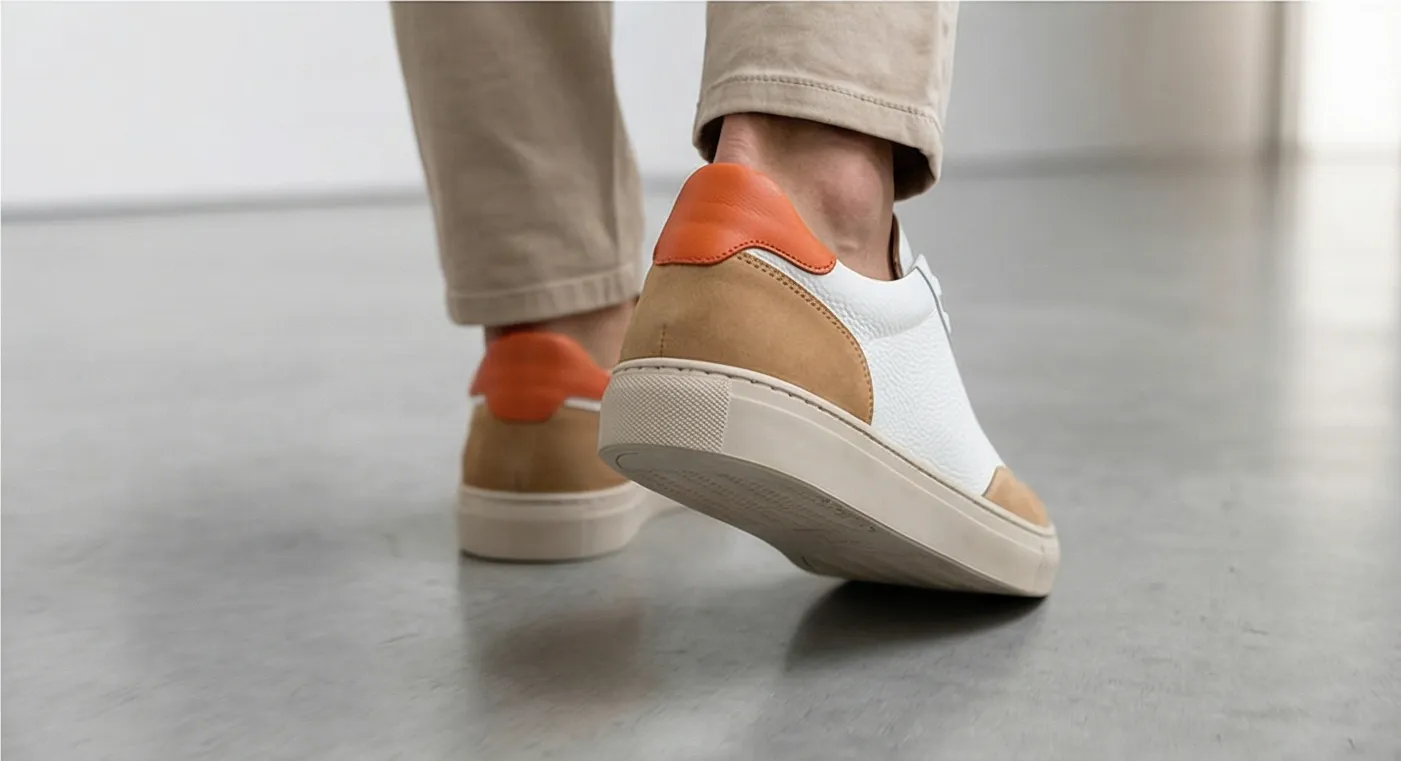
Pixelcut is strong at removing backgrounds from product photos and adding generated backdrops. But neither of those operations creates the on-model presentation that converts for apparel, accessories, and wearable products. Prodofoto's On-Model mode places your product on an AI-generated human model — no casting, no fitting session, no model fees. Here is what that looks like in practice.
Pricing Comparison
Both tools have free tiers and comparable entry pricing. Prodofoto bills through Shopify so no separate payment method is needed. Pixelcut pricing below is approximate — the company does not always display pricing publicly without signing in, and plans change periodically. Verify current prices at pixelcut.com.
| Plan | Price | What you get | Shopify publish |
|---|---|---|---|
| Prodofoto Free | $0 | 10 one-time credits, up to 2 photos/gen | 1-click publish |
| Prodofoto Starter | $9.99/mo | 50 credits/mo, up to 4 photos/gen | 1-click publish |
| Prodofoto Pro | $29.99/mo | 200 credits/mo, 9 photos/gen, 2048×2048 px | 1-click publish |
| Prodofoto Business | $79.99/mo | 600 credits/mo, Copycat mode, multi-product scenes | 1-click publish |
| Pixelcut Free | $0 | Limited background removals/day, watermarked exports | Manual upload |
| Pixelcut Pro | ~$10-15/mo | Unlimited background removal, HD exports, batch processing | Manual upload |
| Pixelcut Business | ~$30/mo | Team access, higher usage limits | Manual upload |
Pixelcut pricing is approximate — verify current plans and limits at pixelcut.com before purchasing. Prodofoto is billed through Shopify, so no separate payment method is needed.
Which Tool Fits Your Store
The decision comes down to two questions: Do you have product photos that need editing, or do you need new photos generated from scratch? And is Shopify your primary channel where every extra file step adds up?
Choose Prodofoto if:
- ✓Shopify is your primary sales channel and you want photos published without touching a file
- ✓You need to generate lifestyle scenes, on-model shots, or infographic callouts from scratch — not just edit existing photos
- ✓You want on-model photos without hiring a model or photographer
- ✓You want everything billed through Shopify (no new card)
- ✓You need up to 9 photos per product in 60 seconds across 5 shot types without writing prompts
- ✓You want video output (5s/10s) alongside stills
Choose Pixelcut if:
- ✓You already have product photos and need fast, accurate background removal across a batch
- ✓Your supplier provides product images and you need consistent backgrounds applied at scale
- ✓You want image upscaling or AI image cleanup for lower-resolution source photos
- ✓You sell across multiple platforms and need a generic editing tool that works outside Shopify
- ✓You have a small catalog where the manual Shopify upload step per SKU is manageable
- ✓Mobile editing is important — Pixelcut's iOS/Android apps are a core part of the workflow
The honest summary
Pixelcut is a genuinely useful editing tool — fast background removal, solid batch processing, and a simple interface that works well on mobile. The problem for Shopify merchants is the same one as with Flair AI, Caspa AI, and Claid.ai: no native Shopify app, no catalog sync, no publish button. Every image generates a download-then-upload cycle, and at 50 or 200 products that cycle is a real operational cost. Prodofoto trades general-purpose editing for Shopify integration and full scene generation — and for merchants whose business runs on Shopify, that trade is almost always worth it. If you have existing product photos and primarily need cleanup and consistent backgrounds, Pixelcut fits well. If you need to create full product scenes and get them live on Shopify without file handling, Prodofoto is the more practical tool.
More Comparisons
Evaluating other tools? See how Prodofoto stacks up in the full AI product photography roundup.
- Prodofoto vs Krea AI: Which AI Product Photography Tool Is Right for Your Shopify Store?
- Prodofoto vs Caspa AI: Which AI Product Photography Tool Is Right for Your Shopify Store?
- Prodofoto vs Photoroom: Which Is Better for Shopify Product Photos?
- Prodofoto vs Flair AI: Which AI Product Photography Tool Is Right for Your Shopify Store?
- Prodofoto vs Pebblely: Which AI Product Photo App Is Right for Your Shopify Store?
- AI Product Photography vs Traditional Photography: The Full Comparison
- AI Product Photography for Shopify: The Complete Guide
Five Shoot Modes, One Click to Publish
Prodofoto installs from the Shopify App Store in under 5 minutes. Pick a product from your catalog, choose a shoot mode — Product-Only, On-Model, Lifestyle, Infographic, or Copycat — and get up to 9 AI photos in about 60 seconds. Published directly to your product listing. No file downloads, no manual uploads, no developer.
Frequently Asked Questions
Is Prodofoto better than Pixelcut for Shopify?
For Shopify merchants, yes — in terms of workflow. Pixelcut is a popular editing app with 70 million users and strong tools for background removal, batch editing, and AI image cleanup. But it has no native Shopify App Store listing. Every image you process in Pixelcut must be downloaded and uploaded manually to your Shopify product listings. Prodofoto installs directly from the Shopify App Store, reads your product catalog automatically, and publishes finished photos to your listings in one click. For merchants processing more than a handful of products, that integration gap is significant.
Does Pixelcut have a Shopify app?
No. As of mid-2026, Pixelcut does not have a native app in the Shopify App Store. It is a web and mobile editing platform — you work at pixelcut.com or on its iOS/Android app, edit and generate product images, then download the results and upload them manually to your Shopify product listings. There is no catalog sync, no 1-click publish, and no Shopify billing integration. Prodofoto, by contrast, lives inside Shopify admin and handles the entire workflow without any file management.
What does Pixelcut actually do for product photography?
Pixelcut is primarily an editing and enhancement tool. Its core strength is fast, accurate background removal — you upload a product image and it strips the background in seconds. It also offers AI background generation, batch editing (process dozens of images at once), product image upscaling, magic eraser for removing objects, and text/logo overlays. Pixelcut excels at cleaning up existing photos and applying consistent backgrounds across a catalog. It does not generate full lifestyle scenes from scratch the way Prodofoto's Lifestyle mode does — it works with photos you already have, not as a scene generator.
How does Pixelcut pricing compare to Prodofoto?
Pixelcut has a free tier that includes limited background removals per day with a watermark on exports. Pro costs approximately $10-15/month and unlocks unlimited background removal, HD exports, and batch processing. Business plans are approximately $30/month with team access and higher usage limits. Prodofoto's pricing runs through Shopify: Free (10 one-time credits), $9.99/month Starter (50 credits), $29.99/month Pro (200 credits, 9 photos per shoot), and $79.99/month Business (600 credits, Copycat mode). Entry pricing is broadly similar, but Prodofoto bills through Shopify with no separate payment method needed.
What is the main difference between Prodofoto and Pixelcut?
The core difference is what each tool creates. Pixelcut is an editor: it removes backgrounds from photos you already have, cleans them up, and applies consistent backgrounds or overlays. Prodofoto is a scene generator: starting from a plain product photo, it creates full lifestyle environments, on-model placements, and studio setups using AI. The second major difference is Shopify integration — Prodofoto publishes directly to your listings, Pixelcut requires downloading and re-uploading every file.
Can Pixelcut publish photos directly to Shopify?
No. Pixelcut does not have a direct Shopify publish integration. After editing product photos in Pixelcut, you download them and upload them to your Shopify product listings manually through Shopify admin or the Shopify mobile app. This is the same download-then-upload workflow as Flair AI, Claid.ai, Caspa AI, and Pebblely. Prodofoto is the alternative that eliminates this step — finished photos go directly from generation to your Shopify listing in one click.
Which tool is better for high-volume Shopify stores?
Prodofoto scales better for high-volume Shopify stores. Because it integrates directly with your Shopify catalog and publishes in one click, processing 100 or 1,000 products does not require any additional manual work. With Pixelcut, every product that needs updated photos requires: uploading the photo to Pixelcut, editing and generating, downloading the output, and uploading to Shopify — that is 3-4 extra steps per SKU. Pixelcut's batch editing helps with throughput, but you still carry files across manually. At 200 SKUs, that is hundreds of file operations. If Shopify is your primary channel and volume matters, Prodofoto is the more practical choice.
References
- Pixelcut — Official site and feature overview
- Prodofoto on Shopify App Store — Feature and plan overview
- Rewarx — Best AI Product Photography Tools Ranked for Ecommerce 2026
- Digital Applied — AI Product Photography Tools 2026 Guide
- Nightjar — 10 Best AI Product Photography Tools in 2026
- Baymard Institute — Product image quality impact on conversion rates